ToolMage
Sign in

Best 1 Artistic Effects AI tools for Art

Popular Artistic Effects AI tools in Art include myaha, helping you work more efficiently.

myaha
Freemium

myaha

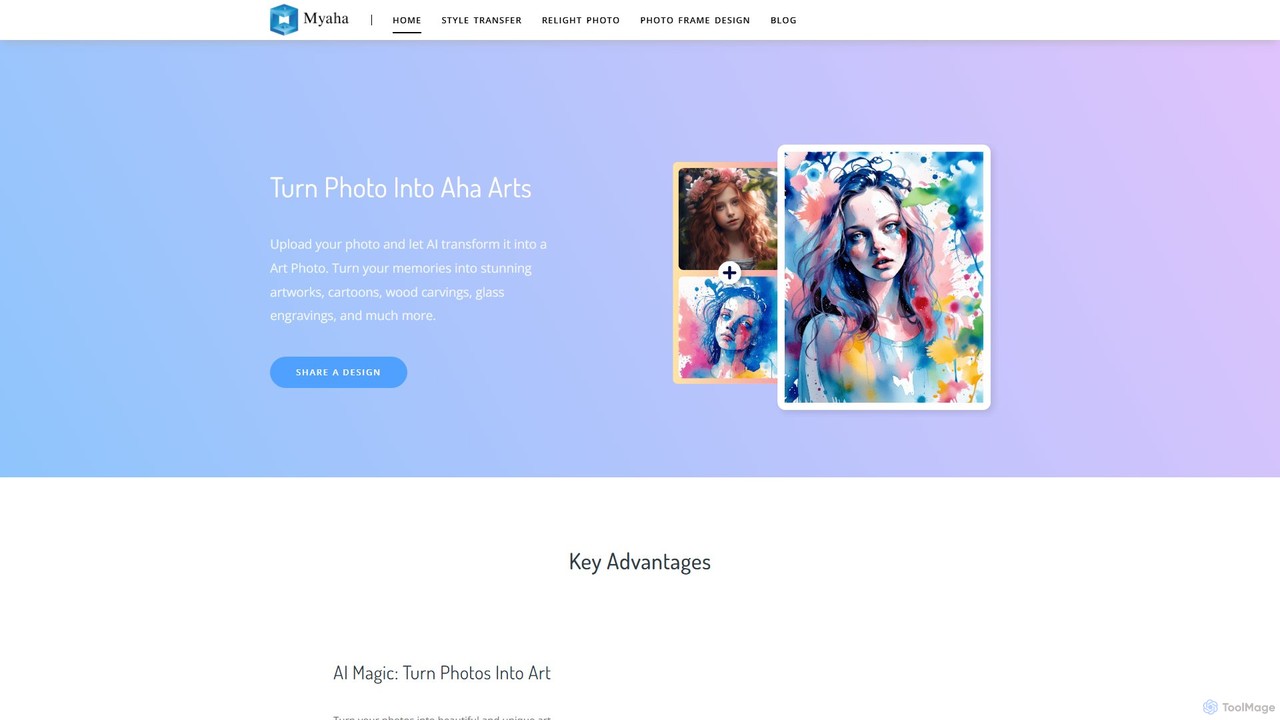
myaha is an AI-powered platform that transforms your photos into stunning works of art. It offers a suite of tools including artistic style transfer, photo relighting, and frame design. With an intuitive interface, users can easily convert images into various styles like cartoons, oil paintings, and sketches, or manipulate lighting to create dramatic effects, making it ideal for marketers, content creators, and photographers.

Artistic Effects
Visits 6.2KFavorites 97Likes 107

About Artistic Effects

Artistic Effects tools are AI-powered applications designed to transform existing photos and videos into stylized works of art. They utilize advanced algorithms, such as neural style transfer, to analyze the content of your media and apply the aesthetic of another image, like a famous painting or a specific artistic medium. This allows users to instantly generate unique visuals, converting ordinary images into styles like oil paintings, sketches, or cartoons without complex manual editing. These tools are valuable for creating eye-catching social media content, unique marketing materials, and personalized digital art.

Core Features

  • Neural Style Transfer: Applies the artistic style from a source image (e.g., a painting) onto a target photo or video.
  • AI-Powered Filters: Offers a wide range of complex filters that go beyond simple color adjustments, such as cartoonization, sketching, and watercolor effects.
  • Effect Intensity Control: Provides sliders and parameters to fine-tune the strength and characteristics of the applied artistic effect.
  • Video Stylization: Processes video clips frame-by-frame to apply consistent artistic effects throughout the entire sequence.
  • High-Resolution Output: Capable of exporting the transformed images and videos in high quality suitable for digital use and printing.

Use Cases

These tools are widely used by social media managers, content creators, digital artists, and marketers. For instance, a brand can transform standard product photos into a consistent artistic style for a campaign, or a photographer can offer clients stylized portraits as a creative option. They are also popular among individuals for creating unique avatars and personalized artwork.

How to Choose

When selecting an Artistic Effects tool, consider the variety and quality of available styles in its library. Evaluate its support for different media types (image vs. video) and the maximum output resolution. Also, assess the processing speed, the intuitiveness of the user interface, and whether the pricing model (e.g., subscription or per-use) aligns with your needs.

Artistic Effects use cases

1

Creating Eye-Catching Social Media Posts

A social media manager for a fashion brand needs to create daily content that stands out in a crowded feed. Instead of using standard photos, they use an Artistic Effects tool to transform their product shots. By applying a consistent 'modern art' or 'watercolor' effect to all images in a campaign, they create a visually cohesive and memorable brand aesthetic. This process takes only a few minutes per image, allowing them to produce a high volume of unique content that grabs user attention and increases engagement rates compared to regular photography.

2

Personalizing Digital Portraits and Avatars

An individual wants a unique profile picture for their social media accounts that reflects their personality. They upload a favorite selfie to an Artistic Effects tool and experiment with various styles. They might transform their photo into a classic oil painting for a professional look on LinkedIn, a vibrant anime character for Discord, or a stylized sketch for their personal blog. This allows for a high degree of personalization without needing any artistic skill, providing a simple way to create custom avatars that are more expressive than a standard photograph.

3

Enhancing Architectural and Real Estate Visuals

An architect or real estate agent wants to present a property in a more conceptual or inviting way. They take a standard, photorealistic render of a building and use an AI tool to apply a 'pencil sketch' or 'watercolor' effect. This transforms the clinical-looking render into a soft, artistic impression that can help clients better visualize the design intent or the 'feel' of a home. It's a quick method to produce alternative presentation materials that evoke emotion, which can be more persuasive than technical drawings or standard photos during a pitch.

4

Stylizing Video Clips for Marketing and Intros

A video creator wants to produce a unique intro for their YouTube channel or a short, engaging video ad. They upload a simple video clip—perhaps of a cityscape or a product in use—to an AI tool that supports video stylization. They apply a dynamic 'glitch' effect or a 'comic book' style that processes each frame. The result is a highly stylized, professional-looking video that would typically require specialized software and significant time to create manually. This allows for rapid production of branded video content that is visually distinct and memorable.

5

Creating Unique NFT Art Collections

An NFT artist has a base collection of digital characters or items and wants to generate a large, diverse series for sale. They use an Artistic Effects tool to programmatically apply dozens of different styles (e.g., 'cubist', 'impressionist', 'neon punk') to each base image. This allows them to rapidly create hundreds or thousands of unique variations from a small set of original assets. The AI handles the artistic transformation, enabling the artist to focus on curating the collection and managing the launch, significantly speeding up the workflow for creating generative art projects.

6

Developing Concept Art for Games and Films

A concept artist is tasked with exploring visual styles for a new character or environment. Instead of manually painting dozens of variations, they start with a base 3D model or a simple sketch. They then run this image through an Artistic Effects tool, applying various filters like 'cyberpunk neon', 'ancient fresco', or 'gritty graphic novel'. This process generates a wide array of stylistic directions in minutes. The artist can then present these diverse options to the art director for feedback, dramatically accelerating the ideation and pre-production phase of a project.

Artistic Effects FAQ

What are AI Artistic Effects tools?

AI Artistic Effects tools are applications that use artificial intelligence, primarily neural style transfer, to transform existing images and videos into different artistic styles. Unlike a simple filter, these tools analyze the content of your media and intelligently apply the aesthetic of a source style, such as a Van Gogh painting or a comic book illustration. They essentially 'repaint' your image in a new style, creating a much more integrated and complex result than a basic color overlay. They are used to quickly generate stylized visuals without manual artistic skills.

How to choose the right Artistic Effects tool?

To choose the right tool, consider these factors:

  • Style Library: Look for a tool with a diverse and high-quality library of artistic styles that match your aesthetic needs.
  • Media Support: Determine if you need to process only images or also videos, as not all tools support video stylization.
  • Output Quality: Check the maximum resolution the tool can export. For professional or print use, high-resolution output is essential.
  • Customization: Good tools allow you to adjust the intensity of the effect, giving you more creative control over the final result.
  • Speed and Usability: Evaluate how fast the tool processes media and how intuitive its interface is. A simple workflow saves time.
What's the difference between AI Artistic Effects and standard photo filters?

The primary difference lies in the underlying technology and complexity. Standard photo filters, like those on Instagram, typically apply a pre-set layer of color adjustments, contrast, and saturation changes over an entire image. They are essentially color overlays. AI Artistic Effects tools, however, use deep learning models like neural style transfer. They analyze both the content of your photo and the stylistic elements of a source artwork (like brushstrokes, color palettes, and textures) and then intelligently merge them. This results in a fundamental transformation of the image, not just a surface-level adjustment, creating a much more authentic and integrated artistic rendition.

Can these tools be used for professional work?

Yes, many Artistic Effects tools are suitable for professional work, provided you choose one with the right features. Professionals in marketing, design, and content creation use them to quickly generate stylized assets for campaigns, social media, and concept art. Key features to look for in a professional tool include high-resolution export options (for print or high-quality digital displays), batch processing capabilities for efficiency, video support, and a commercial use license. While they may not replace the nuanced work of a skilled artist for all tasks, they are powerful for rapid ideation, content diversification, and creating unique visuals at scale.

What is the difference between AI Artistic Effects and AI Image Generators?

The core difference is their starting point and function. AI Artistic Effects tools require an existing image or video as input and their function is to *transform* or *stylize* that input media. They apply a new aesthetic but retain the underlying content of the original. In contrast, AI Image Generators create entirely new images from scratch based on a text prompt or description. They do not modify an existing image; they *generate* a new one. In short, Artistic Effects tools edit and stylize, while Image Generators create and originate.