ToolMage
Sign in

Best 3 Coloring AI tools for Art

Popular Coloring AI tools in Art include GenColor, fylm.ai, and KawaiiColoring, helping you work more efficiently.

KawaiiColoring
Free

KawaiiColoring

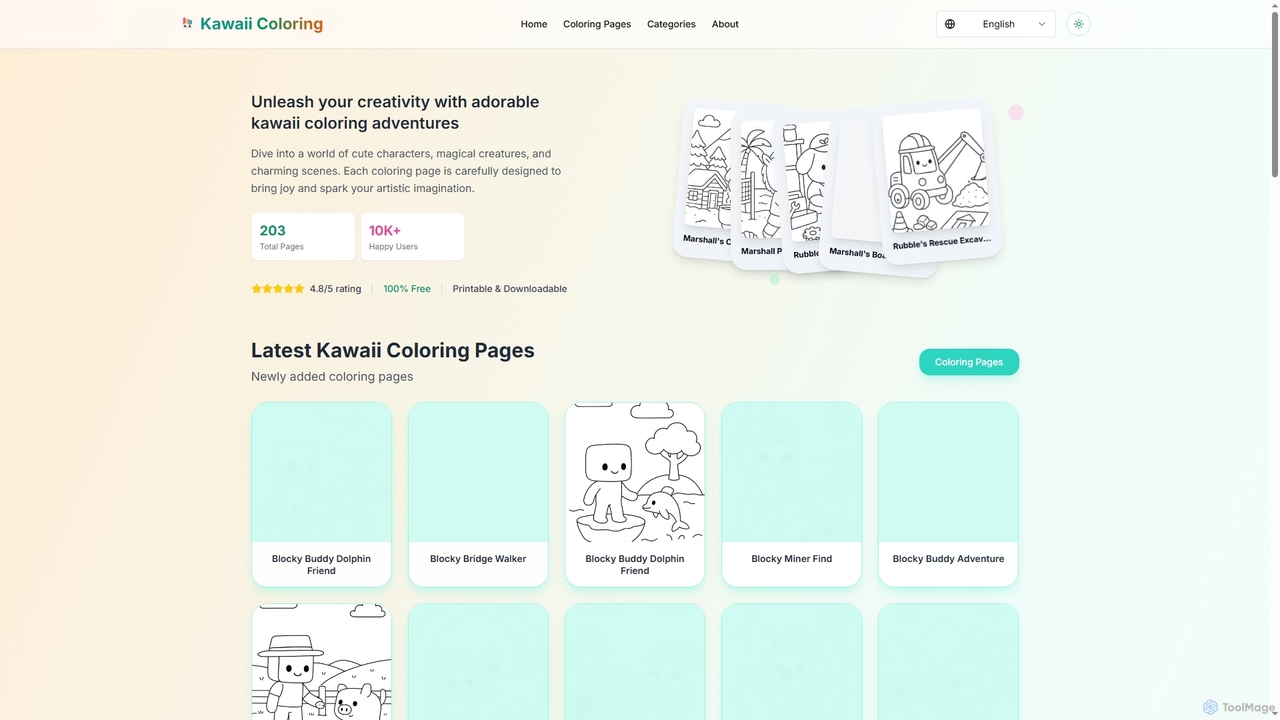
KawaiiColoring is a free online platform offering a vast collection of adorable, high-quality kawaii-style coloring pages. Designed for all ages, it provides a therapeutic and creative outlet for stress relief and mindfulness. Users can easily browse diverse themes like cute animals, fantasy worlds, and holiday specials, then download and print pages for personal use. It's a perfect family-friendly activity that fosters creativity and is completely free of charge.

Coloring
Visits 4.2KFavorites 107Likes 110
GenColor
Freemium

GenColor

GenColor is an AI-powered tool that instantly transforms photos and text descriptions into high-quality, printable line art and coloring pages. It's designed for everyone, from kids and hobbyists to educators and professional creators, offering a seamless way to generate unique artwork for free.

Coloring
Visits 120.5KFavorites 108Likes 110
fylm.ai
Freemium

fylm.ai

fylm.ai is an AI-powered, cloud-based platform for professional color grading and real-time collaboration. It empowers filmmakers, colorists, and creative teams to create stunning cinematic looks, manage color workflows, and collaborate seamlessly from anywhere in the world. The platform uses advanced AI to automate and simplify complex tasks like shot matching and look creation, making high-end color grading accessible to everyone.

Coloring
Visits 56.4KFavorites 101Likes 115

About Coloring

AI Coloring tools are a specialized category of art software that automatically adds color to line art, sketches, or black-and-white images. They leverage deep learning models to intelligently interpret shapes and lines, applying plausible and context-aware color palettes. This technology dramatically accelerates the workflow for artists, illustrators, and photo restorers, transforming monochrome visuals into vibrant creations. These tools are distinct from general image editors as they focus specifically on the task of color application from scratch on a monochrome base.

Core Features

  • Automatic Line Art Colorization: Intelligently fills colors into black-and-white drawings or sketches based on line boundaries.
  • Photo Colorization: Restores and adds realistic color to old black-and-white or sepia photographs.
  • Color Hint Guidance: Allows users to place simple color dots or scribbles to guide the AI's color choices for specific areas.
  • Style-Aware Shading: Applies basic shading and highlights that are consistent with a specified art style or light source.
  • Layered Output: Generates color fills on separate layers for further manual refinement in standard editing software.

Use Cases

AI Coloring tools are primarily used by comic book artists, manga creators, and illustrators to speed up the flatting and base coloring process. They are also invaluable for archivists, historians, and families looking to bring historical photos to life. Concept artists use them for rapid color exploration of character and environment sketches.

How to Choose

When selecting an AI Coloring tool, evaluate its specialization (line art vs. photo). Assess the quality and realism of the color output and the level of user control, such as color hints. Consider its integration capabilities, like Photoshop plugins, and whether its output format (e.g., layered PSD) fits your workflow.

Featured tool rankings

Coloring use cases

1

Accelerating Comic Book and Manga Production

A comic artist with a tight deadline for a multi-page chapter uses an AI Coloring tool to apply base colors, or 'flats', to their inked pages. Instead of spending hours manually selecting and filling each area, they upload the pages and let the AI generate a complete set of flat colors in minutes. This allows the artist to immediately proceed to the more creative tasks of shading, lighting, and adding special effects, effectively cutting the total coloring time by up to 70% and ensuring deadlines are met without compromising quality.

2

Bringing Family History to Life

A genealogist or family historian scans a collection of old, black-and-white ancestral portraits. Using an AI Photo Colorization tool, they upload these images. The AI analyzes the content, recognizing faces, clothing, and backgrounds, and applies historically plausible colors. A faded photo of a great-grandparent is transformed into a vibrant portrait, revealing details in clothing and environment that were previously unnoticed. This process makes historical figures more relatable and creates emotionally resonant visuals for family archives, websites, and presentations.

3

Rapid Concept Art Color Exploration

A concept artist for a video game studio needs to quickly present multiple color schemes for a new character design. They take their finalized line art and run it through an AI Coloring tool multiple times, using different color hints or style prompts for each iteration. In under an hour, they generate ten distinct color variations, showcasing the character in different lighting conditions and moods (e.g., heroic, sinister, neutral). This allows the art director to make a quick, informed decision, dramatically speeding up the pre-production pipeline compared to manual coloring of each variation.

4

Visualizing Architectural Sketches

An architect creates a detailed line drawing of a proposed building facade. To help the client visualize the final look without creating a full 3D render, they use an AI Coloring tool. They provide simple color hints: a terracotta swatch for the brickwork, a blue hint for the windows, and green for the surrounding foliage. The AI interprets these hints and applies realistic, textured colors across the entire sketch. The result is a quick, professional-looking color visualization that effectively communicates the design intent at an early stage.

5

Creating Marketing Assets from Sketches

A product designer has created several hand-drawn sketches of a new product concept. To use these sketches in an internal presentation or on a concept blog, they need to be colorized quickly. They scan the sketches and use an AI tool to apply a consistent, brand-aligned color palette. The tool transforms the simple line drawings into polished, eye-catching illustrations suitable for marketing materials, saving the cost and time of hiring an illustrator for early-stage concept visuals.

6

Restoring and Colorizing Historical Archives

A museum or historical society digitizes a large collection of black-and-white photographs from a significant historical event. To make these archives more engaging for a modern audience in a digital exhibit, a curator uses a batch-processing AI Coloring tool. They upload hundreds of photos, and the AI applies realistic, historically researched colors to them. The resulting colorized images provide a new, more vivid perspective on the past, making history more accessible and impactful for researchers, students, and the general public.

Coloring FAQ

What are AI Coloring tools?

AI Coloring tools are specialized software that uses artificial intelligence to automatically add color to monochrome images like line art, sketches, and black-and-white photos. Unlike general image editors, their core function is to interpret the lines and shapes of an image to apply contextually appropriate and coherent colors, drastically reducing the manual labor involved in the coloring process for artists and photo restorers.

How do AI Coloring tools differ from AI Image Generators?

The key difference is their input and purpose. AI Coloring tools require an existing image (like line art or a photo) as input and their purpose is to add color to it. In contrast, AI Image Generators create entirely new images from a text prompt or other abstract inputs. Essentially, a coloring tool enhances an existing creation, while a generator produces a new one from scratch.

How to choose the right AI Coloring tool?

To choose the right tool, consider these factors:

  • Primary Use Case: Do you need to color comic book line art or restore old photographs? Some tools specialize in one over the other.
  • Output Quality: Review examples of the tool's output. Does the color style and realism match your needs?
  • Level of Control: Check if the tool allows for color hints or palette selection to guide the AI, which is crucial for professional work.
  • Integration: Look for tools that integrate with your existing software, such as Photoshop plugins, for a seamless workflow.
  • Output Format: Ensure the tool can export in a format you need, like a layered PSD file for further editing.
Can AI Coloring tools understand specific art styles?

Many advanced AI Coloring tools are trained to recognize and adapt to different styles. Some allow you to provide reference images to guide the coloring style, ensuring the output matches the aesthetic of your project, whether it's cel-shaded animation, watercolor, or realistic rendering. However, the accuracy and effectiveness can vary significantly between tools, so it's important to test them with your specific style of artwork.

Who are the primary users of AI Coloring tools?

The main users are professionals and hobbyists in creative fields. This includes:

  • Comic Book Artists and Manga Creators: To accelerate the time-consuming process of applying flat colors.
  • Illustrators and Concept Artists: For rapid color exploration and creating presentation-ready visuals from sketches.
  • Photo Restoration Specialists: To bring old black-and-white photographs to life with realistic color.
  • Historians and Archivists: To make historical photo archives more accessible and engaging for a modern audience.
  • Hobbyists and Genealogists: For personal projects like colorizing family photos or creating art.