ToolMage
Sign in

Best 1 Image Gallery AI tools for Art

Popular Image Gallery AI tools in Art include OddVibe, helping you work more efficiently.

OddVibe
Free

OddVibe

OddVibe is a curated online gallery showcasing the finest collection of creepy, unnerving, and unsettling images generated by AI. It serves as a hub of inspiration for horror enthusiasts, artists, writers, and game developers. Users can browse the spooky collection and even submit their own AI-generated horror art to be featured, fostering a community of dark creativity.

Image Gallery
Visits 7.1KFavorites 120Likes 129

About Image Gallery

AI Image Gallery tools are platforms that leverage artificial intelligence to efficiently manage, organize, and showcase visual assets. These tools utilize intelligent recognition, automatic classification, and advanced search functionalities to help users effortlessly handle vast collections of images. They are particularly valuable for content creators, designers, and artists looking to build personal portfolios, facilitate team collaboration, or explore creative inspiration. In the burgeoning field of AI art creation, AI image galleries serve as indispensable assistants for curating and sharing digital artworks.

Core Features

  • Intelligent Tagging & Categorization: Automatically identifies image content and applies relevant tags such as style, theme, or keywords for streamlined organization.
  • Advanced Semantic Search: Supports natural language queries, enabling precise image retrieval based on content, style, or conceptual descriptions.
  • Portfolio & Showcase Creation: Offers diverse templates and layouts to easily build professional-grade online portfolios or galleries.
  • Collaboration & Sharing: Facilitates team members in sharing images, adding comments, and managing versions, enhancing collaborative workflows.
  • AI-Driven Curation: Intelligently recommends relevant images or artistic styles based on user preferences or project requirements.

Use Cases

AI Image Gallery tools are widely adopted by professionals in creative industries. Digital artists use them to organize and present their AI-generated masterpieces, while content creators leverage them to manage vast libraries of visual assets for social media or blogs. Design teams benefit from enhanced collaboration features for shared visual resources, and marketing professionals utilize them for consistent brand asset management.

How to Choose

When selecting an AI Image Gallery tool, consider the depth of its AI capabilities, such as intelligent tagging and semantic search accuracy. Evaluate its storage capacity, supported file types, and scalability for future needs. Assess the flexibility of its display and sharing options, including portfolio templates and customization. Finally, check for robust collaboration features and integration possibilities with other design or AI tools.

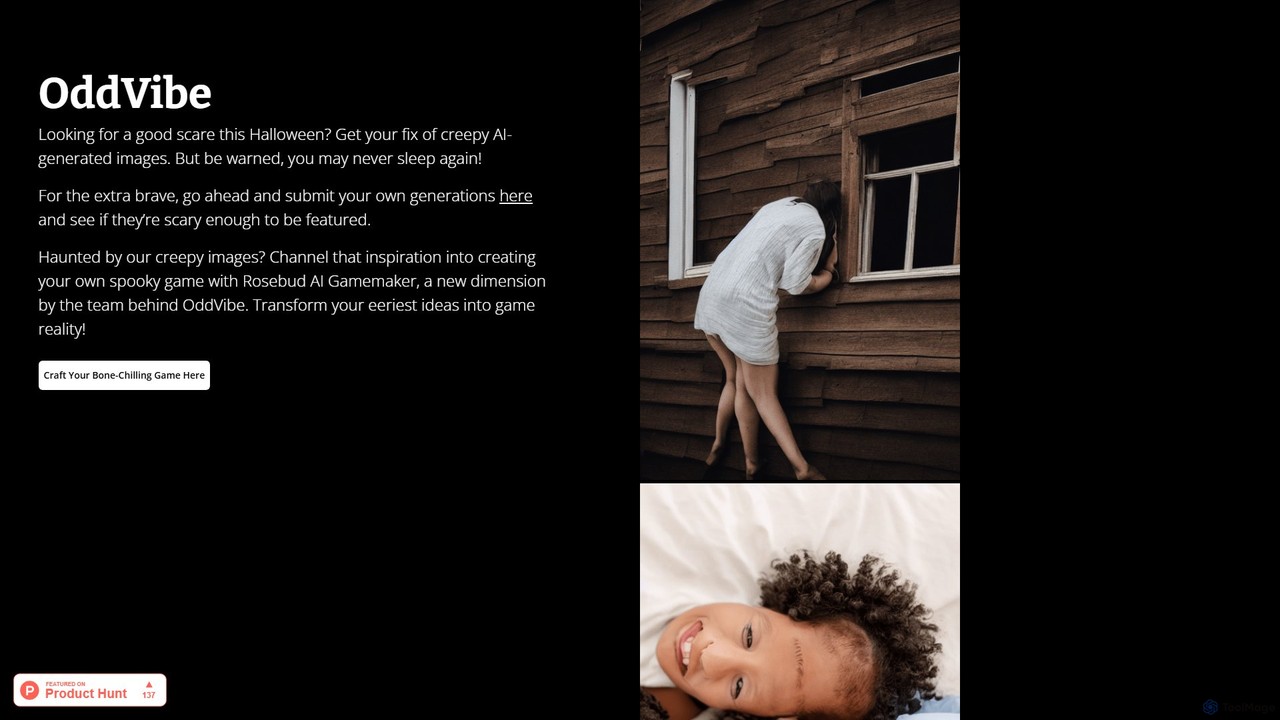
Image Gallery use cases

1

Digital Artist Portfolio Management

Digital artists utilize AI Image Gallery tools to automatically tag their AI-generated artworks with styles, themes, and prompts, then effortlessly create multiple online galleries to showcase their unique digital art to potential clients or followers.

2

Content Creator Asset Library Building

Social media managers or bloggers use AI Image Gallery tools to organize and categorize large volumes of AI-generated images, illustrations, and visual assets, quickly finding images that match specific themes or emotions through semantic search, thereby boosting content creation efficiency.

3

Design Team Visual Asset Collaboration

Design teams upload all project-related AI-generated images, design drafts, and reference visuals to an AI Image Gallery, leveraging its collaboration features for version control and feedback, ensuring all team members access the latest and most relevant visual assets.

4

E-commerce Product Image Smart Archiving

E-commerce operators use the intelligent recognition features of AI Image Gallery tools to automatically tag product images by category (e.g., color, style, material) and archive them by series or campaign, facilitating quick retrieval and publishing.

5

Inspiration Exploration & Style Discovery

Concept artists or designers browse vast collections of AI-generated artworks within an AI Image Gallery, using AI-driven recommendation systems to discover new artistic styles, color schemes, or composition inspirations, broadening their creative horizons.

6

Unified Brand Visual Content Management

Brand marketing departments use AI Image Gallery tools to centralize and manage all official brand images, promotional posters, and social media visuals, ensuring brand image consistency and enabling global teams to access assets on demand.

Image Gallery FAQ

What are AI Image Gallery tools?

AI Image Gallery tools are specialized platforms that use artificial intelligence to streamline the organization, management, and presentation of digital images. They go beyond basic storage by offering features like automatic tagging, smart search, and AI-powered curation, making it easier to handle large volumes of visual content, especially AI-generated art.

How do AI Image Gallery tools differ from traditional image management software?

The key difference lies in AI integration. Traditional software primarily offers manual organization and basic search. AI Image Gallery tools, however, leverage AI for intelligent content recognition, automatic metadata generation, semantic search (understanding natural language queries), and even AI-driven recommendations, significantly enhancing efficiency and discovery for complex visual libraries.

Who is best suited to use AI Image Gallery tools?

These tools are ideal for digital artists, graphic designers, content creators, photographers, marketing teams, and anyone who regularly works with and needs to manage large collections of visual assets. They are particularly beneficial for those creating or curating AI-generated art, needing efficient ways to organize portfolios, collaborate, or find inspiration.

How can I choose the right AI Image Gallery tool for my needs?

Consider the tool's AI capabilities, such as the accuracy of its automatic tagging and the power of its semantic search. Evaluate its storage capacity, supported file formats, and scalability. Look for robust portfolio creation and sharing options, including customization. Finally, assess its collaboration features, integration with other creative tools, and pricing model to match your budget and workflow.

How do AI Image Gallery tools enhance artistic creation efficiency?

AI Image Gallery tools boost efficiency by automating tedious tasks like tagging and categorization, freeing up artists' time. They enable rapid discovery of inspiration through advanced search and AI recommendations. Furthermore, they simplify portfolio creation and sharing, allowing artists to present their work professionally and collaborate seamlessly, ultimately accelerating the creative and dissemination process.