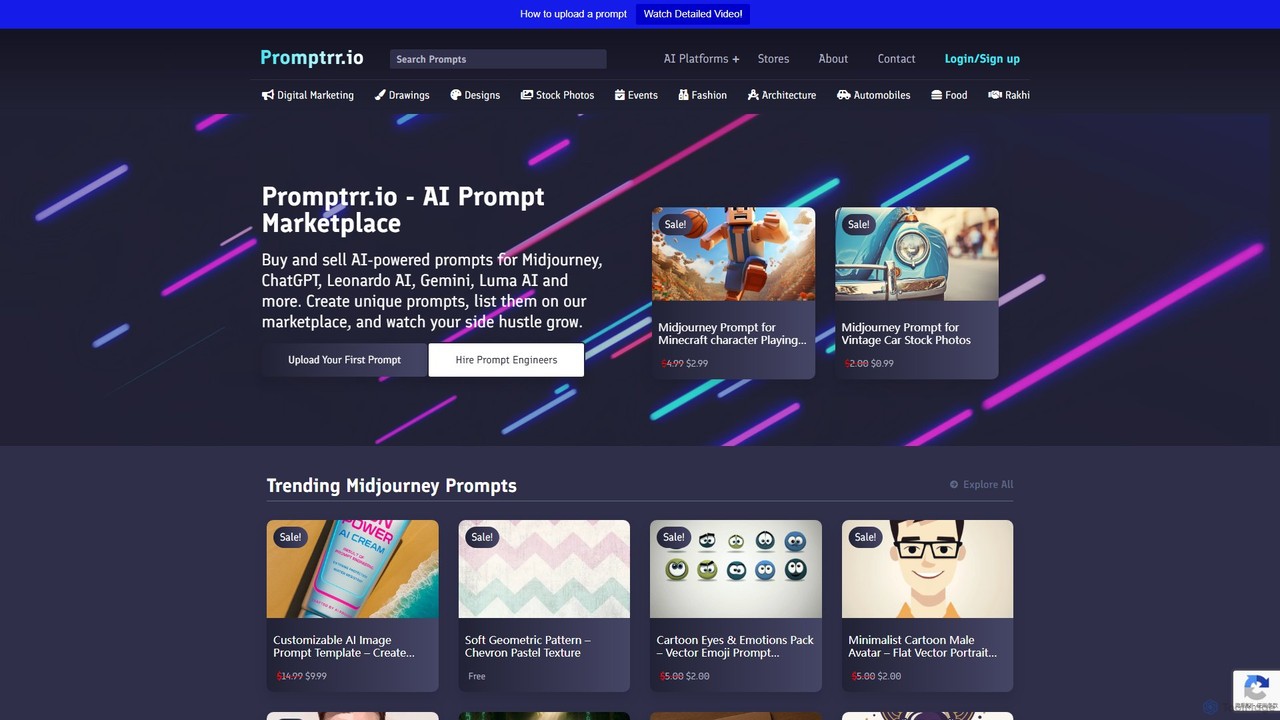
Image Prompts tools are specialized utilities designed to help users create, refine, and discover effective text descriptions for AI image generators. These tools act as a creative co-pilot, translating simple ideas into detailed, structured prompts that AI models can interpret more accurately. By providing structured vocabularies, style suggestions, and optimization features, they significantly improve the quality and consistency of generated images. This process empowers both beginners and experts to unlock the full potential of generative art AI, reducing trial-and-error and accelerating the creative workflow.
Core Features
- Prompt Generation & Expansion: Automatically creates detailed, complex prompts from a few simple keywords or a basic idea.
- Prompt Library & Marketplace: Offers a searchable database of successful prompts submitted by the community, often with resulting images for reference.
- Visual Prompt Builder: Provides a user-friendly interface with menus and options to construct prompts by selecting styles, artists, camera angles, and other parameters.
- Prompt Analysis & Optimization: Evaluates existing prompts and suggests improvements, such as adding negative prompts or refining descriptive terms for better results.
- Image-to-Prompt (Reverse Engineering): Analyzes an existing image to generate a text prompt that could produce a similar visual outcome.
Use Cases
These tools are invaluable for digital artists, graphic designers, and content creators seeking to overcome creative blocks and explore new visual styles. Marketers and brand managers use them to craft consistent visual assets for campaigns. Game developers and concept artists leverage them to rapidly prototype characters, environments, and assets. They also serve as an excellent learning resource for beginners in AI art, helping them understand the principles of effective prompt engineering.
How to Choose
When selecting an Image Prompts tool, consider the scope of its prompt library and the quality of its suggestions. Evaluate the user interface—a visual builder may be better for beginners, while advanced users might prefer powerful text-based optimizers. Check for compatibility with the AI image generators you use (e.g., Midjourney, Stable Diffusion). Finally, consider the community features; an active community can be a great source of inspiration and learning.