
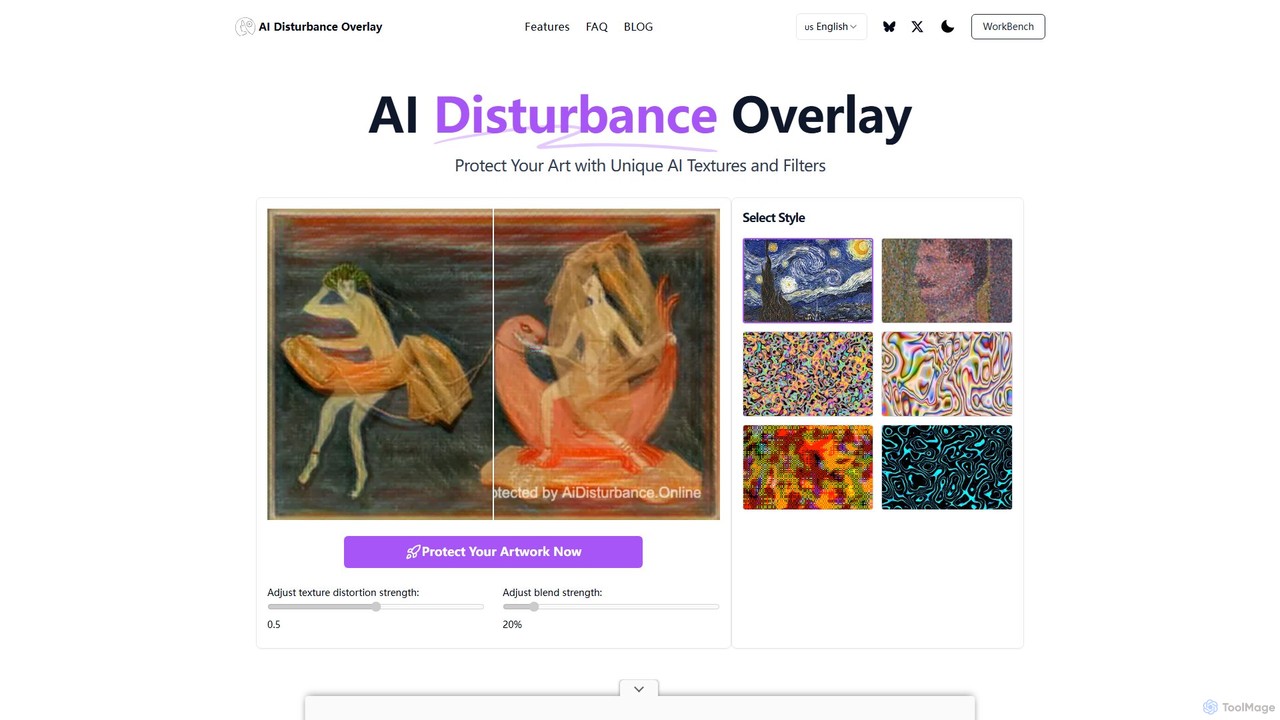
AI Disturbance Overlay
AI Disturbance Overlay is a tool for artists to protect their work from AI style theft. It applies …
AI Disturbance Overlay is a tool for artists to protect their work from AI style theft. It applies a subtle, nearly invisible filter to images using adversarial techniques. This 'disturbance' layer disrupts AI models like MidJourney and Stable Diffusion, preventing them from learning or replicating the artist's unique style, even after screenshots or compression. It's a web-based solution designed to safeguard artistic sovereignty in the age of generative AI.
About Image Protection
AI Image Protection tools are a specialized class of software designed to safeguard digital images from unauthorized use, AI model training, and content scraping. These tools employ advanced techniques like AI-driven cloaking, glazing, and digital watermarking to alter images at a pixel level. This process makes the images disruptive for machine learning models while remaining visually unchanged to the human eye, effectively protecting an artist's unique style and intellectual property. They are a crucial component of digital art for creators looking to control how their work is used in the age of generative AI.
Core Features
- AI Model Disruption (Cloaking/Glazing): Adds imperceptible pixel-level noise to an image to prevent AI models from accurately interpreting or learning its style.
- Invisible Watermarking: Embeds hidden, robust data within the image file to prove ownership and track unauthorized distribution.
- Visible Watermarking: Overlays a customizable, semi-transparent logo or text to deter casual theft and credit the creator.
- Content Monitoring: Some tools offer services to scan the web and identify instances where protected images are being used without permission.
Applicable Scenarios
These tools are essential for digital artists, illustrators, and photographers who publish their work online and want to prevent it from being used to train generative AI models. They are also valuable for brands and businesses seeking to protect their proprietary visual assets, such as product photos and marketing materials, from being scraped and replicated by competitors.
Selection Criteria
When choosing an AI Image Protection tool, consider the specific threat you want to mitigate (e.g., style mimicry vs. direct copying). Evaluate the strength of the protection and its resilience against new AI models. Also, assess its impact on image quality, support for batch processing for large volumes of images, and whether it operates as a local application or a cloud service.
Image ProtectionUse Cases
Protecting a Digital Art Portfolio from AI Style Scraping
A digital artist regularly posts their new creations on social media and portfolio websites. To prevent generative AI models from learning and replicating their unique artistic style, they use an AI image protection tool. Before uploading, they batch-process their entire gallery through a 'glazing' or 'cloaking' function. This subtly alters the pixels in a way that is imperceptible to viewers but makes the images unusable as training data for AI, thus safeguarding their creative identity and future commission opportunities.
Securing Client Photography Previews with Invisible Watermarks
A professional photographer sends clients a gallery of low-resolution proofs for selection before final delivery. To prevent unauthorized use or printing of these proofs, the photographer embeds a robust, invisible watermark into each image. This watermark contains their copyright information and the client's ID. If the images appear online or are disputed, the photographer can use a corresponding reader tool to extract the hidden data and definitively prove ownership, ensuring they get paid for their final, high-resolution work.
Protecting Brand Assets from Unauthorized AI Training
A marketing team for a fashion brand wants to protect its high-quality product images and campaign visuals from being used by third-party AI image generators. They integrate an AI image protection tool into their digital asset management (DAM) workflow. Every image approved for public use is automatically processed to add a layer of AI-disrupting noise. This proactive measure ensures their brand's visual identity is not diluted or replicated without consent, protecting their investment in original photography and design.
Deterring Unauthorized Use in Online Marketplaces
A creator sells digital assets like textures, 3D models, and design templates on an online marketplace. To prevent potential buyers from using screenshots of the preview images without purchasing, they apply a prominent but aesthetically pleasing visible watermark. This watermark includes their logo and a URL. It acts as a clear deterrent and also serves as a marketing tool, directing viewers back to their official store, ensuring that only paying customers receive the clean, high-resolution files.
Verifying Authenticity of an NFT Artwork
An NFT artist wants to provide buyers with a reliable way to verify the authenticity of their digital artwork, beyond just the blockchain record. Before minting the NFT, the artist embeds a unique, cryptographically signed invisible watermark into the final image file. This watermark links the specific image file to the artist's digital signature and the token ID. A collector can later use a verification tool to check for this watermark, confirming that they possess the original, artist-approved file and not a counterfeit copy.
Tracking Leaks of Confidential Design Mockups
A design agency works on confidential product mockups for a major tech client. To prevent leaks, they use an image protection tool to embed a different invisible watermark in each copy of the mockups sent to different stakeholders (e.g., 'Client_Marketing_Dept', 'Internal_Review_Team'). If a mockup is leaked online, the agency can analyze the leaked image, extract the unique watermark, and instantly identify the source of the leak. This forensic capability helps enforce NDAs and protect sensitive project information.