ToolMage
Sign in

Best 1 Pixel Art Generation AI tools for Art

Popular Pixel Art Generation AI tools in Art include Pixelhub, helping you work more efficiently.

Pixelhub
Paid

Pixelhub

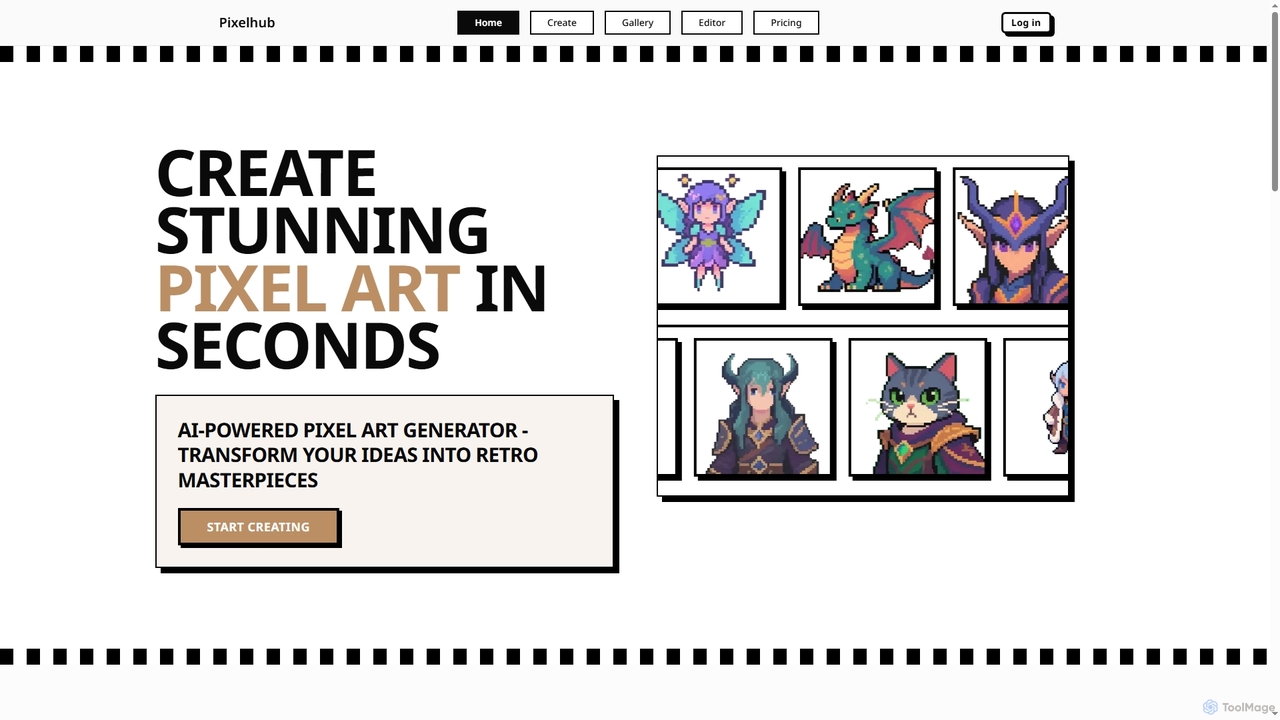
Pixelhub is an AI-powered pixel art generator that transforms your creative ideas into stunning retro masterpieces. It features an intuitive editor for effortless creation, customization options, and a vibrant community for sharing and discovering unique pixel art.

Pixel Art Generation
Visits 7.1KFavorites 110Likes 113

About Pixel Art Generation

Pixel Art Generation tools are a specialized category of AI-powered software designed to create pixelated images and graphics, reminiscent of classic video games and early digital art. These tools leverage advanced algorithms to transform text prompts or existing images into distinct pixel art styles, offering precise control over resolution, color palettes, and artistic interpretation. They empower artists, game developers, and content creators to quickly produce authentic retro visuals, streamline asset creation, and explore unique aesthetic possibilities within the broader field of digital art.

Core Features

  • AI-Powered Pixelation: Automatically converts inputs into pixelated images with customizable resolution and detail levels.
  • Style & Palette Control: Offers extensive options for defining pixel art styles, color palettes (e.g., 8-bit, 16-bit), and dithering techniques.
  • Sprite & Asset Generation: Creates individual sprites, character sheets, tilesets, and background elements suitable for game development.
  • Animation Support: Generates sequences of pixel art frames for simple animations or character movements.
  • Upscaling & Downscaling: Intelligently scales pixel art while preserving its distinct aesthetic or converting high-res images to pixel art.

Use Cases

These tools are invaluable for indie game developers creating retro-style games, digital artists exploring nostalgic aesthetics, and content creators needing unique visual assets. They are used to quickly prototype game environments, design unique character sprites, or generate social media graphics with a distinct vintage charm, significantly reducing manual pixel-by-pixel drawing time.

How to Choose

When selecting a Pixel Art Generation tool, consider its AI model's ability to interpret complex prompts, the level of control over pixel density and color palettes, and its support for animation or sprite sheet export. Evaluate the range of available styles, ease of use, and integration capabilities with existing design or game development workflows, ensuring it meets your specific creative and technical requirements.

Pixel Art Generation use cases

1

Retro Game Asset Creation

Game developers use AI pixel art generators to quickly produce character sprites, environmental tilesets, and UI elements for 8-bit or 16-bit style video games. By inputting descriptions like "hero knight attacking" or "forest tile," they can generate multiple variations, accelerating the prototyping and art production phases.

2

Digital Art & Illustration

Digital artists leverage these tools to explore unique pixel art aesthetics for illustrations, concept art, or personal projects. They can transform high-resolution sketches into pixelated masterpieces, experimenting with different color palettes and resolutions to achieve a distinct retro look without manual pixel-by-pixel drawing.

3

Social Media & Marketing Graphics

Content creators and marketers utilize pixel art generators to create eye-catching, nostalgic visuals for social media posts, advertisements, or brand branding. Generating pixelated logos, mascots, or promotional images helps brands stand out with a unique, memorable, and often playful aesthetic.

4

NFT & Collectible Art

Artists in the NFT space employ these tools to generate unique pixel art collectibles, often in large batches with varying traits. By defining parameters for characters, backgrounds, and accessories, they can create diverse sets of pixelated digital assets, appealing to collectors of retro-themed NFTs.

5

Educational Content & Tutorials

Educators and tutorial creators use pixel art generators to simplify complex concepts into visually engaging, low-resolution graphics. This can include creating simplified diagrams, character representations, or visual aids that are easy to understand and have a distinct, approachable style.

6

Personalized Avatars & Emojis

Individuals and communities use these tools to generate custom pixel art avatars, profile pictures, or emojis for online platforms and messaging apps. Users can input their desired features or themes to create unique, expressive pixelated representations of themselves or their ideas.

Pixel Art Generation FAQ

What are AI Pixel Art Generation tools?

AI Pixel Art Generation tools are software applications that use artificial intelligence to automatically create images in a pixel art style. They take text prompts, sketches, or existing images as input and transform them into low-resolution, pixelated graphics, often mimicking the aesthetics of classic video games and early digital art. Their core function is to streamline the creation of retro-style visual assets.

How do AI Pixel Art Generators work?

These tools typically employ deep learning models, such as Generative Adversarial Networks (GANs) or diffusion models, trained on vast datasets of pixel art. When given a prompt, the AI interprets the request and generates an image by arranging individual pixels according to learned patterns and styles. Users can often control parameters like resolution, color palette, and artistic style to guide the generation process.

What are the main benefits of using AI for pixel art?

The primary benefits include significant time savings in asset creation, especially for game developers and digital artists who would otherwise draw pixel by pixel. AI generators enable rapid prototyping, exploration of numerous style variations, and the ability to convert high-resolution concepts into pixel art effortlessly. They also lower the barrier to entry for creating complex pixel art.

How do Pixel Art Generators differ from general AI Image Generators?

While both use AI to create images, Pixel Art Generators are specifically trained and optimized for the unique constraints and aesthetics of pixel art. General AI Image Generators produce high-resolution, photorealistic, or painterly images across a broad spectrum of styles. Pixel Art Generators focus on low resolution, limited color palettes, and distinct pixel grids, offering specialized controls for dithering, sprite sheets, and retro styles that general generators lack.

What should I consider when choosing an AI Pixel Art Generator?

Key considerations include the quality and authenticity of the generated pixel art, the level of control over resolution, color palettes, and specific retro styles (e.g., 8-bit, 16-bit). Look for features like sprite sheet export, animation capabilities, and the ability to refine or edit generated outputs. User-friendliness, community support, and pricing models are also important factors.