ToolMage
Sign in

Best 2 Portrait Generation AI tools for Art

Popular Portrait Generation AI tools in Art include kahma and aichristmasphoto, helping you work more efficiently.

aichristmasphoto
Paid

aichristmasphoto

aichristmasphoto is an AI-powered tool that transforms your selfies into stunning, festive Christmas portraits. Skip expensive photoshoots and long waits. Simply upload your photos and receive over 120 unique, high-quality holiday-themed images in under an hour, perfect for cards, gifts, and memories.

Portrait Generation
Visits 5.3KFavorites 138Likes 148
kahma
Paid

kahma

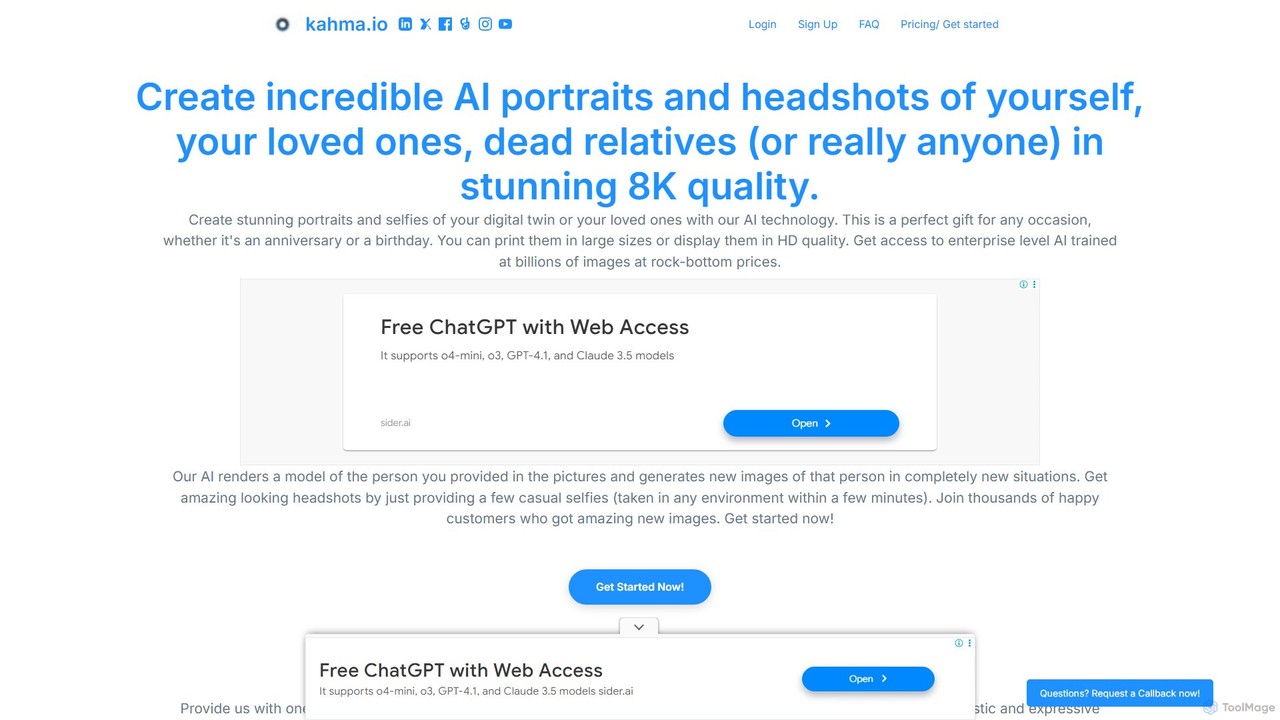
kahma is an AI-powered tool that creates hyper-realistic portraits and professional headshots in stunning 8K quality. By uploading a few casual photos, you can generate lifelike images of yourself, loved ones, or even create memorial portraits of deceased relatives. It offers a simple, fast, and private way to get studio-quality images without the need for a professional photoshoot.

Portrait Generation
Visits 7.1KFavorites 132Likes 136

About Portrait Generation

Portrait Generation tools are a specialized class of AI art generators that create detailed and expressive portraits of human or fictional characters. They utilize advanced generative models, often trained specifically on faces, to interpret text prompts or reference images with a high degree of anatomical accuracy and artistic flair. These tools are valuable for producing unique avatars, character concepts, and photorealistic headshots, offering precise control over features like expression, lighting, and style. This focus on facial detail distinguishes them from general-purpose image generators.

Core Features

  • Style Versatility: Generate portraits in numerous styles, from photorealism and oil painting to anime and cartoon.
  • Fine-Grained Control: Adjust specific facial features, expressions, hairstyles, and lighting conditions via detailed prompts.
  • Character Consistency: Maintain the likeness of a specific character across multiple generated images using techniques like seed numbers or character models.
  • Reference Image Input: Create portraits based on an uploaded photograph, blending its features with a new style or prompt (img2img).

Use Cases

These tools are widely used by digital artists for concept art, writers for visualizing characters, and social media users for creating custom avatars. Marketing teams also use them to generate faces for buyer personas, while businesses can create stylized, uniform headshots for remote teams without a physical photoshoot, ensuring brand consistency.

How to Choose

When selecting a tool, consider the quality and realism of its output. Evaluate the range of available artistic styles and the level of control offered over details. For ongoing projects, check for features that ensure character consistency. Finally, assess the user interface's ease of use and the platform's pricing model to find the best fit for your needs and technical skill level.


Portrait Generation use cases

1

Create Professional Headshots for Remote Teams

A marketing manager for a globally distributed company needs to update the team page on their website with consistent, professional headshots. Instead of coordinating expensive and logistically complex photoshoots in multiple locations, they use an AI Portrait Generator. Each team member submits a high-quality selfie. The manager then applies a consistent prompt to all images, specifying 'studio lighting, smiling, business casual attire, grey background'. The tool generates a unified set of headshots that maintain each person's likeness while adhering to a professional and consistent brand style, saving significant time and budget.

2

Visualize Fictional Characters for a Novel

A fantasy author is developing a new series and needs a clear visual reference for her main characters to maintain consistency in descriptions. She uses an AI Portrait Generator to bring them to life. For the protagonist, she inputs prompts like 'young woman, 20s, sharp jawline, emerald green eyes, long braided silver hair, determined expression, fantasy oil painting style'. After a few iterations, she obtains a definitive portrait that perfectly captures her vision. She then uses this image as a consistent reference for herself and for the cover artist, ensuring the character's appearance remains coherent throughout the project.

3

Generate Unique Social Media Avatars

A content creator wants to establish a unique and memorable online identity across multiple platforms like Twitch, Twitter, and Discord. Instead of using a generic photo, they use an AI Portrait Generator to create a stylized avatar. They upload a photo of themselves and use a prompt like 'cyberpunk mercenary, neon-lit alley background, futuristic visor, smirking'. The AI transforms their portrait into a striking piece of art that reflects their brand's theme. They can then generate variations with different expressions (happy, surprised, angry) to use as emotes or reaction images, creating a cohesive and engaging visual identity for their audience.

4

Create Concept Art for Game Characters

A lead artist at an indie game studio is in the early stages of designing characters for a new RPG. To quickly explore different visual directions, they use an AI Portrait Generator. They input a base description, such as 'wise old elf, long white beard, intricate silver circlet, deep wrinkles, kind eyes', and generate dozens of portraits in various art styles (e.g., realistic, stylized, anime). This process allows the team to rapidly iterate on character designs, select a final direction, and provide a strong visual brief to the 3D modelers, accelerating the pre-production pipeline significantly compared to manual sketching of every concept.

5

Generate Marketing Personas for Presentations

A marketing strategist is preparing a presentation on new target audience segments for a product launch. To make the 'buyer personas' more relatable and memorable for stakeholders, they use an AI Portrait Generator. For the 'Tech-Savvy Millennial' persona, they generate a portrait with prompts like 'man, late 20s, friendly smile, wearing glasses, casual hoodie, in a modern co-working space'. This provides a realistic face for the persona, moving beyond generic stock photos. It helps the entire team visualize and empathize with the target customer, leading to more focused product development and marketing campaigns.

6

Design Custom Art Gifts and Merchandise

An individual wants to create a unique birthday gift for a friend who is a fan of classical art. They take a photo of their friend and use an AI Portrait Generator with an 'img2img' function. They upload the photo and apply the prompt 'portrait in the style of Vincent van Gogh, swirling brushstrokes, vibrant colors'. The AI re-imagines the friend's portrait with the iconic post-impressionist style. The resulting high-resolution image can be printed on a canvas, a mug, or a t-shirt, creating a highly personalized and thoughtful gift that would be difficult and expensive to commission from a human artist.

Portrait Generation FAQ

What is AI Portrait Generation?

AI Portrait Generation refers to a specialized category of AI tools designed to create images of human or humanoid faces. Unlike general image generators, these tools are often trained on vast datasets of portraits, enabling them to produce highly detailed and nuanced results. They excel at controlling specific facial features, expressions, lighting, and artistic styles. Users can typically generate portraits from text descriptions (text-to-image) or by modifying an existing photo (image-to-image), making them useful for artists, designers, writers, and social media users.

How to choose the right AI Portrait Generator?

Choosing the right tool depends on your specific needs. Consider the following factors:

  • Output Quality & Style: Does the tool produce the level of realism or artistic style you desire? Review its gallery or community creations.
  • Control & Customization: How much control do you have over details like facial expressions, lighting, and composition? Some tools offer more advanced prompting or parameter adjustments.
  • Character Consistency: If you need to create multiple images of the same character, check if the tool has features like seed locking or character model training (e.g., LoRA).
  • Ease of Use: Is the interface intuitive for your skill level? Some platforms are beginner-friendly, while others are geared towards advanced users.
  • Pricing Model: Evaluate whether a subscription, credit-based system, or free model best suits your budget and usage frequency.
What's the difference between Portrait Generation and general AI Image Generation?

The primary difference lies in specialization and control. While general AI Image Generators can create a vast range of subjects (landscapes, objects, animals, people), AI Portrait Generators are specifically optimized for creating faces. This specialization often results in:

  • Higher Facial Detail: Better anatomical accuracy, more realistic skin textures, and more expressive eyes.
  • Finer Control: More specific control over facial features, expressions (e.g., 'a subtle smirk'), and hairstyles.
  • Better Consistency: Tools focused on portraits are often better at maintaining a character's likeness across multiple images.

In short, use a general image generator for broad creative tasks, but choose a portrait generator when the face is the most critical element of your image and requires high detail and specific control.

Can I create a portrait of a real person?

Yes, many AI Portrait Generators allow you to upload a photo of a real person and use it as a reference. This is often called 'image-to-image' generation, 'face swap', or style transfer. You can transform a personal photo into a different artistic style, place the person in a new setting, or modify their appearance. However, it is crucial to consider the ethical implications. Always ensure you have the person's consent before using their image, and be mindful of privacy and the potential for misuse. Most platforms have terms of service that prohibit creating harmful or deceptive content.

Who are the primary users of AI Portrait Generation tools?

AI Portrait Generators serve a diverse range of users, each with different goals:

  • Digital Artists & Designers: For creating concept art, character studies, and illustrations quickly.
  • Writers & Game Developers: To visualize characters from their stories or games, ensuring consistency.
  • Social Media Users & Content Creators: For generating unique avatars, profile pictures, and channel art that stands out.
  • Marketers: To create relatable faces for buyer personas in presentations and strategy documents.
  • Hobbyists & Enthusiasts: For personal projects, creating custom gifts, or simply exploring creative possibilities.

Essentially, anyone who needs a high-quality, customized image of a face—without the time or cost of a photoshoot or manual illustration—can benefit from these tools.