ToolMage
Sign in

Best 1 Knowledge Base AI tools for Business

Popular Knowledge Base AI tools in Business include Coda, helping you work more efficiently.

Coda
Freemium

Coda

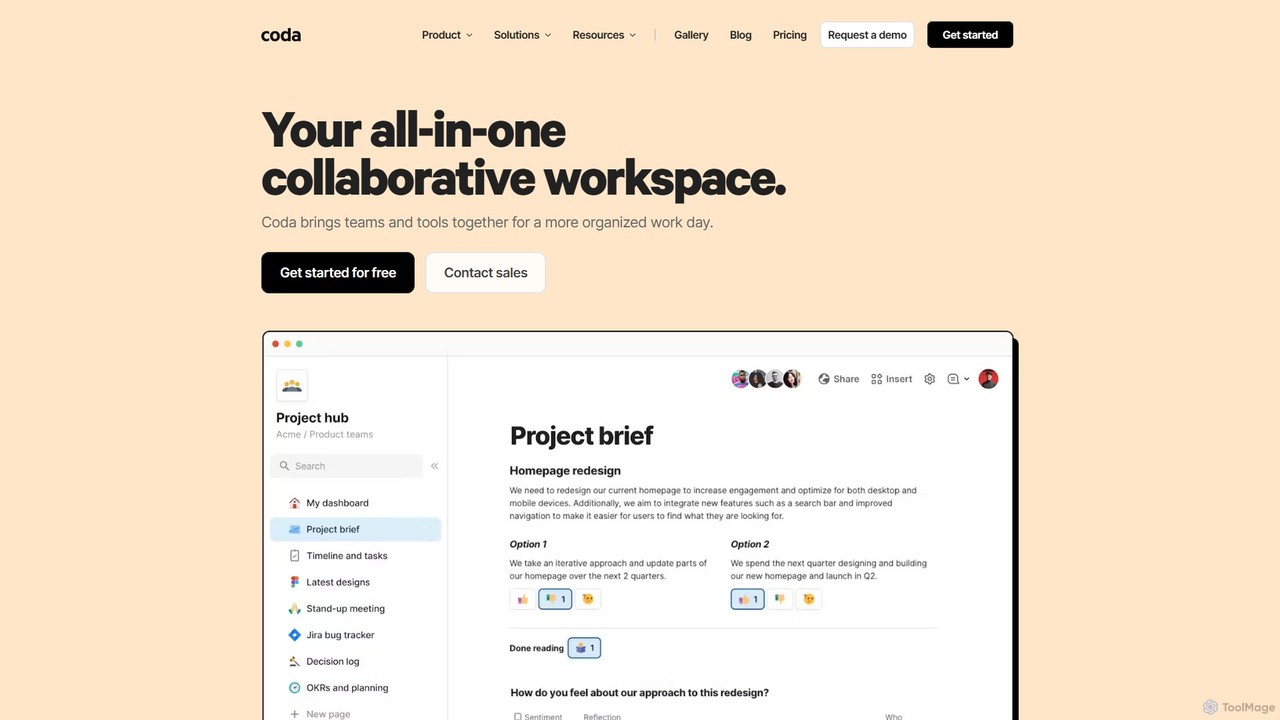
Coda is an all-in-one collaborative workspace that blends documents, spreadsheets, and applications into a single, flexible surface. Powered by Coda AI, it helps teams centralize information, automate workflows, and make faster decisions. Replace your scattered tool stack with a unified platform for writing, tracking, and building custom solutions.

Knowledge Base
Visits 2.6MFavorites 130Likes 115

About Knowledge Base

Knowledge Base AI tools are intelligent systems designed to centralize, organize, and make organizational information easily accessible using artificial intelligence. Leveraging natural language processing (NLP) and machine learning, these tools transform raw data into structured, searchable, and actionable knowledge. They empower businesses to improve internal efficiency, enhance customer self-service, and support faster, more informed decision-making by providing instant access to relevant information.

Core Features

  • Intelligent Search: Provides semantic search capabilities, understanding user intent beyond keywords to deliver highly relevant results.
  • Automated Content Generation: Generates summaries, answers, or even new articles based on existing data, reducing manual effort.
  • Content Curation & Organization: Automatically tags, categorizes, and links related information, maintaining a well-structured knowledge repository.
  • Personalized Recommendations: Offers tailored content suggestions to users based on their roles, queries, and interaction history.
  • Real-time Updates & Maintenance: Identifies outdated information and suggests updates, ensuring the knowledge base remains current and accurate.

Use Cases

Knowledge Base AI tools are invaluable across various business functions. They support customer service by powering self-service portals, enabling customers to find answers instantly without agent intervention. Internally, they streamline employee onboarding and training by providing a single source of truth for company policies, procedures, and product information. Furthermore, they assist sales and marketing teams by centralizing product knowledge and competitive intelligence, ensuring consistent messaging and informed client interactions.

How to Choose

When selecting an AI Knowledge Base tool, consider its NLP capabilities for understanding complex queries and generating accurate responses. Evaluate its integration potential with existing CRM, helpdesk, or internal communication platforms to ensure seamless data flow. Scalability is crucial for growing businesses, as is the ease of content creation and management. Finally, assess security features for sensitive information and the analytics dashboard for insights into knowledge usage and gaps.

Featured tool rankings

Knowledge Base use cases

1

Enhance Customer Self-Service Support

For customer service departments, an AI Knowledge Base provides a robust self-service portal. Customers can input questions in natural language and receive instant, accurate answers from a comprehensive repository of FAQs, troubleshooting guides, and product manuals. This reduces support ticket volume, improves customer satisfaction by offering 24/7 assistance, and frees up agents to handle more complex issues.

2

Streamline Employee Onboarding & Training

HR and training departments can leverage AI Knowledge Bases to create a centralized, intelligent resource for new hires. Onboarding materials, company policies, IT guides, and departmental procedures are easily accessible and searchable. New employees can quickly find answers to common questions, accelerating their learning curve and reducing the burden on managers and colleagues for repetitive inquiries.

3

Centralize Product Documentation & FAQs

Product managers and technical writers use AI Knowledge Bases to manage and disseminate product-related information. This includes detailed feature descriptions, user guides, API documentation, and common troubleshooting steps. The AI can automatically link related articles, suggest content improvements, and ensure all documentation is consistent and up-to-date, benefiting both internal teams and external users.

4

Facilitate Internal Knowledge Sharing & Collaboration

For large organizations, an AI Knowledge Base acts as a single source of truth for all internal information, from project best practices to departmental guidelines. Teams can contribute, categorize, and retrieve information efficiently, breaking down silos. The AI's intelligent search ensures employees quickly find the expertise or data they need, fostering better collaboration and reducing redundant work.

5

Support Sales & Marketing Enablement

Sales and marketing teams can utilize an AI Knowledge Base to centralize competitive intelligence, product benefits, case studies, and marketing collateral. Sales representatives can quickly access relevant information during client calls, while marketing can ensure consistent messaging across campaigns. This empowers teams with accurate, up-to-date information, leading to more effective pitches and campaigns.

6

Automate Compliance & Policy Management

Legal and compliance departments can use AI Knowledge Bases to manage vast amounts of regulatory documents, internal policies, and legal guidelines. The AI can help identify relevant clauses, track policy changes, and ensure employees are aware of and adhere to the latest regulations. This reduces compliance risks and streamlines audit processes by providing an organized, searchable repository of critical information.

Knowledge Base FAQ

What are AI Knowledge Bases?

AI Knowledge Bases are intelligent systems that use artificial intelligence, primarily natural language processing (NLP) and machine learning, to store, organize, and retrieve information efficiently. Unlike traditional databases, they can understand user intent, generate answers, and provide personalized content recommendations. They serve as a central repository for an organization's collective intelligence, making it easily accessible to employees and customers.

How do AI Knowledge Bases differ from traditional knowledge bases?

AI Knowledge Bases significantly differ from traditional ones by incorporating intelligence. Traditional knowledge bases rely on keyword matching and manual organization, often leading to rigid search results. AI versions, however, use NLP to understand context and intent, offering semantic search, automated content tagging, and even generating answers. This results in more accurate, relevant, and dynamic information retrieval, reducing user frustration and improving efficiency.

What are the key benefits of using an AI Knowledge Base?

The key benefits of using an AI Knowledge Base include improved efficiency through faster information retrieval, enhanced customer satisfaction via 24/7 self-service, and reduced support costs by deflecting common queries. Internally, they streamline employee onboarding, foster better knowledge sharing, and support informed decision-making. The AI's ability to automate content management and suggest updates also ensures information remains current and reliable.

How to choose the right AI Knowledge Base tool for my business?

Choosing the right AI Knowledge Base tool involves evaluating several factors. Prioritize tools with strong NLP capabilities for accurate search and content understanding. Consider its integration ecosystem with your existing business software (CRM, helpdesk). Assess scalability for future growth, ease of content creation and maintenance, and robust security features for sensitive data. Finally, look for comprehensive analytics to track usage and identify knowledge gaps.

Who can benefit most from implementing an AI Knowledge Base?

Virtually any business can benefit, but those with large volumes of information, frequent customer inquiries, or complex internal processes stand to gain the most. This includes customer service departments looking to enhance self-service, HR teams aiming to streamline onboarding, IT support managing technical documentation, and sales/marketing teams needing quick access to product and competitive intelligence. Organizations focused on improving efficiency and knowledge accessibility will find these tools invaluable.