ToolMage
Sign in

Best 1 Organizational Chart AI tools for Business

Popular Organizational Chart AI tools in Business include GoProfiles, helping you work more efficiently.

GoProfiles
Paid

GoProfiles

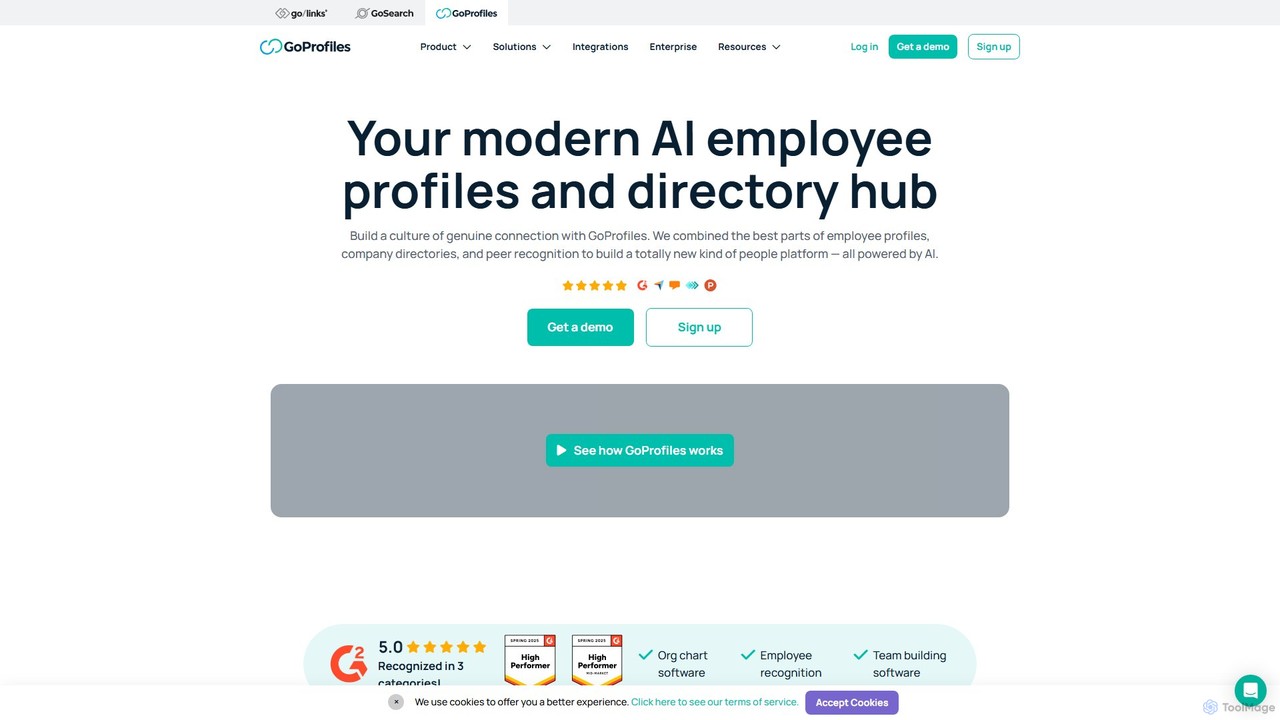
GoProfiles is an AI-powered people platform designed to foster connection and engagement in the workplace, especially for remote and hybrid teams. It combines rich employee profiles, an intelligent company directory, peer-to-peer recognition, and interactive org charts. By integrating with HRIS and communication tools like Slack, GoProfiles helps build a strong company culture, improve collaboration, and make every employee feel seen and valued.

Organizational Chart
Visits 14.1KFavorites 124Likes 143

About Organizational Chart

Organizational Chart tools are AI-powered solutions designed to visualize, create, and manage company structures efficiently. These tools leverage AI to automate chart generation, integrate with HR data, and provide dynamic insights into reporting lines, roles, and departments. They significantly improve clarity, facilitate strategic workforce planning, and enhance internal communication by offering an up-to-date, interactive view of the organization.

Core Features

  • Automated Chart Generation: Quickly builds comprehensive organizational charts from existing employee data or spreadsheets.
  • Dynamic Data Integration: Syncs with HRIS or employee databases for real-time updates and accurate representation.
  • Drag-and-Drop Interface: Allows for intuitive editing, restructuring, and customization of chart layouts.
  • Role & Responsibility Mapping: Clearly defines positions, reporting relationships, and departmental functions within the structure.
  • Collaboration & Version Control: Supports team collaboration on charts with tracking of changes and easy sharing options.

Applicable Scenarios

These tools are invaluable for HR and talent management teams for onboarding, workforce planning, and succession planning. They also assist leadership in strategic planning, such as visualizing new structures during mergers or departmental reorganizations. Furthermore, they enhance internal communication by providing employees with a clear, accessible view of the company's hierarchy and departmental functions.

How to Choose

When selecting an Organizational Chart tool, consider its integration capabilities with your existing HR systems to ensure seamless data flow. Evaluate the level of customization and template options available to match your company's specific needs and branding. Scalability is crucial, ensuring the tool can grow with your organization, from small teams to large enterprises. Finally, assess collaboration features and ease of use to maximize team productivity and adoption.

Organizational Chart use cases

1

Streamlining Employee Onboarding

HR teams utilize AI organizational chart tools to provide new hires with an interactive and clear understanding of the company's structure. By visualizing reporting lines, departmental functions, and key contacts, new employees can quickly grasp their place within the organization, accelerating their integration and reducing initial confusion. This proactive approach saves HR staff significant time spent on repetitive explanations.

2

Facilitating Workforce Planning

HR managers and executives leverage AI organizational chart tools to visualize current staffing levels and model future workforce scenarios. By integrating with HR data, they can identify skill gaps, analyze departmental growth, and plan for restructuring or expansion. This dynamic visualization supports strategic decision-making, ensuring the organization has the right talent in the right places for future objectives.

3

Visualizing Project Team Structures

Project managers can quickly create temporary organizational charts for cross-functional project teams using these AI tools. This helps in clearly defining roles, responsibilities, and reporting lines for specific projects, ensuring all team members understand their position and communication paths. The ability to rapidly generate and modify these project-specific charts enhances coordination and efficiency, especially in agile environments.

4

Supporting Merger & Acquisition Integration

Leadership teams utilize AI organizational chart tools to map out combined organizational structures during mergers and acquisitions. These tools allow for the identification of redundancies, the planning of new reporting lines, and the visualization of integrated departments. This capability is crucial for strategic integration, helping to streamline the transition process and ensure a smoother post-acquisition operational setup.

5

Enhancing Internal Communication & Transparency

Companies publish interactive organizational charts created with AI tools to foster greater transparency and improve internal communication. Employees can easily navigate the company hierarchy, understand departmental functions, and quickly locate colleagues and their reporting managers. This accessibility reduces communication silos and empowers employees with a clearer understanding of the overall business structure.

6

Optimizing Departmental Restructuring

Executives and department heads use AI organizational chart tools to model and analyze different organizational layouts before implementing changes. They can simulate the impact of restructuring on reporting lines, resource allocation, and team dynamics. This allows for data-driven decision-making, ensuring that any departmental reorganization is optimized for efficiency and strategic alignment, minimizing disruption and maximizing positive outcomes.

Organizational Chart FAQ

What are AI Organizational Chart tools?

AI Organizational Chart tools are software solutions that leverage artificial intelligence to automate the creation, visualization, and management of company structures. They typically feature dynamic chart generation from data, intuitive drag-and-drop interfaces, and integration with HR systems. Their core purpose is to provide a clear, up-to-date, and interactive representation of an organization's hierarchy, roles, and reporting lines, enhancing clarity and strategic planning.

How do AI Organizational Chart tools differ from traditional chart software?

AI Organizational Chart tools offer significant advantages over traditional, static chart software. While traditional tools require manual updates and data entry, AI tools automate chart generation directly from HR data, ensuring accuracy and real-time updates. They often include advanced features like dynamic restructuring simulations, role-based access, and enhanced collaboration, which are typically absent in basic charting applications. This automation and intelligence reduce manual effort and provide deeper insights.

What are the key benefits of using AI for organizational charts?

The key benefits of using AI for organizational charts include enhanced accuracy through automated data synchronization, significant time savings by eliminating manual chart creation and updates, and improved decision-making with dynamic visualization and scenario planning capabilities. AI tools also foster greater transparency and internal communication by providing easily accessible, up-to-date organizational views, and support efficient workforce planning and restructuring efforts.

Who typically uses AI Organizational Chart tools?

AI Organizational Chart tools are primarily used by Human Resources (HR) professionals for onboarding, workforce planning, and talent management. Executives and senior leadership leverage them for strategic planning, such as visualizing mergers or departmental reorganizations. Project managers find them useful for mapping temporary project team structures, while team leads and business analysts use them to clarify reporting lines and optimize team dynamics. Essentially, anyone involved in managing or understanding organizational structure can benefit.

What should I look for when choosing an AI Organizational Chart tool?

When choosing an AI Organizational Chart tool, prioritize robust data integration capabilities with your existing HRIS or employee databases for seamless, automated updates. Look for intuitive drag-and-drop interfaces and extensive customization options to tailor charts to your specific needs. Scalability is crucial to accommodate future growth, and strong collaboration features are essential for team-based work. Finally, consider security protocols and compliance to protect sensitive employee data, along with pricing models that align with your budget and usage requirements.