
ToolMage
Sign in

Best 1 Productivity Tools for Business

Popular Productivity Tools in Business include typeUp, helping you work more efficiently.

typeUp
Free

typeUp

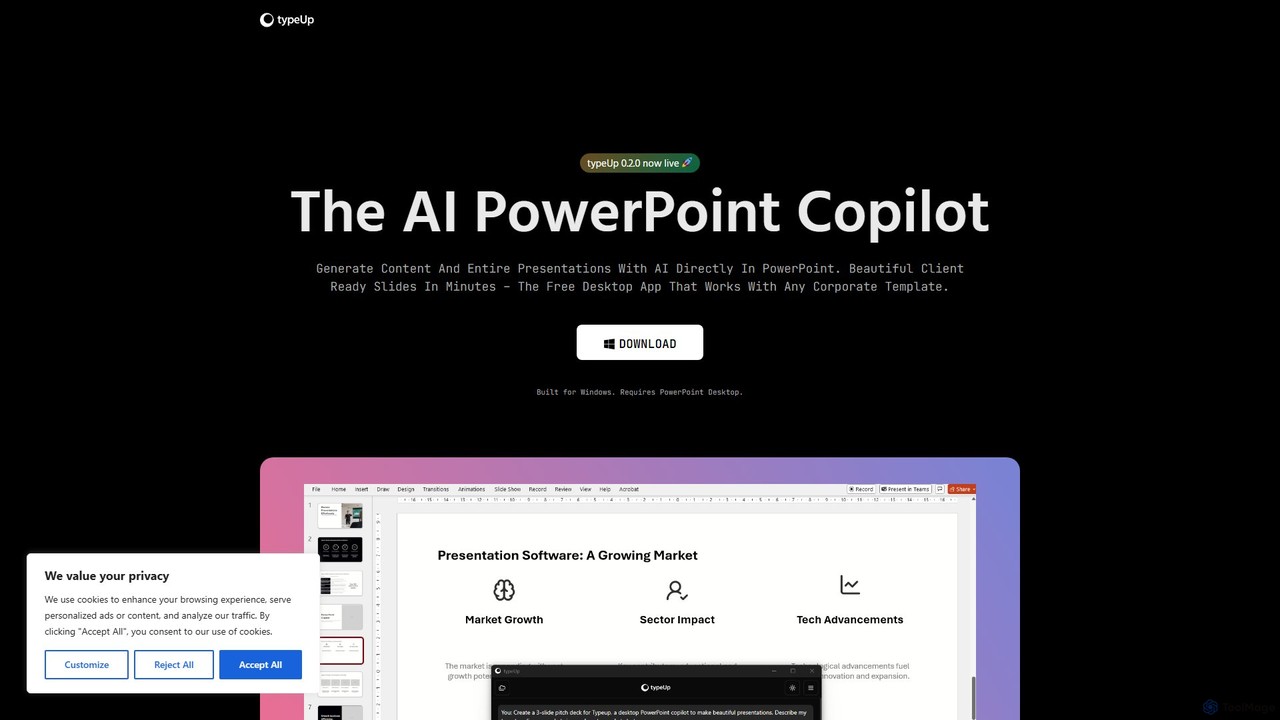
An AI-powered copilot for PowerPoint that accelerates presentation creation and formatting by 10x. It's a free Windows desktop app that integrates directly with PowerPoint, allowing users to generate entire slides from prompts, access vast libraries of images, logos, and icons, and apply brand-consistent layouts instantly.

Productivity Tools
Visits 5.6KFavorites 167Likes 183

About Productivity Tools

Productivity Tools are AI-powered applications designed to optimize individual and team workflows, automating repetitive tasks and enhancing efficiency. These tools leverage artificial intelligence to learn user patterns, predict needs, and provide intelligent assistance across various business functions. They aim to free up valuable time, reduce manual effort, and improve overall output by streamlining daily operations and decision-making processes.

Core Features

  • Intelligent Task Automation: Automate routine tasks like data entry, email sorting, and report generation, reducing manual workload.
  • Smart Scheduling & Time Management: AI-driven calendars and planners optimize meeting times, manage deadlines, and suggest focus periods.
  • Content Generation & Summarization: Quickly draft emails, generate meeting minutes, or summarize long documents, saving significant time.
  • Advanced Data Organization: Automatically categorize, tag, and retrieve information from documents, notes, and communications.
  • Personalized AI Assistants: Provide proactive suggestions, reminders, and insights tailored to individual work styles and project requirements.

Applicable Scenarios

Productivity Tools are indispensable for professionals across various sectors. Project managers use them to automate progress tracking and resource allocation, ensuring projects stay on schedule. Sales teams leverage AI for lead qualification and automated follow-ups, enhancing conversion rates. Content creators utilize these tools for brainstorming, drafting, and summarizing research, accelerating content production cycles.

How to Choose

Selecting the right AI productivity tool involves evaluating several factors. Consider the specific tasks you aim to automate and ensure the tool's core functionalities align with your workflow needs. Assess its integration capabilities with existing software (e.g., CRM, project management platforms) to ensure seamless data flow. Evaluate the learning curve and user interface for ease of adoption, and compare pricing models based on your budget and required features.

Productivity Tools use cases

1

Automate Meeting Summaries and Action Items

For team leads and project managers, manually summarizing lengthy meetings and extracting actionable tasks is time-consuming. AI productivity tools can record, transcribe, and then intelligently summarize meeting discussions, identifying key decisions, assigned responsibilities, and deadlines. This ensures all team members are aligned, reduces post-meeting administrative work, and allows for quick retrieval of past discussions, significantly boosting team efficiency.

2

Streamline Email Management and Response Drafting

Professionals often spend hours sifting through emails and crafting responses. AI productivity tools can categorize incoming emails, prioritize urgent messages, and even draft contextually relevant replies based on past communications and common queries. This reduces inbox clutter, ensures timely responses to critical stakeholders, and frees up significant time for more strategic tasks, enhancing communication efficiency.

3

Optimizing Project Planning and Resource Allocation

Project managers face the challenge of efficiently allocating resources and scheduling tasks. AI productivity tools analyze project requirements, team member availability, and skill sets to suggest optimal task assignments and timelines. They can identify potential bottlenecks before they occur and re-allocate resources dynamically, ensuring projects are completed on time and within budget, while maximizing team capacity.

4

Accelerating Document Creation and Information Retrieval

Content creators, researchers, and legal professionals frequently need to generate documents and find specific information quickly. AI tools can assist by drafting initial document outlines, generating content based on prompts, and rapidly searching through vast repositories of data to extract relevant facts or clauses. This dramatically reduces the time spent on research and drafting, improving accuracy and consistency across documents.

5

Personalized Daily Task Prioritization and Reminders

Individuals often struggle with prioritizing tasks and managing their daily schedules effectively. AI productivity tools learn user habits and deadlines to intelligently prioritize tasks, suggest optimal times for focused work, and provide timely reminders. This helps users stay organized, meet deadlines consistently, and maintain a clear focus on high-impact activities, leading to improved personal output.

6

Automating Data Entry and Report Generation

For administrative staff and data analysts, manual data entry and report generation are repetitive and error-prone. AI productivity tools can extract data from various sources, automatically input it into databases or spreadsheets, and then generate customized reports with insights. This eliminates tedious manual work, reduces human error, and provides real-time data for informed decision-making, significantly enhancing operational efficiency.

Productivity Tools FAQ

What are AI Productivity Tools?

AI Productivity Tools are software applications that leverage artificial intelligence to automate, streamline, and enhance various work-related tasks and processes. They aim to boost efficiency by handling repetitive duties, providing intelligent insights, and optimizing time management. These tools can range from smart scheduling assistants to AI-powered content generators, helping individuals and teams achieve more with less effort.

How do AI Productivity Tools differ from traditional productivity software?

The key difference lies in AI's ability to learn, adapt, and automate beyond predefined rules. Traditional software requires manual input and configuration for most tasks. AI productivity tools, however, can understand context, predict user needs, and perform complex automations autonomously, such as drafting emails, summarizing meetings, or intelligently prioritizing tasks, offering a more dynamic and personalized experience.

What are the main benefits of using AI Productivity Tools?

The primary benefits include significant time savings by automating routine tasks, increased efficiency through optimized workflows, and improved decision-making with AI-driven insights. Users also experience enhanced organization, better focus on high-value work, and reduced human error. Ultimately, these tools empower individuals and teams to achieve higher output and better quality results in less time.

Who can benefit most from using AI Productivity Tools?

Virtually anyone looking to optimize their work can benefit. This includes individual professionals seeking to manage their time better, content creators needing assistance with drafting and research, and sales teams aiming to streamline lead management. Businesses of all sizes, from startups to large enterprises, can leverage these tools to improve operational efficiency, reduce costs, and free up employees for more strategic initiatives.

How do I choose the right AI Productivity Tool for my needs?

To select the right tool, first identify your most time-consuming or repetitive tasks that you wish to automate. Then, evaluate tools based on their specific features, ensuring they directly address your pain points. Consider integration capabilities with your existing software ecosystem, ease of use, and scalability for future growth. Finally, compare pricing models and read user reviews to find a solution that offers the best value and fits your budget.