
ToolMage
Sign in

Best 1 Builder AI tools for Chatbot

Popular Builder AI tools in Chatbot include Appified.ai, helping you work more efficiently.

Appified.ai
Freemium

Appified.ai

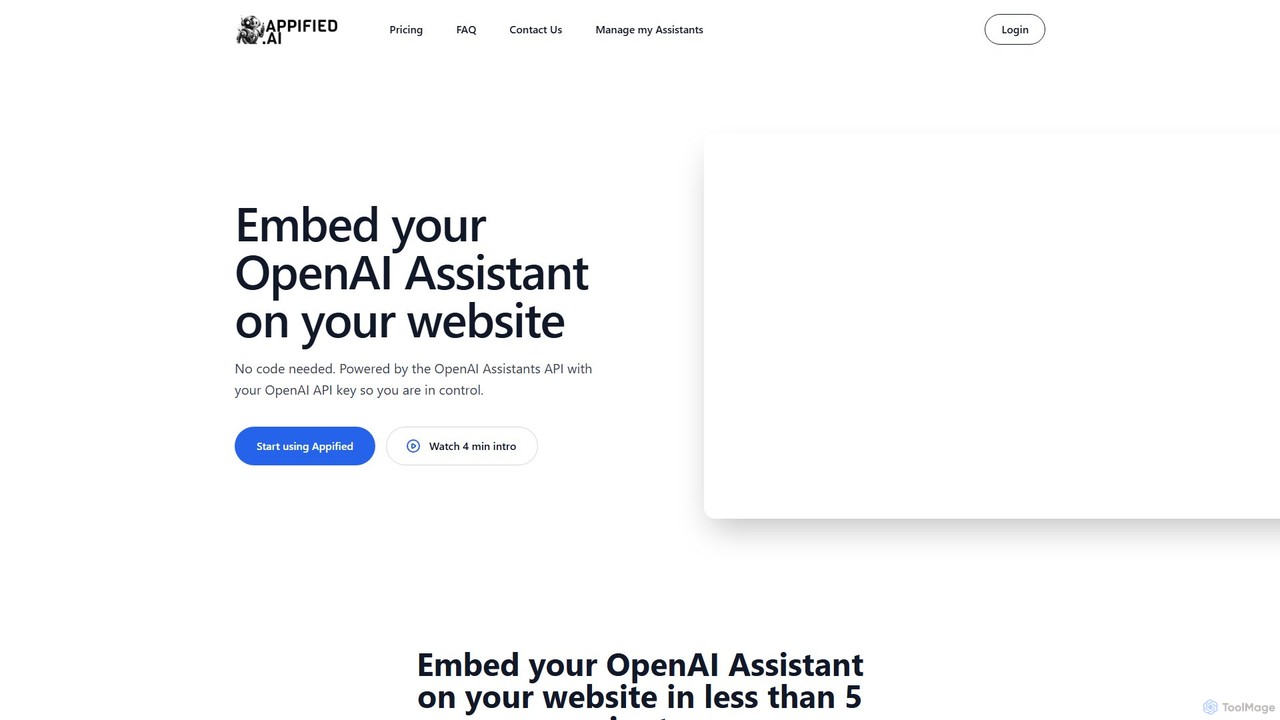
Appified.ai is a no-code platform that allows you to turn your OpenAI Assistant into a fully functional web app. Embed your AI assistant on any website in minutes, with options to monetize access using Stripe, connect to external APIs through function calling, and monitor usage with built-in analytics.

Builder
Visits 6.3KFavorites 144Likes 155

About Builder

AI Chatbot Builders are specialized platforms that enable users to design, develop, and deploy custom AI chatbots without extensive coding. These tools leverage intuitive visual interfaces and pre-built components to streamline the creation of conversational AI agents. They empower businesses and individuals to automate customer service, enhance user engagement, and deliver personalized interactions across various digital channels.

Core Features

  • Visual Flow Designer: Drag-and-drop interface for mapping conversation paths and logic.
  • Intent Recognition & Entity Extraction: AI models to understand user intent and extract key information from queries.
  • Multi-channel Deployment: Publish chatbots to websites, messaging apps, social media, and voice assistants.
  • Integration Capabilities: Connect with CRM, ticketing systems, databases, and third-party APIs.
  • Training & Analytics: Tools for training AI models with conversational data and monitoring chatbot performance.

Applicable Scenarios

Businesses of all sizes, from startups to large enterprises, utilize AI Chatbot Builders to enhance their digital presence. Marketing teams deploy them for lead generation and qualification, while customer support departments use them to automate FAQs and handle routine inquiries. Developers can also leverage these platforms to rapidly prototype and iterate on conversational AI solutions.

How to Choose

When selecting an AI Chatbot Builder, consider its ease of use, especially for non-technical users, and the flexibility of its visual flow designer. Evaluate the robustness of its natural language processing (NLP) capabilities, including intent recognition accuracy and multi-language support. Integration options with existing business systems and the availability of analytics for performance monitoring are also crucial. Finally, assess the pricing model and scalability to ensure it aligns with your project's current and future needs.

Builder use cases

1

Automating Customer Support FAQs

Customer service managers can use an AI Chatbot Builder to create a bot that automatically answers frequently asked questions. By defining common intents and providing corresponding answers, the bot can handle a large volume of routine inquiries instantly, freeing up human agents to focus on complex issues and significantly reducing response times.

2

Generating Sales Leads on Websites

Marketing teams can deploy a custom chatbot built with an AI Builder on their website to engage visitors, qualify leads, and collect contact information. The bot can ask targeted questions, provide product information, and even schedule demos, guiding potential customers through the sales funnel efficiently and increasing conversion rates.

3

Onboarding New Employees with Interactive Guides

HR departments can develop an interactive onboarding chatbot using a Builder. This bot can guide new hires through company policies, benefits information, and initial training modules, answering questions in real-time. This personalized approach ensures a smoother onboarding experience and reduces the administrative burden on HR staff.

4

Providing Personalized Product Recommendations

E-commerce businesses can leverage an AI Chatbot Builder to create a bot that offers personalized product recommendations. By asking users about their preferences, budget, and needs, the bot can suggest relevant items, enhancing the shopping experience and driving sales by helping customers discover products tailored to them.

5

Collecting User Feedback and Surveys

Product managers or researchers can design a feedback collection chatbot using a Builder. The bot can engage users in a conversational survey, asking open-ended questions or offering multiple-choice options. This method often yields higher response rates and more qualitative insights compared to traditional static forms, aiding product improvement.

6

Streamlining Internal IT Helpdesk Requests

IT departments can implement an internal chatbot built with an AI Builder to automate common helpdesk requests. The bot can assist employees with password resets, software installation guides, or troubleshooting basic technical issues, providing immediate support and reducing the workload on IT support staff.

Builder FAQ

What are AI Chatbot Builders?

AI Chatbot Builders are platforms designed to simplify the creation and deployment of conversational AI agents. They provide visual interfaces, pre-built templates, and drag-and-drop functionalities, allowing users to design complex conversation flows, integrate with various services, and train AI models without extensive coding knowledge. Their core purpose is to democratize access to conversational AI technology, enabling businesses and individuals to quickly develop custom chatbots for diverse applications like customer support, sales, and internal operations.

How do AI Chatbot Builders differ from traditional chatbot development?

AI Chatbot Builders significantly differ from traditional chatbot development by offering a low-code or no-code environment. Traditional development often requires programming skills (e.g., Python, Node.js) to build conversational logic, integrate APIs, and manage NLP models. Builders, conversely, abstract away much of this complexity through visual tools, pre-configured components, and managed AI services. This allows for faster prototyping, easier iteration, and broader accessibility for non-developers, reducing development time and costs.

What are the key benefits of using an AI Chatbot Builder?

The key benefits of using an AI Chatbot Builder include accelerated development cycles, reduced technical barriers, and cost efficiency. They enable rapid prototyping and deployment of chatbots, allowing businesses to quickly respond to market needs. Non-technical users can contribute to chatbot design, fostering collaboration. Furthermore, Builders often come with integrated NLP, analytics, and multi-channel deployment options, simplifying maintenance and scaling. This leads to improved customer engagement, automated routine tasks, and better resource allocation.

Can AI Chatbot Builders integrate with existing business systems?

Yes, most modern AI Chatbot Builders offer robust integration capabilities. They typically provide built-in connectors for popular CRM systems (e.g., Salesforce, HubSpot), ticketing platforms (e.g., Zendesk), marketing automation tools, and databases. Additionally, many Builders support custom API integrations, allowing developers to connect the chatbot with virtually any internal or third-party service. This ensures the chatbot can access and update information across an organization's entire tech stack, providing seamless and intelligent interactions.

What should I consider when choosing an AI Chatbot Builder for my project?

When selecting an AI Chatbot Builder, evaluate its ease of use and the intuitiveness of its visual interface, especially if your team includes non-developers. Assess its natural language processing (NLP) capabilities, including intent recognition accuracy, entity extraction, and multi-language support. Consider the available deployment channels (web, mobile, social media) and integration options with your existing systems. Scalability, pricing structure, and the quality of analytics and reporting tools are also crucial for long-term success. Finally, look for strong community support and comprehensive documentation.