ToolMage
Sign in

Best 2 Editing AI tools for Content Creation

Popular Editing AI tools in Content Creation include henshu and InkSpot, helping you work more efficiently.

InkSpot
Freemium

InkSpot

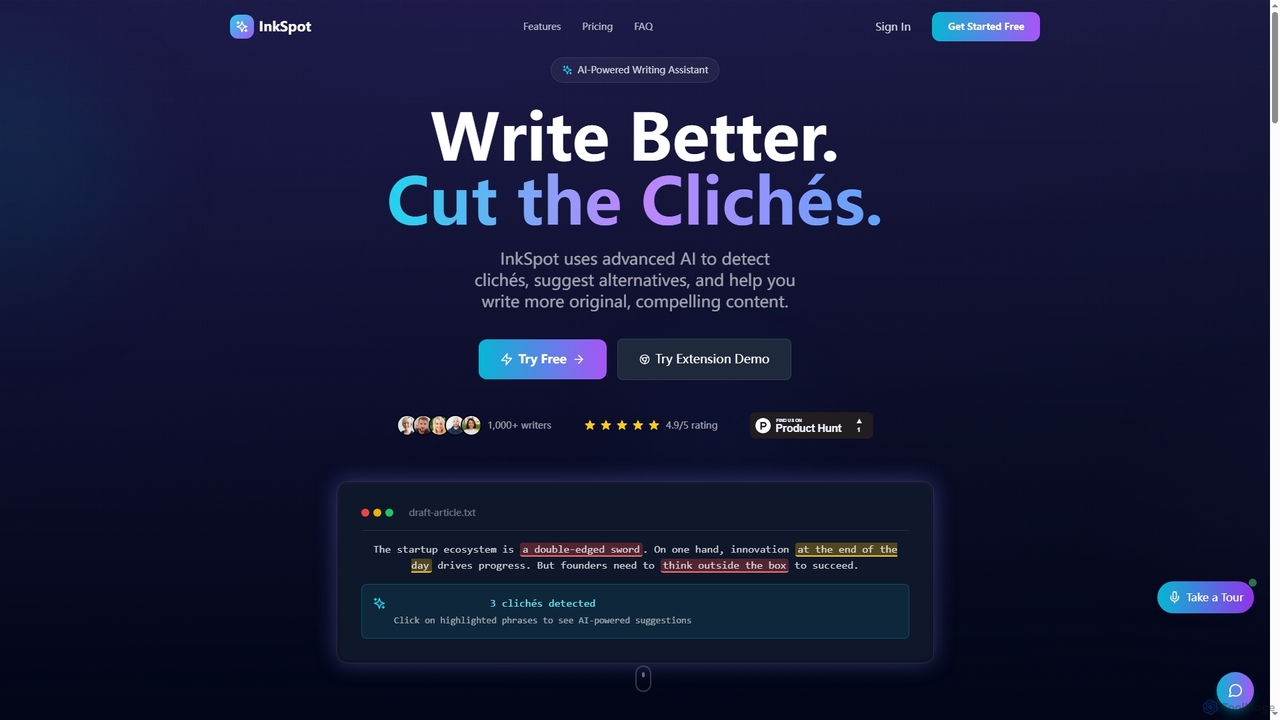
InkSpot is an AI-powered writing assistant that helps users eliminate clichés, improve clarity, and create more original, compelling content. It offers real-time detection, AI-powered suggestions, and multi-platform support to enhance writing efficiency and quality.

Editing
Visits 3.5KFavorites 22Likes 17
henshu
Freemium

henshu

henshu is an AI-powered editor designed to transform your writing from ordinary to extraordinary. It refines text for persuasion, clarity, and impact, offering instant style and tone transformations. Ideal for marketers, YouTubers, and bloggers aiming to captivate their audience with impeccably crafted content.

Editing
Visits 3.6KFavorites 106Likes 117

About Editing

AI Editing tools are a specialized category of AI-powered applications designed to refine, enhance, and optimize existing digital content across various formats, serving as a crucial component within the broader Content Creation ecosystem. Leveraging advanced machine learning algorithms, these tools automate complex revision tasks, from grammar correction and style refinement in text to sophisticated image manipulation and video post-production. They empower content creators, marketers, and businesses to significantly improve the quality, consistency, and efficiency of their output, transforming raw or draft content into polished, professional assets.

Core Features

  • Text Refinement: Automatically corrects grammar, spelling, and punctuation errors, while also suggesting stylistic improvements for clarity, conciseness, and tone, ensuring high-quality written communication.
  • Image Enhancement & Manipulation: Applies intelligent filters, precisely removes backgrounds, upscales resolution without quality loss, and adjusts lighting, color balance, or composition with AI-driven precision.
  • Video Post-production Automation: Streamlines video editing workflows by automating tasks such as scene cutting, color grading, audio synchronization, object removal, and generating subtitles or captions.
  • Audio Processing & Restoration: Reduces background noise, enhances speech clarity, performs intelligent mixing, and can even transcribe spoken content, optimizing audio for podcasts, voiceovers, and presentations.
  • Content Summarization & Rephrasing: Condenses long-form text, audio, or video content into concise summaries, extracts key information, or rephrases sentences and paragraphs to improve readability or target specific audiences.

Applicable Scenarios

These tools are invaluable for a diverse range of professionals and industries. Content marketers utilize them to perfect blog posts and social media updates, ensuring brand consistency and engagement. E-commerce businesses leverage AI editing for batch processing product photos, removing backgrounds, and enhancing visual appeal. Video producers and podcasters use them to accelerate post-production, from noise reduction to automated captioning, significantly reducing manual effort and turnaround times.

How to Choose

When selecting an AI editing tool, consider the specific content type you primarily work with (e.g., text, image, video, audio) and the depth of editing capabilities required. Evaluate its integration capabilities with your existing creative software and platforms, the accuracy and flexibility of its underlying AI models, and its overall user-friendliness. Additionally, assess the pricing structure, the availability of advanced features like real-time collaboration or batch processing, and the tool's ability to maintain your brand's unique style and voice.

Featured tool rankings

Editing use cases

1

Automate Social Media Content Refinement

Social media managers often need to quickly publish engaging content. AI editing tools can automatically check grammar, optimize headlines for impact, and rephrase sentences to fit character limits, ensuring every post is polished and professional before publishing, saving significant time in daily content review.

2

Batch Process E-commerce Product Images

E-commerce businesses handle hundreds or thousands of product images. AI editing tools allow for automated background removal, consistent lighting adjustments, and resolution upscaling across entire product catalogs, ensuring a uniform, high-quality visual presentation that enhances customer perception and reduces manual graphic design effort.

3

Enhance Podcast Audio Quality and Accessibility

Podcasters and audio content creators can use AI editing to automatically reduce background noise, remove filler words, and normalize audio levels for a professional sound. Additionally, AI can generate accurate transcripts and captions, making content accessible to a wider audience and improving SEO for audio content.

4

Streamline Video Marketing Post-Production

Marketing teams frequently produce short promotional videos. AI editing tools can automate initial cuts, apply consistent color grading, synchronize audio with video, and even identify and remove unwanted objects or segments, drastically speeding up the post-production process and allowing for more rapid content deployment.

5

Optimize Blog Posts for Readability and SEO

Content writers aim for clear, engaging, and search-engine-friendly articles. AI editing tools can analyze text for readability scores, suggest improvements for sentence structure and vocabulary, identify keyword stuffing, and propose relevant long-tail keywords, ensuring blog posts are both user-friendly and highly discoverable.

6

Rapidly Localize and Adapt Global Content

Global enterprises need to adapt content for diverse markets. AI editing tools can not only translate text but also refine the translated content for cultural nuances, adjust tone, and ensure grammatical correctness in multiple languages, accelerating the localization process for marketing materials, website copy, and documentation.

Editing FAQ

What are AI Editing tools?

AI Editing tools are software applications that leverage artificial intelligence, particularly machine learning and natural language processing, to modify, refine, and enhance existing digital content. They automate tasks traditionally performed manually, such as correcting grammar, enhancing images, or streamlining video post-production. Their core purpose is to improve content quality, consistency, and efficiency across various media types.

How do AI Editing tools differ from AI Content Generation tools?

AI Editing tools focus on refining and optimizing content that already exists, making it better, clearer, or more polished. For example, they correct grammar in a written draft or remove background from an image. In contrast, AI Content Generation tools create entirely new content from scratch based on prompts or data, such as generating a new image from text or writing a complete article. Both are part of the content creation workflow, but serve distinct phases.

What types of content can AI Editing tools enhance?

AI Editing tools are versatile and can enhance a wide range of digital content. This includes text (e.g., articles, emails, reports), images (e.g., photos, graphics, illustrations), videos (e.g., marketing clips, tutorials, vlogs), and audio (e.g., podcasts, voiceovers, music). Specific tools often specialize in one or more of these formats, offering tailored features for each.

What are the key benefits of using AI Editing tools?

The primary benefits of using AI Editing tools include significant time savings by automating repetitive tasks, improved content quality and consistency through intelligent suggestions and corrections, and enhanced efficiency in content workflows. They also help reduce human error, allow creators to focus on more strategic tasks, and can make professional-level editing more accessible to users without extensive technical skills.

How should I choose the best AI Editing tool for my needs?

To choose the best AI Editing tool, first identify your primary content type (text, image, video, audio) and the specific editing tasks you need to automate. Consider the tool's accuracy and reliability in its AI suggestions, its integration capabilities with your current software, and its ease of use. Also, evaluate the pricing model, scalability for your volume of work, and the availability of features like batch processing or real-time collaboration.