ToolMage
Sign in

Best 1 Explainer Videos AI tools for Content Creation

Popular Explainer Videos AI tools in Content Creation include Aiveed, helping you work more efficiently.

Aiveed
Freemium

Aiveed

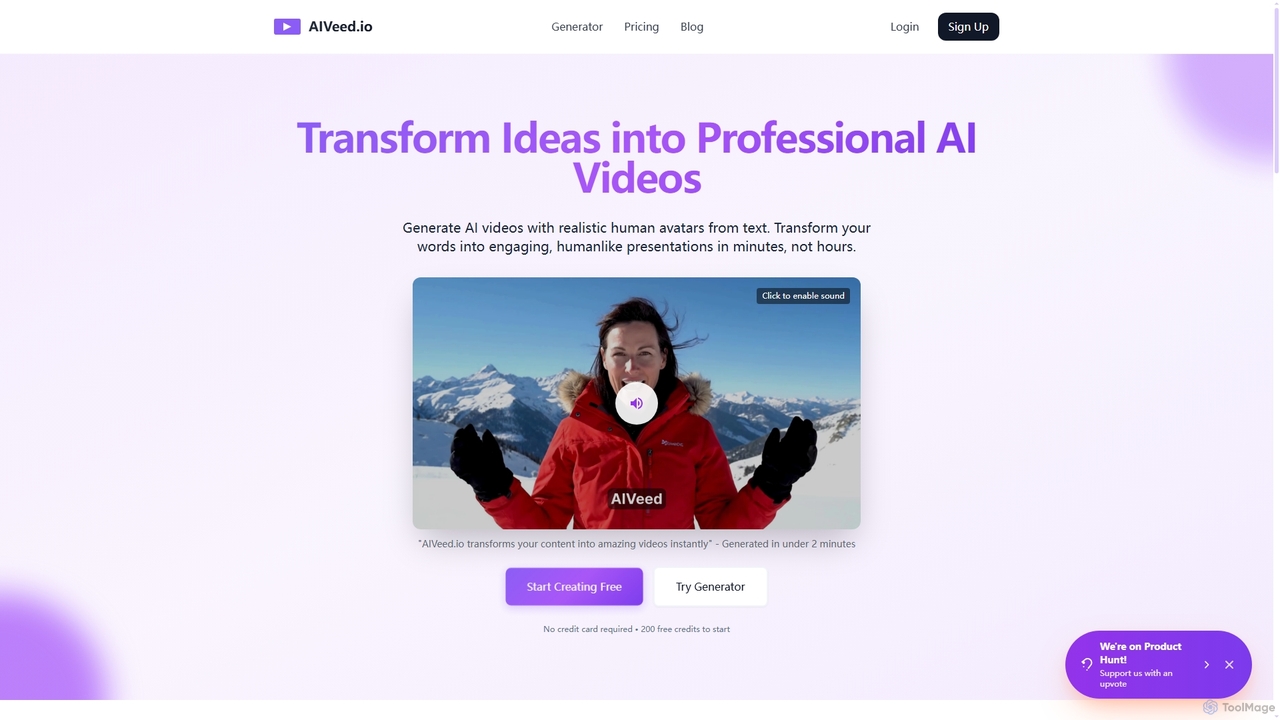
Aiveed is an AI-powered video generator that transforms text into professional videos featuring realistic human avatars. Create engaging marketing content, educational materials, and social media videos in minutes without any technical expertise. It offers a simple, fast, and cost-effective solution for high-quality video production.

Explainer Videos
Visits 63.3KFavorites 116Likes 113

About Explainer Videos

AI Explainer Video tools are a specialized category of software that automates the creation of short, engaging videos to explain complex ideas, products, or services. They leverage technologies like text-to-video synthesis, AI-powered scriptwriting, and realistic digital avatars to transform text into a complete video production. This enables users without technical video editing skills to produce professional-quality content quickly and affordably. These tools are particularly valuable for marketing, education, and corporate training, drastically reducing the time and cost associated with traditional video production.

Core Features

  • AI Script Generation: Automatically creates compelling video scripts from a simple text prompt or document.
  • AI Avatar Presenters: Provides a library of realistic digital humans to narrate the video in various languages and tones.
  • Text-to-Video Synthesis: Converts written scripts into synchronized video scenes with relevant stock footage, animations, and text overlays.
  • Automated Voiceovers: Generates natural-sounding narration from text in multiple languages and accents, eliminating the need for voice actors.
  • Template-Based Creation: Offers a wide range of pre-designed templates for different industries and use cases, ensuring a professional look.

Use Cases

These tools are widely used by marketing teams to create product demos and social media ads, by HR departments for employee onboarding and training modules, and by educators for creating instructional content. Startups and small businesses also leverage them for cost-effective video marketing campaigns.

How to Choose

When selecting a tool, consider the quality and diversity of the AI avatars, the range of supported languages and voices, the richness of the template and media library, and the platform's ease of use. Also, evaluate the pricing model—whether it's based on video minutes, subscriptions, or features—to align with your budget and production volume.

Featured tool rankings

Explainer Videos use cases

1

Create Engaging Product Demo Videos

A marketing manager at a SaaS startup needs to create a short video explaining a new software feature for an upcoming launch. Instead of hiring a production team, they use an AI explainer video tool. They input a brief description of the feature, and the AI generates a script. They select a professional-looking AI avatar to present, choose a branded template, and the tool automatically synthesizes the video with screen recordings and animated overlays. The entire process takes under an hour, producing a high-quality demo video ready for the website and social media.

2

Develop Multilingual Corporate Training

An HR specialist in a multinational corporation is tasked with creating standardized onboarding materials for new hires across different regions. Using an AI explainer video tool, they create a core training video in English. Then, with a few clicks, they translate the script and generate new voiceovers in Spanish, French, and Japanese using the platform's AI capabilities. This ensures consistent, high-quality training for all employees globally, while saving significant time and budget compared to hiring multiple voice actors and video editors.

3

Simplify Complex Topics for Education

An online course instructor wants to make their lessons on quantum physics more accessible to students. They use an AI explainer video tool to turn their complex lecture notes into a series of short, animated videos. The AI helps visualize abstract concepts with simple animations and graphics, while an AI presenter explains the material in a clear, easy-to-understand manner. This visual approach improves student engagement and comprehension, making difficult subjects easier to grasp.

4

Scale Social Media Video Ad Campaigns

The owner of a small e-commerce business wants to run video ads on Instagram and TikTok but lacks the resources for continuous video production. They use an AI explainer video generator to create a main ad template. The tool allows them to quickly produce dozens of variations by changing the AI avatar, the call-to-action text, and background music. This enables efficient A/B testing to identify the best-performing ads, maximizing their return on ad spend without a large creative team.

5

Automate Video-Based Customer Support

A customer support team identifies that many users ask the same questions about setting up their product. To reduce support tickets, the team lead uses an AI explainer video tool to convert their FAQ articles into short video tutorials. They simply paste the text from each FAQ, and the tool generates a step-by-step guide narrated by a friendly AI avatar. These videos are then embedded in their help center, providing customers with 24/7 visual assistance and freeing up support agents to handle more complex issues.

6

Produce Internal Company Announcements

A CEO wants to share a quarterly update with the entire company, including remote employees in different time zones. To make the message more personal and engaging than an email, their team uses an AI explainer video tool. They upload the CEO's speech, and the platform creates a video featuring a custom AI avatar of the CEO (or a professional stock avatar). The final video includes key metrics as on-screen text and graphics, ensuring the important information is delivered clearly and consistently to all staff.

Explainer Videos FAQ

What are AI Explainer Video tools?

AI Explainer Video tools are applications that use artificial intelligence to automate the process of creating informational videos. They typically convert text scripts into complete videos by generating voiceovers, syncing visuals like stock footage or animations, and often feature AI-generated avatars as presenters. The primary goal is to make video production fast, scalable, and accessible to users without professional video editing skills.

How do AI Explainer Video tools differ from traditional video editors?

The main difference lies in the creation process. Traditional video editors (like Adobe Premiere Pro) require manual work for every step: editing clips, adding effects, recording voiceovers, and syncing audio. AI Explainer Video tools automate these tasks. You provide a script, and the AI handles the production, including generating narration, finding relevant visuals, and creating animations. This makes them ideal for speed and efficiency, while traditional editors offer more granular creative control.

How do I choose the right AI Explainer Video tool?

To choose the right tool, evaluate these factors:

  • Avatar Quality: Check the realism and variety of available AI avatars and customization options.
  • Language & Voice Support: Ensure it supports the languages and accents you need for your target audience.
  • Media Library: A rich library of templates, stock footage, and music is crucial for creating diverse content.
  • Ease of Use: The platform should be intuitive, allowing you to create videos without a steep learning curve.
  • Pricing: Compare subscription plans and per-video costs to find a model that fits your production volume and budget.

What are the key features of AI Explainer Video generators?

Key features typically include AI scriptwriting to generate content from prompts, text-to-speech for creating voiceovers in multiple languages, a library of customizable AI avatars to act as presenters, and text-to-video technology that automatically matches visuals to the script. Many also offer pre-made templates for various use cases, brand customization options (logos, colors), and direct sharing to social media platforms.

Who can benefit from using AI Explainer Video tools?

A wide range of users can benefit. Marketers use them for creating product demos, ads, and social media content. HR and training departments use them for scalable employee onboarding and educational modules. Educators and course creators simplify complex topics. Small business owners and startups can produce professional marketing videos without a large budget or dedicated team. Essentially, anyone who needs to communicate information clearly and engagingly through video can benefit.