
ToolMage
Sign in

Best 1 Internationalization AI tools for Content Creation

Popular Internationalization AI tools in Content Creation include i18nweb, helping you work more efficiently.

i18nweb
Freemium

i18nweb

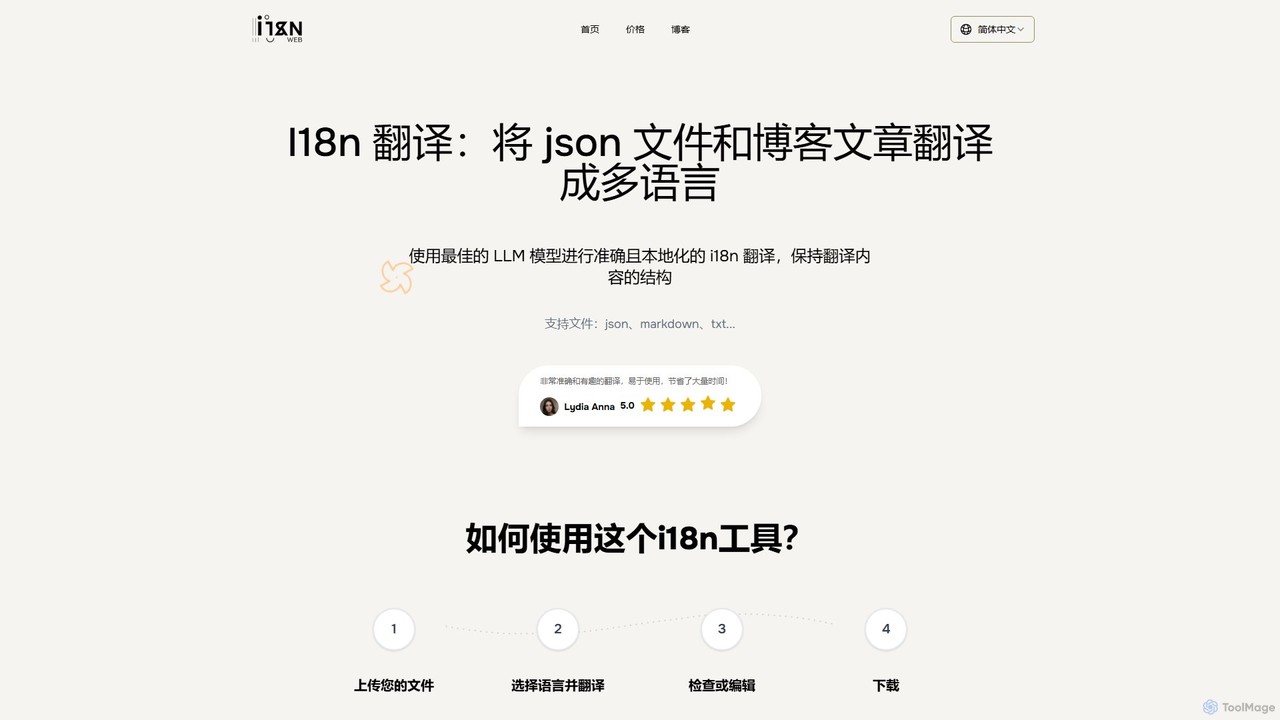
i18nweb is an AI-powered translation tool designed for developers and content creators. It specializes in translating structured files like JSON, Markdown, and TXT into multiple languages while preserving their original format. Using advanced LLM models, it provides accurate, context-aware, and localized translations, streamlining the internationalization (i18n) workflow for websites, apps, and blogs. The platform features a simple upload-translate-edit-download process, making localization efficient and user-friendly.

Internationalization
Visits 5.7KFavorites 115Likes 115

About Internationalization

AI Internationalization (i18n) tools are a class of software designed to automate the technical preparation of digital products for global audiences. These tools analyze source code and content files to extract translatable text, manage resource files, and integrate with development workflows. Their primary value lies in separating the code from the content, enabling developers to build products that can be easily adapted to different languages and regions without re-engineering. This process is a foundational step in the content creation lifecycle for global products, preceding translation and localization.

Core Features

  • Source Text Extraction: Automatically scans codebases (e.g., React, iOS, Android) to find and extract user-facing strings into resource files.
  • Resource File Management: Manages various localization file formats like JSON, XLIFF, YAML, or .properties, ensuring consistency across platforms.
  • Version Control Integration: Connects with Git repositories (like GitHub, GitLab) to sync text changes automatically within the CI/CD pipeline.
  • Context Provisioning: Captures screenshots or metadata to provide translators with visual context, improving translation accuracy.
  • Pseudo-localization: Simulates translated text to help developers identify and fix UI layout issues before actual translation begins.

Applicable Scenarios

These tools are essential for software development teams, product managers, and localization managers in tech companies creating SaaS platforms, mobile apps, or websites for a global market. They are used during the development cycle to build a 'global-ready' product architecture, ensuring new features can be launched simultaneously in multiple languages.

Selection Criteria

When choosing an AI Internationalization tool, consider its compatibility with your specific programming frameworks and platforms. Evaluate its integration capabilities with your existing development tools, such as version control systems and design software. Also, assess its collaboration features for developers and translators, and the level of automation it provides for your continuous localization workflow.

Featured tool rankings

Internationalization use cases

1

Automating UI Text Extraction for a New Mobile App

A mobile development team is building a new application for both iOS and Android and plans a global launch. Instead of manually tracking every piece of text in spreadsheets, they use an AI Internationalization tool. The tool connects to their GitHub repository, scans the Swift and Kotlin code, automatically extracts all user-facing strings, and organizes them into standardized resource files. This process saves dozens of hours of manual work and eliminates the risk of missing hardcoded text, ensuring the app is technically ready for translation from day one.

2

Implementing Continuous Localization in a SaaS Platform

A SaaS company follows an agile development methodology with daily code pushes. To keep all language versions of their platform synchronized, they integrate an i18n tool into their CI/CD pipeline. When a developer merges a feature branch containing new UI text, a webhook automatically triggers the i18n tool. The tool extracts the new strings, sends them to their translation management system (TMS) via an API, and once translated, automatically creates a pull request with the updated language files. This automates the entire localization process, enabling continuous delivery of features across all supported languages.

3

Proactively Testing UI Layouts with Pseudo-localization

A front-end development team is preparing for a major UI redesign. Before sending thousands of strings to translators, they use the pseudo-localization feature of their i18n tool. The feature automatically replaces all English text in the application with expanded, accented, and non-Latin characters. By running the app in this state, they can immediately identify UI components where text overflows, breaks the layout, or doesn't render correctly. This allows them to fix all internationalization-related UI bugs proactively, saving significant time and cost compared to fixing them after translation is complete.

4

Providing Visual Context to Translators for Higher Accuracy

A localization manager notices that translations for short UI strings like 'Save' or 'Profile' are often ambiguous. To solve this, the team uses an i18n tool that automatically captures screenshots of the application's UI and links them to the corresponding text strings. When translators work on the content, they can see exactly where and how each string is used in the application. This visual context eliminates guesswork, reduces back-and-forth questions, and significantly improves the quality and appropriateness of the final translations, leading to a better user experience in all languages.

5

Centralizing Translation Keys Across Web and Mobile Platforms

A company maintains a web application, an iOS app, and an Android app, all sharing similar features. Previously, each platform managed its own set of translation keys, leading to inconsistencies and redundant translation costs. By adopting a central AI Internationalization platform, they create a single source of truth for all text strings. The platform manages keys and provides different file formats (.json for web, .strings for iOS, .xml for Android) from the same source. This ensures consistent terminology across all products, streamlines updates, and reduces translation workload by reusing translations for identical strings.

6

Preparing Game Content for a Global Release

A game development studio is preparing to launch their new title in multiple languages simultaneously. The game contains thousands of lines of dialogue, item descriptions, and UI text embedded in their game engine. They use a specialized i18n tool that integrates with their engine to parse game files, extract all localizable text, and handle complex features like pluralization and gender variables. The tool packages the content for their localization vendor and later re-integrates the translated text. This technical preparation is crucial for a smooth localization process, ensuring the game provides an immersive experience for players worldwide.

Internationalization FAQ

What are AI Internationalization (i18n) tools?

AI Internationalization (i18n) tools are software that automates the technical process of preparing an application or website for localization. They are not translation tools themselves; instead, they handle the engineering groundwork. Key functions include extracting text from source code, managing localization files (like JSON or XLIFF), and integrating with development pipelines (CI/CD). By separating code from content, they enable a product to support multiple languages without requiring developers to rewrite code for each new market.

What's the difference between Internationalization (i18n) and Localization (l10n)?

Internationalization (i18n) and Localization (l10n) are two distinct but related steps for adapting a product for global use.

  • Internationalization (i18n): This is the one-time technical process of designing and building a product to be adaptable. It involves separating text from code, supporting different character sets (Unicode), and handling various formats for dates, times, and numbers. It makes the product *capable* of being localized.
  • Localization (l10n): This is the ongoing process of adapting the internationalized product for a *specific* region or language. It includes translating text, adapting graphics, and adjusting content to meet local cultural, legal, and technical requirements.
In short, i18n is building a global-ready framework, while l10n is filling that framework with content for a specific locale.

How do I choose the right AI Internationalization tool?

Choosing the right AI Internationalization tool depends on your technical stack and workflow. Consider these key factors:

  • Framework Support: Ensure the tool supports your specific programming languages and frameworks (e.g., React, Vue.js, iOS, Android, Django).
  • Integrations: Check for seamless integrations with your existing tools, especially version control systems (like GitHub or GitLab), design tools (like Figma), and translation management systems (TMS).
  • Automation Level: Evaluate how much of the process it automates, from string extraction and synchronization to context capture and pull request creation.
  • Collaboration Features: Look for features that facilitate collaboration between developers, product managers, and translators, such as in-context editing and commenting.

Who are the primary users of Internationalization tools?

Internationalization tools are primarily used by technical teams involved in building and maintaining software. The main user groups are:

  • Software Developers & Engineers: They use these tools to extract hardcoded text, manage resource files, and integrate localization into their CI/CD pipelines without disrupting their coding workflow.
  • Product Managers: They oversee the global product strategy and use i18n platforms to manage content releases across different markets and ensure consistency.
  • Localization Managers: They bridge the gap between development and translation teams, using these tools to streamline the flow of content, provide context to translators, and manage the overall localization project.

Do I need an i18n tool if I only support one language?

While not strictly necessary, using an i18n tool even for a single-language application is a highly recommended best practice. It forces good habits by separating content from code from the very beginning. This makes future localization much easier if you decide to expand to new markets. It also simplifies content management, as all user-facing text is centralized in one place rather than scattered throughout the codebase. This makes it easier for non-developers, like copywriters or marketers, to update text without needing to touch the code.