ToolMage
Sign in

Best 1 Social Media Assistant for Content Creation

Popular Social Media Assistant in Content Creation include ChatPhoto, helping you work more efficiently.

ChatPhoto
Free

ChatPhoto

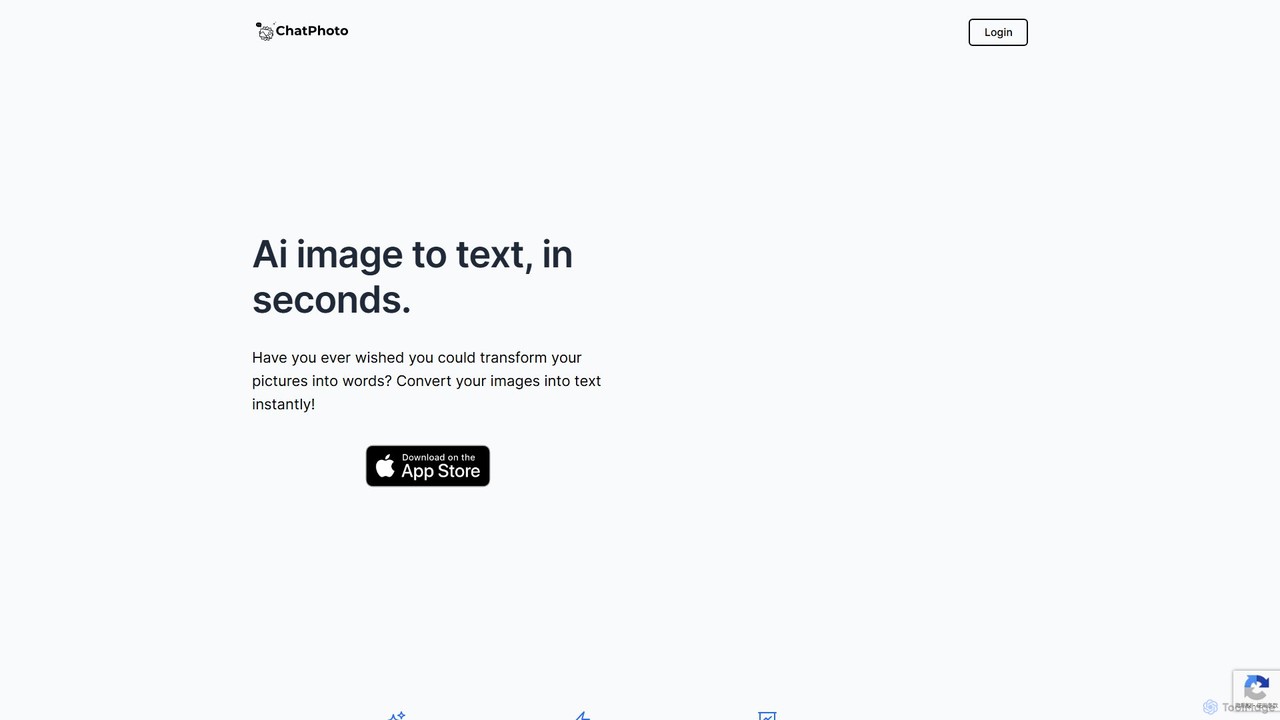
ChatPhoto is an AI tool that transforms images into text and conversations. Go beyond simple OCR by asking questions about your photos, generating social media captions, creating stories, and translating text within images. Interact with your visuals in any language and get insightful answers in seconds.

Social Media Assistant
Visits 7.3KFavorites 143Likes 124

About Social Media Assistant

AI Social Media Assistants are specialized tools designed to automate and optimize social media management tasks. Leveraging artificial intelligence, these platforms can generate engaging post copy, suggest relevant hashtags, and schedule content across multiple networks. They help businesses, marketers, and creators maintain a consistent online presence, analyze performance data, and engage with their audience more efficiently. Unlike general content creation tools, they offer a holistic solution specifically tailored for the social media workflow, from ideation to analytics.

Core Features

  • Content Generation & Ideation: Automatically creates platform-specific posts, captions, and suggests content ideas based on trends.
  • Intelligent Scheduling: Recommends optimal posting times for maximum engagement and automates publishing across channels.
  • Performance Analytics: Provides detailed reports on key metrics like reach, engagement rate, and audience growth.
  • Community Engagement: Helps manage comments and messages by suggesting replies or identifying important conversations.
  • Hashtag & Trend Analysis: Identifies and suggests relevant, high-performing hashtags to increase content visibility.

Use Cases

These tools are invaluable for social media managers handling multiple client accounts, small business owners seeking to build a brand presence, and marketing teams executing large-scale campaigns. Content creators also use them to maintain a consistent posting schedule and interact with their followers, while e-commerce brands leverage them for product promotion and social selling.

How to Choose

When selecting a Social Media Assistant, consider the platforms it supports and its integration capabilities. Evaluate the depth of its analytics and the quality of its AI-powered content generation. Also, assess the user interface for ease of use and check the pricing model to ensure it aligns with your budget and scales with your needs, whether you manage one profile or hundreds.

Social Media Assistant use cases

1

Automate Content Calendar for a Small Business

A small business owner, managing marketing single-handedly, uses an AI Social Media Assistant to plan a month's worth of content. They input key themes and promotions, and the AI generates draft posts for Facebook, Instagram, and LinkedIn. The tool then schedules these posts at optimal times based on audience activity data, saving the owner over 10 hours of work each month and ensuring a consistent brand voice across all platforms.

2

Manage Multiple Client Accounts for an Agency

A social media manager at a digital marketing agency is responsible for five different client accounts. Using a Social Media Assistant, they can access all accounts from a single dashboard. The tool helps them create unique content for each client's brand, schedule posts in separate calendars, and generate individual performance reports. This centralizes their workflow, prevents errors, and allows them to demonstrate ROI to each client with clear, data-backed analytics.

3

Scale Engagement for a Growing Influencer

A content creator's audience is growing rapidly, making it difficult to reply to every comment. They use an AI assistant to monitor mentions and comments across platforms. The AI categorizes comments by sentiment (positive, negative, question) and suggests personalized replies for common queries. This allows the creator to focus on high-value interactions while ensuring their community feels heard, boosting engagement rates and follower loyalty.

4

Analyze Campaign Performance for a Marketing Team

A corporate marketing team launches a new product campaign across Twitter, LinkedIn, and Instagram. They use their Social Media Assistant's analytics dashboard to track the campaign's performance in real-time. The tool aggregates data on reach, impressions, click-through rates, and conversions from all channels. This allows the team to quickly identify which content formats and platforms are driving the best results and reallocate their ad spend accordingly for maximum impact.

5

Generate Platform-Specific Content Variations

A content strategist needs to promote a single blog post across multiple social channels, each with a different tone and format. They input the blog post's URL into the AI Social Media Assistant. The tool automatically generates a professional, in-depth post for LinkedIn, a concise and punchy tweet for X (formerly Twitter) with relevant hashtags, and a visually-focused caption for an Instagram post. This process ensures content is natively optimized for each platform in minutes, not hours.

6

Monitor Brand Mentions and Sentiment

A public relations specialist needs to track online conversations about their brand. They set up keyword monitoring in their AI Social Media Assistant for the brand name, products, and key executives. The tool actively scans social platforms for these mentions, performs sentiment analysis to gauge public perception, and alerts the specialist to any significant spikes in negative or positive conversation. This enables a proactive approach to reputation management.

Social Media Assistant FAQ

What is an AI Social Media Assistant?

An AI Social Media Assistant is a software tool that uses artificial intelligence to automate and enhance social media management. It goes beyond simple scheduling by generating content, suggesting optimal posting times, analyzing performance data, and helping manage community interactions. These assistants are designed to streamline the entire social media workflow, from content creation to reporting, making management more efficient and data-driven.

How do I choose the right AI Social Media Assistant?

To choose the right tool, first identify the social media platforms you use most. Then, consider these factors:

  • Feature Set: Do you need content creation, advanced analytics, or just scheduling?
  • AI Quality: Evaluate the relevance and creativity of the AI-generated content and insights.
  • Integrations: Check if it connects with other marketing tools you use.
  • Ease of Use: Ensure the interface is intuitive for you or your team.
  • Pricing: Compare plans based on the number of accounts and users you need.

What's the difference between a Social Media Assistant and a general AI Writer?

The primary difference is focus and functionality. A general AI Writer, a broader tool in the Content Creation category, excels at producing various forms of text like articles or emails. An AI Social Media Assistant is a specialized tool that includes content creation but also integrates it with platform-specific features like scheduling, multi-account management, performance analytics, and hashtag optimization. It's a complete management solution, not just a writing tool.

What key features should I look for in a Social Media Assistant?

Look for a comprehensive set of features that cover the full social media lifecycle. Key functions include multi-platform content scheduling, AI-powered post and caption generation, a unified inbox for managing comments and messages, detailed performance analytics and reporting, and tools for discovering trends and relevant hashtags. A visual content calendar is also a highly valuable feature for planning and team collaboration.

Can an AI Social Media Assistant completely replace a human manager?

No, these tools are designed to augment, not replace, a human social media manager. The AI handles repetitive, data-driven tasks like scheduling, initial content drafting, and data analysis. This frees up the human manager to focus on high-level strategy, creative direction, building genuine community relationships, and handling nuanced customer interactions that require human empathy and judgment. The most effective approach combines AI efficiency with human expertise.