
Content Creation Best in category 1 results Speech To Text AI Tool

Popular AI tools in the Speech To Text field of Content Creation include Bulletpen, etc., helping you quickly improve efficiency.

Bulletpen

Bulletpen

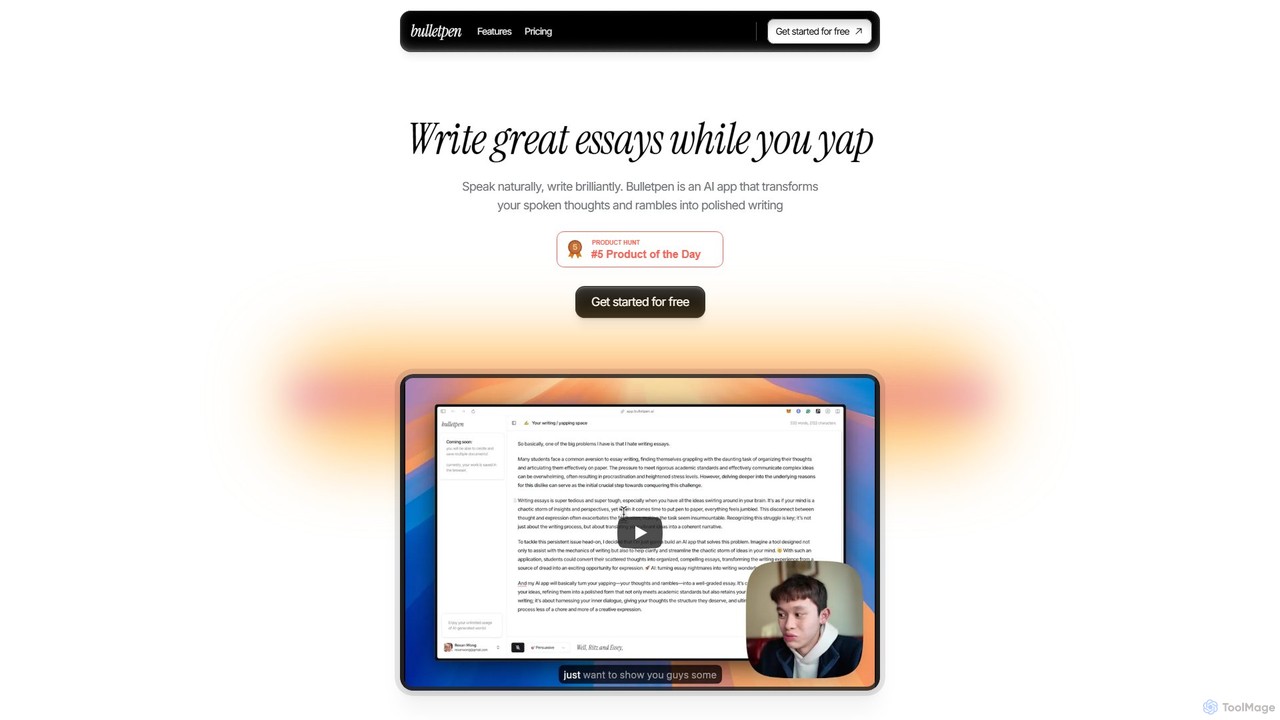
Bulletpen is an AI-powered application that transforms your spoken thoughts and unstructured rambles into polished, well-structured writing. Simply …

3.7K

About Speech To Text

Speech To Text tools are a class of AI software that automatically convert spoken audio into written, editable text. Leveraging advanced Automatic Speech Recognition (ASR) technology, these tools can accurately transcribe human speech from various audio and video sources. They are essential for transforming unstructured audio data into searchable, analyzable, and accessible content, significantly boosting productivity in content creation workflows. Many advanced tools also offer features like speaker identification and custom vocabulary for enhanced precision.

Core Features

  • High-Accuracy Transcription: Converts audio to text with a low word error rate, often including automatic punctuation and formatting.
  • Speaker Diarization: Identifies and labels different speakers within a single audio file, attributing text to the correct person.
  • Timestamping: Aligns transcribed words or paragraphs with their specific timestamps in the original audio or video source.
  • Custom Vocabulary: Allows users to add specific terms, names, or industry jargon to improve recognition accuracy for specialized content.
  • Multi-Language Support: Capable of transcribing audio in numerous languages and dialects, sometimes with automatic language detection.

Use Cases

These tools are widely used by journalists for transcribing interviews, podcasters and video creators for generating subtitles and show notes, and researchers for analyzing qualitative data from recordings. In a business context, they are used to create searchable minutes from meetings and conference calls, improving documentation and follow-up.

How to Choose

When selecting a Speech To Text tool, consider its transcription accuracy for your specific language and accent. Evaluate the need for features like speaker diarization and timestamping. For developers, API availability and documentation are crucial. Also, assess the tool's security protocols for handling sensitive data and its pricing model, which may be based on minutes transcribed or a subscription.

Speech To TextUse Cases

1

Transcribing Interviews for Journalists and Researchers

A journalist or academic researcher often conducts hours of interviews for a single project. Manually transcribing these recordings is a time-consuming and tedious process. By using a Speech To Text tool, they can upload audio files and receive a full, accurate text transcript within minutes. This allows them to quickly search for key quotes, analyze conversational patterns, and organize their findings efficiently. The time saved, often hours per interview, can be redirected towards more critical tasks like analysis and writing.

2

Creating Subtitles and Show Notes for Content Creators

Podcasters and video creators need to make their content accessible and discoverable. A Speech To Text tool automatically generates a transcript of their episodes. This transcript can be repurposed in multiple ways: as closed captions or subtitles for videos to reach a wider audience, as detailed show notes on their website for SEO benefits, or as a basis for blog posts and social media content. This process not only improves accessibility but also maximizes the value and reach of each piece of content produced.

3

Documenting Business Meetings and Action Items

In a corporate setting, project managers and team leads need accurate records of meetings. Instead of one person being dedicated to taking manual notes, a meeting can be recorded and transcribed using a Speech To Text tool. Advanced tools with speaker diarization can even identify who said what. The resulting transcript serves as a searchable, official record, making it easy to recall decisions, clarify ambiguities, and assign action items with full context. This improves accountability and ensures alignment across teams.

4

Assisting Students with Lecture and Study Notes

Students in higher education can record lectures and seminars to ensure they don't miss any critical information. A Speech To Text tool can convert these hours of audio into text. This allows students to review the material at their own pace, search for specific keywords or concepts mentioned by the professor, and easily copy-paste definitions or important points into their study guides. It's particularly beneficial for students with learning disabilities or for whom the language of instruction is not their first language, promoting more inclusive learning.

5

Improving Accessibility in Media and Events

Organizations hosting webinars, public talks, or producing video content can use real-time Speech To Text services to provide live captions. This makes the content immediately accessible to individuals who are deaf or hard of hearing. For pre-recorded content, generating a transcript allows for the creation of accurate subtitles. This not only complies with accessibility standards like WCAG but also broadens the potential audience, including those watching in sound-sensitive environments or who prefer reading along with the audio.

6

Enabling Voice Control for Software and Devices

Developers building applications, smart home devices, or in-car systems use Speech To Text APIs as a core component for voice command functionality. When a user speaks a command like "Play the next song" or "What's the weather today?", the API transcribes the speech into text. This text is then processed by the application's logic to execute the corresponding action. This enables hands-free interaction, creating a more intuitive and convenient user experience, especially in contexts where manual input is impractical or unsafe.

Speech To TextFrequently Asked Questions