
ToolMage
Sign in

Best 1 Text Editor AI tools for Content Creation

Popular Text Editor AI tools in Content Creation include Effidit, helping you work more efficiently.

Effidit
Free

Effidit

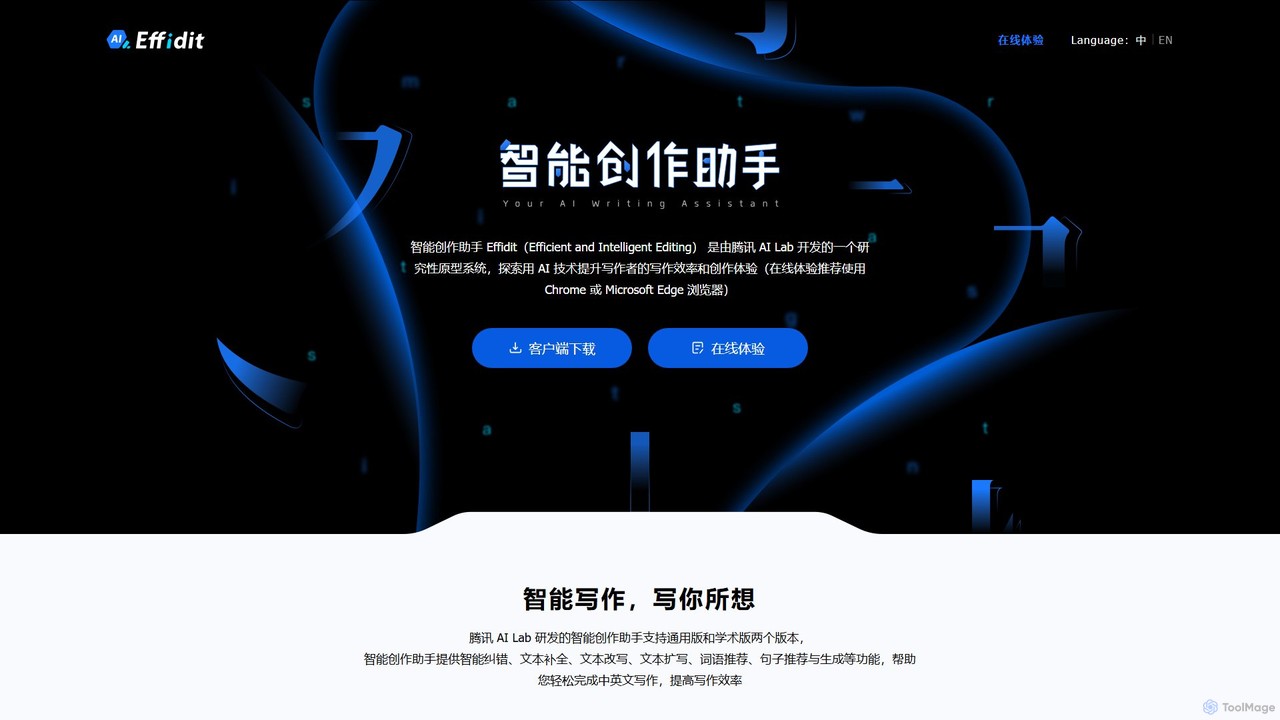
Effidit is an AI-powered writing assistant from Tencent AI Lab, designed to enhance writing efficiency in both Chinese and English. It offers intelligent proofreading, text completion, rewriting, expansion, and specialized modes for general and academic writing, helping users create high-quality, error-free content.

Text Editor
Visits 12.5KFavorites 107Likes 96

About Text Editor

AI Text Editors are advanced applications that integrate artificial intelligence to enhance the writing process far beyond basic spell-checking. These tools leverage Natural Language Processing (NLP) and generative models to analyze, correct, and improve text in real-time. They help users refine clarity, adjust tone, and boost overall writing quality, making them valuable for creating polished and effective content. This technology acts as an intelligent writing assistant, streamlining everything from drafting emails to authoring long-form articles.

Core Features

  • Advanced Grammar & Style Correction: Identifies complex grammatical errors and suggests stylistic improvements for clarity, conciseness, and impact.
  • Tone Analysis & Adjustment: Analyzes the text's tone (e.g., formal, casual, confident) and provides suggestions to align it with the intended audience.
  • Content Generation & Rephrasing: Offers suggestions to complete sentences, expand on ideas, or rewrite passages for better flow and originality.
  • Text Summarization: Condenses long documents or articles into concise summaries, highlighting the most important points.

Use Cases

AI Text Editors are widely used across various professional fields. Marketers use them to craft persuasive ad copy and SEO-friendly blog posts. Academics and students rely on them to polish research papers and essays for clarity and formal consistency. In business, they are essential for drafting clear, professional emails, reports, and presentations.

How to Choose

When selecting an AI Text Editor, consider the depth of its features—do you need simple proofreading or advanced content generation? Evaluate its integration capabilities with your existing workflow, such as browser extensions or plugins for other applications. Also, assess the range of supported languages and compare pricing models to find a solution that matches your specific needs and budget.

Featured tool rankings

Text Editor use cases

1

Crafting High-Conversion Marketing Copy

A marketing manager uses an AI text editor to draft ad copy and social media posts. By inputting a basic product description, the AI generates multiple headline variations, rephrases key benefits for greater impact, and adjusts the tone to be more persuasive. This process significantly reduces the time spent on copywriting and helps create content that is A/B tested for higher engagement and conversion rates.

2

Optimizing Blog Posts for SEO and Readability

A content creator writes a blog post draft directly in an AI editor. The tool provides real-time feedback on readability, suggesting simpler sentence structures and alternative vocabulary. It also helps integrate target keywords naturally into the text and can generate meta descriptions and titles. This ensures the final article is not only engaging for readers but also optimized to rank higher in search engine results.

3

Polishing Academic Papers and Essays

A university student uses an AI text editor to review their research paper before submission. The tool helps enforce a formal academic tone, identifies and corrects complex grammatical errors, and suggests more precise terminology. It can also check for unintentional plagiarism by comparing the text against a vast database of publications, ensuring academic integrity and improving the overall quality of the paper.

4

Accelerating Business Report and Email Composition

A business professional needs to draft a quarterly report quickly. Using an AI text editor, they can summarize lengthy meeting notes into concise bullet points, expand on key findings to create detailed paragraphs, and ensure the entire document maintains a professional tone. For daily emails, the tool can help compose clear, polite, and error-free responses in a fraction of the time, boosting productivity and communication effectiveness.

5

Writing Clear and Concise Technical Documentation

A software developer is tasked with creating a user manual. An AI text editor helps simplify complex technical jargon into language that is easy for non-technical users to understand. It ensures consistency in terminology throughout the document, corrects grammar, and can help structure information logically with headings and lists. This results in higher quality documentation that reduces user confusion and lowers the burden on support teams.

6

Refining Multilingual Content and Translations

A localization specialist uses an AI text editor to polish machine-translated text. While the initial translation provides a baseline, the AI helps refine sentence structures to sound more natural and fluent in the target language. It catches subtle grammatical nuances and suggests culturally appropriate phrasing, bridging the gap between a literal translation and one that truly resonates with a local audience.

Text Editor FAQ

What is an AI Text Editor?

An AI Text Editor is a software tool that uses artificial intelligence, particularly Natural Language Processing (NLP), to go beyond basic spell-checking. It actively assists in the writing process by analyzing context to improve grammar, style, tone, and clarity. Unlike a standard editor, it can suggest rephrasing, help generate ideas, and ensure your text is appropriate for its intended audience, acting as a comprehensive writing partner.

How to choose the right AI Text Editor?

To choose the right tool, consider these key factors:

  • Primary Use Case: Do you need basic grammar correction, or advanced features like content generation, summarization, and tone adjustment?
  • Integrations: Check if it works with your preferred platforms, such as a browser extension for online writing, a plugin for Microsoft Word, or an app for Google Docs.
  • Language Support: Ensure it supports all the languages you write in, especially if you work with multilingual content.
  • User Experience & Cost: Look for an intuitive interface and compare pricing plans (free, subscription, or one-time purchase) to find the best value for your needs.
What's the difference between an AI Text Editor and a standard grammar checker?

A standard grammar checker primarily identifies objective errors like spelling mistakes and basic punctuation issues based on fixed rules. An AI Text Editor goes much further by understanding context and nuance. It offers subjective suggestions on style, tone, word choice, and sentence structure to improve overall quality. While a grammar checker is a proofreader, an AI text editor acts as a writing coach, helping you communicate more effectively.

What are the key features of a modern AI Text Editor?

Modern AI Text Editors typically offer a suite of powerful features. Key among them are:

  • Contextual Grammar and Spell Check: Catches errors that traditional checkers miss by understanding the sentence's meaning.
  • Style and Tone Suggestions: Recommends changes to make writing more formal, confident, persuasive, or casual as needed.
  • Rephrasing and Paraphrasing: Offers alternative ways to phrase sentences to avoid repetition and improve clarity.
  • Text Generation and Completion: Helps overcome writer's block by suggesting the next sentence or expanding on a point.
  • Summarization: Quickly condenses long texts into key takeaways.
Who can benefit from using an AI Text Editor?

A wide range of users can benefit significantly from an AI Text Editor. This includes:

  • Content Creators & Marketers: To produce polished, SEO-friendly, and persuasive copy faster.
  • Students & Academics: To improve the clarity, formality, and grammatical accuracy of essays and research papers.
  • Business Professionals: To write clear, concise, and professional emails, reports, and presentations.
  • Non-Native Speakers: To enhance their writing fluency and confidence by correcting subtle errors and suggesting more natural phrasing.
  • Developers: To write clear and easy-to-understand technical documentation.