ToolMage
Sign in

Best 1 Generators for Creative

Popular Generators in Creative include rapname, helping you work more efficiently.

rapname
Free

rapname

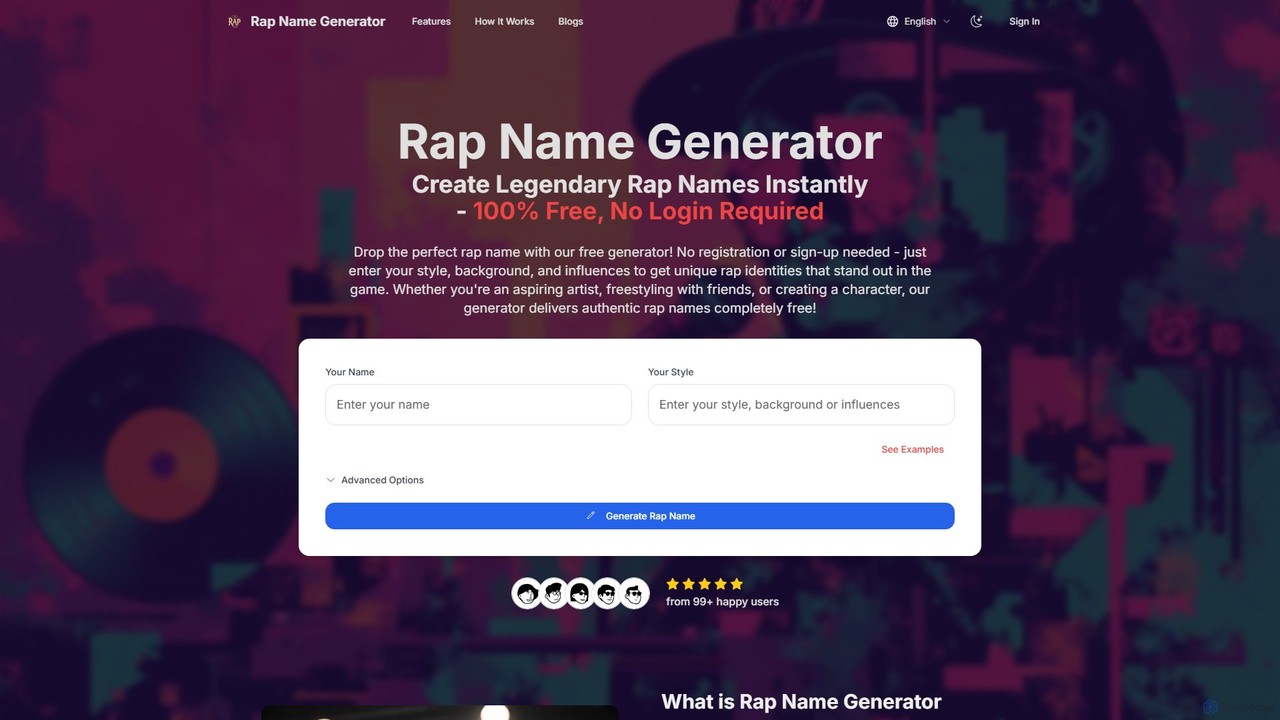
rapname is a free, AI-powered rap name generator that instantly creates authentic hip-hop identities. Users can input their style, background, and influences to receive multiple unique name suggestions, each complete with a brief backstory. No registration is required, offering unlimited creativity for artists and fans.

Generators
Visits 3.4KFavorites 126Likes 137

About Generators

AI Generators are creative tools that autonomously produce original content, such as text, images, code, and music, from user inputs. These tools leverage complex models like Generative Adversarial Networks (GANs) or Transformers to understand prompts and synthesize new, unique outputs. Their primary value lies in accelerating the creative process, overcoming creative blocks, and enabling the rapid exploration of countless variations. Unlike editing software that modifies existing assets, generators create entirely new content from the ground up.

Core Features

  • Prompt-Driven Creation: Generate content by providing simple text descriptions, keywords, or parameters.
  • Multi-Modal Output: Capable of producing various media types, including articles, artwork, audio tracks, and video clips.
  • Style and Parameter Control: Fine-tune the output by specifying styles, tones, formats, and other constraints.
  • Iterative Generation: Quickly produce multiple versions or variations of an idea for comparison and refinement.

Applicable Scenarios

Generators are widely used across industries. Marketers use them for creating ad copy and social media content. Designers and artists leverage them for concept art and inspiration. Developers employ them to write boilerplate code and test functions, while musicians and video producers use them to generate royalty-free background scores and visual elements.

Selection Criteria

When choosing an AI Generator, first identify the primary content type you need (e.g., text, image, audio). Evaluate the quality and realism of the output. Consider the level of customization and control offered over the generation process. Finally, assess the pricing model, usage limits, and whether an API is available for integration into your existing workflows.

Featured tool rankings

Generators use cases

1

Generate Marketing Campaign Copy

A marketing manager needs to launch a new product campaign across multiple channels, including social media, email newsletters, and ad platforms. Using a text-based AI generator, they can input key product features, target audience demographics, and desired tone of voice. The tool then produces dozens of variations for headlines, body copy, and calls-to-action in seconds. This allows the team to A/B test different messages efficiently, saving hours of brainstorming and copywriting time while optimizing campaign performance based on data-driven insights.

2

Rapid Prototyping of Game Assets

A concept artist working on a new video game needs to explore various visual styles for characters and environments quickly. By using an AI image generator, they can input descriptive prompts like 'cyberpunk warrior with neon armor' or 'enchanted forest with glowing mushrooms'. The generator provides multiple high-quality visual concepts in minutes. This process drastically reduces the time spent on initial sketching and allows the art director to review a wide range of ideas early in the development cycle, facilitating faster decision-making and creative iteration.

3

Automate Boilerplate Code Writing

A software developer is starting a new project and needs to set up the basic structure, including API endpoints, database connection logic, and utility functions. Instead of writing this repetitive code manually, they use an AI code generator. By providing a schema or a high-level description of the required functionality, the tool generates well-structured, syntactically correct boilerplate code in their preferred programming language. This accelerates the project setup phase, reduces the chance of human error, and allows the developer to focus on implementing core business logic sooner.

4

Create Custom Background Music for Videos

A content creator produces weekly videos for their YouTube channel and needs unique, royalty-free background music for each one. Using an AI music generator, they can specify the genre (e.g., lo-fi, cinematic, electronic), mood (e.g., upbeat, suspenseful, calm), and duration. The AI composes an original track that matches these parameters. This provides a cost-effective alternative to licensing stock music, avoids copyright issues, and ensures that every video has a distinct audio identity, enhancing the overall production value and viewer experience.

5

Synthesize Datasets for AI Model Training

A data scientist is developing a machine learning model but lacks a sufficiently large or diverse dataset, especially for edge cases. Using a synthetic data generator, they can create large volumes of high-quality, structured or unstructured data that mimics the statistical properties of real-world data. This allows them to augment their training set, improve model robustness, test for biases, and train models without compromising the privacy of real user data. The generated data can range from simple tabular entries to complex images or text scenarios.

6

Draft Personalized Email Outreach Sequences

A sales development representative (SDR) needs to contact hundreds of potential leads with personalized messages. Manually crafting each email is time-consuming. By using an AI text generator integrated with their CRM, the SDR can automatically generate unique email sequences for each lead. The generator pulls information like the lead's name, company, and industry to create relevant and engaging opening lines and value propositions. This scales the personalization effort, increases email open and reply rates, and frees up the SDR's time to focus on building relationships with interested prospects.

Generators FAQ

What are AI Generators?

AI Generators are a class of artificial intelligence tools designed to create new, original content from scratch based on user input. Unlike tools that edit or analyze existing data, generators synthesize content like text, images, code, or music. They typically use deep learning models, such as Generative Adversarial Networks (GANs) or Transformers, to learn patterns from vast amounts of data and then use that knowledge to produce unique outputs. Common applications include drafting articles, creating digital art, writing software functions, and composing music.

How to choose the right AI Generator?

Choosing the right AI Generator depends on your specific needs. Consider the following factors:

  • Content Type: First, determine what you need to create. Generators are specialized for text, images, audio, video, or code. Choose a tool designed for your target medium.
  • Output Quality and Style: Evaluate the quality, realism, and coherence of the generator's output. Check if it can produce content in the specific styles you require (e.g., formal writing, photorealistic images).
  • Customization and Control: Look for a tool that offers sufficient control over the output. This includes adjusting parameters, providing detailed prompts, and iterating on results.
  • Ease of Use and Integration: Consider the user interface and learning curve. If you need to integrate it into your workflow, check for API availability and documentation.
What is the difference between AI Generators and AI Editors?

The key difference lies in their core function: creation versus modification. AI Generators create entirely new content from scratch based on a prompt or input data. They synthesize something that did not exist before. For example, generating a new image from a text description. In contrast, AI Editors work on existing content to enhance, correct, or transform it. Their function is to modify, not create from zero. For example, an AI photo editor might remove an object from a picture or improve its lighting, but it starts with an existing photo.

What types of content can AI Generators create?

AI Generators are incredibly versatile and can create a wide range of digital content. The most common types include:

  • Text: Articles, blog posts, emails, marketing copy, poetry, and creative stories.
  • Images: Photorealistic pictures, digital art, illustrations, logos, and 3D textures.
  • Code: Code snippets, functions, entire scripts, and website layouts in various programming languages.
  • Audio: Music tracks in different genres, voiceovers, sound effects, and podcasts.
  • Video: Short video clips, animations, and presentations from text prompts or existing images.
  • Data: Synthetic datasets for training machine learning models.
Is content created by AI Generators free to use commercially?

The commercial usage rights for AI-generated content are complex and depend heavily on the specific tool's terms of service. Some generators grant users full ownership and commercial rights to the outputs, while others may have restrictions. The legal landscape regarding copyright for AI-created works is also still evolving globally. Before using any generated content for commercial purposes, it is crucial to carefully read and understand the user agreement and licensing terms of the specific AI generator you are using. For high-stakes projects, consulting with a legal professional is advisable.