Cara
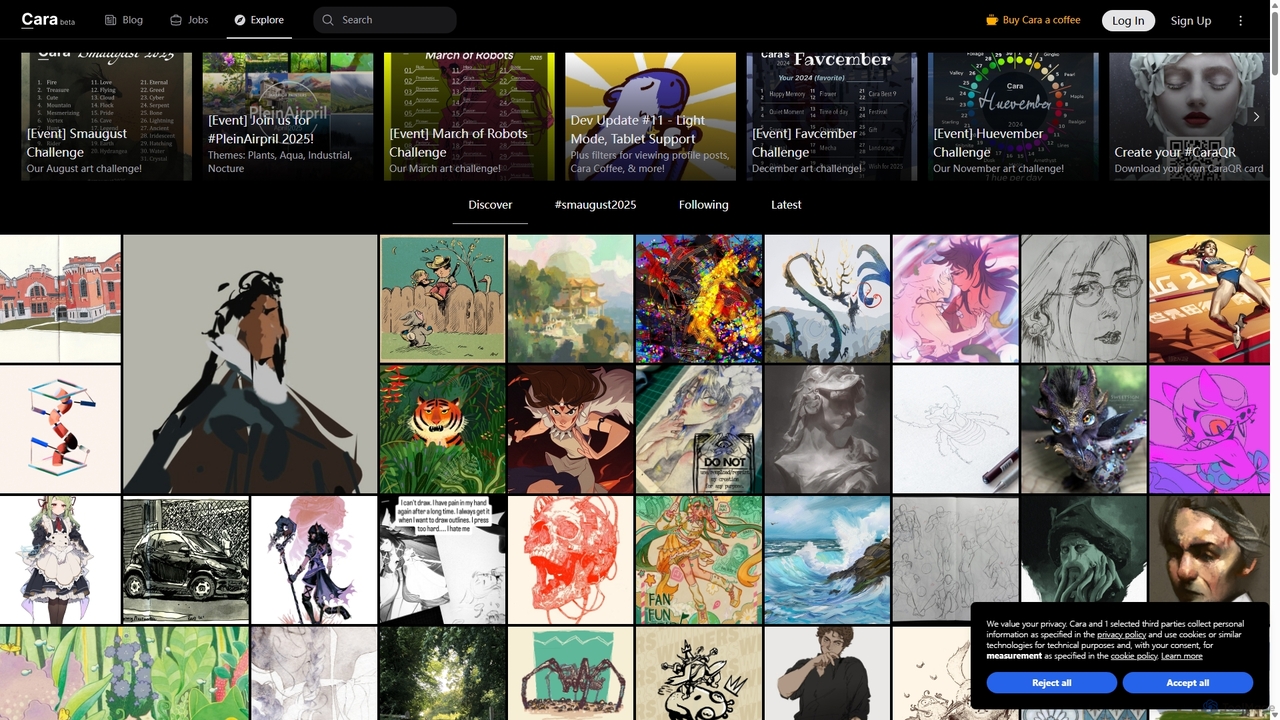
Cara is a social and portfolio platform for artists and art enthusiasts, designed as a response to the …
Cara is a social and portfolio platform for artists and art enthusiasts, designed as a response to the rise of generative AI. It prioritizes human-made art by actively filtering out AI-generated images. It offers a customizable social feed, professional portfolio tools, a jobs board, and features like Cara Glaze integration to protect artists' work. It's a community-focused space for creatives to connect, share their work, and find opportunities in a supportive, AI-free environment.
About Illustration
AI Illustration tools are a specialized category of creative AI that generate unique, artistic visuals from text descriptions or existing images. They utilize advanced generative models, such as diffusion or GANs, to interpret prompts and produce a wide range of illustrative styles, from cartoons and anime to watercolor and abstract art. These tools empower creators to rapidly visualize concepts, produce custom graphics for digital content, and explore artistic directions without extensive manual drawing. Unlike photorealistic image generators, their primary focus is on non-realistic, stylized, and imaginative artwork.
Core Features
- Text-to-Illustration: Generates illustrations based on detailed textual descriptions (prompts), controlling subject, style, and composition.
- Style Customization & Transfer: Allows users to specify or replicate particular artistic styles, such as impressionism, cyberpunk, or a specific artist's aesthetic.
- Image-to-Image Variation: Creates multiple artistic variations from a source image or sketch, enabling rapid iteration on a concept.
- Vector Graphic Generation: Produces scalable vector graphics (SVG) instead of raster images, ideal for logos, icons, and UI elements.
- Negative Prompts: Enables users to specify elements to exclude from the final illustration, offering greater creative control.
Use Cases
AI Illustration tools are widely used by graphic designers, concept artists, marketing teams, and content creators. For example, a game developer can generate dozens of character concepts in minutes, a blogger can create custom header images for articles, and a marketing agency can produce unique visuals for social media campaigns that align with brand identity.
How to Choose
When selecting an AI Illustration tool, consider the diversity of available art styles and the model's ability to interpret complex prompts accurately. Evaluate the output resolution and format options (e.g., raster vs. vector). Also, examine the pricing model—whether it's subscription-based or uses a credit system—and check the terms regarding commercial usage rights for the generated images.

IllustrationUse Cases
Creating Concept Art for Games and Films
A concept artist working on a new video game needs to quickly generate a wide range of character and environment ideas. Instead of spending days sketching manually, they use an AI Illustration tool. By inputting detailed prompts like 'female elf rogue, leather armor, mystical forest background, watercolor style,' the artist can generate dozens of high-quality visual concepts in under an hour. This allows the creative team to review multiple directions, select the most promising designs, and use the AI-generated art as a refined base for final production, accelerating the pre-production phase significantly.
Generating Custom Marketing and Social Media Visuals
A marketing team needs unique illustrations for a new social media campaign to avoid using generic stock images. They use an AI Illustration tool to create a series of on-brand visuals. By defining a consistent style prompt (e.g., 'flat design, corporate blue and orange palette') and varying the subject matter ('team collaborating on a project,' 'customer achieving success'), they can produce a cohesive set of illustrations for posts, ads, and stories. This process is not only faster than commissioning a human illustrator for each piece but also ensures brand consistency across all visual assets.
Illustrating Children's Books and Educational Materials
An independent author writing a children's book needs illustrations but has a limited budget. Using an AI Illustration tool, they can bring their story to life. The author inputs descriptions of characters and scenes from their manuscript, specifying a whimsical, cartoon-like style suitable for young readers. For example, 'a friendly bear wearing a red scarf, sitting under a large oak tree, sunny day, vibrant colors.' The tool generates multiple options, allowing the author to choose the best fit for each page. This empowers individual creators to produce professionally illustrated books affordably and maintain a consistent artistic vision throughout the project.
Designing Custom UI Elements and Icons
A UI/UX designer is developing a new mobile application and requires a unique set of icons that match the app's aesthetic. Instead of using standard icon libraries, they turn to an AI Illustration tool capable of generating vector graphics. The designer provides prompts like 'minimalist icon for user profile, line art, SVG format, blue color.' The tool produces several scalable vector icons. The designer can then select the best option and make minor adjustments in a traditional vector editor. This approach allows for the creation of a completely custom and cohesive icon set, enhancing the app's visual identity and user experience.
Creating Editorial Illustrations for Blogs and Articles
A content creator for an online magazine needs to produce compelling header images for their articles on a tight deadline. They use an AI Illustration tool to quickly generate visuals that match the tone of each piece. For an article about financial technology, they might use the prompt 'abstract illustration of digital currency, glowing nodes and connections, futuristic, dark blue background.' The AI provides several artistic interpretations, one of which is selected and used immediately. This workflow allows the creator to enhance their content with relevant, high-quality illustrations without the time and cost associated with traditional illustration commissions.
Developing Storyboards for Animations and Videos
A video producer is planning an animated explainer video and needs to create a storyboard to visualize the sequence of scenes. Using an AI Illustration tool, they can rapidly generate panels for the storyboard. By providing simple prompts for each scene, such as 'character looking confused at a computer screen, simple line art style,' they can create a consistent visual narrative quickly. This allows for faster client feedback and iteration cycles compared to drawing each panel by hand. The AI-generated storyboard serves as a clear blueprint for the animators, streamlining the entire production pipeline.