ToolMage
Sign in

Best 1 Automation AI tools for Customer Service

Popular Automation AI tools in Customer Service include Revscale, helping you work more efficiently.

Revscale
Paid

Revscale

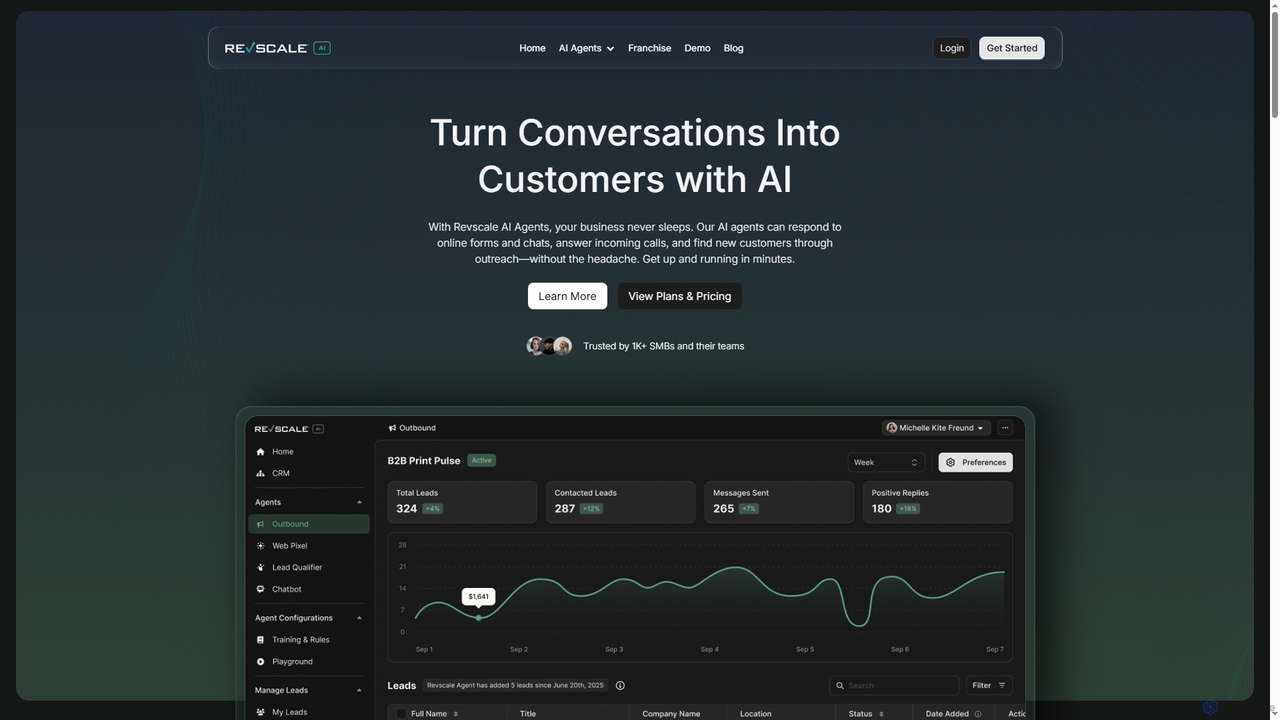
Revscale offers AI-powered business agents designed to automate inbound and outbound operations across sales, marketing, and customer support. It provides 24/7 lead qualification, customer engagement, and process automation, helping businesses streamline workflows and accelerate growth.

Automation
Visits 19KFavorites 129Likes 127

About Automation

Automation tools are AI-powered solutions designed to streamline and optimize repetitive tasks within customer service operations. Leveraging technologies like natural language processing (NLP), machine learning, and robotic process automation (RPA), these tools automate interactions, data processing, and workflow management. They enhance efficiency, reduce response times, and free up human agents for more complex issues, ultimately improving customer satisfaction. By minimizing manual effort, customer service automation ensures consistent service quality and scalability.

Core Features

  • AI Chatbots & Virtual Assistants: Provide instant, 24/7 support by handling routine inquiries and guiding users through self-service options.
  • Workflow Automation: Automate ticket routing, data entry, follow-up tasks, and internal processes based on predefined rules or AI analysis.
  • Sentiment Analysis & Prioritization: Automatically analyze customer mood and urgency from interactions to prioritize critical cases for human intervention.
  • Knowledge Base Integration: Instantly retrieve and deliver relevant information from extensive knowledge bases to both customers and agents.
  • Proactive Outreach & Personalization: Automate sending tailored communications, such as onboarding tips or renewal reminders, based on customer behavior.

Applicable Scenarios

Customer service automation is invaluable for organizations facing high volumes of repetitive inquiries, seeking to provide 24/7 support, or aiming to reduce operational costs. It's widely adopted in e-commerce for order status updates, in SaaS for technical FAQs, and in banking for account inquiries. Businesses use these tools to ensure consistent service quality across all channels and to empower agents with real-time assistance.

How to Choose

When selecting an AI automation tool for customer service, consider its integration capabilities with your existing CRM and communication platforms. Evaluate the sophistication of its AI (e.g., NLP accuracy, machine learning adaptability) and its scalability to handle future growth. Assess the ease of customization for specific business rules and workflows, and look for robust analytics and reporting features to measure performance and identify areas for improvement.

Automation use cases

1

Automating First-Level Customer Inquiries

E-commerce businesses often face a high volume of repetitive questions regarding order status, shipping, and returns. AI automation tools deploy chatbots that instantly answer these common queries, reducing the need for human intervention. This allows customers to get immediate information, improving satisfaction, while human agents can focus on more complex issues like product defects or personalized recommendations.

2

Automating Routine Customer Inquiries

A customer service manager deploys an AI chatbot to handle frequently asked questions (FAQs) and common requests, such as order status, product information, or basic troubleshooting. The chatbot provides instant, accurate responses 24/7, guiding customers to relevant resources or self-service options. This significantly reduces the volume of repetitive tickets reaching human agents, allowing them to focus on more complex and high-value customer interactions, thereby improving overall service efficiency and customer satisfaction.

3

Intelligent Ticket Prioritization and Routing

Large enterprises with diverse customer service needs can use automation to efficiently manage incoming support tickets. AI-powered systems analyze ticket content, customer history, and urgency to automatically categorize and route them to the most qualified agent or department. This ensures critical issues are addressed promptly and agents receive tickets aligned with their expertise, significantly cutting resolution times.

4

Streamlining Ticket Triage and Routing

A support team lead utilizes AI automation to analyze incoming customer support tickets. The AI automatically extracts keywords, identifies the issue type, and assesses the customer's sentiment or urgency. Based on this analysis, the system intelligently routes the ticket to the most appropriate department or agent with the relevant expertise, bypassing manual sorting. This ensures faster initial response times, reduces misrouting, and optimizes agent workload, leading to quicker resolutions and a smoother customer journey.

5

Personalized Proactive Customer Outreach

A customer success specialist leverages automation tools to proactively engage customers based on their usage patterns or lifecycle stage. For instance, the system automatically sends personalized onboarding emails to new users, usage tips to those struggling with a feature, or renewal reminders to expiring accounts. This targeted, automated communication helps prevent churn, encourages product adoption, and builds stronger customer relationships without requiring constant manual monitoring and outreach from the success team.

6

Enhancing Agent Productivity with AI Assistance

Customer service teams can leverage automation to boost agent efficiency during live interactions. AI tools provide real-time suggestions, access to relevant knowledge base articles, or even draft responses based on the ongoing conversation. This reduces the time agents spend searching for information or typing, enabling them to handle more inquiries and provide more consistent, accurate support.

7

Personalized Proactive Customer Outreach

Subscription-based services can utilize automation to proactively engage customers based on their usage patterns or potential issues. AI systems can identify users at risk of churn or those who might benefit from a new feature, then automatically send personalized messages or offers. This helps in retaining customers, driving upsells, and improving overall customer lifetime value without manual effort.

8

Automating Post-Service Feedback Collection

A quality assurance analyst implements automation to efficiently gather customer feedback after service interactions. Once a support ticket is closed, the system automatically sends a satisfaction survey (e.g., CSAT or NPS) via email or SMS. The AI can then analyze the survey responses, identify common themes, and flag critical feedback for immediate review, eliminating the need for manual follow-ups and providing continuous, real-time insights into service performance and areas for improvement.

9

Real-time Agent Assist and Knowledge Retrieval

A live chat agent benefits from AI automation that provides real-time assistance during customer interactions. As the agent chats with a customer, an AI assistant monitors the conversation, suggests relevant knowledge base articles, pre-written responses, or product specifications directly within the agent's interface. This immediate access to accurate information reduces the time agents spend searching, improves response quality, and helps new agents quickly get up to speed, leading to more efficient and effective customer support.

10

Streamlining Self-Service Support Portals

Software companies and tech support departments can implement AI automation to power their self-service knowledge bases and FAQ sections. Customers can use natural language to ask questions, and the AI intelligently searches and presents the most relevant articles or guides. This empowers users to find solutions independently, reducing inbound call volumes and improving the overall customer experience.

11

Automating Data Entry and CRM Updates

A sales support administrator uses automation to reduce manual data entry after customer interactions. AI tools can extract key information from customer conversations (e.g., contact details, issue summaries, product interests) and automatically update CRM records, create follow-up tasks, or generate reports. This eliminates tedious administrative work, improves data accuracy, ensures that customer profiles are always up-to-date, and allows the support team to focus more on direct customer engagement rather than data management.

12

Automating Post-Service Feedback Collection

Any business focused on continuous improvement can automate the process of collecting customer feedback after a service interaction. AI tools can automatically send follow-up surveys, analyze sentiment from open-ended responses, and flag critical feedback for human review. This ensures timely feedback collection, provides actionable insights, and helps in quickly identifying areas for service enhancement.

Automation FAQ

What is Customer Service Automation?

Customer Service Automation refers to the use of AI-powered technologies to perform tasks and processes that traditionally required human intervention in customer support. These tools leverage natural language processing (NLP), machine learning, and robotic process automation (RPA) to handle routine inquiries, automate workflows, and provide instant support. The goal is to enhance efficiency, reduce operational costs, and improve the overall customer experience by ensuring faster, more consistent service delivery.

What is Customer Service Automation?

Customer service automation refers to the use of AI and software to handle customer interactions and support processes with minimal human intervention. It aims to streamline operations, provide instant support, and improve efficiency. Key features include AI chatbots, intelligent routing, and automated response generation, all designed to enhance the customer experience.

How does AI automation benefit customer service?

AI automation offers numerous benefits, including 24/7 availability for customers, faster response times, and reduced operational costs. It frees human agents from repetitive tasks, allowing them to focus on complex issues, which improves job satisfaction. Additionally, automation ensures consistent service quality and can provide valuable data insights for continuous improvement.

How does AI automation improve customer service?

AI automation significantly improves customer service in several ways. It provides 24/7 availability through chatbots, ensuring customers receive instant responses regardless of time zones. It reduces agent workload by handling repetitive queries, allowing human agents to focus on complex issues. Automation also ensures consistent service quality, personalizes interactions based on customer data, and offers faster resolution times. Furthermore, it provides valuable data insights for continuous service improvement and can lead to substantial cost savings for businesses.

What are the key types of automation tools in customer service?

The key types of automation tools in customer service include AI chatbots and virtual assistants, which handle initial inquiries and provide self-service options. Workflow automation platforms streamline internal processes like ticket routing and data entry. Sentiment analysis tools automatically gauge customer mood to prioritize urgent cases. Knowledge base integration tools ensure instant access to information. Lastly, proactive outreach and personalization tools automate targeted communications based on customer behavior, all working together to create a more efficient and responsive support ecosystem.

What's the difference between AI chatbots and traditional rule-based chatbots in customer service?

AI chatbots use natural language processing (NLP) and machine learning to understand user intent, even with varied phrasing, and can learn over time. Traditional rule-based chatbots operate on predefined scripts and keywords, only responding to exact matches. AI chatbots offer more flexible, human-like interactions and are better suited for complex, evolving customer inquiries, while rule-based bots are effective for simple, predictable FAQs.

What are the key considerations when implementing customer service automation?

When implementing customer service automation, consider the specific pain points you want to address and the types of inquiries you want to automate first. Evaluate the AI's natural language understanding capabilities, its integration with existing CRM and helpdesk systems, and its scalability. Also, plan for a clear handover process to human agents for complex issues and ensure data privacy and security compliance.

How to choose the right automation solution for customer service?

Choosing the right customer service automation solution involves several key considerations. First, assess its integration capabilities with your existing CRM, ticketing systems, and communication channels to ensure seamless data flow. Second, evaluate the sophistication of its AI, including natural language processing (NLP) accuracy and machine learning adaptability for continuous improvement. Third, consider its scalability to handle growing customer volumes and its customization options to align with specific business rules. Finally, look for robust analytics and reporting features to measure performance and identify areas for further optimization.

What is the difference between customer service automation and traditional customer service software?

The primary difference lies in their approach to problem-solving and interaction. Traditional customer service software (like CRM or ticketing systems) primarily focuses on managing customer interactions, tracking issues, and organizing agent workflows. It's a system of record and management. Customer service automation, however, leverages AI and machine learning to actively understand, respond to, and resolve customer issues with minimal human intervention. It automates the *interaction itself*, offering intelligent, dynamic responses and proactive actions, whereas traditional software facilitates human agents in their tasks.

Can customer service automation replace human agents entirely?

No, customer service automation is designed to augment, not entirely replace, human agents. It excels at handling routine, repetitive tasks and providing instant answers, but human agents remain crucial for complex problem-solving, empathetic interactions, and building long-term customer relationships. The goal is to create a hybrid model where AI handles the mundane, allowing humans to focus on high-value interactions.