ToolMage
Sign in

Best 1 Roadmapping AI tools for Customer Support

Popular Roadmapping AI tools in Customer Support include Signalsloop, helping you work more efficiently.

Signalsloop
Freemium

Signalsloop

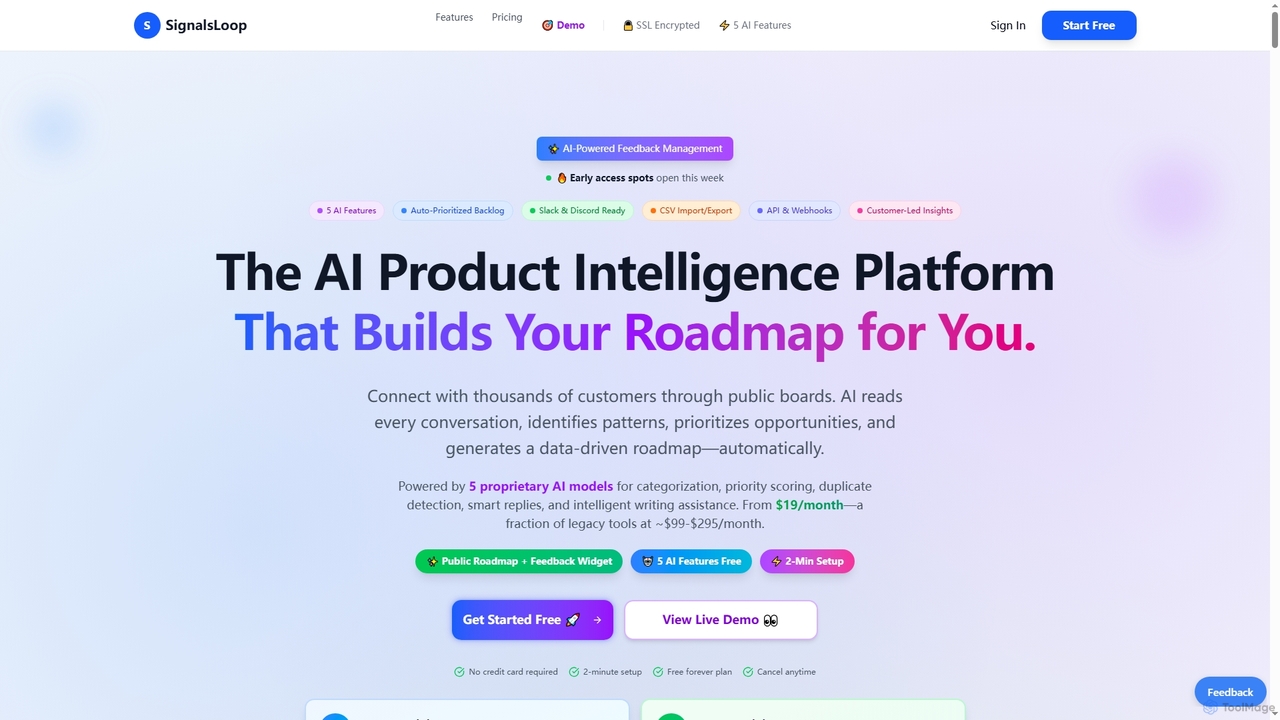
SignalsLoop is an AI-powered feedback management platform that automatically categorizes, prioritizes, and detects duplicate user feedback. It helps product teams build data-driven roadmaps by transforming scattered feedback from various channels into actionable insights, designed for startups and indie makers.

Roadmapping
Visits 4.2KFavorites 117Likes 116

About Roadmapping

AI Roadmapping tools are platforms for creating and managing product plans by leveraging customer feedback data. These tools use AI, particularly Natural Language Processing (NLP), to analyze support tickets, surveys, and reviews to identify key trends and feature requests. They enable product teams to build customer-centric roadmaps, prioritize development based on real user needs, and transparently communicate future plans. This data-driven approach ensures product strategy is directly aligned with customer satisfaction and market demand.

Core Features

  • Feedback Aggregation: Automatically centralizes customer feedback from various channels like support desks, social media, and surveys.
  • AI-Powered Prioritization: Uses algorithms to score and rank feature requests based on volume, sentiment, and potential business impact.
  • Visual Roadmap Creation: Generates interactive timelines, Gantt charts, and Kanban boards to visualize product strategy.
  • Stakeholder Communication Portals: Provides public or private portals to share roadmaps and gather feedback from customers and internal teams.
  • Integration with Support & Dev Tools: Connects with platforms like Zendesk, Jira, and Slack to create a unified workflow.

Use Cases

Primarily used by product managers, customer success teams, and support leaders in technology and SaaS companies. They are essential for translating qualitative customer support feedback into a quantitative, actionable product strategy, ensuring that the most impactful issues and requests are addressed in development cycles.

How to Choose

When selecting a tool, consider the depth of its integration capabilities with your existing customer support and development software. Evaluate the sophistication of its AI analysis for feedback categorization and prioritization. Also, assess the flexibility of its visualization tools and the effectiveness of its features for stakeholder communication and collaboration.

Featured tool rankings

Roadmapping use cases

1

Prioritize Features with Customer Support Data

A product manager at a SaaS company plans the next quarter's development. Instead of relying on intuition, they use an AI roadmapping tool connected to their support system. The tool analyzes thousands of tickets, identifying that 15% of requests relate to a specific integration. The AI scores this as high-impact due to volume and negative sentiment. The product manager can then confidently prioritize this integration, backing the decision with clear data and directly linking development to improving customer satisfaction.

2

Prioritizing Feature Requests from Support Tickets

A Product Manager for a SaaS company is overwhelmed with feature requests coming through support tickets. By integrating their helpdesk with an AI roadmapping tool, they can automatically funnel all relevant tickets into one system. The AI analyzes and groups thousands of comments, identifying that 'dark mode' and 'Google Calendar integration' are the most requested features. This data allows the manager to confidently prioritize these items for the next quarter's roadmap, backed by quantitative customer evidence rather than guesswork.

3

Prioritizing Feature Requests from Support Data

A product manager for a SaaS company uses an AI roadmapping tool to analyze thousands of support tickets from the past quarter. The AI automatically identifies and groups recurring feature requests, such as 'dark mode' and 'Google Calendar integration'. The tool then scores these requests based on ticket volume and associated customer revenue, revealing that the calendar integration is requested by high-value clients. The manager adds this feature to the top of the development roadmap, providing a data-backed justification to the engineering team.

4

Managing Public Feature Requests

A SaaS company's customer support team is overwhelmed with duplicate feature requests via support tickets. By implementing an AI roadmapping tool, they create a public portal where users can submit, view, and vote on ideas. The AI automatically groups similar suggestions, reducing manual sorting. This system decreases support ticket volume related to feature requests by over 40% and provides the product team with a clear, data-driven list of customer priorities, improving user satisfaction and transparency.

5

Creating a Public-Facing Customer Roadmap

A customer success team wants to improve transparency with users about upcoming changes. They use a roadmapping tool to create a simplified, public-facing version of their internal development plan. This public roadmap highlights features that were directly requested by the community, allowing users to vote on other ideas. This not only manages customer expectations but also builds a stronger community by showing users that their feedback is valued and acted upon, leading to increased customer loyalty.

6

Communicating Bug Fix Progress Transparently

A mobile game developer receives numerous support inquiries about known bugs. To improve communication, they use a roadmapping tool to create a 'Known Issues' board. This board shows which bugs are confirmed, which are being fixed, and the expected release version for the patch. When a bug's status is updated, users who reported it receive an automatic notification. This proactive communication reduces support inquiries about bug statuses and builds trust with the player community by showing that their reports are being addressed.

7

Creating a Public-Facing Customer Roadmap

A Customer Success Manager wants to improve transparency and reduce repetitive 'when will X be fixed?' questions. Using a roadmapping tool, they create a simplified, public-facing version of the internal development roadmap. This view only shows high-level themes and committed features, without revealing sensitive deadlines. Customers can view the plan, vote on upcoming ideas, and receive notifications when a feature they care about is launched. This proactively manages expectations and turns the roadmap into a community engagement tool.

8

Communicate Product Updates to Key Accounts

A customer success manager (CSM) needs to reassure a high-value client who is considering churning due to a missing feature. The CSM uses the AI roadmapping tool to create a personalized, shareable roadmap view for this client. This view highlights that their requested feature is not only planned but is prioritized for the next release cycle, backed by data from other users. This transparency helps rebuild trust, demonstrates that their feedback is valued, and can be crucial in retaining the account.

9

Aligning Support and Product Team Priorities

A company experiences friction between its support and product teams. The support team feels that critical bug reports are ignored, while the product team struggles to balance new features with maintenance. They implement a shared roadmapping tool. Now, the support lead can link high-volume support tickets directly to bug items on the roadmap. The product team can see a real-time, data-driven view of customer pain points, allowing them to make more informed decisions and creating a single source of truth that aligns both teams.

10

Automating Changelog and Release Notes

A product manager for a web application spends hours manually compiling release notes before each update. By integrating their roadmapping tool with their development workflow (e.g., Jira or GitHub), the process becomes automated. When a feature is moved to the 'Done' column, the tool automatically drafts a changelog entry based on the task description. The manager can then review, edit, and publish the release notes to the public portal and notify subscribed users with a single click, saving significant time and ensuring consistent communication.

11

Identify Root Causes of Recurring Support Issues

A support team lead notices a high volume of tickets about a confusing user interface element. They use the roadmapping tool's AI to analyze and cluster these tickets. The AI identifies the specific workflow causing the most friction and quantifies the support hours spent on it. The support lead presents this data-backed insight to the product team, transforming a vague complaint into a high-priority usability issue on the product roadmap, ultimately reducing future support load.

12

Aligning Support and Engineering on Bug Fixes

The Head of Support notices a disconnect between the bugs customers report most frequently and the ones engineering prioritizes. They use a roadmapping tool to create a shared 'Bug Prioritization' board. The tool pulls data from their helpdesk to show which bugs generate the most tickets. This shared, visual space allows both teams to see the customer impact of each bug, leading to more informed discussions and a prioritization process that balances technical complexity with real-world user pain.

13

Validating New Ideas with a Feedback Board

A startup wants to validate a potential new product line before investing heavily in development. They use their roadmapping tool to create an 'Ideas & Suggestions' board. They invite their most active customers to submit and vote on concepts. The AI feature helps identify underlying themes and sentiment from the comments. After a month, the data clearly shows which ideas resonate most with their target audience, allowing them to make a confident, data-backed decision to proceed with the top-voted concept, minimizing risk and aligning product development with market demand.

14

Align Marketing Campaigns with Feature Launches

A marketing team needs to prepare for upcoming product releases. By accessing a shared, up-to-date product roadmap, they can see which features are scheduled and when. The roadmap provides context from customer feedback, explaining the 'why' behind each new feature. This allows the marketing team to craft more compelling messaging that resonates with customer pain points, plan their content calendar accurately, and launch campaigns that highlight solutions to real problems users have reported.

15

Planning a New Support Channel Launch

A Support Operations team is tasked with launching a new live chat service. They use a roadmapping tool to create a comprehensive plan. The roadmap visualizes key phases: vendor selection, technical integration with the CRM, creation of training materials, a pilot program with a small customer segment, and the full public launch. Each phase has clear dependencies and owners assigned. This visual timeline helps them communicate progress to leadership and ensures all cross-functional teams (IT, Marketing, Support) are aligned on the launch sequence.

16

Planning Quarterly Customer Service Initiatives

A customer support manager needs to plan their team's focus for the upcoming quarter. Using a roadmapping tool, they create a timeline that outlines key initiatives. The AI analysis of recent customer satisfaction surveys highlights 'slow response times' as a major issue. Based on this, the manager adds 'Implement AI Chatbot for Tier-1 Queries' and 'Advanced Agent Training Program' to the roadmap. This visual plan helps them secure budget approval and communicate the quarterly goals clearly to their team.

17

Forecasting Support Team Staffing Needs

A Head of Support needs to justify hiring two more agents for the next fiscal year. They use a roadmapping tool that overlays the product development timeline with historical support ticket data. By identifying upcoming major feature releases, the tool helps forecast potential spikes in ticket volume. The manager presents a roadmap showing the expected increase in customer inquiries post-launch, providing a clear, data-backed justification for the required increase in headcount to maintain service levels.

18

Aligning Internal Teams on Customer Priorities

In a large organization, the sales team often promises features that aren't on the product roadmap, causing friction with support and development. To solve this, the product manager creates a private, internal roadmap. This roadmap, fed by AI-analyzed customer support data, shows all teams what is being built and why. Now, the sales team can accurately inform prospects about upcoming features, and the support team can give customers realistic timelines, leading to better cross-departmental alignment and more consistent customer messaging.

19

Provide Executive Leadership with Strategic Overviews

An executive wants a high-level view of the product's direction and how it aligns with business goals. Instead of static presentations, they access a live dashboard within the roadmapping tool. This dashboard visualizes key themes from customer feedback, shows progress on strategic initiatives, and links development efforts to revenue-driving requests. This provides leadership with a clear, data-driven understanding of product strategy and customer satisfaction, enabling better strategic decision-making.

20

Validating a New Product Idea with Customer Feedback

A startup is considering building a major new module for their software. Before committing development resources, the product team uses a roadmapping tool to create a placeholder for the idea. They then tag all incoming support tickets, sales call notes, and survey responses related to this potential feature. After a month, the tool shows significant demand from their target customer segment. This data-driven validation gives them the confidence to proceed, turning a high-risk guess into a calculated strategic move.

21

Closing the Loop with Customer Support

A customer support agent identifies a recurring issue from multiple tickets. They submit this issue to the roadmapping tool, linking the relevant support tickets. The product team reviews it, prioritizes it for a future sprint, and changes its status to 'Planned'. The roadmapping tool automatically notifies the support agent, who can then proactively inform the affected customers that a fix is scheduled. This process empowers support agents, improves customer communication, and ensures valuable feedback from the front lines directly influences product development.

22

Tracking Bug Fixes and Communicating Status

A support team is overwhelmed with questions about the status of reported bugs. They use a roadmapping tool to create a specific 'Bug Tracker' board visible to the entire company. When a bug is reported and verified, it's added to the board. As the engineering team works on it, its status is updated from 'Investigating' to 'In Progress' and finally 'Resolved'. This provides the support team with a clear, real-time view, allowing them to give accurate updates to customers without constantly interrupting developers.

23

Communicating Service Level Agreement (SLA) Improvements

An IT Support Manager for a large corporation needs to present a plan to executives for improving internal support response times. They use a roadmapping tool to create a high-level, strategic roadmap. It outlines key initiatives over the next six months, such as 'Implement New Ticketing System' and 'Automate Password Resets'. Each initiative is linked to the strategic goal of reducing average response time by 20%. This visual format makes the complex plan easy for executives to understand and approve.

24

Empower Engineering Teams with Customer Context

An engineering team is assigned a new feature to build. Instead of just receiving a ticket with technical specifications, they can access the roadmapping tool to see the 'why' behind the task. They can view the aggregated customer feedback, read specific user quotes, and understand the business impact score assigned by the AI. This context empowers developers, increases their motivation, and helps them make better implementation decisions because they understand the real-world problem they are solving for the customer.

Roadmapping FAQ

What are AI Roadmapping tools in the context of customer support?

AI Roadmapping tools for customer support are platforms that create a transparent, public-facing channel for communicating product plans and progress. Unlike internal project management tools, their primary purpose is to manage customer expectations by showing the status of feature requests and bug reports. They use AI to analyze and categorize large volumes of customer feedback from support tickets and other channels, helping product teams prioritize development based on real user demand.

What are AI Roadmapping tools for customer support?

AI Roadmapping tools are strategic software platforms that help businesses turn customer feedback into actionable plans. They use artificial intelligence to analyze data from support tickets, surveys, and social media to identify trends, prioritize feature requests, and visualize product or service improvements on a timeline. Essentially, they connect the voice of the customer directly to a company's strategic planning process.

What are AI Roadmapping tools in a customer support context?

AI Roadmapping tools are platforms that help visualize and manage strategic plans, specifically by using AI to analyze customer feedback from support channels. Instead of relying on intuition, they process data from support tickets, surveys, and calls to identify the most pressing customer needs. This allows product and support teams to build data-driven roadmaps that prioritize features and fixes based on real user impact, ensuring development efforts are focused on what truly matters to customers.

What are AI Roadmapping tools?

AI Roadmapping tools are platforms that help teams plan and visualize their product strategy using artificial intelligence. Their key feature is the ability to automatically collect and analyze customer feedback from sources like support tickets, surveys, and reviews. This allows them to identify trends, quantify demand for new features, and help product managers make data-driven decisions on what to build next, ensuring the roadmap is aligned with actual customer needs.

How do roadmapping tools differ from project management tools like Jira?

Roadmapping tools focus on the 'why' and 'what' of strategic planning, while project management tools like Jira focus on the 'how' and 'when' of execution. A roadmapping tool helps you decide which features to build based on customer feedback and business goals. A project management tool helps your engineering team break down those features into tasks, assign them, and track their completion. The roadmap provides the high-level strategy that feeds into the detailed tasks managed in a tool like Jira.

How to choose the right Roadmapping tool?

Choosing the right tool depends on your specific needs. Consider these factors:

  • Integrations: Does it connect seamlessly with your helpdesk (e.g., Zendesk, Intercom), project management tools (e.g., Jira), and other data sources?
  • AI Capabilities: How sophisticated is its feedback analysis? Can it automatically tag, categorize, and quantify sentiment from unstructured text?
  • Visualization & Customization: Can you create different views (e.g., timeline, Kanban) for different audiences (executives vs. engineers)? How easy is it to customize?
  • Collaboration: Does it support team collaboration with features like commenting, voting, and notifications to keep everyone aligned?
How do AI Roadmapping tools differ from project management tools like Jira?

The primary difference lies in their focus. Project management tools like Jira or Trello are focused on the 'how' and 'when' of execution—managing tasks, sprints, and workflows for development teams. In contrast, AI Roadmapping tools focus on the 'what' and 'why' of strategy. They operate before the development cycle begins, helping to decide which features should be built in the first place by analyzing customer feedback and aligning product decisions with user needs and business goals.

How to choose the right AI Roadmapping tool?

When selecting an AI Roadmapping tool, consider these four key factors:

  • Integrations: Does it connect seamlessly with your existing tools, especially customer support helpdesks (like Zendesk, Intercom) and development trackers (like Jira, GitHub)?
  • Feedback Management: How effectively does it capture, consolidate, and use AI to analyze feedback from multiple sources? Look for features like automatic tagging and trend analysis.
  • Customization and UX: Can you brand the public portal to match your company's look and feel? Is the interface intuitive for both your internal team and your customers?
  • Automation: Evaluate its ability to automate workflows, such as notifying users of status changes or generating changelogs, to save your team time.
What's the difference between a Roadmapping tool and a project management tool?

The key difference is focus. A roadmapping tool focuses on the 'why' and 'when'—the high-level strategy, goals, and timeline. It's for communicating direction and aligning stakeholders. A project management tool (like Jira or Asana) focuses on the 'how' and 'who'—the specific tasks, assignments, and day-to-day execution needed to achieve the goals on the roadmap. Roadmapping tools provide the strategic context for the work that is managed in project management tools.

What's the difference between a roadmapping tool and a project management tool like Jira?

The key difference lies in their audience and purpose. A roadmapping tool is primarily for external communication with customers and internal strategic alignment. It focuses on the 'what' and 'why' at a high level. In contrast, a project management tool like Jira is for internal execution by development teams. It focuses on the 'how' by breaking down work into granular tasks, sprints, and tickets. A roadmapping tool provides the public-facing strategy, while a project management tool manages the internal work to achieve it.

Who in a company benefits most from a roadmapping tool?

While multiple departments benefit, the primary users are typically:

  • Product Managers: To make data-driven decisions about what to build next and to communicate the product vision.
  • Customer Support Leads: To quantify customer pain points and advocate for fixes and improvements that will reduce ticket volume.
  • Customer Success Managers: To understand customer needs, identify upsell opportunities, and reduce churn by showing that feedback is heard.
  • Executives: To get a high-level overview of the strategic direction and ensure development efforts align with business goals.
How to choose the right AI Roadmapping tool?

When selecting a tool, consider these key factors:

  • Integration Capabilities: Ensure it connects seamlessly with your existing tools, especially customer support platforms (like Zendesk, Intercom) and development trackers (like Jira).
  • AI Analysis Depth: Evaluate how well it can categorize feedback, perform sentiment analysis, and identify meaningful trends without extensive manual work.
  • Visualization & Communication: Assess the flexibility of its roadmap formats and how easily you can share different views with various stakeholders (e.g., customers, executives, developers).
  • Scalability: Consider if the tool can handle your growing volume of customer feedback and user base.
How does AI enhance the roadmapping process?

AI supercharges roadmapping by automating the analysis of vast amounts of qualitative data. Instead of manually reading thousands of support tickets or survey responses, AI can:

  • Identify Themes: Automatically group related feedback to highlight recurring issues or feature requests.
  • Sentiment Analysis: Gauge customer emotion (positive, negative, neutral) associated with different topics.
  • Predictive Prioritization: Suggest which initiatives might have the biggest impact on customer satisfaction or retention based on historical data.

This saves significant time and removes human bias, leading to more objective, data-driven strategic plans.

What kind of data can AI Roadmapping tools analyze?

These tools are designed to process a wide range of unstructured customer feedback data. Common sources include:

  • Customer Support Tickets: From platforms like Zendesk, Intercom, or email inboxes.
  • User Surveys: Responses from NPS, CSAT, or custom product surveys.
  • App Store Reviews: Public feedback from Apple App Store and Google Play Store.
  • Social Media Mentions: Comments and posts on platforms like Twitter or Reddit.
  • Sales & CSM Notes: Qualitative feedback logged in CRM systems like Salesforce.

The AI's role is to aggregate these disparate sources and extract actionable insights.

What are the key benefits of using an AI Roadmapping tool for customer support?

Using an AI Roadmapping tool offers several key benefits for customer support and the wider organization. It significantly increases transparency, which builds customer trust and loyalty. By centralizing feedback, it ensures valuable customer insights are not lost in support tickets and directly inform product strategy. This process also reduces the workload on support teams by deflecting common questions about feature requests and bug statuses. Finally, the AI-driven analysis helps teams make data-backed decisions, ensuring development efforts are focused on what customers truly want.

Who primarily uses Roadmapping tools in a customer support context?

While various roles can benefit, the primary users in a support context are:

  • Product Managers: To gather customer insights from support channels and use them to build a data-driven product roadmap.
  • Customer Support Managers: To track and prioritize bug fixes, plan for support team scaling, and communicate customer issues effectively to the product team.
  • Customer Success Managers: To create public-facing roadmaps, manage customer expectations, and communicate the value of upcoming features.
  • Executives & Leadership: To get a high-level overview of strategic initiatives and track progress against company goals.
Who benefits most from using AI Roadmapping tools?

While many roles benefit, the primary users are Product Managers, who use these tools to make data-driven prioritization decisions and build customer-centric strategies. Other key beneficiaries include Customer Success and Support Teams, who can use the roadmap to communicate with customers and see their feedback directly influence the product, and Executive Leadership, who gain a clear, strategic overview of product direction and its alignment with market needs.

What should I look for when choosing an AI Roadmapping tool?

When selecting a tool, consider these key factors:

  • Integrations: Does it connect seamlessly with your existing tools, such as your helpdesk (Zendesk, Intercom), CRM (Salesforce), and project management software (Jira, Asana)?
  • AI Analysis Quality: How sophisticated is the AI? Does it just do keyword matching, or can it understand intent, sentiment, and context in customer feedback?
  • Customization and Visualization: Can you customize the roadmap views for different audiences (e.g., an executive summary vs. a detailed engineering plan)?
  • Collaboration Features: Does it allow for easy commenting, sharing, and gathering input from various stakeholders across the company?
How does AI enhance the roadmapping process?

AI significantly enhances traditional roadmapping by automating and improving data analysis. Instead of manually sifting through hundreds of support tickets or survey responses, AI can:

  • Automate Feedback Analysis: Instantly categorize vast amounts of unstructured text (like customer emails) into themes like 'bug report', 'feature request', or 'usability issue'.
  • Identify Trends: Detect emerging issues or frequently requested features that might be missed by human analysis.
  • Enable Objective Prioritization: Use data to score potential initiatives based on factors like customer impact or request volume, reducing bias in decision-making.
  • Forecast Impact: Some advanced tools can predict how a new feature might affect key metrics, such as reducing support ticket volume for a specific issue.
Who should use an AI Roadmapping tool?

AI Roadmapping tools are most valuable for product-led companies, especially in the SaaS, software, and technology sectors. The primary users within a company are:

  • Product Managers: To gather customer feedback, prioritize features, and communicate the product strategy.
  • Customer Support Teams: To close the feedback loop with customers, provide status updates, and reduce repetitive inquiries.
  • Community Managers: To engage with the user base, foster a sense of community, and manage expectations.
  • Marketing Teams: To announce new features and create content around product updates.