ToolMage
Sign in

Best 1 Virtual Agents AI tools for Customer Support

Popular Virtual Agents AI tools in Customer Support include 11x, helping you work more efficiently.

11x
Paid

11x

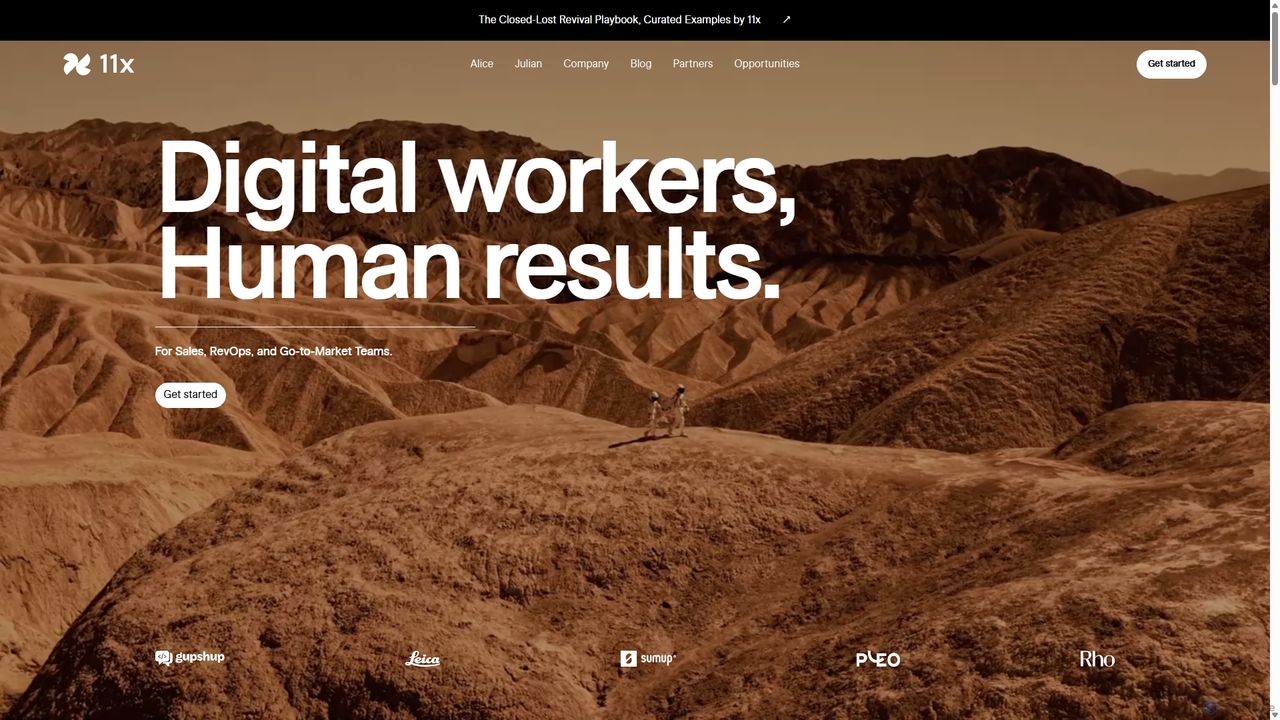
11x provides AI-powered digital workers, like Alice the AI SDR and Julian the AI Phone Agent, to automate sales and customer engagement tasks. These autonomous agents operate 24/7 to identify prospects, personalize outreach, qualify leads, and book meetings, freeing up human teams for high-impact strategic work and accelerating revenue growth.

Virtual Agents
Visits 77.9KFavorites 122Likes 115

About Virtual Agents

Virtual Agents are AI-powered autonomous programs designed to perform complex tasks and workflows on behalf of users. They leverage Large Language Models (LLMs) and process automation to understand intent, access data, use other tools, and execute multi-step actions without direct human intervention. This enables them to automate sophisticated processes in customer support, internal operations, and personal productivity. Unlike simpler chatbots that primarily answer questions, Virtual Agents possess a degree of autonomy, allowing them to handle entire processes from start to finish.

Core Features

  • Autonomous Task Execution: Independently completes multi-step workflows, such as processing a refund or scheduling a complex meeting.
  • System Integration & API Usage: Connects to external software like CRMs, databases, and other APIs to fetch or update information.
  • Complex Reasoning: Analyzes situations, makes decisions based on predefined logic, and plans sequences of actions.
  • Proactive Engagement: Can initiate tasks based on triggers or schedules, not just react to user commands.
  • Memory and Context Retention: Maintains context over long conversations and multiple interactions to provide coherent assistance.

Use Cases

Virtual Agents are widely used in sectors requiring process automation. In e-commerce, they manage order inquiries and returns. In IT support, they resolve technical tickets by performing diagnostics and system actions. For sales and marketing, they can qualify leads by enriching data and updating CRM records automatically.

How to Choose

When selecting a Virtual Agent tool, evaluate its integration capabilities with your existing tech stack (e.g., Salesforce, Zendesk). Assess the complexity of tasks it can handle and the level of customization available for its logic and actions. Also, consider the security measures for handling sensitive data and the scalability of the platform to support your operational volume.

Featured tool rankings

Virtual Agents use cases

1

Automate E-commerce Order Management

An e-commerce operations manager uses a Virtual Agent to handle customer inquiries about order status, returns, and exchanges. The agent integrates directly with Shopify and FedEx APIs. When a customer asks, "Where is my order?", the agent retrieves the tracking number from Shopify, gets the latest status from FedEx, and provides a real-time update. For a return request, it verifies the purchase date, generates a shipping label, and initiates the refund process in the backend system, reducing manual workload by over 70%.

2

Resolve IT Helpdesk Tickets Autonomously

An IT support team deploys a Virtual Agent to handle common helpdesk requests. When an employee submits a ticket for a password reset, the agent initiates a multi-factor authentication process via SMS to verify the user's identity. Upon successful verification, it connects to the company's Active Directory, performs the password reset, and sends a temporary password to the user. The agent then updates the ticket status to 'Resolved' in Jira or ServiceNow, freeing up IT staff to focus on more complex issues.

3

Proactively Qualify and Route Sales Leads

A sales operations team uses a Virtual Agent to automate lead qualification. When a new lead enters the system from a web form, the agent uses an API to enrich the lead's data with company size and industry from a service like Clearbit. It then scores the lead based on predefined criteria (e.g., company size > 500, industry = 'SaaS'). High-scoring leads are automatically assigned to senior sales reps in Salesforce and a meeting is proposed via email. This ensures high-value leads are actioned immediately, 24/7.

4

Automate Monthly Financial Reporting

A financial analyst configures a Virtual Agent to automate the creation of monthly performance reports. On the first business day of each month, the agent is triggered to log into the company's accounting software (e.g., QuickBooks), export sales and expense data for the previous month, and populate a predefined Google Sheets template. It then calculates key metrics like gross margin and net profit, generates a PDF summary, and emails it to a list of stakeholders. This process eliminates hours of repetitive manual data collection and compilation.

5

Manage Personal Productivity and Scheduling

A busy executive uses a personal Virtual Agent to manage their calendar. They can ask in natural language, "Find a 30-minute slot for me and Sarah next week for a project sync." The agent accesses both individuals' calendars via API, identifies mutually available times, and proposes them to the user. Once a time is confirmed, the agent creates the calendar event, adds a video conferencing link, and sends invitations to all attendees. It can also summarize unread emails from key contacts at the start of the day.

6

Automate Content Research and Drafting

A content marketing team uses a Virtual Agent to streamline its content creation workflow. A marketer provides a topic, such as "Benefits of AI in Marketing." The agent then performs a series of actions: it searches the web for top-ranking articles, extracts key points and statistics, and generates a structured outline in a Google Doc. It can also be instructed to find royalty-free images related to the topic and add them to a shared folder. This automates the initial research phase, allowing writers to focus on creating high-quality, original content.

Virtual Agents FAQ

What are Virtual Agents?

Virtual Agents are advanced AI programs designed to autonomously perform tasks and execute complex workflows. Unlike traditional chatbots that primarily answer questions based on a script, Virtual Agents can interact with multiple software systems, make decisions, and complete multi-step processes like booking travel or resolving a support ticket from start to finish. They act as a digital workforce, automating processes that would otherwise require human intervention.

What is the main difference between a Virtual Agent and a Chatbot?

The primary difference lies in autonomy and capability. A Chatbot is typically designed for conversation and information retrieval, often following predefined rules or scripts to answer common questions. A Virtual Agent is a task-oriented system that can perform actions. It can integrate with other applications (via APIs), execute multi-step workflows, and make decisions to complete a task, such as processing an order or resetting a password, with minimal human guidance.

How to choose the right Virtual Agent tool?

When selecting a Virtual Agent, consider these factors:

  • Integration Capabilities: Ensure it can connect seamlessly with your essential business systems (CRM, ERP, helpdesk software).
  • Task Complexity: Evaluate if the tool's logic and action capabilities match the complexity of the workflows you want to automate.
  • Customization and Control: Check how much control you have over the agent's behavior, decision-making rules, and error handling.
  • Security and Compliance: Verify that the tool meets your industry's security standards, especially if it will handle sensitive customer or company data.
What kind of tasks can Virtual Agents automate?

Virtual Agents excel at automating rule-based, repetitive, and multi-step tasks that involve digital systems. Common examples include:

  • Customer Support: Processing refunds, tracking orders, and managing account information.
  • IT Operations: Resetting passwords, managing user access, and resolving common software issues.
  • Sales & Marketing: Qualifying leads, scheduling demos, and updating CRM records.
  • Human Resources: Onboarding new employees, answering policy questions, and processing leave requests.
Are Virtual Agents difficult to set up?

The setup difficulty varies. Many modern platforms offer no-code or low-code interfaces, allowing business users to build agents for simple workflows using drag-and-drop tools. However, for more complex tasks that require deep integration with multiple legacy systems or custom logic, a developer's expertise is often necessary. The initial setup typically involves defining the agent's goals, mapping out the required steps, and configuring its connections to other software via APIs.