
ToolMage
Sign in

Best 2 3D Rendering AI tools for Design

Popular 3D Rendering AI tools in Design include Rendair and KickRender, helping you work more efficiently.

Rendair
Freemium

Rendair

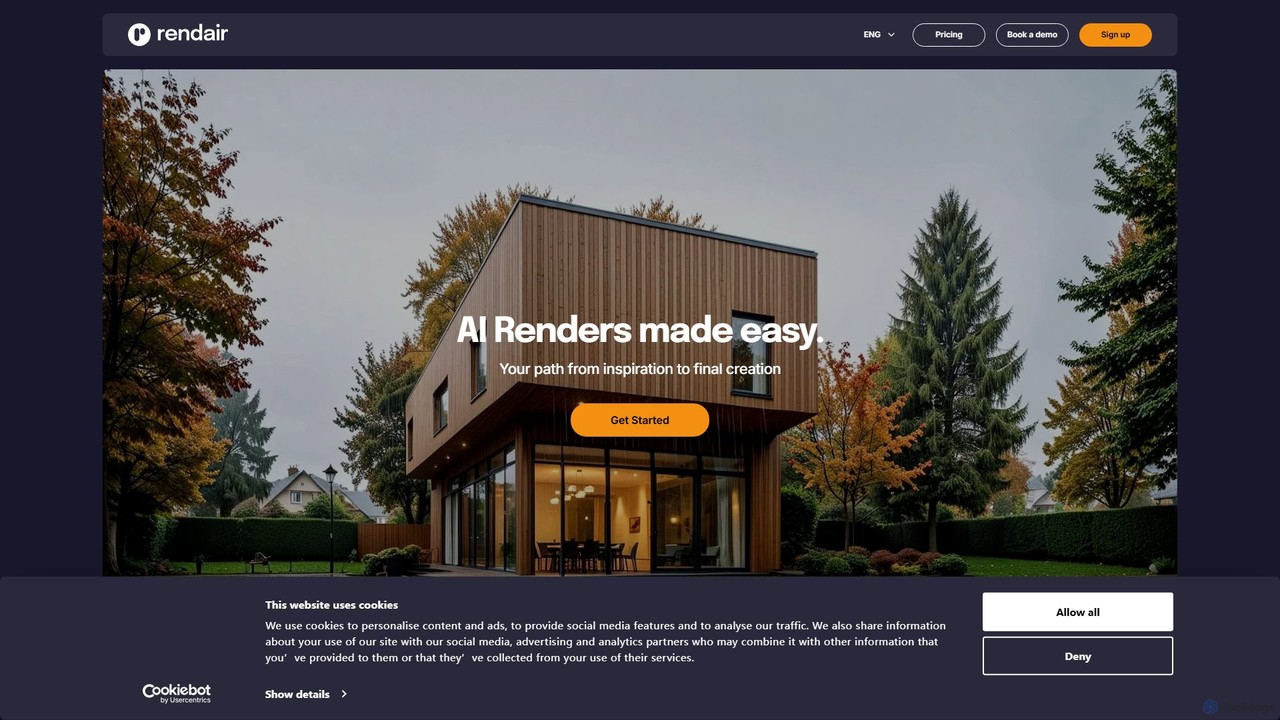
Rendair is an AI-powered rendering platform that transforms sketches, 3D models, and photos into photorealistic visualizations in minutes. Designed for architects, interior designers, and real estate professionals, it simplifies and accelerates the design and marketing workflow, making high-quality renders accessible to everyone.

3D Rendering
Visits 711.2KFavorites 109Likes 112

About 3D Rendering

AI 3D Rendering tools are advanced software solutions that leverage artificial intelligence to generate photorealistic or stylized three-dimensional images and animations from 3D models. These tools utilize sophisticated algorithms, often incorporating machine learning and neural networks, to automate complex rendering processes like lighting, texturing, and shading. They significantly accelerate the visualization workflow for designers, architects, game developers, and artists, enabling faster iterations and higher-quality visual outputs with reduced manual effort.

Core Features

  • Automated Lighting & Shadows: AI intelligently calculates and applies realistic lighting schemes and accurate shadows based on scene context.
  • Material & Texture Generation: Automatically creates and applies high-fidelity textures and material properties, often from simple text prompts or reference images.
  • Real-time Previews: Provides instant visual feedback during the design process, allowing for quick adjustments and creative exploration.
  • Scene Optimization: AI assists in optimizing camera angles, object placement, and overall scene composition for visually appealing results.
  • Style Transfer & Upscaling: Applies specific artistic styles to renders or enhances resolution and detail of existing 3D outputs.

Use Cases

These tools are indispensable across various creative and technical fields. They are widely used in architectural visualization to present building designs, in product design for creating realistic prototypes, and in game development for generating immersive environments and character assets. Marketing professionals also utilize them to produce compelling visuals for advertising campaigns without the need for physical product photography.

How to Choose

When selecting an AI 3D Rendering tool, consider its rendering speed and output quality, which directly impact project timelines and visual fidelity. Evaluate its compatibility with your existing 3D modeling software and supported file formats. Ease of use and the learning curve are crucial for efficient integration into your workflow, as are the pricing model and the availability of specific features like real-time rendering or advanced material libraries.

3D Rendering use cases

1

Architectural Project Visualization

Architects and interior designers use AI 3D rendering to quickly generate photorealistic images and walkthroughs of proposed buildings or spaces. This allows clients to visualize designs with accurate lighting, materials, and environmental context, facilitating faster feedback and design iterations, significantly reducing the time spent on manual rendering.

2

Product Design & Prototyping

Industrial designers and manufacturers leverage these tools to create high-fidelity visual prototypes of new products. By inputting 3D models, they can rapidly render various material finishes, lighting conditions, and product configurations, enabling efficient design validation and marketing material creation before physical production.

3

Game Environment & Asset Creation

Game developers utilize AI 3D rendering to accelerate the creation of immersive game worlds, characters, and props. AI can quickly generate detailed textures, optimize scene lighting, and render complex environments, drastically cutting down asset production time and allowing artists to focus on creative aspects rather than technical rendering challenges.

4

Film & Animation Pre-visualization

Filmmakers and animators employ AI rendering for pre-visualization (pre-vis) to plan shots, lighting, and camera movements efficiently. This allows for rapid iteration on scene compositions and visual storytelling without the lengthy render times of final production, streamlining the animation pipeline and reducing production costs.

5

Marketing & Advertising Visuals

Marketing teams and advertisers use AI 3D rendering to produce stunning visuals for campaigns, product launches, and digital content. They can create realistic product shots, lifestyle imagery, or abstract concepts without the expense and logistics of traditional photography or videography, offering flexibility and speed in content creation.

6

E-commerce Product Imagery

Online retailers and e-commerce businesses benefit from AI 3D rendering to generate high-quality product images from 3D models. This enables them to display products from multiple angles, with different color variations or in various simulated environments, enhancing the online shopping experience and reducing the need for costly photoshoots.

3D Rendering FAQ

What are AI 3D Rendering tools?

AI 3D Rendering tools are software applications that use artificial intelligence, including machine learning and neural networks, to automate and enhance the process of generating three-dimensional images and animations. They take 3D models as input and apply AI-driven techniques to simulate realistic lighting, textures, and camera effects, producing high-quality visual outputs much faster than traditional methods. These tools are designed to streamline visualization workflows across various industries.

How do AI 3D Rendering tools differ from traditional rendering software?

The primary difference lies in automation and speed. Traditional rendering software relies heavily on manual setup for lighting, materials, and camera settings, often requiring significant computational power and time. AI 3D Rendering tools, however, automate many of these complex tasks using intelligent algorithms, drastically reducing rendering times and simplifying the workflow. They can also generate more realistic or stylized results with less user input, making high-quality rendering more accessible.

What are the key benefits of using AI for 3D rendering?

Using AI for 3D rendering offers several significant benefits. Firstly, it dramatically increases rendering speed, allowing for faster design iterations and quicker project completion. Secondly, AI can enhance visual quality by intelligently optimizing lighting, shadows, and material properties, leading to more photorealistic results. Thirdly, it reduces the technical complexity and manual effort involved, making advanced rendering accessible to a wider range of users. Finally, it enables creative exploration through features like style transfer and automated scene generation.

What file formats do AI 3D Rendering tools typically support?

AI 3D Rendering tools generally support a wide range of standard 3D model and image file formats to ensure compatibility with existing design workflows. Common input formats for 3D models include OBJ, FBX, GLTF, USDZ, and sometimes native formats from popular 3D software like Blender or Cinema 4D. For output, they typically generate images in formats such as PNG, JPG, TIFF, and EXR, and sometimes video formats like MP4 or AVI for animations.

Who can benefit most from AI 3D Rendering tools?

A diverse group of professionals can greatly benefit from AI 3D Rendering tools. This includes architects and interior designers for visualizing spaces, industrial and product designers for prototyping, game developers for creating immersive environments and assets, and filmmakers/animators for pre-visualization. Additionally, marketing and advertising professionals can leverage these tools to generate compelling visuals for campaigns, and e-commerce businesses can create high-quality product imagery efficiently.