ToolMage
Sign in

Best 1 Game Design AI tools for Design

Popular Game Design AI tools in Design include Hyper3D, helping you work more efficiently.

Hyper3D
Freemium

Hyper3D

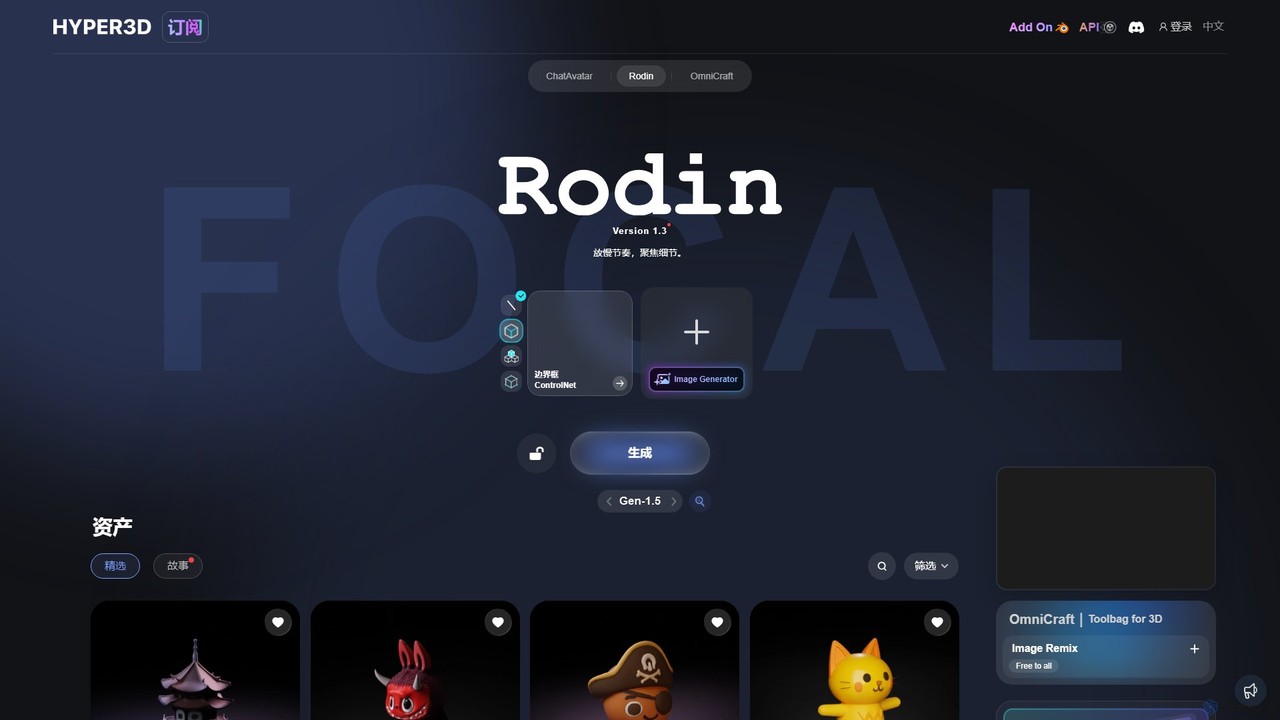
Hyper3D is a comprehensive AI-powered 3D creation suite. Its core tool, Rodin, generates high-quality 3D models from single images, multi-view photos, or text prompts. The platform also includes the OmniCraft toolbag for mesh editing, texture generation, and more, streamlining the entire 3D asset creation workflow for designers, game developers, and animators.

3D Modeling
Visits 1.3MFavorites 114Likes 118

About Game Design

AI Game Design tools are a specialized class of software that leverages artificial intelligence to generate, accelerate, and enhance the creation of video game assets and systems. These tools utilize generative models, procedural content generation (PCG) algorithms, and large language models (LLMs) to produce everything from concept art and 3D models to entire game levels and narrative structures. Their primary value lies in empowering developers to rapidly prototype ideas, populate vast game worlds with unique content, and explore creative possibilities that would be too time-consuming to produce manually. This technology significantly streamlines the development pipeline for both indie developers and large studios.

Core Features

  • Concept Art & Character Generation: Produces high-quality visual concepts for characters, environments, and props from text or image prompts.
  • 3D Model & Texture Synthesis: Creates game-ready 3D assets, sprite sheets, and seamless PBR textures, often optimized for game engines.
  • Procedural Content Generation (PCG): Automatically designs game levels, maps, dungeons, or entire worlds based on a set of rules and parameters.
  • Narrative & Dialogue Crafting: Employs LLMs to write branching storylines, generate character backstories, and create dynamic, non-repetitive NPC dialogue.
  • Game Logic & Code Assistance: Assists in generating code snippets or visual scripting graphs for common game mechanics and functions.

Use Cases

AI Game Design tools are widely used by indie developers to create entire games with limited resources, and by AAA studios to accelerate asset production and prototyping. Narrative designers use them to brainstorm complex plotlines, while level designers can quickly generate and iterate on map layouts. They are also invaluable for game jams, where rapid content creation is essential.

How to Choose

When selecting an AI Game Design tool, consider its specific focus—whether it excels at 2D art, 3D models, narrative, or level design. Evaluate its integration capabilities, such as direct plugins for engines like Unity or Unreal Engine. Assess the level of creative control and customization it offers. Finally, carefully review the licensing terms to ensure the generated assets can be legally used in your commercial projects.

Game Design use cases

1

Rapid Prototyping for Indie Developers

An indie developer or a small team can use AI game design tools to quickly bring a game concept to life. By inputting simple text descriptions, they can generate a full suite of initial assets, including character concept art, environmental props, and UI icons. This allows them to build a playable prototype in days instead of weeks, which is crucial for testing core mechanics, securing funding, or presenting a proof-of-concept to publishers. The process significantly lowers the barrier to entry for creating visually compelling games.

2

Generating Diverse Environmental Assets

A level designer working on an open-world game needs to populate a large map with varied assets like trees, rocks, and foliage. Manually creating hundreds of unique variations is impractical. Using an AI tool, the designer can generate a vast library of these assets in a consistent art style. They can specify parameters like 'mossy rock' or 'autumnal birch tree' to create diverse, high-quality 3D models or textures, ensuring the game world feels organic and non-repetitive without months of manual labor.

3

Crafting Dynamic NPC Dialogue

A narrative designer wants to create NPCs that feel alive and responsive. Instead of writing a limited set of pre-scripted lines, they use an LLM-powered tool. The tool can generate dialogue that adapts to the player's actions, the time of day, or recent in-game events. This allows for the creation of thousands of unique lines of dialogue, making interactions with NPCs feel fresh and immersive. The designer sets the NPC's personality and background, and the AI generates context-aware conversations, saving hundreds of writing hours.

4

Automated 3D Model Texturing

A 3D artist has finished modeling a set of armor but needs to create detailed textures. Using an AI texturing tool, they can upload the unwrapped model and provide a text prompt like 'ornate steel armor with gold filigree and battle damage'. The AI analyzes the model's geometry and generates a full set of PBR textures (albedo, normal, roughness, metallic) that fit the description and conform to the UV map. This automates a highly technical and time-consuming part of the 3D pipeline, allowing the artist to texture assets in minutes instead of hours.

5

Procedural Level Design for Roguelikes

A developer creating a roguelike or dungeon-crawler game needs infinite replayability, which requires procedurally generated levels. They use an AI-powered level design tool to define a set of rules and constraints, such as room types, enemy placements, and treasure distribution. The AI then generates an endless supply of unique, balanced, and playable dungeon layouts. This not only saves the developer from designing hundreds of levels by hand but also becomes a core feature of the game, ensuring every playthrough is a new experience for the player.

6

Generating In-Game Icons and UI Elements

A UI/UX designer for a mobile game needs to create hundreds of icons for skills, items, and achievements, all in a consistent style. Using an AI image generator specialized for game assets, they can define a style (e.g., 'flat, cartoonish, glowing border') and then generate icons with simple prompts like 'fireball spell icon' or 'steel sword icon'. The tool can produce dozens of variations quickly, allowing the designer to select the best options and maintain a cohesive visual language across the entire game interface, drastically reducing the time spent on repetitive design tasks.

Game Design FAQ

What are AI Game Design tools?

AI Game Design tools are specialized applications that use artificial intelligence to automate or assist in the creation of game assets. Unlike general design tools, they are built specifically for game development workflows. Key features include generating game-ready 2D/3D art, creating procedural levels and worlds, writing dynamic NPC dialogue, and even assisting with game logic. They help developers, from solo indies to large studios, to accelerate production, prototype faster, and enhance creativity.

How to choose the right AI tool for game design?

Choosing the right tool depends on your specific needs. Consider the following factors:

  • Asset Type: Determine what you need to create. Some tools specialize in 2D concept art, others in 3D models, textures, or narrative content.
  • Engine Integration: Check if the tool offers plugins or easy export options for your chosen game engine, like Unity or Unreal Engine. This streamlines your workflow.
  • Customization and Control: Evaluate how much control you have over the output. Good tools allow you to guide the AI with detailed prompts, style references, and parameter adjustments.
  • Commercial Licensing: Before committing, carefully read the terms of service to ensure you have the legal right to use the generated assets in a commercial product.
What's the difference between AI Game Design tools and general AI Image Generators?

The primary difference is specialization. General AI image generators are designed to create high-quality, static 2D images for broad use. AI Game Design tools are tailored for the specific needs of game development. This means they often produce assets in game-ready formats, such as:

  • Seamless Textures: Textures that can be tiled repeatedly without visible seams.
  • Sprite Sheets: A single image containing multiple frames of an animation.
  • 3D Models: Generating actual 3D geometry, not just a 2D image of an object.
  • Normal Maps & PBR Materials: Generating data that game engines use for lighting and material properties.

In short, game design tools focus on creating functional assets for an interactive environment, not just standalone artwork.

Can assets generated by AI be used in commercial games?

This is a critical question and the answer depends entirely on the specific tool's terms of service and licensing agreement. Many AI tools do grant users a commercial license for the assets they create, allowing them to be used in games for sale. However, some tools may have restrictions, such as requiring a specific subscription tier or prohibiting the use of certain styles. It is essential for developers to thoroughly read and understand the licensing terms of any AI tool before incorporating its output into a commercial project to avoid legal issues.

Who can benefit from using AI Game Design tools?

A wide range of creators in the game industry can benefit:

  • Indie Developers & Solo Devs: AI tools level the playing field, allowing small teams to create high-quality assets and complex systems without a large budget or workforce.
  • AAA Studios: Large studios use these tools to accelerate their production pipelines, rapidly prototype new ideas, and automate repetitive tasks, freeing up artists and designers to focus on more creative challenges.
  • Game Jam Participants: In time-limited competitions, AI tools are invaluable for quickly generating art, levels, and content to build a playable game within a tight deadline.
  • Hobbyists & Students: They provide an accessible way to bring game ideas to life without needing years of specialized training in art or programming.