ToolMage
Sign in

Best 1 Graphic AI tools for Design

Popular Graphic AI tools in Design include insmind, helping you work more efficiently.

insmind
Freemium

insmind

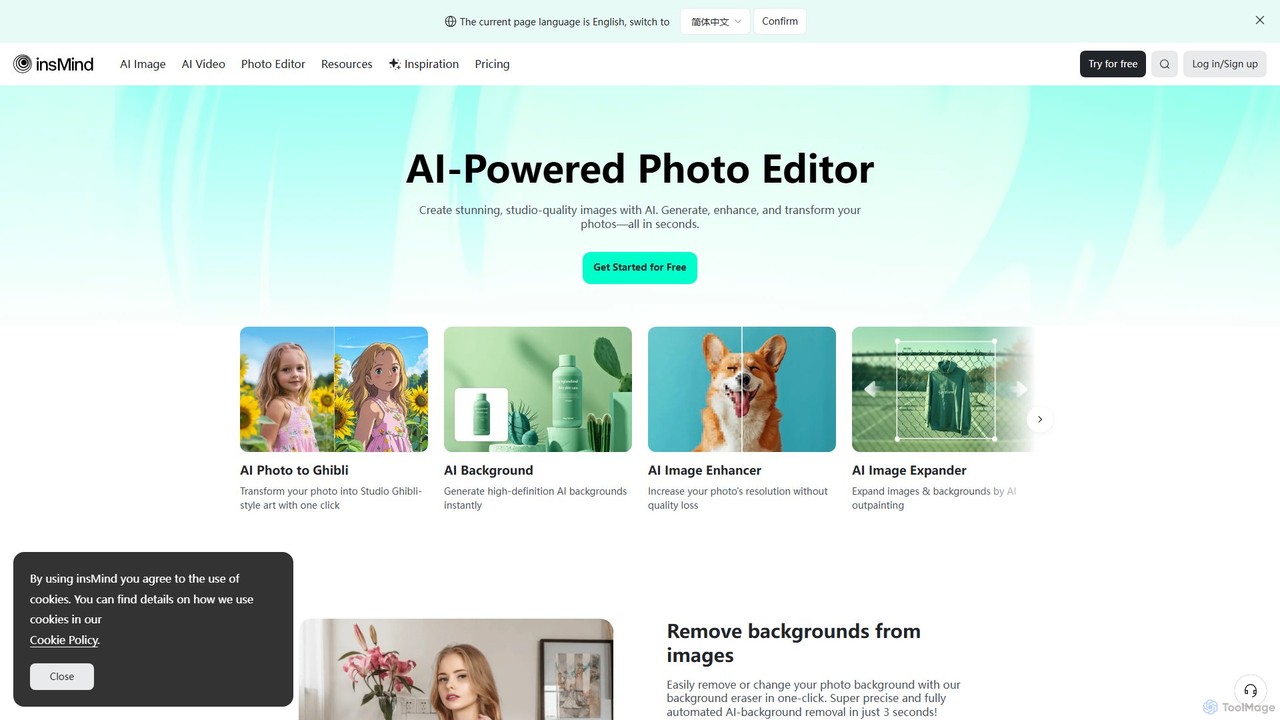
insmind is an AI-powered photo editor designed for e-commerce and marketing. It offers a comprehensive suite of tools to instantly remove backgrounds, generate realistic scenes, enhance image quality, erase unwanted objects, and create professional product photos, social media posts, and headshots in seconds. It's built to be user-friendly for both beginners and professionals, streamlining the entire image creation workflow.

3D
Visits 976KFavorites 121Likes 110

About Graphic

AI Graphic tools are a category of AI-powered software designed to automate, enhance, and generate visual content. These tools leverage advanced machine learning algorithms, including generative adversarial networks (GANs) and diffusion models, to transform text prompts into images, apply artistic styles, or intelligently edit existing graphics. They significantly streamline workflows for designers, marketers, and content creators, enabling rapid prototyping, personalized visual asset creation, and efficient image manipulation.

Core Features

  • AI Image Generation: Create unique images, illustrations, or art from text descriptions or sketches.
  • Style Transfer: Apply artistic styles from one image to another, transforming visual aesthetics.
  • Image Upscaling & Enhancement: Improve resolution, clarity, and detail of low-quality images without pixelation.
  • Object Removal/Addition: Intelligently remove unwanted elements or seamlessly integrate new objects into images.
  • Vectorization: Convert raster images into scalable vector graphics for versatile use.

Use Cases

Graphic AI tools are widely adopted across various industries, from marketing and advertising to game development and e-commerce. They empower individual artists to explore new creative avenues and help businesses generate high volumes of diverse visual content for campaigns, product listings, and social media.

How to Choose

When selecting an AI Graphic tool, consider its core generation or editing capabilities, the quality and consistency of its output, ease of use for your skill level, integration with existing design software, and its pricing model. Evaluate the range of styles and models available, as well as the community support and update frequency.

Graphic use cases

1

Generating Marketing Campaign Visuals

Marketing teams can use AI graphic tools to quickly generate a diverse range of visual assets for digital campaigns, social media posts, and advertisements. By inputting specific themes, product descriptions, or target audience demographics, they can produce multiple image variations, saving hours of traditional design work and enabling rapid A/B testing for optimal engagement.

2

Automating E-commerce Product Image Creation

E-commerce businesses can leverage AI graphic tools to automate the creation of product images, including background removal, scene generation, and lifestyle mockups. This allows for consistent branding across hundreds or thousands of products, reduces the need for expensive photoshoots, and provides visually appealing options for different sales channels, significantly speeding up product listing processes.

3

Concept Art and Illustration for Game Development

Game developers and concept artists utilize AI graphic tools to rapidly iterate on character designs, environment concepts, and prop illustrations. By providing textual prompts or rough sketches, the AI can generate numerous stylistic variations and detailed visual ideas, accelerating the initial ideation phase and providing a rich pool of inspiration for further artistic refinement.

4

Personalized Content for Social Media Influencers

Social media influencers and content creators can use AI graphic tools to produce unique and personalized visuals that resonate with their audience. Whether it's generating custom backgrounds, creating stylized profile pictures, or designing engaging infographics, these tools enable them to maintain a fresh and distinctive visual identity without extensive graphic design skills, enhancing their brand presence.

5

Enhancing and Restoring Old Photographs

Individuals and professionals can employ AI graphic tools to enhance the quality of old or low-resolution photographs. Features like AI upscaling, noise reduction, and colorization can breathe new life into vintage images, making them clearer, sharper, and more vibrant. This is particularly useful for historical archives, personal memories, or preparing images for print.

6

Creating Unique Digital Art and NFTs

Digital artists and creators can explore new artistic frontiers by using AI graphic tools to generate unique and complex artworks. By experimenting with different prompts, styles, and parameters, they can produce one-of-a-kind digital pieces, including abstract art, surreal landscapes, or character portraits, which can then be minted as Non-Fungible Tokens (NFTs) or sold as digital prints, opening new revenue streams.

Graphic FAQ

What are AI Graphic tools?

AI Graphic tools are software applications that use artificial intelligence, particularly machine learning and deep learning, to assist in the creation, editing, and enhancement of visual content. They can generate images from text, modify existing graphics, apply artistic styles, and automate complex design tasks, making graphic design more accessible and efficient.

How do AI Graphic tools differ from traditional graphic design software?

Traditional graphic design software relies heavily on manual input and skill for every detail. AI Graphic tools, however, automate many creative and repetitive tasks, often generating content or applying complex effects with minimal user input. While traditional tools offer precise control, AI tools excel in speed, ideation, and generating diverse variations, often requiring less technical design expertise.

What are the main benefits of using AI Graphic tools?

The primary benefits include significant time savings in content creation, enhanced creative exploration through rapid ideation, and increased accessibility for non-designers. They allow for the quick generation of multiple design options, efficient image manipulation (like background removal or upscaling), and the ability to produce personalized visuals at scale, boosting productivity and innovation.

Who can benefit most from using AI Graphic tools?

A wide range of users can benefit. This includes graphic designers seeking to accelerate their workflow and explore new concepts, marketers needing to generate diverse campaign visuals quickly, content creators looking for unique social media assets, e-commerce businesses requiring automated product image processing, and even hobbyists or artists exploring new forms of digital art.

What should I consider when choosing an AI Graphic tool for my needs?

When choosing an AI Graphic tool, evaluate its specific capabilities (e.g., image generation, editing, upscaling), the quality and consistency of its output, and its user interface's ease of use. Also, consider its integration with other design platforms, the available customization options, the pricing structure, and the community support or learning resources provided.