ToolMage
Sign in

Best 1 Photo Retouching AI tools for Design

Popular Photo Retouching AI tools in Design include ObjectRemover, helping you work more efficiently.

ObjectRemover
Freemium

ObjectRemover

ObjectRemover is an AI-powered online tool that allows you to remove unwanted objects, people, text, and blemishes from your photos with a single click. It offers fast, high-quality, and natural-looking results without needing any technical skills. Simply upload your image, mark the object, and let the AI clean it up in seconds.

3D
Visits 79.1KFavorites 114Likes 122

About Photo Retouching

Photo Retouching tools are AI-powered applications designed to enhance, correct, and transform digital images. These tools leverage advanced computer vision and machine learning algorithms to automate complex editing tasks, significantly improving image quality and visual appeal. They enable users to achieve professional-grade results efficiently, from subtle adjustments to dramatic artistic alterations, making sophisticated image manipulation accessible to a wider audience.

Core Features

  • Automated Background Removal: Instantly isolates subjects from their backgrounds with precision.
  • Intelligent Skin Smoothing: Enhances portraits by subtly refining skin textures while preserving natural details.
  • AI-Powered Color Correction: Automatically adjusts white balance, exposure, and color vibrancy for optimal visual balance.
  • Object Removal/Addition: Seamlessly eliminates unwanted elements or integrates new objects into an image.
  • Image Upscaling & Enhancement: Increases resolution and sharpens details without loss of quality.

Use Cases

These tools are indispensable for photographers, graphic designers, and e-commerce businesses. They streamline workflows for product photography, social media content creation, and professional portrait enhancement, allowing for rapid iteration and consistent brand aesthetics across various platforms.

How to Choose

When selecting a photo retouching tool, consider its core AI capabilities, such as the accuracy of object detection and segmentation, and the range of automated adjustments it offers. Evaluate its integration with existing design workflows, pricing models, and the level of control it provides over AI-generated edits to ensure it meets specific project requirements and skill levels.

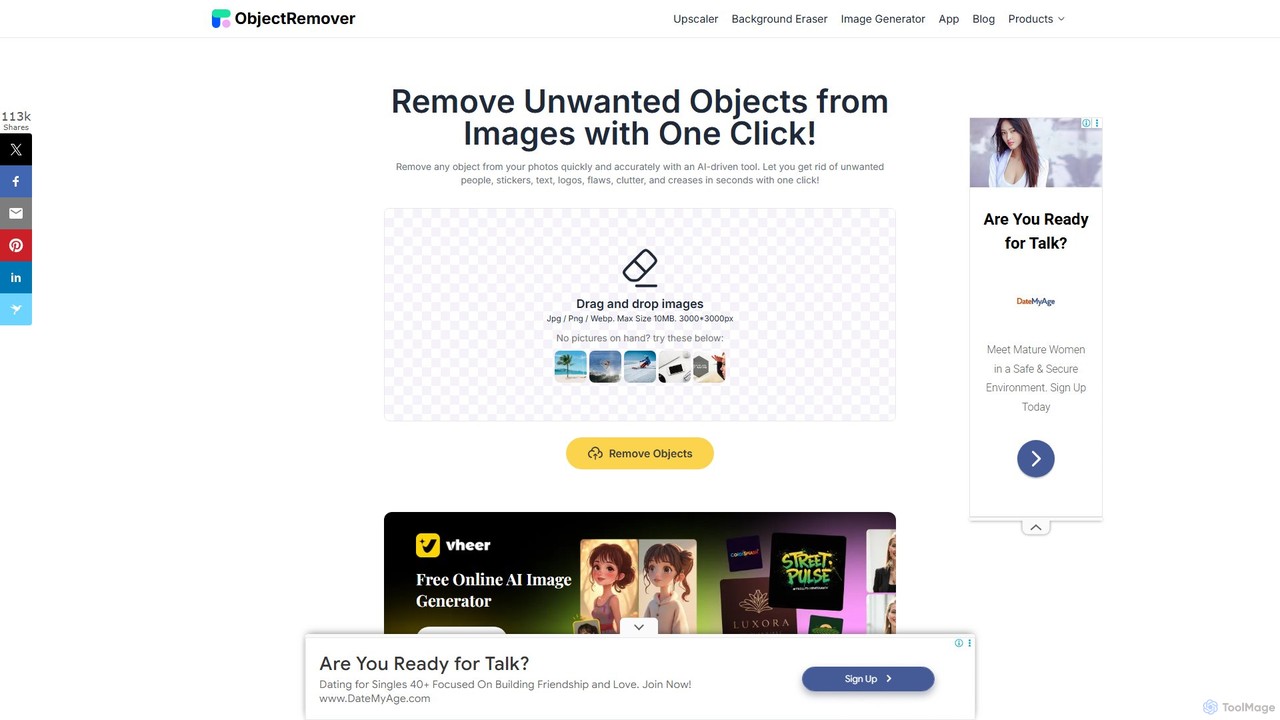
Photo Retouching use cases

1

Batch Process E-commerce Product Images

E-commerce operators and product photographers often face the challenge of processing hundreds of product images for online listings. AI photo retouching tools automate background removal, standardize lighting, and correct colors across all images. This ensures visual consistency and saves countless hours of manual editing, allowing businesses to upload high-quality, uniform product visuals quickly and efficiently.

2

Professional Portrait Enhancement

Portrait photographers and studios require precise enhancements to facial features, skin, and lighting. AI tools intelligently detect faces and skin areas, enabling non-destructive smoothing, blemish removal, and subtle feature enhancement while preserving natural textures. This results in flawless, natural-looking portraits, significantly reducing the time spent on detailed manual retouching and allowing photographers to focus on their artistry.

3

Rapid Social Media Content Creation

Social media managers and content creators need to quickly adapt images for various platforms, often requiring resizing, background changes, or object removal. AI retouching tools can instantly resize images, swap backgrounds to match thematic campaigns, or remove distracting elements. This capability enables rapid content generation for daily posts, ensuring visually appealing and platform-optimized images are created in minutes, boosting content output and engagement.

4

Optimizing Architectural & Interior Design Renders

Architects, interior designers, and visualization artists aim to enhance the realism and aesthetic appeal of their rendered images. AI tools can seamlessly add realistic environmental elements like skies or vegetation, correct perspective distortions, and refine lighting and shadows. This process makes renders more convincing and visually striking, transforming raw visualizations into polished, presentation-ready assets with minimal manual effort.

5

Restoring & Colorizing Old Photographs

Individuals, archivists, and genealogists often seek to repair damaged old photos, remove scratches, enhance faded details, and add realistic color to black-and-white images. AI algorithms excel at detecting and repairing damage, sharpening blurry areas, and intelligently colorizing monochrome images based on contextual understanding. This revitalizes historical photos, bringing improved clarity and vibrant colors back to cherished memories.

6

Creating Creative Advertising & Marketing Visuals

Marketing specialists and graphic designers in advertising agencies frequently need to produce eye-catching visuals for campaigns, which often involves complex image manipulation and stylistic changes. AI-powered retouching facilitates advanced compositing of different elements, applies stylistic transfers, and allows for rapid iteration of visual concepts. This empowers designers to push creative boundaries, generating unique, high-impact marketing visuals that effectively capture audience attention.

Photo Retouching FAQ

What are AI Photo Retouching tools?

AI Photo Retouching tools are software applications that use artificial intelligence, specifically computer vision and machine learning, to automate and enhance image editing processes. They are designed to perform tasks like background removal, skin smoothing, color correction, and object manipulation with greater speed and precision than traditional manual methods, making professional-grade image enhancement more accessible.

How do AI Photo Retouching tools differ from traditional photo editing software?

The primary difference lies in automation and intelligence. Traditional software relies heavily on manual input and user skill for every adjustment. AI tools, conversely, can understand image content, identify elements, and apply complex edits autonomously or with minimal user guidance. While traditional tools offer granular control, AI excels at speeding up repetitive tasks and achieving consistent results across many images.

What are the main benefits of using AI for photo retouching?

Key benefits include significant time savings by automating repetitive and complex tasks, ensuring consistency across large batches of images, and making advanced editing techniques accessible to users without extensive graphic design skills. AI tools also improve image quality through intelligent enhancements and can reduce the overall cost of production for businesses requiring high volumes of retouched photos.

Can AI Photo Retouching tools achieve professional-grade results?

Yes, for many common retouching tasks, AI tools can achieve professional-grade results, often surpassing what a human can do in terms of speed and consistency. For highly artistic or nuanced edits, human oversight and fine-tuning are still valuable. However, for tasks like background removal, basic color correction, and blemish removal, AI delivers high-quality output that meets industry standards.

What should I consider when choosing an AI Photo Retouching tool?

When selecting a tool, evaluate its specific AI capabilities, such as the accuracy of its object detection, the range of automated adjustments, and the quality of its output. Consider its ease of use, integration with your existing workflow, pricing model (subscription vs. one-time purchase), and whether it offers sufficient control for manual adjustments when needed. User reviews and trial versions can also provide valuable insights.