
Design Best in category 1 results Product AI Tool

Popular AI tools in the Product field of Design include Pixmaker, etc., helping you quickly improve efficiency.

Pixmaker

Pixmaker

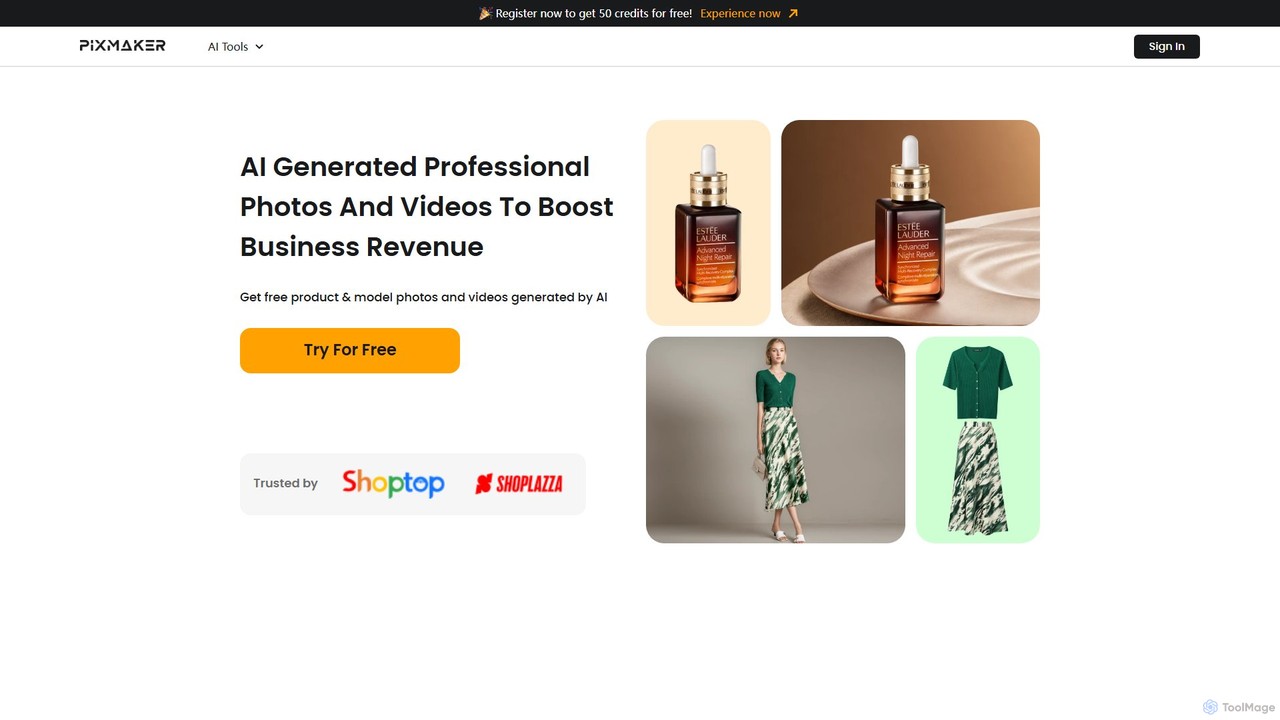
Pixmaker is an AI-powered platform designed for e-commerce, enabling users to create professional product photos and videos effortlessly. …

2.8K

About Product

AI Product design tools are a specialized category of design software that uses generative AI to create high-quality visuals and mockups for physical and digital products. These tools leverage advanced models to transform text descriptions or simple images into photorealistic product photos, packaging designs, and UI/UX concepts. Their primary value lies in dramatically accelerating the product lifecycle, from initial ideation and prototyping to creating marketing assets, all without the need for physical photoshoots or extensive manual design work. This allows brands and designers to visualize and iterate on product concepts with unprecedented speed and cost-efficiency.

Core Features

  • Photorealistic Rendering: Generates studio-quality images of products in various settings, complete with realistic lighting, shadows, and textures.
  • Automated Mockup Creation: Instantly places product designs onto a vast library of templates, such as apparel, packaging, and digital device screens.
  • Scene & Background Generation: Creates custom environments or lifestyle scenes around a product to match brand aesthetics or campaign themes.
  • Design Variation & Ideation: Produces numerous design alternatives for colors, materials, layouts, and branding elements from a single input.
  • UI/UX Component Generation: Creates specific elements like icons, buttons, and wireframes for digital product interfaces.

Applicable Scenarios

These tools are essential for e-commerce businesses, product marketing teams, and UI/UX designers. For instance, an online store can generate an entire catalog of product images for a new clothing line without a single photoshoot. Similarly, a mobile app developer can quickly create and test dozens of interface variations to optimize user experience before writing any code. They are also widely used by industrial and packaging designers for rapid concept visualization.

Selection Criteria

When choosing an AI Product design tool, consider the quality and realism of the image output, as this directly impacts brand perception. Evaluate the size and relevance of the mockup library to your specific product type. Assess the ease of use and the level of control over details like lighting and camera angles. Finally, consider integration capabilities with e-commerce platforms like Shopify and the tool's pricing model relative to your usage volume.

ProductUse Cases

1

Generate E-commerce Product Photography

An e-commerce store owner needs to launch a new line of cosmetic products but lacks the budget for a professional photoshoot. Using an AI Product design tool, they upload simple, clean shots of their products. They then enter text prompts like 'skincare bottle on a marble surface with soft morning light' or 'lipstick collection arranged on a velvet cloth'. The AI generates hundreds of high-resolution, royalty-free lifestyle and studio images in minutes. This allows them to create a full product catalog and marketing materials that look professional and appealing, saving thousands of dollars and weeks of time compared to traditional photography.

2

Create Mockups for Print-on-Demand Apparel

A graphic designer specializing in t-shirt designs for a Print-on-Demand (POD) service needs to showcase their new artwork on various apparel types and colors. Instead of manually creating mockups in Photoshop, they use an AI Product tool. They upload their design file once. The tool automatically generates hundreds of mockups, placing the design on t-shirts, hoodies, and sweatshirts of different colors, worn by diverse models in realistic poses. This process reduces mockup creation time by over 90% and provides a rich, varied set of visuals for their online store and social media promotions, leading to higher customer engagement.

3

Rapid Prototyping for Mobile App UI

A UI/UX designer is tasked with creating a new user onboarding flow for a mobile app. To quickly explore different visual directions, they use an AI Product design tool. They input wireframes and text prompts like 'Create a friendly and clean login screen with a blue primary button' or 'Generate a welcome screen with a playful illustration'. The AI produces multiple high-fidelity screen designs in seconds. This allows the designer to present several distinct concepts to stakeholders and conduct A/B testing with users much earlier in the design process, leading to better-informed design decisions without spending days on manual design work.

4

Visualize Packaging Design Concepts

A brand manager for a beverage company is exploring new packaging for a line of canned drinks. They need to visualize how different designs will look in a real-world context. Using an AI tool, they upload their 2D label designs and select a 'soda can' mockup. The AI instantly wraps the design around the 3D can model, generating realistic images of the can with condensation, in different lighting, and placed in scenes like a fridge or a beach. This allows the team to review and iterate on dozens of packaging concepts in a single afternoon, a task that would have previously required a specialized 3D artist and taken several days.

5

Create Social Media Marketing Assets

A social media manager for a fashion brand needs to create daily content for Instagram and Pinterest. They use an AI Product design tool to generate fresh visuals without repeated photoshoots. By uploading a photo of their handbag, they can place it in countless AI-generated scenes: 'handbag on a café table in Paris', 'handbag held by a model in a minimalist outfit', or 'flat lay with sunglasses and a magazine'. This provides a virtually endless stream of unique, on-brand content, keeping their social media feeds engaging and visually diverse. It also allows them to quickly react to trends by creating relevant themed visuals on the fly.

6

Visualize Furniture in Different Environments

An industrial designer has created a 3D model of a new armchair. To present it to clients, they need to show how it looks in various interior styles. Using an AI Product design tool, they upload the 3D model or a clean image of the chair. They then generate scenes like 'armchair in a modern Scandinavian living room with oak flooring' or 'armchair in a rustic cabin by a fireplace'. The AI renders the chair realistically within these environments, correctly handling lighting, shadows, and scale. This provides a powerful sales and presentation tool, helping clients visualize the product in their own space without costly physical staging.

ProductFrequently Asked Questions