ManageArtworks
ManageArtworks is an end-to-end packaging and labeling artwork management platform, trusted by over 5,000 brands. It leverages AI-powered …
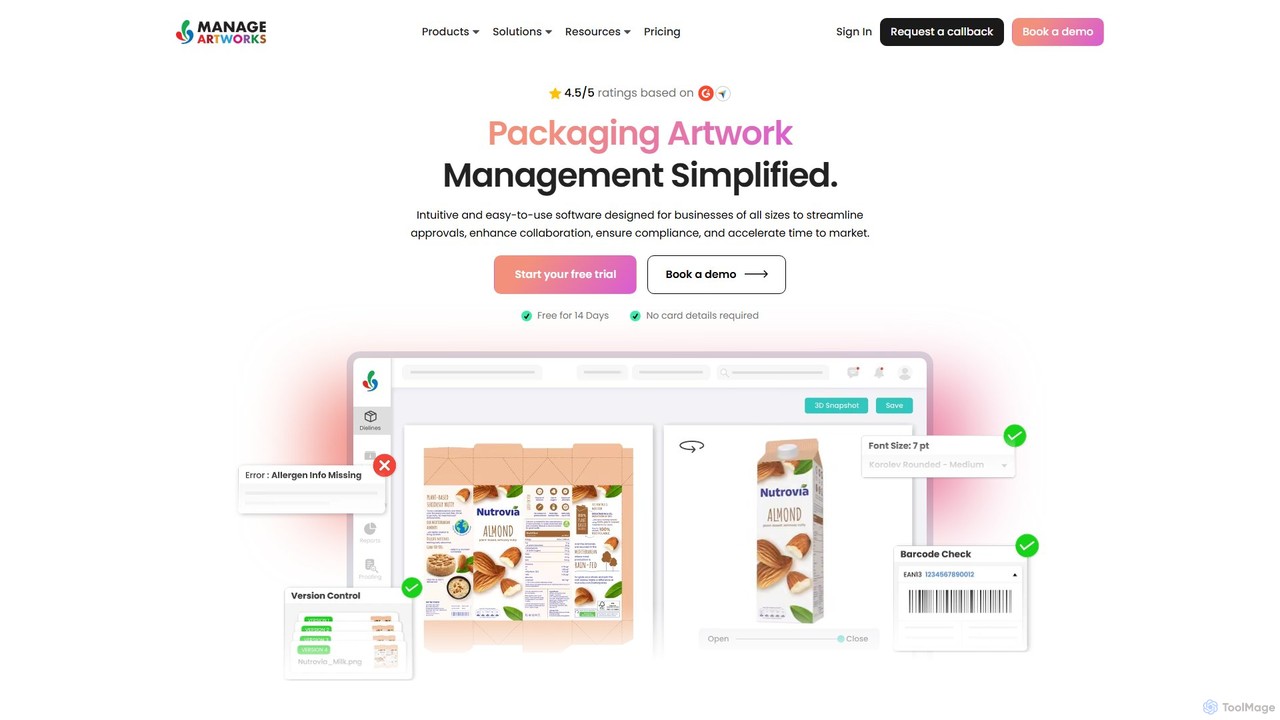
ManageArtworks is an end-to-end packaging and labeling artwork management platform, trusted by over 5,000 brands. It leverages AI-powered proofing tools to streamline workflows, manage digital assets, ensure regulatory compliance, and accelerate time-to-market for CPG, food, and pharmaceutical companies. The platform centralizes collaboration, reduces errors, and provides complete visibility throughout the entire artwork lifecycle.
About Proofing
AI Proofing tools are a specialized category of design software that uses artificial intelligence to automatically detect errors and inconsistencies in visual assets. These tools leverage computer vision and machine learning to analyze design elements far beyond simple text, such as colors, fonts, spacing, and object alignment. They are essential for maintaining brand consistency, ensuring design quality, and catching subtle mistakes before publication or development. Unlike manual checking, AI proofing provides fast, objective, and scalable analysis for design workflows.
Core Features
- Visual Consistency Check: Automatically verifies that designs adhere to brand guidelines, including correct color palettes, typography, and logo usage.
- Layout and Alignment Analysis: Detects misaligned elements, inconsistent spacing, and other layout issues to ensure a polished user interface.
- Design-to-Code Comparison: Compares the final developed product with the original design mockups to highlight pixel-level discrepancies.
- Content Overflow Detection: Identifies instances where text or content exceeds its designated container, a common issue in responsive and localized designs.
- Accessibility Audits: Scans designs for compliance with standards like WCAG, checking for issues such as insufficient color contrast and improper text sizes.
Use Cases
AI Proofing tools are widely used by UI/UX design teams, marketing departments, front-end developers, and quality assurance (QA) specialists. They are critical in workflows for developing websites, mobile apps, and digital marketing campaigns where maintaining visual integrity and brand consistency across numerous assets and screen sizes is paramount.
How to Choose
When selecting an AI Proofing tool, consider its integration capabilities with your existing design software (e.g., Figma, Sketch, Adobe XD). Evaluate the customizability of its rule engine to match your specific brand guidelines or design system. Also, assess the scope of its analysis—whether it covers web, mobile, and accessibility checks—and its ability to automate checks within your development pipeline.

ProofingUse Cases
Ensuring Brand Consistency in Marketing Campaigns
A marketing designer is tasked with creating dozens of assets for a new campaign, including social media posts, ad banners, and email templates. Manually checking each asset for brand compliance is time-consuming and prone to error. By using an AI Proofing tool, the designer can automatically scan all visuals against the company's brand guide. The tool instantly flags incorrect logo usage, off-brand color hex codes, or unapproved fonts, ensuring a consistent and professional brand image across all channels while saving hours of manual review.
Automating UI/UX Design Quality Assurance
Before handing off a new app design to developers, a UI/UX designer needs to ensure every screen is perfect. This includes checking for consistent spacing, correct component usage, and potential text overflow issues. An AI Proofing tool integrated with their design software (like Figma) can automate this QA process. It scans the design files, flagging inconsistencies in padding, margins, and color styles. This allows the designer to catch and fix subtle UI defects early, reducing back-and-forth communication with developers and improving the final product's quality.
Verifying Design Implementation Accuracy
A front-end developer has just finished coding a new webpage based on a Figma mockup. To ensure pixel-perfect accuracy, a design QA specialist uses an AI Proofing tool. They provide the tool with both the URL of the live webpage and the original design file. The tool then creates a visual overlay, automatically highlighting any discrepancies between the design and the code. This includes differences in element positioning, font sizes, colors, and even subtle shadow effects. This process replaces tedious manual comparison and provides actionable feedback to the developer for quick fixes.
Streamlining Multi-lingual Design Localization
A localization manager is adapting a mobile app's interface for the German market. Since German words are often longer than English ones, this frequently causes text to overflow its container, breaking the layout. Instead of manually checking every screen, the manager uses an AI Proofing tool. After the translated text is implemented, the tool scans the entire app and generates a report of all text overflow issues. This allows the design team to quickly identify and address only the affected components, significantly speeding up the localization QA process.
Performing Pre-press Checks for Print Materials
A graphic designer is finalizing a multi-page brochure for a high-volume print run. A printing error could be extremely costly. They use an AI Proofing tool specifically designed for print. The tool automatically checks the entire document for common pre-press issues, such as low-resolution images that would appear pixelated, RGB color profiles instead of the required CMYK, and critical text or logos placed too close to the trim line. This automated check acts as a final safety net, catching technical errors that are easy for the human eye to miss and preventing expensive reprints.
Maintaining a Consistent Design System
A product designer at a large tech company is building a new feature using the company's established design system. To prevent accidental deviations, an AI Proofing tool is integrated into their workflow. As the designer works, the tool runs in the background, checking if all used components, text styles, and color tokens are from the approved design system library. If the designer inadvertently uses a one-off color or creates a custom component, the tool immediately flags it. This enforces design system adherence automatically, maintaining product-wide consistency and reducing long-term design debt.