Noxi
Noxi is an innovative AI-powered presentation maker designed to transform your ideas into beautiful slides in seconds. Simply …
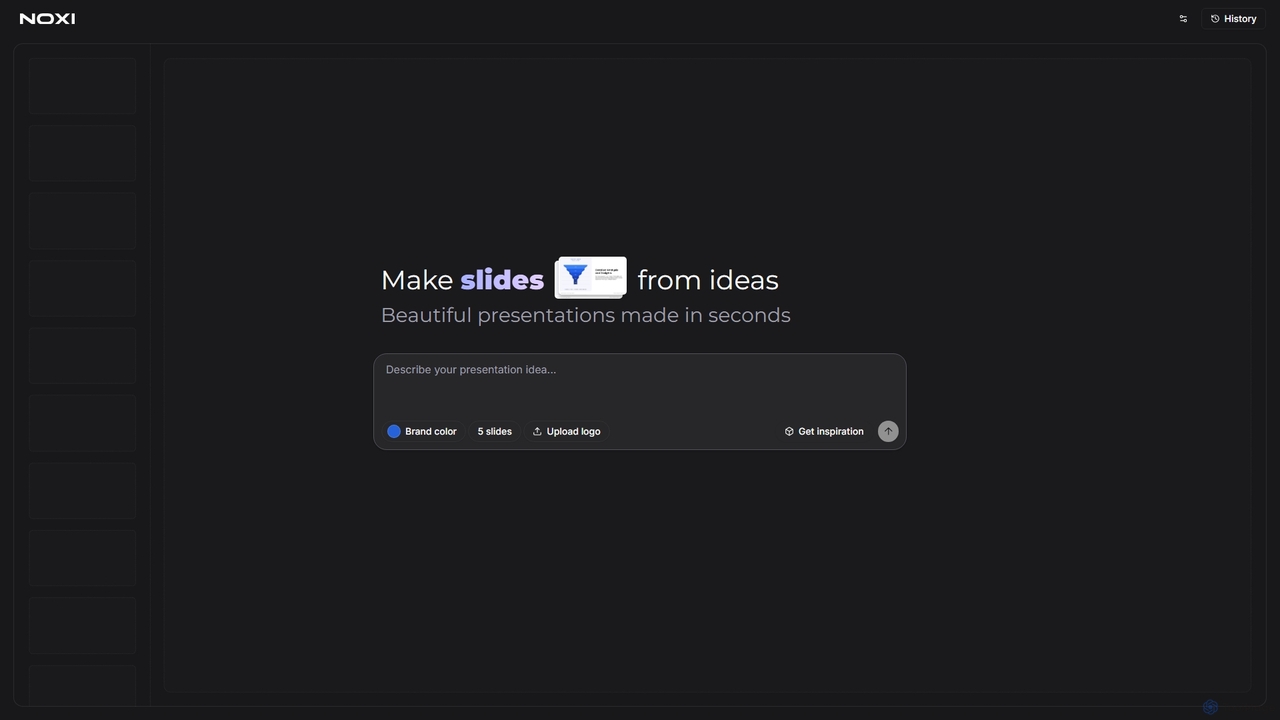
Noxi is an innovative AI-powered presentation maker designed to transform your ideas into beautiful slides in seconds. Simply describe your presentation concept, choose a brand color, and optionally upload your logo to generate professional-looking presentations effortlessly. It streamlines the slide creation process, making it ideal for anyone needing quick, visually appealing presentations.
About Slide Creation
AI-powered Slide Creation tools are a specialized category within design software that leverage artificial intelligence to automate and enhance the process of generating professional presentations. These tools analyze user input, such as text, data, and desired themes, to automatically design layouts, suggest content, and visualize information, significantly streamlining the creation of compelling slides. They empower users to produce high-quality presentations rapidly, reducing manual design effort and ensuring visual consistency.
Core Features
- Content-to-Slide Generation: Automatically transforms raw text, outlines, or data into structured slide content and visual layouts.
- Design Automation: Applies intelligent design principles, color schemes, fonts, and imagery to create visually appealing and consistent presentations.
- Data Visualization: Converts numerical data into appropriate charts, graphs, and infographics, ensuring clarity and impact.
- Template Customization: Offers a wide range of AI-generated or pre-designed templates that can be easily customized with brand elements and specific content.
- Image and Icon Suggestion: Recommends relevant images, icons, and multimedia elements based on slide content to enhance visual engagement.
Use Cases
Professionals across various sectors utilize AI slide creation tools to accelerate their workflow. Marketing teams can quickly generate campaign presentations, sales professionals can craft persuasive pitch decks, and educators can develop engaging lecture materials. These tools are particularly valuable for anyone needing to create visually impactful presentations under tight deadlines or with limited design expertise.
How to Choose
When selecting an AI slide creation tool, consider its content generation capabilities, design flexibility, and integration options with other platforms like PowerPoint or Google Slides. Evaluate the quality of its AI-generated designs, the range of customization features, and its ability to handle complex data visualization. User-friendliness, pricing models, and support for specific file formats are also crucial factors for making an informed decision.

Slide CreationUse Cases
Business Pitch Deck Generation
Startup founders and sales teams can rapidly create professional and visually compelling pitch decks for investors or clients. By inputting key business metrics, market analysis, and product descriptions, the AI tool automatically structures the narrative, designs engaging slides, and suggests relevant visuals, saving hours of manual design work and ensuring a polished presentation.
Educational Lecture Material Design
Educators and trainers can transform lesson plans or course outlines into engaging lecture slides. The AI analyzes the textual content, identifies key concepts, and generates visually appealing layouts with appropriate images, diagrams, and bullet points, making complex information easier for students to digest and improving overall learning engagement.
Marketing Campaign Presentation Creation
Marketing professionals can quickly assemble presentations for new campaigns, product launches, or performance reviews. By feeding the AI campaign goals, target audience data, and creative assets, the tool generates slides that effectively communicate strategy, showcase visuals, and present results in a clear, persuasive format, facilitating internal alignment and client approvals.
Automated Data Report Visualization
Analysts and researchers can convert raw data and statistical findings into clear, impactful visual reports. The AI intelligently selects the most suitable chart types (e.g., bar, line, pie graphs), formats data for optimal readability, and integrates these visualizations seamlessly into presentation slides, making complex data insights accessible to non-technical audiences.
Corporate Training Module Development
HR departments and corporate trainers can efficiently develop standardized training modules for employee onboarding or skill development. The AI tool helps structure learning content, designs interactive elements, and ensures brand consistency across all slides, enabling rapid deployment of professional and effective training programs.
Event Presentation Design for Conferences
Event organizers and speakers can quickly design visually stunning presentations for conferences, webinars, or workshops. By providing the event theme, speaker notes, and branding guidelines, the AI generates cohesive and engaging slides that capture audience attention, support the speaker's message, and maintain a professional aesthetic throughout the event.