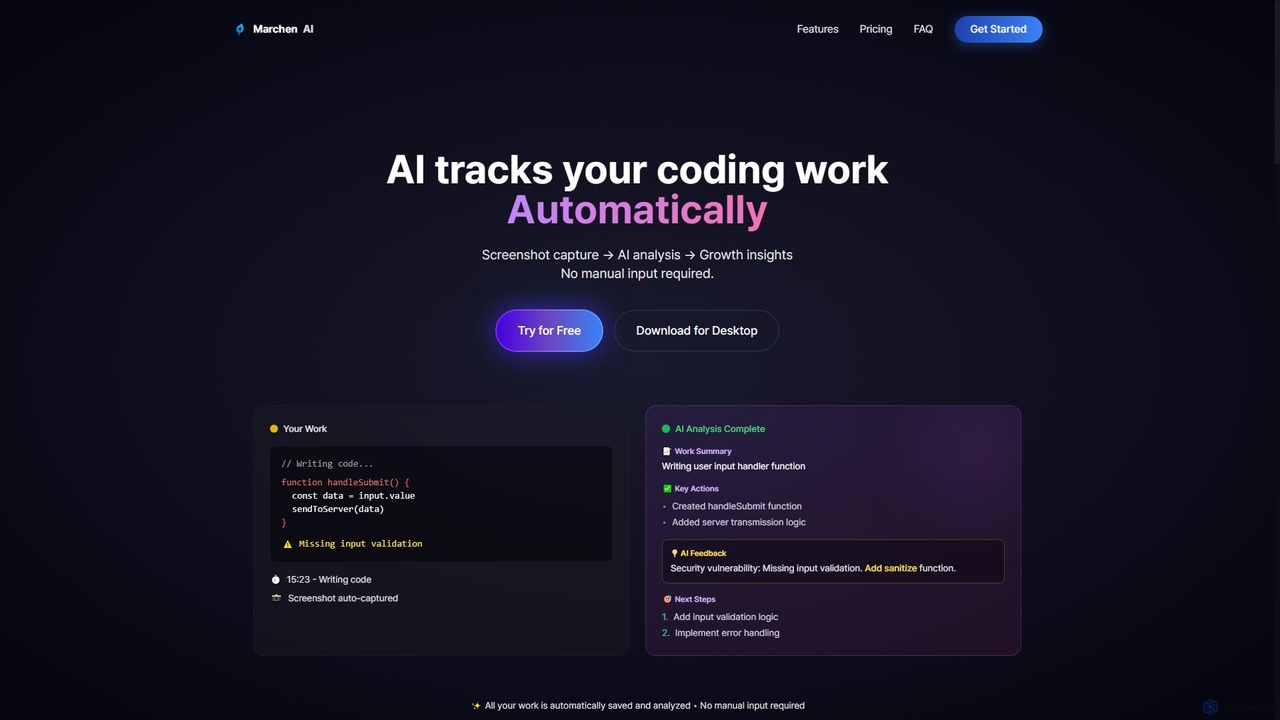
Marchen
Marchen is an AI-powered desktop application that automatically tracks your coding work, captures screenshots, and analyzes your activity …
Marchen is an AI-powered desktop application that automatically tracks your coding work, captures screenshots, and analyzes your activity to provide real-time growth insights, feedback, and an AI assistant. It helps developers enhance productivity and identify areas for improvement without manual input.
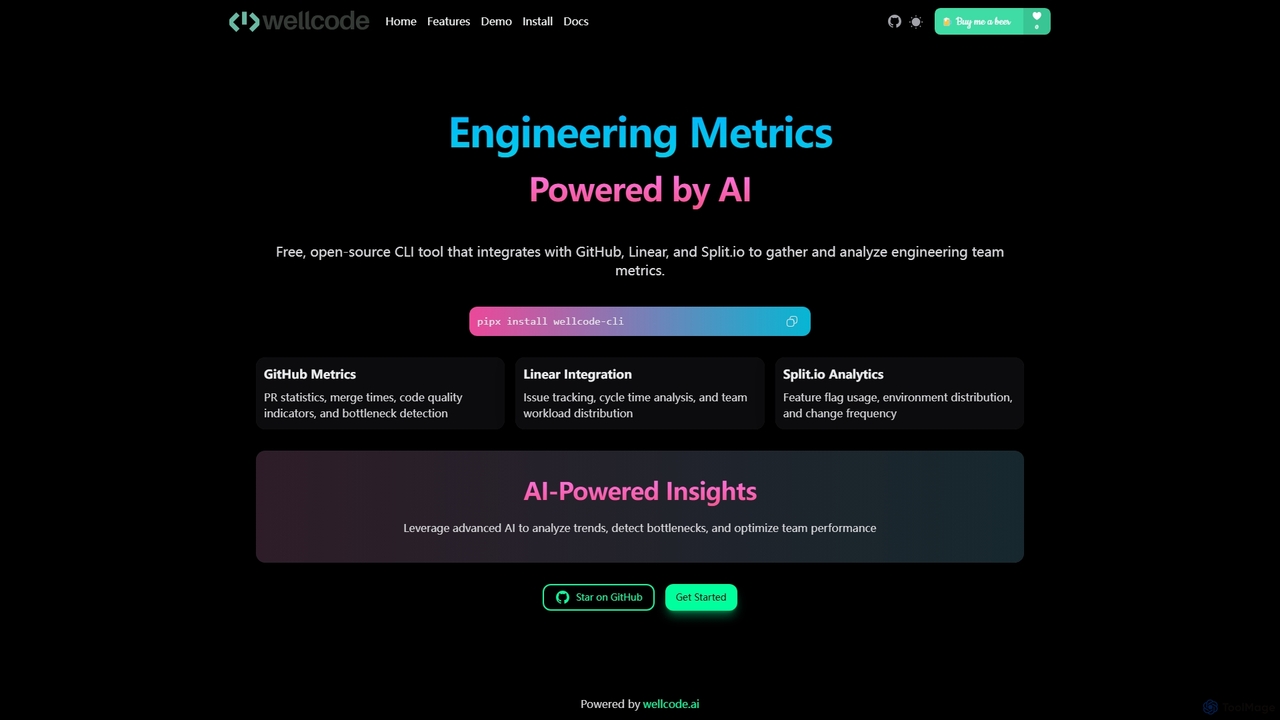
Wellcode CLI
A powerful command-line interface tool that leverages AI to provide comprehensive engineering metrics. It integrates with GitHub, Linear, …
A powerful command-line interface tool that leverages AI to provide comprehensive engineering metrics. It integrates with GitHub, Linear, and Split.io to analyze pull requests, issue tracking, and feature flag usage, offering actionable insights to optimize team performance and development workflows.
About Code Analysis
Code Analysis tools are AI-powered solutions designed to automatically examine source code for potential issues, vulnerabilities, and quality improvements. These tools leverage advanced algorithms, including machine learning, to identify patterns, enforce coding standards, and suggest optimizations without executing the code. They significantly enhance software reliability, security, and maintainability, streamlining the development workflow for teams and individual developers.
Core Features
- Static Code Analysis: Automatically scans source code, bytecode, or binary code without execution to detect bugs, security vulnerabilities, and compliance issues.
- Dynamic Code Analysis: Monitors code behavior during runtime to identify performance bottlenecks, memory leaks, and other runtime errors.
- Vulnerability Detection: Pinpoints common security flaws like SQL injection, cross-site scripting (XSS), and insecure configurations.
- Code Quality Metrics: Calculates metrics such as cyclomatic complexity, code duplication, and maintainability index to assess code health.
- Automated Refactoring Suggestions: Provides intelligent recommendations for improving code structure, readability, and efficiency.
Use Cases
Code Analysis tools are indispensable for software development teams, security engineers, and quality assurance professionals. They are used to proactively identify and fix issues early in the development lifecycle, ensuring that code adheres to best practices and security standards before deployment. This helps prevent costly post-release bugs and security breaches.
How to Choose
When selecting a Code Analysis tool, consider its language support, integration capabilities with your existing CI/CD pipeline, and the types of issues it can detect (e.g., security, performance, style). Evaluate its reporting features, customization options for rulesets, and whether it offers actionable recommendations. Scalability for large codebases and community support or vendor reliability are also crucial factors.
Code AnalysisUse Cases
Automated Security Vulnerability Scanning
Security engineers integrate code analysis tools into their CI/CD pipelines to automatically scan new code commits for common security vulnerabilities like SQL injection, XSS, and insecure API endpoints. This proactive approach identifies critical flaws before deployment, preventing potential data breaches and ensuring compliance with security standards, saving hundreds of hours of manual security reviews.
Enforcing Coding Standards and Style Guides
Development teams utilize code analysis tools to automatically enforce consistent coding standards and style guides across their entire codebase. By configuring custom rule sets, the tools flag deviations from established conventions, such as naming conventions, indentation, and complexity limits. This ensures code readability, reduces technical debt, and simplifies onboarding for new team members, improving overall code quality by 30%.
Identifying Performance Bottlenecks in Production
DevOps engineers deploy dynamic code analysis tools to monitor application performance in production environments. These tools track resource consumption, identify memory leaks, and pinpoint inefficient code sections that cause slowdowns or crashes. By providing real-time insights into runtime behavior, they enable rapid diagnosis and resolution of performance issues, ensuring optimal user experience and system stability.
Automating Code Review Processes
Software architects and lead developers leverage code analysis tools to automate initial code review stages. Before human reviewers examine pull requests, the tools automatically check for common errors, style violations, and potential bugs. This pre-screening significantly reduces the workload for human reviewers, allowing them to focus on complex logic and architectural decisions, thereby accelerating the code review cycle by up to 50%.
Refactoring Legacy Codebases for Modernization
Teams working on modernizing legacy systems use code analysis tools to identify areas of high complexity, code duplication, and outdated patterns. The tools generate reports that highlight sections of code most in need of refactoring, providing actionable insights for improving maintainability and performance. This systematic approach helps reduce technical debt and facilitates the migration to newer architectures, cutting modernization efforts by 25%.
Ensuring Compliance with Industry Regulations
Organizations in regulated industries (e.g., finance, healthcare) leverage code analysis tools to ensure their software complies with specific industry regulations and internal policies. These tools can be configured with custom rule sets to check for data privacy violations (like PII handling), security standards (e.g., OWASP Top 10), and other compliance requirements. This helps avoid hefty fines and maintains trust with customers by demonstrating adherence to strict guidelines.