ToolMage
Sign in

Best 1 Data Integration AI tools for Enterprise

Popular Data Integration AI tools in Enterprise include ChatBetter, helping you work more efficiently.

ChatBetter
Freemium

ChatBetter

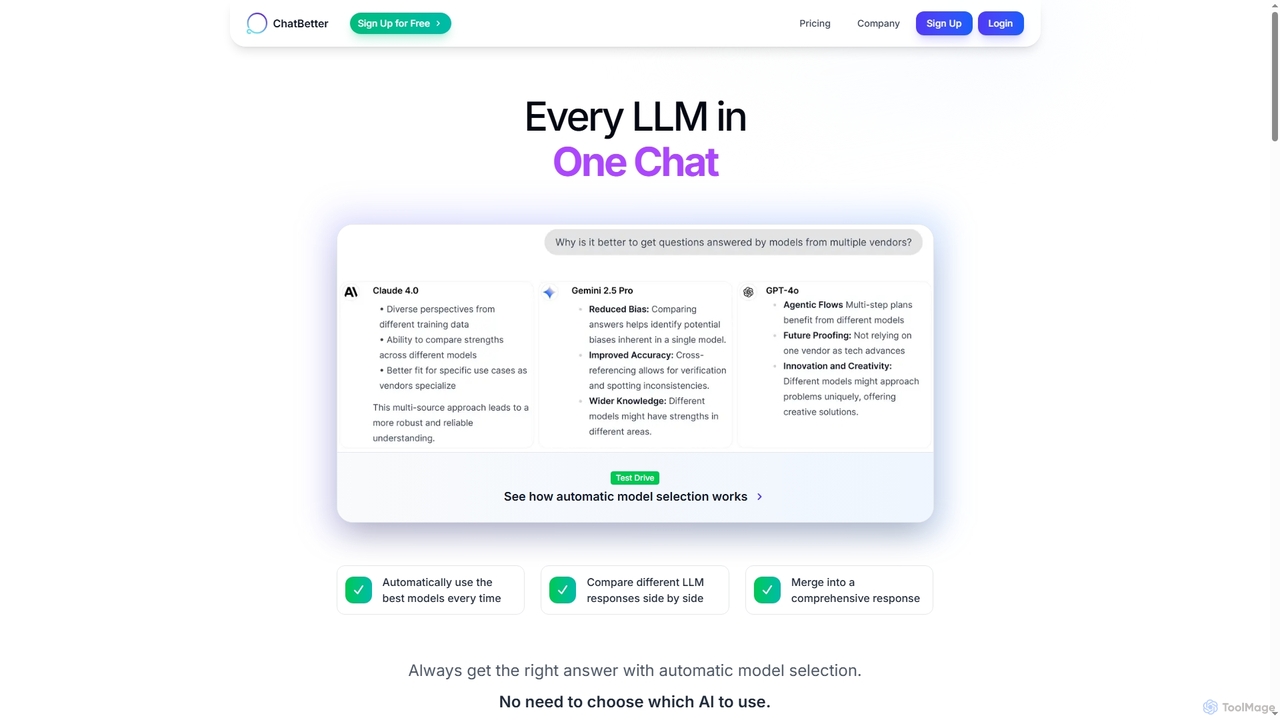
ChatBetter is an advanced AI chat platform that consolidates all major large language models (LLMs) into a single interface. It automatically selects the best model for your query, compares responses side-by-side, and merges insights for comprehensive answers, enhancing productivity for both individual users and enterprise teams.

Team Collaboration
Visits 4.1KFavorites 114Likes 118

About Data Integration

Data Integration tools are platforms designed to consolidate data from various disparate sources into a single, unified, and consistent view. These tools utilize connectors and APIs to access databases, cloud applications, and files, employing processes like ETL (Extract, Transform, Load) or ELT (Extract, Load, Transform) to move and reshape data. The primary value of data integration is to enable reliable business intelligence, advanced analytics, and operational efficiency by providing a single source of truth. Many modern platforms leverage AI to automate data mapping, detect anomalies, and optimize data pipelines.

Core Features

  • Data Source Connectivity: Offers a wide range of pre-built connectors for databases, SaaS applications, APIs, and file systems.
  • ETL & ELT Processes: Supports both traditional ETL and modern ELT patterns for moving data to data warehouses or data lakes.
  • Data Transformation: Provides graphical interfaces or code-based options to clean, enrich, aggregate, and reformat data.
  • Automation & Scheduling: Enables the creation of automated data pipelines that run on a schedule or are triggered by specific events.
  • Monitoring & Alerting: Delivers dashboards and alerts to track pipeline performance, identify errors, and ensure data quality.

Use Cases

Data Integration tools are essential for data-driven organizations across all industries. Data engineers and analysts use them to build and maintain the data infrastructure for business intelligence, feeding cleaned data into tools like Tableau or Power BI. In marketing, they are used to create a 360-degree customer view by combining data from CRM, ad platforms, and websites. They are also critical for cloud migration projects and for synchronizing data between different operational systems.

How to Choose

When selecting a Data Integration tool, first assess its library of connectors to ensure it supports your specific data sources and destinations. Consider whether you need an ETL or ELT architecture based on your data warehousing strategy. Evaluate the tool's scalability to handle your current and future data volumes. Finally, consider the user interface and required technical skill level—some tools are no-code/low-code for business users, while others are designed for experienced data engineers.

Featured tool rankings

Data Integration use cases

1

Centralize Data for Business Intelligence Reporting

A data analyst for a retail company needs to create a comprehensive weekly sales report. The required data is scattered across multiple systems: sales transactions in a PostgreSQL database, customer information in Salesforce (CRM), and marketing campaign data in Google Ads. Using a data integration tool, the analyst builds a pipeline that automatically extracts data from all three sources every night, transforms it into a consistent format (e.g., standardizing date formats and currency), and loads it into a Snowflake data warehouse. This provides a single, reliable source for their BI tool (Tableau), allowing them to build accurate reports without manual data collection, saving over 10 hours of work each week.

2

Create a 360-Degree Customer View

A marketing operations manager at a SaaS company wants to personalize user onboarding. To do this, they need a complete view of each customer, combining product usage data from their app's database, support tickets from Zendesk, and subscription details from Stripe. They use a data integration platform to sync this data into a central customer data platform (CDP). The platform joins the data based on user ID. This unified profile allows the marketing team to trigger automated, personalized emails. For example, if a user has used a specific feature but also filed a support ticket about it, they can receive a targeted tutorial email, improving user engagement and reducing churn.

3

Automate Cloud Data Migration

An IT department is tasked with migrating their company's on-premise SQL Server database to Google BigQuery to improve scalability and analytical capabilities. A manual migration would be complex and prone to error. They use a data integration tool with native connectors for both SQL Server and BigQuery. The tool allows them to map the schema from the source to the destination, handle data type conversions automatically, and perform an initial bulk load of historical data. After the initial load, they set up an incremental replication job to capture and sync any new or updated records in near real-time, ensuring a smooth transition with minimal downtime.

4

Synchronize Data Between SaaS Applications

An e-commerce business uses Shopify for its online store and QuickBooks for accounting. Manually entering sales data from Shopify into QuickBooks is time-consuming and can lead to accounting errors. The finance team implements a data integration tool to automate this workflow. They set up a 'recipe' or 'flow' that triggers whenever a new order is placed in Shopify. The tool extracts order details (customer info, products, total amount), transforms the data to match QuickBooks' format, and creates a corresponding sales receipt in QuickBooks automatically. This ensures financial records are always up-to-date and accurate, freeing up the team for more strategic tasks.

5

Prepare Datasets for AI/ML Model Training

A data science team is developing a predictive model to forecast customer churn. The model requires a large, clean dataset combining user behavior data from a Mixpanel instance, subscription history from a MySQL database, and customer demographics from a CSV file. Using a data integration tool, a data engineer builds a pipeline to aggregate these diverse datasets. The tool's transformation capabilities are used to clean the data by handling missing values, normalizing numerical features, and one-hot encoding categorical variables. The final, prepared dataset is then loaded into an S3 bucket, ready to be used for training the machine learning model in SageMaker, significantly accelerating the data preparation phase of the MLOps lifecycle.

6

Streamline Operational Reporting for Finance

A finance department needs to perform monthly financial consolidation, pulling data from various departmental systems: HR data from Workday, expense reports from Expensify, and revenue figures from the company's internal sales database. Instead of relying on manual CSV exports and complex spreadsheets, they use a data integration tool. The tool is scheduled to run at the end of each month, extracting the necessary data, applying currency conversions and mapping different chart of accounts, and loading the consolidated data into their ERP system (e.g., NetSuite). This automation reduces the closing period from five days to one, minimizes human error, and provides executives with faster access to accurate financial statements.

Data Integration FAQ

What are AI-powered Data Integration tools?

AI-powered Data Integration tools are platforms that use artificial intelligence and machine learning to automate and simplify the process of combining data from multiple sources. Unlike traditional tools, they can intelligently infer data schemas, automatically map fields between source and destination, detect data quality issues, and recommend data transformations. This significantly reduces the manual effort required from data engineers and analysts, accelerates the development of data pipelines, and improves the overall reliability and quality of the integrated data.

How to choose the right Data Integration tool?

Choosing the right tool depends on several factors. Consider the following:

  • Connectors: Ensure the tool has pre-built, reliable connectors for all your essential data sources (e.g., Salesforce, PostgreSQL, Google Analytics) and destinations (e.g., Snowflake, Redshift, BigQuery).
  • Data Volume & Velocity: Evaluate if the tool can handle your current and projected data volume and the speed at which data needs to be updated (batch vs. real-time).
  • Technical Skill Level: Determine if you need a no-code/low-code platform for business users and analysts, or a more powerful, code-centric tool for data engineers.
  • ETL vs. ELT: Decide which data processing pattern fits your architecture. ELT is often preferred for modern cloud data warehouses as it leverages the warehouse's processing power.
  • Pricing: Understand the pricing model. Is it based on data volume, number of connectors, execution time, or a flat subscription? Choose one that aligns with your usage and budget.
What is the difference between ETL and ELT?

ETL (Extract, Transform, Load) and ELT (Extract, Load, Transform) are two primary approaches to data integration. The key difference lies in the sequence of operations.

In ETL, data is extracted from the source, transformed on a separate processing server (the 'T' step), and then the transformed, ready-to-analyze data is loaded into the destination data warehouse. This was the traditional approach when data warehouse resources were expensive.

In ELT, data is extracted from the source and immediately loaded into the destination system (like a cloud data warehouse). The transformation ('T') then happens inside the data warehouse itself, using its powerful processing capabilities. This modern approach is more flexible, scalable, and efficient for handling large volumes of raw data in cloud environments.

Who typically uses Data Integration tools in an organization?

Data Integration tools serve a range of users within an organization, depending on the tool's complexity. Key users include:

  • Data Engineers: They are the primary users, responsible for designing, building, and maintaining robust data pipelines to move data from source systems to data warehouses or lakes.
  • Data Analysts & BI Developers: They use these tools, especially low-code versions, to access, combine, and prepare data for their reports, dashboards, and analyses.
  • Data Scientists: They rely on data integration to aggregate and clean large datasets from various sources to train machine learning models.
  • IT Operations & DevOps: They manage the infrastructure and ensure the reliability and performance of the data integration platforms.
  • Business Users (Citizen Integrators): With the rise of user-friendly, no-code tools, marketing or finance professionals can now create simple integrations to automate their own workflows, such as syncing data between two SaaS apps.
Can Data Integration tools handle real-time data?

Yes, many modern data integration tools are capable of handling real-time or near real-time data. While traditional tools focused on batch processing (e.g., running a job once a day), contemporary platforms support various methods for low-latency data movement:

  • Change Data Capture (CDC): This technique identifies and captures changes made to data in a source database (inserts, updates, deletes) and streams these changes to the destination in near real-time.
  • API-based Streaming: For applications that provide streaming APIs, integration tools can connect to these endpoints to continuously receive data as it's generated.
  • Micro-batching: Some tools achieve near real-time performance by running very small batches of data at high frequency (e.g., every minute).

The ability to handle real-time data is crucial for use cases like fraud detection, real-time analytics dashboards, and operational monitoring.