ToolMage
Sign in

Best 1 Ai Automation AI tools for Enterprise

Popular Ai Automation AI tools in Enterprise include TheNoah, helping you work more efficiently.

TheNoah
Paid

TheNoah

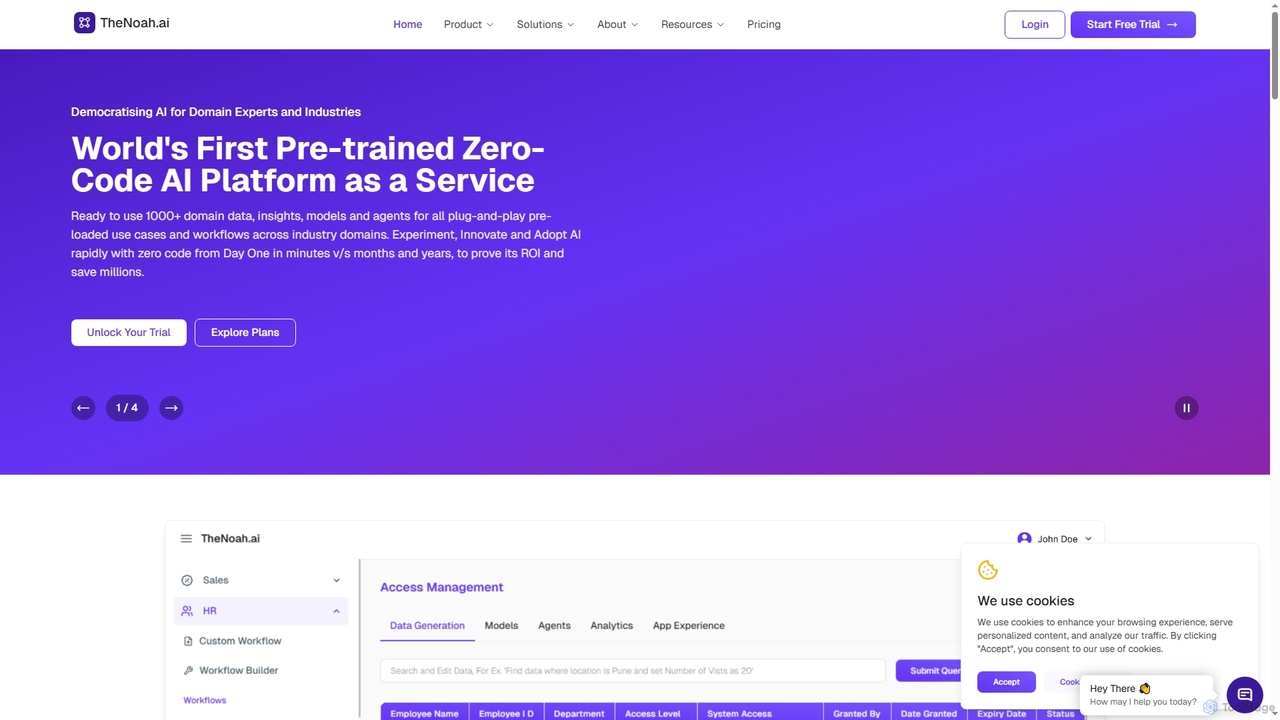
TheNoah is the world's first pre-trained, zero-code AI platform designed for enterprises and domain experts. It offers over 1000 ready-to-use domain-specific models, AI agents, and data simulation capabilities to rapidly automate workflows, generate actionable insights, and accelerate AI adoption across industries without requiring technical expertise.

Data Simulation
Visits 8.4KFavorites 147Likes 167

About Ai Automation

AI Automation tools are a class of advanced software solutions designed to leverage artificial intelligence to automate complex, repetitive, and data-intensive tasks across enterprise operations. These tools integrate AI capabilities like machine learning, natural language processing, and computer vision with traditional automation frameworks, enabling businesses to achieve unprecedented levels of operational efficiency, accuracy, and scalability.

Core Features

  • Intelligent Process Automation (IPA): Combines RPA with AI to handle unstructured data, make decisions, and adapt to changing conditions.
  • Natural Language Processing (NLP): Enables tools to understand, interpret, and generate human language for tasks like customer service and document processing.
  • Machine Learning (ML) for Predictive Automation: Utilizes algorithms to learn from data, predict outcomes, and trigger automated actions proactively.
  • Computer Vision: Allows automation systems to "see" and interpret visual information, enhancing tasks like quality control and data extraction from images.

Applicable Scenarios

AI Automation is widely adopted in sectors requiring high-volume data processing and complex decision-making. It's crucial for finance departments automating invoice reconciliation, HR teams streamlining onboarding, and customer service centers deploying intelligent chatbots for instant support. IT operations also benefit significantly from automated incident response and system monitoring.

How to Choose

When selecting an AI Automation platform, consider its integration capabilities with existing enterprise systems, the breadth and depth of its AI functionalities (e.g., NLP, ML models), scalability to handle future growth, and ease of deployment and management. Evaluate vendor support, security features, and the total cost of ownership, including licensing and implementation services, to ensure alignment with your business objectives and technical expertise.

Ai Automation use cases

1

Automating Customer Service Inquiries

Customer service managers can deploy AI automation tools to handle routine customer inquiries, process support tickets, and provide instant answers through intelligent chatbots. By leveraging NLP, these tools understand customer intent, route complex issues to human agents, and automate follow-up communications, significantly reducing response times and improving customer satisfaction while freeing up human agents for more critical tasks.

2

Streamlining Financial Operations

Finance departments utilize AI automation to streamline tasks such as invoice processing, expense report reconciliation, and fraud detection. AI-powered systems can automatically extract data from various document formats, match invoices with purchase orders, flag discrepancies, and even initiate payment workflows, drastically reducing manual errors and accelerating financial closing cycles.

3

Enhancing HR Onboarding and Management

HR professionals can automate the entire employee onboarding process, from document collection and background checks to system access provisioning. AI automation tools can intelligently guide new hires through necessary steps, answer common HR questions, and ensure compliance with regulations, creating a smoother, more efficient onboarding experience and reducing administrative burden on HR staff.

4

Optimizing IT Operations and Incident Response

IT teams leverage AI automation for proactive system monitoring, automated incident detection, and rapid response. AI algorithms analyze log data and network traffic to identify anomalies, predict potential outages, and automatically trigger remediation actions or alert relevant personnel, minimizing downtime and improving the overall reliability of IT infrastructure.

5

Automating Data Extraction and Report Generation

Business analysts and data teams use AI automation to extract relevant information from vast amounts of unstructured data, such as contracts, emails, and web pages. These tools can then automatically compile this data into customized reports and dashboards, providing timely insights for decision-making without the need for extensive manual data preparation and aggregation.

6

Personalizing Marketing Campaigns at Scale

Marketing professionals employ AI automation to personalize customer interactions and optimize campaign performance across multiple channels. AI analyzes customer behavior and preferences to segment audiences, recommend relevant products or content, and automate the delivery of tailored messages at optimal times, leading to higher engagement rates and improved conversion metrics.

Ai Automation FAQ

What is AI Automation?

AI Automation is the application of artificial intelligence technologies, such as machine learning, natural language processing, and computer vision, to automate complex business processes and tasks. Unlike traditional automation, which follows predefined rules, AI Automation can learn, adapt, and make decisions based on data, enabling it to handle unstructured information and more dynamic scenarios. It aims to enhance efficiency, reduce human error, and free up human workers for more strategic activities within an enterprise.

How does AI Automation differ from traditional Robotic Process Automation (RPA)?

While both AI Automation and RPA aim to automate tasks, AI Automation goes beyond the rule-based execution of RPA. RPA typically automates repetitive, structured tasks by mimicking human interactions with digital systems. AI Automation, however, integrates intelligence to handle unstructured data, understand context, make decisions, and learn from experience. This allows it to automate more complex, cognitive tasks that traditionally required human intervention, such as interpreting documents or responding to varied customer inquiries.

What are the key benefits of implementing AI Automation in an enterprise?

Implementing AI Automation offers several significant benefits for enterprises. It drastically improves operational efficiency by automating high-volume, repetitive tasks, leading to faster processing times and reduced costs. Accuracy is enhanced as AI systems minimize human error. Scalability is also a major advantage, allowing businesses to handle increased workloads without proportional increases in human resources. Furthermore, it enables better decision-making through data-driven insights and frees up employees to focus on innovation and strategic initiatives.

What should I consider when choosing an AI Automation platform?

When selecting an AI Automation platform, evaluate its core AI capabilities (e.g., NLP, ML, computer vision) and how well they align with your specific automation needs. Consider its integration ecosystem, ensuring it can seamlessly connect with your existing enterprise applications and data sources. Scalability, security features, and compliance with industry regulations are also crucial. Finally, assess the vendor's support, training resources, and the platform's user-friendliness for both developers and business users to ensure successful adoption and long-term value.

Which departments within an enterprise can benefit most from AI Automation?

Virtually all departments within an enterprise can benefit from AI Automation, but some stand out due to their high volume of repetitive or data-intensive tasks. Finance departments can automate invoice processing and reconciliation. HR can streamline onboarding and payroll. Customer service benefits from intelligent chatbots and ticket routing. IT operations can automate system monitoring and incident response. Marketing can personalize campaigns and analyze customer data. Legal and compliance can automate document review and contract analysis, making it a versatile solution across the board.