ToolMage
Sign in

Best 2 Photo Animation AI tools for Fun Tools

Popular Photo Animation AI tools in Fun Tools include Pai and PhotolapseAI, helping you work more efficiently.

PhotolapseAI
Freemium

PhotolapseAI

PhotolapseAI is an AI-powered tool that automatically creates captivating face timelapse videos. Simply upload a collection of photos, and its advanced face-detection AI will center, align, and sequence them to produce a smooth, professional-looking 'flashcut' video. It's perfect for documenting growth, transformations, or creating memorable social media content without complex editing software.

Photo Animation
Visits 6.7KFavorites 140Likes 124
Pai
Freemium

Pai

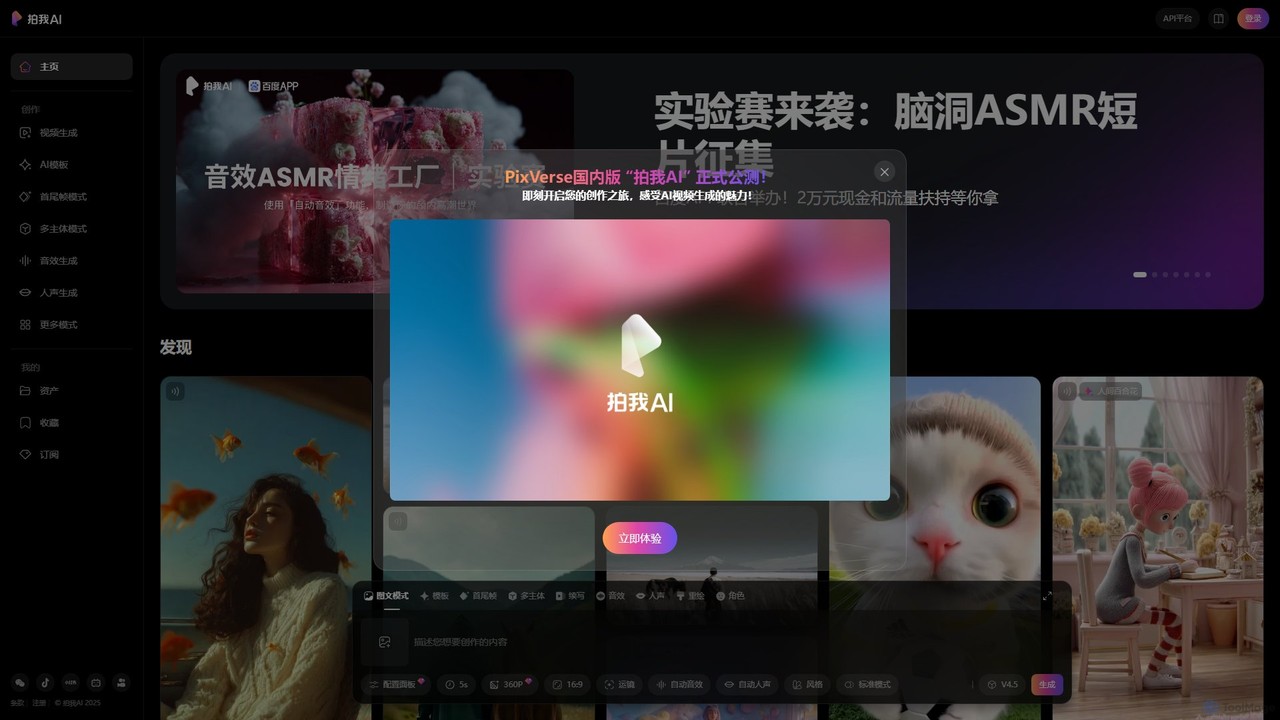
Pai is a powerful AI video generator, the official Chinese version of the globally popular PixVerse. It transforms text prompts and static images into stunning, dynamic videos using advanced AI models and viral social media effect templates, perfect for content creators and marketers.

Photo Animation
Visits 84.1KFavorites 84Likes 112

About Photo Animation

Photo Animation tools are AI-powered applications that transform static images into dynamic, short videos. By analyzing the content of a photograph, these tools use techniques like motion mapping, facial re-enactment, and 3D depth effects to add realistic or stylized movement. This allows users to make faces in portraits smile or talk, create subtle motion in landscapes like flowing water or moving clouds, and generate engaging visual content from a single picture. As a creative subset of Fun Tools, they offer a unique way to repurpose and revitalize existing photos for entertainment or marketing.

Core Features

  • Facial Animation: Animates expressions on faces in photos, including smiling, blinking, and head movements.
  • Lip-Syncing: Synchronizes mouth movements on a photo with an audio track to make it appear as if the person is speaking or singing.
  • 3D Parallax Effect: Adds a sense of depth and subtle camera motion to a 2D photo, creating a 'living photo' effect.
  • Environmental Motion: Animates natural elements within a photo, such as clouds, water, fire, or smoke, to bring scenes to life.
  • Object Animation: Allows users to define motion paths for specific objects within an image, creating custom animations.

Use Cases

These tools are widely used by social media content creators to produce eye-catching posts and stories that increase engagement. Digital marketers leverage them to create lightweight, dynamic ad creatives from static product images. Artists and photographers use them to add a new dimension to their work, while individuals use them for entertainment, such as animating old family photos or creating humorous memes.

How to Choose

When selecting a Photo Animation tool, consider the variety and realism of the available animation styles. Evaluate the supported output formats (e.g., MP4, GIF) and resolution. Check the platform's watermarking policy and pricing model. Finally, assess the user interface—some tools offer simple one-click templates, while others provide advanced manual controls for more customized results.

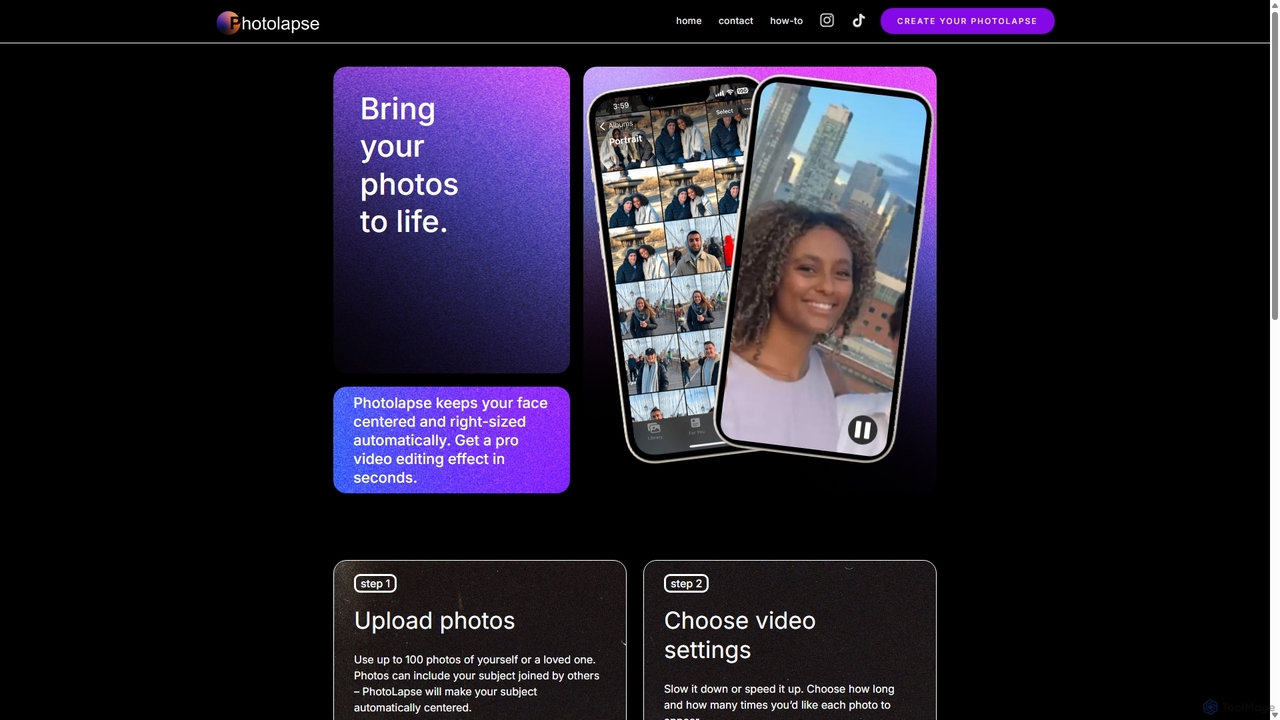
Photo Animation use cases

1

Animate Old Family Photos

Individuals and genealogy enthusiasts use photo animation tools to bring historical portraits to life. By uploading a scanned black-and-white or sepia-toned photo of an ancestor, the AI can add subtle movements like blinking, smiling, and slight head turns. This process transforms a static, distant figure into a relatable presence, creating a powerful emotional connection for family members. The resulting short videos are often shared on social media or during family gatherings to celebrate heritage in a new, dynamic way.

2

Create Engaging Social Media Content

Social media managers and influencers use photo animation to make their posts stand out in crowded feeds. Instead of a static image of a product, they can animate it to show steam rising from a coffee cup or a subtle sparkle on a piece of jewelry. For memes or reaction images, animating a person's face to sing a popular song or react with an exaggerated expression can significantly boost engagement, shares, and virality. This technique turns standard visual assets into dynamic, scroll-stopping content.

3

Produce Dynamic Digital Art and NFTs

Digital artists and photographers are using photo animation to add a new layer of life to their creations. A still landscape photograph can be transformed into a cinemagraph where only the clouds move or water ripples. A digital portrait can be animated with subtle breathing motions and blinking eyes. This technique allows artists to create 'living images' that are more immersive. Many use this to mint more valuable and unique NFTs, as the added motion provides a distinct quality that sets them apart from static digital art.

4

Generate Eye-Catching Ad Creatives

Digital marketers use photo animation to quickly create lightweight video ads without the cost of a full video shoot. A static image of a burger can be animated to show steam rising, or a model wearing a watch can be made to subtly turn their wrist. These micro-animations are enough to catch a user's eye on platforms like Instagram or Facebook, leading to higher click-through rates compared to static image ads. It's a cost-effective way to test different ad concepts and refresh campaigns with dynamic visuals.

5

Create Personalized Animated Greetings

For personal use, these tools offer a fun way to create unique e-cards and greetings. A user can take a photo of a friend, upload it, and use a lip-sync feature with a recording of them singing 'Happy Birthday'. This creates a highly personalized and often humorous greeting that is more memorable than a standard text message or generic GIF. It's also popular for holidays, allowing users to make photos of their family or pets 'sing' festive songs to share with loved ones.

6

Enhance Profile Pictures and Avatars

Users looking to make their online presence more dynamic can animate their own profile pictures. By applying a 3D parallax effect, the static headshot gains a subtle sense of depth and movement, making it more engaging on platforms like LinkedIn or personal websites. Others might add a simple animation like a wink or a smile to their avatar for gaming or social media profiles. This helps create a more memorable and modern digital identity that stands out from the sea of static profile images.

Photo Animation FAQ

What is AI Photo Animation?

AI Photo Animation is a technology that uses artificial intelligence to add motion to static pictures, turning them into short video clips or animated GIFs. It works by analyzing the image to identify elements like faces, objects, and backgrounds. The AI then applies algorithms to generate movement, such as making a person smile, creating a 3D parallax effect for depth, or animating natural elements like water and clouds. The goal is to bring a still photo to life in a realistic or creative way.

How is Photo Animation different from Video Generation?

The key difference lies in the starting point and process. Photo Animation starts with an existing, complete image and adds motion to its existing elements. It modifies the source photo. Video Generation, on the other hand, typically creates a new video from scratch based on a text prompt, another image, or a different video. Photo animation is about enhancing a static asset, while video generation is about creating a new motion sequence entirely.

What kind of animations can these tools create?

Photo animation tools can create a wide range of effects, primarily focused on adding subtle, realistic motion. Common types include:

  • Facial Animations: Making a person in a photo smile, blink, frown, or turn their head.
  • Lip-Syncing: Animating a mouth to match an audio file of speech or singing.
  • 3D Effects: Creating a parallax or '2.5D' effect where the camera appears to move around the subject, adding depth.
  • Environmental Animations: Making elements like clouds drift, water ripple, fire flicker, or snow fall.
  • Object Motion: Defining a path for an object in the photo to move along.
How to choose the right Photo Animation tool?

When selecting a photo animation tool, consider these factors:

  • Animation Quality & Style: Look for tools that produce realistic or aesthetically pleasing results that match your needs. Some specialize in humorous effects, others in subtle realism.
  • Features: Do you need specific features like lip-syncing, 3D effects, or environmental animation? Choose a tool that offers the capabilities you require.
  • Ease of Use: Some tools are template-based and very simple, while others offer more granular control. Pick one that matches your skill level.
  • Output & Watermarking: Check the output resolution, available formats (MP4, GIF), and whether the free version adds a watermark to your creations.
Who uses Photo Animation tools?

Photo animation tools are used by a diverse range of people. Social Media Managers and Marketers use them to create engaging posts and ads. Digital Artists and Photographers use them to add a dynamic element to their work. Individuals use them for entertainment, creating memes, animating family photos, or making personalized greetings. Genealogists also use them to bring historical family portraits to life, creating a deeper connection to the past.