Studio
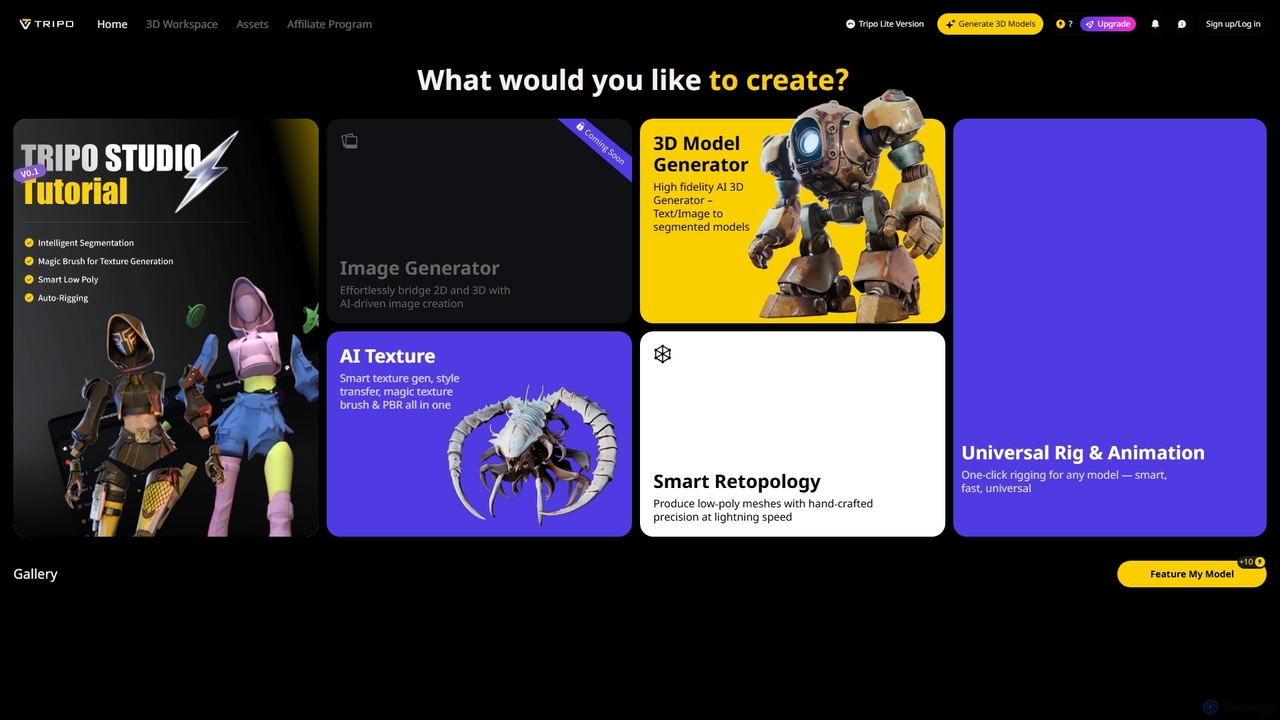
Studio is an AI-powered 3D workspace designed to streamline 3D content creation. It offers advanced features like AI-driven …
Studio is an AI-powered 3D workspace designed to streamline 3D content creation. It offers advanced features like AI-driven image to 3D model generation, smart texturing, automated retopology, and universal rigging and animation, enabling users to efficiently transform 2D concepts into high-fidelity 3D assets for various applications.
About Asset Creation
AI Asset Creation tools are a specialized category within game development that use artificial intelligence to generate or assist in creating game-ready assets. These tools leverage generative models, such as diffusion and GANs, to produce 3D models, textures, sprites, and audio from text prompts, images, or basic sketches. They significantly accelerate the prototyping and production phases, enabling developers to quickly visualize ideas and populate game worlds with unique content. This technology empowers smaller teams and solo developers to create high-quality assets without extensive manual effort.
Core Features
- Text-to-Asset Generation: Creates 3D models, textures, or sprites directly from descriptive text prompts.
- Image-to-Texture/Material: Generates seamless, high-resolution game textures and PBR materials from a single source image.
- AI-Assisted Modeling: Augments traditional modeling workflows with AI-powered suggestions, auto-completion, and detail enhancement.
- Procedural Content Generation (PCG): Uses AI algorithms to create large-scale, varied assets like landscapes, foliage, or building structures.
- Sprite Sheet Animation: Generates multi-frame 2D character animations and sprite sheets from a static image or description.
Use Cases
These tools are primarily used by indie game developers, concept artists, and 3D artists in game studios. They are invaluable for rapid prototyping, creating placeholder assets, generating background environmental elements, and exploring diverse artistic styles during the pre-production phase. Large studios also use them to augment their existing pipelines, automating the creation of texture variations or simple props.
How to Choose
When selecting an AI Asset Creation tool, consider the specific asset types you need (e.g., 3D models vs. 2D sprites). Evaluate the tool's integration capabilities with game engines like Unity or Unreal Engine. Assess the quality and style consistency of the generated assets, and consider the pricing model—whether it's subscription-based or pay-per-generation. Finally, check the licensing terms to ensure the generated assets can be used commercially in your project.

Asset CreationUse Cases
Rapid Prototyping of 3D Environment Props
An indie game developer working on a fantasy RPG needs to populate a village scene quickly. Instead of spending days modeling individual items, they use an AI asset creation tool. By inputting prompts like 'stylized medieval wooden barrel with iron rings' or 'low-poly mossy stone well', the developer generates dozens of variations in minutes. This allows them to test layouts, establish the art style, and create a functional prototype for playtesting, saving over 80% of the time typically required for initial asset modeling.
Generating Seamless Textures for Game Worlds
A 3D artist for a sci-fi game needs a variety of metallic floor textures. Using an AI tool, they upload a single photo of a scratched metal plate. The AI analyzes the image and generates multiple seamless, tileable 4K textures with PBR maps (albedo, normal, roughness). The artist can then adjust parameters like 'rust level' or 'scratch depth' to create consistent variations for different areas of the game level. This process automates the tedious task of manual texture painting and map creation, allowing the artist to focus on overall environment design.
Creating 2D Character Sprite Sheets
A solo developer making a 2D platformer needs animation for their main character. They provide an AI tool with a single, static image of the character in a neutral pose. Then, they use text prompts like 'running animation', 'jumping animation', and 'attack animation'. The AI generates complete sprite sheets for each action, including all intermediate frames, in a style consistent with the original image. This eliminates the need for frame-by-frame drawing, a highly time-consuming process, enabling the developer to implement fluid character movements much faster.
Generating Concept Art for Game Characters
A concept artist is tasked with designing a new hero for a fantasy game. To quickly explore different visual directions, they use an AI asset tool. They input a detailed description: 'female elven ranger, long silver hair, leather armor with leaf motifs, carrying a glowing bow'. The AI produces a dozen distinct character concepts in various poses and styles. The artist then selects the most promising designs to refine manually, using the AI-generated images as a strong foundation. This approach drastically shortens the ideation phase from days to hours.
Automating Sound Effect Creation
A sound designer for a mobile game needs a wide range of sound effects, from magical spells to UI clicks. Using an AI audio generation tool, they can create these sounds with text prompts. For example, they type 'short, crisp magical chime for collecting a coin' or 'deep, echoing footstep on a stone floor'. The AI generates multiple audio files for each prompt, which the designer can then preview and download. This method is much faster than searching through sound libraries or recording foley, especially for creating unique, stylized sounds that match the game's aesthetic.
Augmenting 3D Models with AI Details
A 3D modeler has created a basic, low-poly mesh of an ancient stone golem. To add intricate details without manual sculpting, they use an AI-assisted modeling tool. They can 'paint' areas on the model and provide a prompt like 'cracked rock texture with glowing runes'. The AI then procedurally generates high-frequency details, such as cracks, erosion, and engraved patterns, directly onto the model's surface as a normal map or displacement map. This hybrid workflow combines the control of traditional modeling with the speed and complexity of AI generation, achieving detailed results in a fraction of the time.