ToolMage
Sign in

Best 1 Face Swap AI tools for Image Generation

Popular Face Swap AI tools in Image Generation include a1.art, helping you work more efficiently.

a1.art
Freemium

a1.art

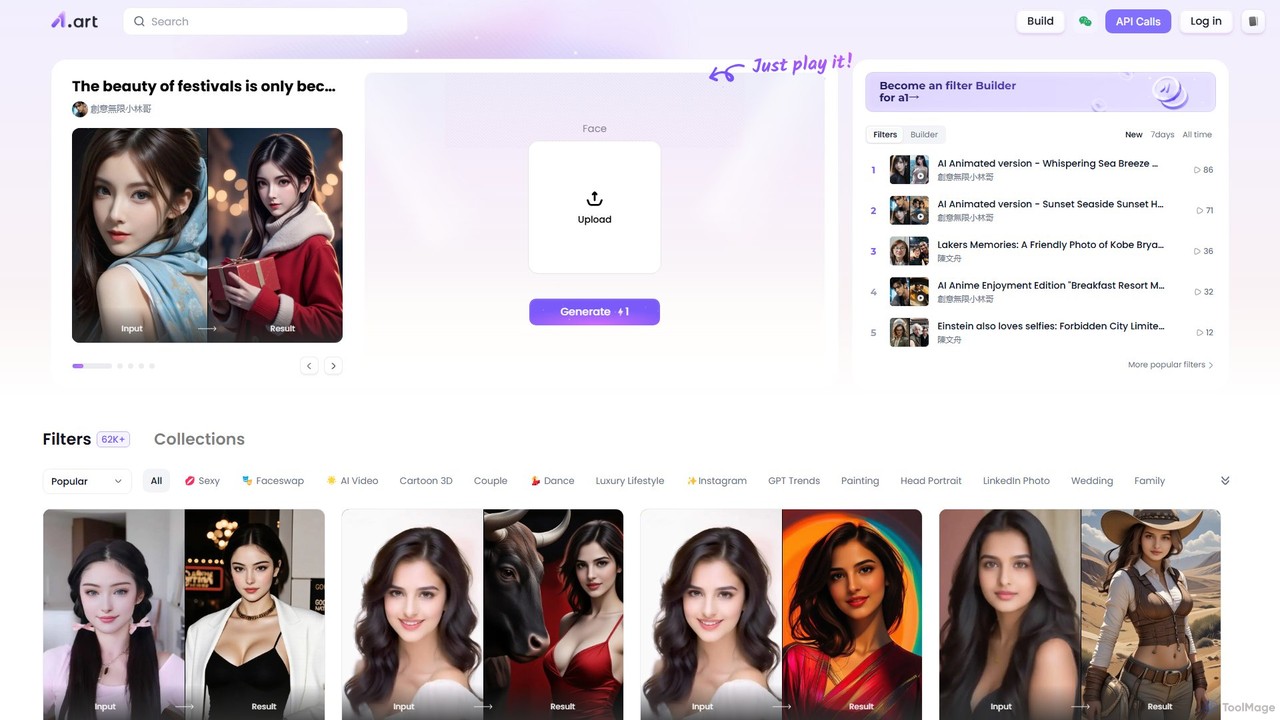
a1.art is a powerful online AI image generator featuring a massive library of over 60,000 styles and filters. It allows users to instantly transform photos, perform face swaps, create anime or cartoon versions of themselves, and generate unique artwork. With a user-friendly interface and a community-driven platform for creating new filters, it's perfect for social media, professional use, and creative exploration.

Ai Art Generator
Visits 1.7MFavorites 125Likes 146

About Face Swap

Face Swap tools are a specialized category of AI image generation that digitally replaces a face in an image or video with another. These tools utilize deep learning models, such as Generative Adversarial Networks (GANs), to analyze facial features, lighting, and head pose for a realistic and seamless integration. They are widely used in entertainment, content creation, and social media for creating humorous memes, personalized videos, and special visual effects. Unlike general image generators that create new scenes, Face Swap tools focus on precisely mapping one identity onto another's expression and context.

Core Features

  • High-Fidelity Face Replacement: Accurately substitutes faces in static images while preserving high detail and realism.
  • Video Face Swapping: Applies face swapping to video clips, ensuring temporal consistency and smooth motion across frames.
  • Multiple Face Support: Detects and allows for the swapping of several faces within a single image or video frame.
  • Expression & Pose Matching: Intelligently transfers the original subject's expression and head orientation to the swapped face.
  • AI-Powered Blending: Automatically adjusts lighting, skin tone, and edges to create a natural and seamless composite.

Use Cases

This technology is primarily used by content creators for social media, marketers for engaging campaigns, and individuals for entertainment. It also finds applications in the film industry for pre-visualization and special effects, allowing directors to test actors in roles or place faces on stunt doubles digitally.

How to Choose

When selecting a Face Swap tool, evaluate the realism and quality of the output, checking for artifacts or unnatural blending. Consider whether you need support for video files in addition to static images. Prioritize tools with clear privacy policies regarding your uploaded data. Finally, assess the user interface for ease of use, from simple one-click solutions to applications with advanced manual controls.

Face Swap use cases

1

Creating Viral Social Media Content

Social media managers and content creators use Face Swap tools to generate humorous or engaging posts. For example, swapping a celebrity's face onto a famous painting or a historical photo to create a shareable meme. This process involves uploading the source and target images, and the AI handles the blending, producing content that can significantly boost engagement and reach in minutes.

2

Personalized Video Greetings and E-cards

Individuals can create unique and memorable video messages for birthdays, holidays, or special occasions. By uploading a short video clip of a famous movie scene or a dancing character and a photo of their own face, they can generate a personalized video where they become the star. This offers a fun and highly customized alternative to traditional greeting cards, making the message more impactful.

3

Pre-visualization in Film and Advertising

In pre-production, directors and visual effects artists use Face Swap technology to quickly visualize an actor in a specific role. Instead of expensive screen tests, they can swap an actor's face onto a stunt double's performance or into a concept art scene. This helps make casting and creative decisions more efficiently, saving both time and budget by providing a clear visual reference early in the production process.

4

Virtual Try-On for Fashion and Beauty

E-commerce brands in the fashion and beauty industry can use face swapping to offer virtual try-on experiences. A customer can upload their photo to see how different hairstyles, glasses, or makeup would look on them. The tool swaps the product or style onto their face in a static image, enhancing the online shopping experience and increasing conversion rates by helping customers make more confident purchasing decisions.

5

Educational and Historical Reenactments

Educators and documentary creators can bring history to life by swapping historical figures' faces onto actors in reenactment videos. This technique can create a more immersive and visually compelling learning experience. For example, a documentary about Abraham Lincoln could feature an actor with Lincoln's face seamlessly swapped onto them, helping students and viewers connect with historical events on a more personal and memorable level.

6

Ethical Satire and Parody Creation

Comedians and satirists use Face Swap tools to create parody content for commentary on current events or pop culture. By swapping the faces of public figures into amusing scenarios, they can craft sharp, visual satire. It is crucial that such use is clearly marked as parody to avoid misinformation. When used responsibly, this technology becomes a powerful tool for creative expression and social commentary in the digital age.

Face Swap FAQ

What is an AI Face Swap tool?

An AI Face Swap tool is a software application that uses artificial intelligence, specifically deep learning, to replace a person's face in an image or video with another. It analyzes key facial landmarks, lighting, and angles to create a realistic and seamless composite. This technology goes beyond simple cut-and-paste editing by intelligently blending the new face into the target media, matching expressions and head movements.

How to choose the right Face Swap tool?

When choosing a Face Swap tool, consider these key factors:

  • Output Quality: Look for tools that produce high-resolution, realistic results with minimal artifacts or blurring.
  • Media Support: Determine if you need support for images only, or also for videos and GIFs. Check for limitations on file size or video length.
  • Privacy Policy: Ensure the service has a clear policy on how your uploaded data is handled, stored, and deleted.
  • Ease of Use: Choose a tool that matches your skill level, from simple one-click apps to software with advanced controls for fine-tuning.
What's the difference between Face Swap and Deepfake?

The terms are often used interchangeably, but there's a nuance. 'Face Swap' generally refers to the technology of swapping faces, often for entertainment or creative purposes. 'Deepfake' specifically refers to media created using deep learning and is often associated with more sophisticated, hyper-realistic video manipulations. Essentially, most modern Face Swap tools use deep learning techniques, making them a form of deepfake technology. However, the term 'Face Swap' is more commonly used for accessible, often harmless applications, while 'Deepfake' can carry a negative connotation due to its potential for misuse in creating misinformation.

Is using Face Swap technology legal and ethical?

The legality and ethics depend heavily on consent and intent. Using it for personal entertainment, parody, or art with consent is generally acceptable. However, creating swaps without consent for defamation, harassment, creating non-consensual explicit content, or spreading misinformation is unethical and illegal in many jurisdictions. Always respect privacy, intellectual property rights, and use these tools responsibly. Many platforms have terms of service that prohibit malicious use.

How do AI Face Swap tools work?

Most modern Face Swap tools use a deep learning model called an autoencoder or a Generative Adversarial Network (GAN). The process involves two main steps:

  • Detection and Alignment: The AI first detects the faces in both the source and target media. It identifies key facial landmarks (eyes, nose, mouth) and aligns the source face to match the pose and orientation of the target face.
  • Synthesis and Blending: The AI then generates the new face, transferring the identity of the source while retaining the expression and lighting of the target. Finally, it seamlessly blends the synthesized face onto the target image or video, adjusting colors and edges to make it look natural.