Image & Video Best in category 1 results Video Generation AI Tool

Popular AI tools in the Video Generation field of Image & Video include MemeGen AI, etc., helping you quickly improve efficiency.

Free
MemeGen AI

MemeGen AI

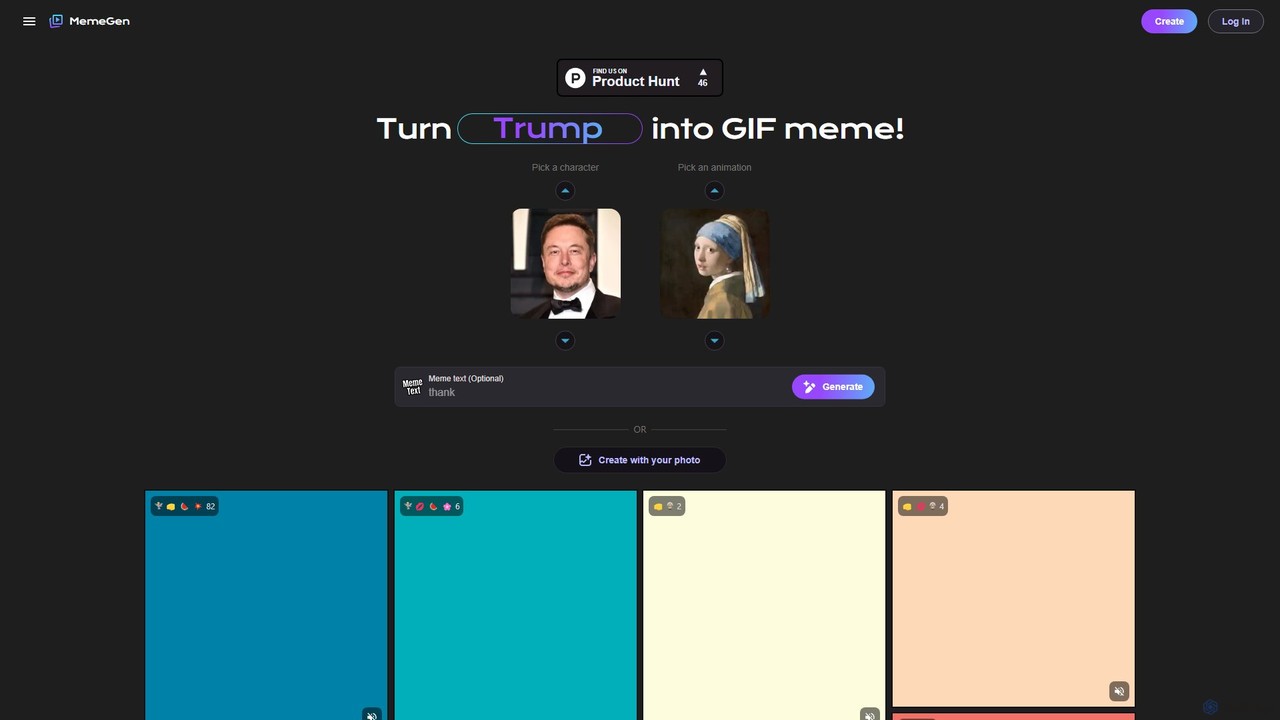
MemeGen AI is an AI-powered tool that transforms static photos into animated GIF memes. Choose from pre-set characters …

20.0K

About Video Generation

Video Generation tools are a class of AI-powered software that create new video clips from text prompts, images, or existing videos. These tools utilize advanced generative models to synthesize motion, transform styles, and construct coherent scenes from simple inputs. They enable creators, marketers, and developers to produce original video content for social media, advertising, and prototyping without requiring traditional filming or complex animation skills. The primary value lies in rapidly translating ideas into dynamic visuals, significantly accelerating the creative workflow.

Core Features

  • Text-to-Video: Generates video clips directly from descriptive text prompts.
  • Image-to-Video: Animates static images by adding motion, depth, and dynamic effects.
  • Video-to-Video: Transforms the style or elements of an existing video based on a new prompt.
  • Motion Control: Provides options to specify camera movements like panning, zooming, and tilting.
  • Style Consistency: Maintains a consistent aesthetic (e.g., cinematic, anime, photorealistic) across multiple generated clips.

Use Cases

These tools are widely used in digital marketing for creating unique ad creatives and social media content. In the film and gaming industries, they serve as powerful pre-visualization tools for storyboarding and concept exploration. Independent content creators also use them to produce high-quality visuals without large budgets or production teams.

How to Choose

When selecting a Video Generation tool, evaluate the output quality, including visual coherence, realism, and motion smoothness. Consider the range of control and customization options available for directing the scene. Also, assess the supported input types (text, image), maximum video length and resolution, and the pricing model, which is often based on generation credits or subscription tiers.

Video GenerationUse Cases

1

Creating Short-Form Social Media Ads

A social media manager needs to produce multiple engaging video ads for a new product launch on platforms like TikTok and Instagram. Instead of organizing a costly photoshoot, they use a Video Generation tool. By inputting a text prompt like 'A 15-second dynamic video of a new sneaker, futuristic city background, neon lights,' the AI generates several unique video variations in minutes. This allows for rapid A/B testing of different creative concepts to see which performs best, significantly reducing production time and costs while increasing campaign agility.

2

Prototyping Animated Storyboards

A film director or game designer needs to visualize a complex action sequence before committing to full-scale production. They use an AI Video Generation tool to create a dynamic animatic. By feeding the script or a series of descriptive prompts ('wide shot of a spaceship landing in a desert, dust kicking up'), they generate rough video clips that map out camera angles, character movements, and pacing. This process provides a much clearer vision of the final scene compared to static drawings, facilitating better creative feedback and alignment within the production team early on.

3

Generating Custom B-Roll and Stock Footage

A video editor is working on a documentary and needs a very specific shot that is not available in any stock footage library, such as 'a time-lapse of a rare flower blooming under moonlight.' Instead of compromising with a less suitable clip, they use a Video Generation tool. By providing a detailed text prompt, the AI creates a high-quality, custom video clip that perfectly matches the project's aesthetic and narrative needs. This capability empowers editors to fill creative gaps with precisely tailored visuals, enhancing the final product's quality without the high cost or logistical challenges of a custom shoot.

4

Animating Static Illustrations and Artwork

A digital artist wants to bring their static illustrations to life for their online portfolio or as part of a music video. Using an Image-to-Video generation tool, they upload their high-resolution artwork. Then, they provide a simple motion prompt, such as 'gentle wind blowing through the character's hair, subtle breathing motion.' The AI analyzes the image and generates a short, looping video that adds life and dynamism to the original piece. This transforms a single piece of art into a more engaging asset, increasing its value and appeal on social media platforms and in digital galleries.

5

Creating Explainer Videos for Products

A startup founder needs to create a simple and engaging explainer video for their new software application, but lacks the budget for a professional animation team. They use a text-to-video tool to generate a sequence of scenes. By writing prompts like 'Scene 1: A user happily clicks a button on a clean interface' and 'Scene 2: Animated charts and graphs appear, showing growth,' they can quickly assemble a visual narrative. This generated footage can then be combined with a voiceover and background music, resulting in a professional-looking explainer video created in a fraction of the time and cost of traditional methods.

6

Visualizing Architectural and Real Estate Concepts

An architect wants to provide clients with a more immersive experience of a proposed building design than static 3D renderings can offer. They use a Video Generation tool to create dynamic 'walkthroughs.' By inputting renderings or text descriptions like 'A slow pan across a sunlit living room at sunset, showing light and shadows,' the AI generates short, atmospheric video clips. These clips help clients and investors better visualize the space, feel its ambiance, and understand the design intent, leading to faster approvals and more effective project communication.

Video GenerationFrequently Asked Questions