ToolMage
Sign in

Best 1 Device Management AI tools for It Management

Popular Device Management AI tools in It Management include Fleet, helping you work more efficiently.

Fleet
Paid

Fleet

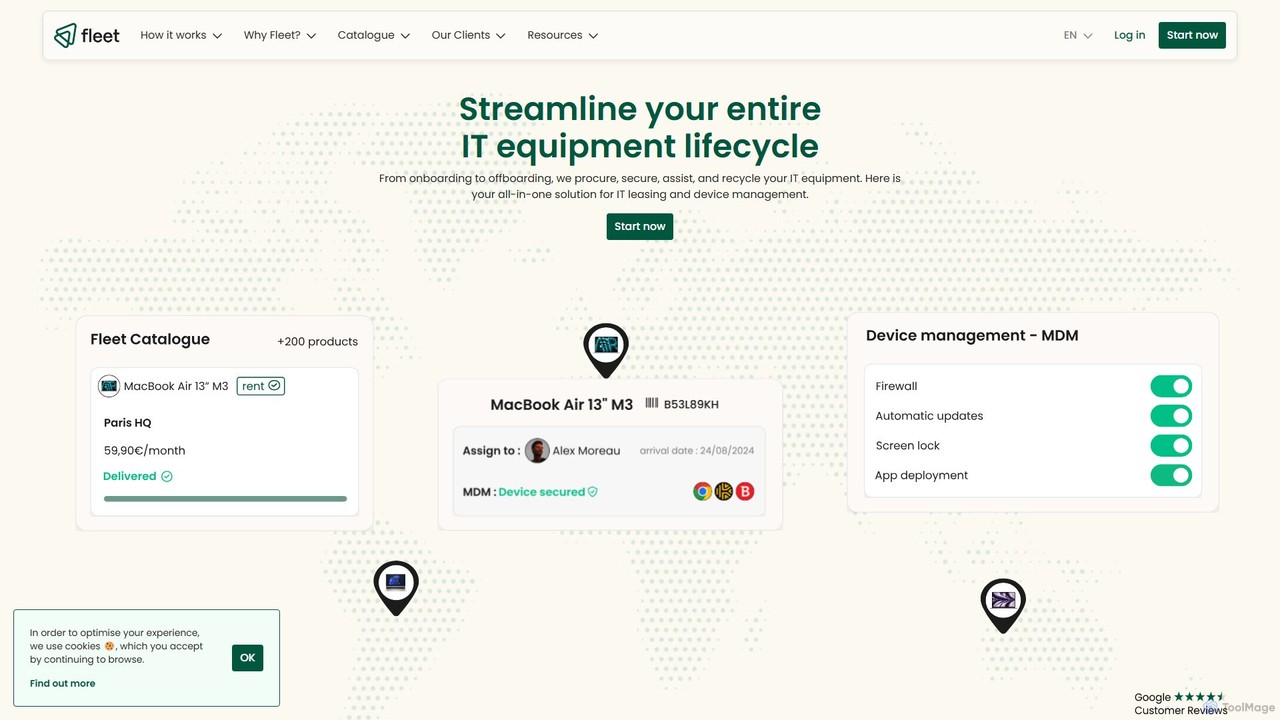
Fleet is an all-in-one IT management platform that simplifies the entire device lifecycle for businesses. It offers equipment leasing, automated onboarding, premium support, and secure device management (MDM). By leveraging AI through its Copilot, Fleet helps companies optimize IT costs, enhance security, and manage their global hardware fleet efficiently from a single, intuitive interface, promoting a responsible and sustainable IT policy.

Operations
Visits 40KFavorites 116Likes 111

About Device Management

AI Device Management tools are a specialized category of IT management software that uses artificial intelligence to automate the monitoring, security, and maintenance of hardware endpoints. These platforms leverage machine learning to analyze device health data, user behavior, and security events in real time. This allows for predictive problem-solving, such as identifying potential hardware failures before they occur and detecting anomalous activity that could indicate a security threat. By automating complex tasks, these tools significantly reduce the manual workload for IT teams and enhance overall organizational security posture.

Core Features

  • Predictive Maintenance: Analyzes device telemetry to forecast hardware failures and recommend proactive servicing.
  • AI-Powered Threat Detection: Uses behavioral analysis to identify and neutralize novel security threats that signature-based systems might miss.
  • Automated Policy Enforcement: Intelligently applies and adjusts security and compliance policies based on user role, location, and device health.
  • Resource Optimization: Monitors application and system performance to automatically optimize battery life and resource allocation.
  • Intelligent Asset Management: Provides real-time visibility into device inventory, usage patterns, and software license utilization.

Use Cases

These tools are essential for organizations with large or distributed device fleets. This includes large enterprises managing thousands of employee laptops and smartphones, educational institutions deploying tablets to students, and healthcare organizations securing devices that handle patient data. They are particularly valuable for companies with remote or hybrid workforces, where centralized, automated control over endpoints is critical for security and operational efficiency.

How to Choose

When selecting an AI Device Management tool, consider the following: the range of supported operating systems (Windows, macOS, iOS, Android, Linux), the depth of its AI-driven security features, and its ability to integrate with your existing IT infrastructure, such as identity providers and helpdesk systems. Also, evaluate the platform's scalability to ensure it can support your organization's growth and the quality of its analytics for providing actionable insights into your device ecosystem.

Device Management use cases

1

Proactive Endpoint Security for a Financial Firm

An IT security administrator at a financial services company is responsible for protecting thousands of employee devices handling sensitive client data. Using an AI Device Management tool, the system continuously monitors for behavioral anomalies. When an employee's laptop exhibits unusual network traffic patterns indicative of a malware infection, the AI immediately isolates the device from the network to prevent lateral movement and automatically initiates a security scan. This reduces the threat response time from hours to seconds, preventing data breaches and ensuring compliance with financial regulations.

2

Automated Device Onboarding for a Remote Workforce

An IT manager at a fast-growing tech company needs to provision laptops for 50 new remote employees each month. Instead of manual configuration, the AI device management platform automates the process. A new laptop is shipped directly to the employee. Upon first login, the AI agent identifies the user's role from the directory and automatically installs the correct software, applies security policies, and configures network access. This zero-touch provisioning approach reduces the IT workload by over 90% per device and ensures every new employee has a secure, ready-to-use machine from day one.

3

Predictive Maintenance for a Logistics Fleet

An operations manager for a delivery company oversees a fleet of 5,000 handheld scanners. Device failure in the field causes significant delivery delays. The AI device management tool analyzes data from each scanner, including battery cycle counts, application crash logs, and drop sensor data. The AI model predicts that 75 specific devices have an 85% probability of battery failure within the next week. The system automatically creates maintenance tickets for these devices, allowing technicians to replace the batteries proactively during off-peak hours, thus preventing operational disruptions and improving delivery success rates.

4

Optimizing Software Licensing Costs

An IT asset manager at a large corporation is tasked with reducing software expenditure. The AI device management tool tracks actual application usage across all 10,000 company devices. The AI analytics dashboard reveals that 300 licenses for a premium design software, costing $50 per month each, have not been used in over 90 days. The manager uses this data-driven insight to re-harvest these licenses and reallocate them to new employees, avoiding the purchase of new licenses and saving the company $180,000 annually. The AI also identifies departments with overlapping software functionalities, suggesting consolidation opportunities.

5

Ensuring Compliance in a Healthcare Setting

A hospital's compliance officer must ensure all devices accessing electronic patient health information (ePHI) are HIPAA compliant. The AI device management tool automates this process. It continuously scans thousands of workstations and tablets to verify that full-disk encryption is active, OS versions are patched, and only authorized applications are installed. If a device falls out of compliance (e.g., a required security update is missing), the AI automatically restricts its access to sensitive data and notifies both the user and IT, creating an auditable trail. This automates compliance reporting and drastically reduces the risk of data breaches.

6

Centralized Management for a School District's Tablets

A school district's IT director manages 10,000 tablets distributed to students. Using an AI device management platform, the IT team can centrally push educational apps, block access to inappropriate websites, and enforce screen time policies across all devices simultaneously. The AI component helps by identifying devices with chronic performance issues or low battery health, flagging them for maintenance. It can also analyze app usage data to provide insights on which educational tools are most effective, helping administrators make better software procurement decisions for the entire district.

Device Management FAQ

What are AI Device Management tools?

AI Device Management tools are advanced software platforms that use artificial intelligence (AI) and machine learning (ML) to automate and enhance the administration of endpoints like laptops, smartphones, and tablets. Unlike traditional tools that rely on manual rules, these systems proactively analyze data to predict hardware failures, detect sophisticated security threats through behavioral analysis, and optimize device performance automatically. They are a specialized subset of IT Management focused on intelligent, autonomous endpoint control.

How do AI Device Management tools differ from traditional MDM/UEM?

The key difference lies in their approach: proactive vs. reactive. Traditional Mobile Device Management (MDM) and Unified Endpoint Management (UEM) tools are primarily rule-based and reactive; they enforce policies you manually configure. AI Device Management tools are proactive and predictive. They use machine learning to:

  • Predict issues: Forecast device failures or performance degradation.
  • Detect unknown threats: Identify zero-day threats through anomaly detection, not just known signatures.
  • Automate intelligently: Make autonomous decisions, like isolating a suspicious device, without waiting for an admin.
In essence, AI elevates UEM from a management tool to an autonomous optimization and security platform.

Who should use AI Device Management tools?

AI Device Management tools are most beneficial for organizations facing complex endpoint environments. This includes:

  • Large Enterprises: Companies managing thousands of diverse devices across multiple locations.
  • Organizations with Remote/Hybrid Workforces: Where direct physical access to devices is limited, requiring robust remote automation and security.
  • Highly Regulated Industries: Sectors like finance, healthcare, and government that need automated compliance monitoring and advanced threat detection.
  • Fast-Growing Companies: Businesses that need to scale their device onboarding and management processes efficiently without a proportional increase in IT staff.

What are the key benefits of using AI for device management?

Integrating AI into device management provides several key benefits. It enhances security by detecting threats that traditional methods miss. It reduces operational costs by automating repetitive IT tasks and predicting hardware failures, which minimizes downtime. Furthermore, it improves the employee experience by proactively resolving issues and optimizing device performance, leading to higher productivity. Finally, it provides deep, data-driven insights into the device fleet, enabling better strategic decisions regarding asset lifecycle and software investment.

How do I choose the right AI Device Management tool?

Choosing the right tool requires evaluating several factors. First, ensure it supports all device operating systems in your environment (e.g., Windows, macOS, iOS, Android). Second, assess the maturity of its AI features—ask for case studies on its predictive maintenance and threat detection capabilities. Third, check its integration capabilities with your core IT systems like identity providers (e.g., Azure AD) and helpdesk software. Finally, consider its scalability and reporting features to ensure it can grow with your organization and provide the actionable insights you need.