ToolMage
Sign in

Best 1 Edutainment AI tools for Kids

Popular Edutainment AI tools in Kids include Narrative Nooks, helping you work more efficiently.

Narrative Nooks
Freemium

Narrative Nooks

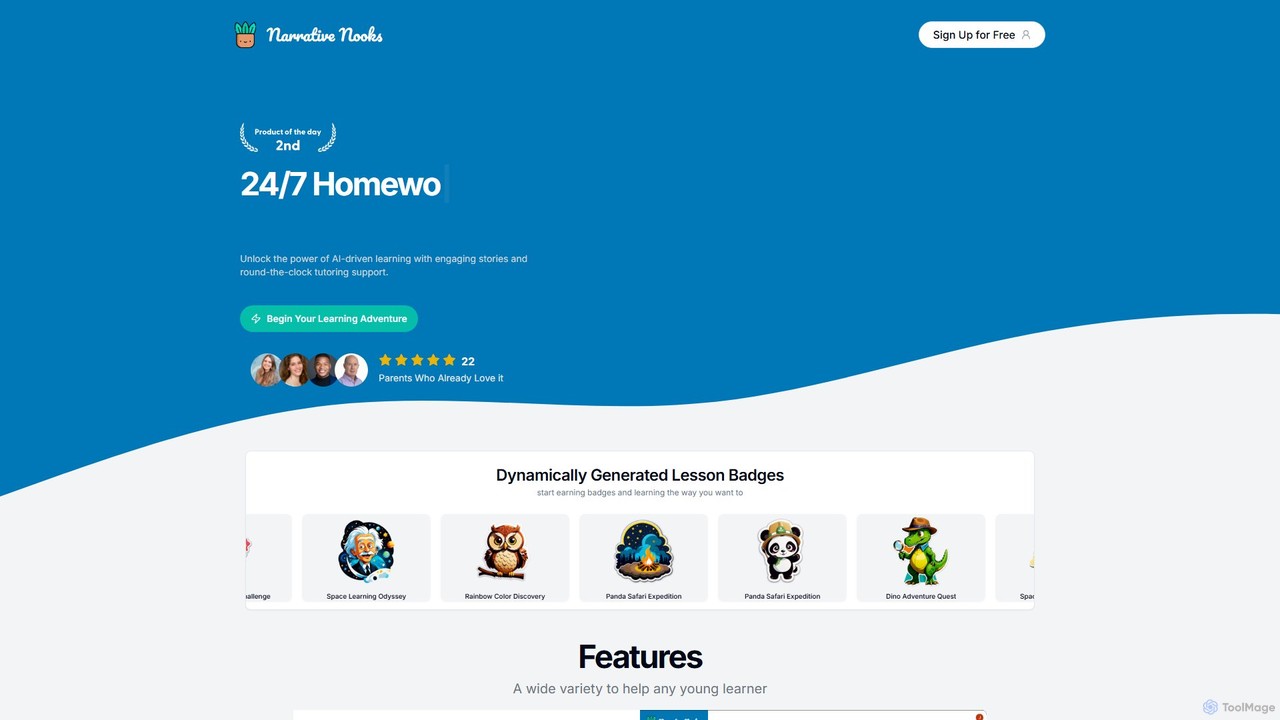
Narrative Nooks is an AI-powered educational platform designed for young learners. It transforms learning into an adventure through personalized, interactive stories and provides 24/7 on-demand tutoring support. The platform aims to make education engaging, accessible, and fun for children.

Personalized Learning
Visits 5.4KFavorites 105Likes 112

About Edutainment

AI Edutainment tools are applications designed to merge educational content with interactive, game-like experiences, making learning for children both engaging and effective. These tools leverage artificial intelligence to create personalized learning paths, adapt content difficulty in real-time, and provide instant, encouraging feedback. The primary value of AI Edutainment is its ability to transform traditionally challenging subjects into enjoyable activities, fostering a genuine curiosity and love for learning. By integrating concepts into captivating narratives and challenges, they help children grasp complex ideas intuitively.

Core Features

  • Adaptive Learning Path: The AI assesses a child's performance and automatically adjusts the difficulty of tasks and lessons to match their skill level.
  • Interactive Storytelling: AI generates dynamic narratives where a child's choices influence the plot, embedding educational concepts within the story.
  • Gamified Challenges: Learning objectives are framed as games, puzzles, or quests with rewards like points and badges to maintain motivation.
  • Intelligent Tutoring & Feedback: AI-driven characters or systems provide immediate hints, explanations, and positive reinforcement.
  • Creative Sandbox Environments: Provides safe, AI-guided spaces for children to experiment with concepts like coding, art, or music without pressure.

Use Cases

AI Edutainment tools are widely used by parents and educators for children in preschool through middle school. They are particularly effective for supplementing formal education at home, introducing complex topics like STEM and languages in an accessible format, and helping children who struggle with traditional learning methods. For instance, a parent might use an app to help their child practice math through a fantasy adventure game, or a teacher could use a tool to create interactive history lessons.

How to Choose

When selecting an AI Edutainment tool, first consider the age appropriateness and ensure the content aligns with your child's developmental stage. Evaluate the educational framework to see if it's based on a sound pedagogical approach. The balance between entertainment and education is crucial; the game elements should support, not distract from, the learning goals. Finally, prioritize tools with robust parental controls, clear privacy policies, and features for tracking a child's progress.

Edutainment use cases

1

Interactive Language Learning Through Storytelling

Parents of preschoolers can use AI Edutainment tools to introduce a new language in a natural, immersive way. Instead of flashcards, the child interacts with an AI-animated character in a story. The child might be prompted to repeat words, answer simple questions, or name objects to help the character. The AI provides real-time pronunciation feedback and adjusts the story's vocabulary based on the child's progress. This method transforms language acquisition from a chore into a playful conversation, significantly improving retention and engagement for young learners.

2

Gamified Math Problem Solving for Elementary Students

An elementary school teacher can assign an AI Edutainment game to make math homework more appealing. In the game, students solve arithmetic or geometry problems to unlock new levels, earn gear for their avatar, or defeat monsters. The AI's adaptive algorithm ensures that the problems are challenging but not frustrating, automatically increasing difficulty as the student masters concepts. The system can also identify areas where a student is struggling and offer targeted mini-games or tutorials to reinforce those specific skills, providing a personalized practice experience that feels like play.

3

Creative Coding Introduction via AI-Guided Puzzles

For children interested in technology, AI Edutainment tools offer a gentle introduction to coding concepts. Instead of writing complex syntax, a child might use a visual block-based interface to guide a character through a maze. An AI tutor provides hints and explains concepts like loops and conditionals in simple terms when the child gets stuck. This puzzle-based approach demystifies programming, teaching logical thinking and problem-solving skills in a creative, goal-oriented environment. It builds a foundational understanding of coding principles that can be applied to more advanced languages later on.

4

AI-Assisted Music and Art Creation

Creative children can use AI Edutainment tools as a digital sandbox for artistic expression. An art application might use AI to suggest color palettes, turn simple doodles into more complex drawings, or create animated characters from a child's sketch. Similarly, a music tool could help a child compose a simple melody by providing AI-generated harmonies or drum beats that fit their tune. These tools lower the technical barrier to creation, allowing children to focus on their ideas and creativity while learning fundamental principles of art and music theory in an interactive, supportive environment.

5

Personalized Reading Comprehension Practice

To improve a child's reading skills, an AI Edutainment app can offer a library of interactive e-books. After reading a passage, the AI asks comprehension questions tailored to the story's complexity and the child's reading level. If the child answers incorrectly, the AI doesn't just give the right answer; it might highlight the relevant sentence in the text or provide a gentle hint. This personalized feedback loop helps children develop critical thinking and reading comprehension skills more effectively than static worksheets, making reading a more engaging and less intimidating experience.

6

Virtual Science Lab for Safe Experimentation

Educators can use AI Edutainment platforms to provide a virtual science lab where students can conduct experiments that would be too dangerous or expensive in a real classroom. For example, students can mix virtual chemicals to see reactions, build complex electrical circuits without risk of shock, or explore planetary physics in a simulated solar system. The AI acts as a lab assistant, guiding students through procedures, explaining scientific principles behind the outcomes, and allowing them to safely explore 'what if' scenarios. This fosters scientific inquiry and a deeper understanding of abstract concepts through hands-on, risk-free exploration.

Edutainment FAQ

What are AI Edutainment tools?

AI Edutainment tools are digital applications that combine educational content with entertainment elements, powered by artificial intelligence. Their primary goal is to make learning enjoyable and more effective for children. Unlike static educational apps, they use AI to create adaptive experiences, such as personalized learning paths, interactive stories that respond to a child's choices, and games that adjust in difficulty based on the user's performance. This creates a highly engaging and individualized learning environment.

How do AI Edutainment tools differ from traditional educational apps?

The key difference lies in personalization and interactivity driven by AI. Traditional educational apps often present a one-size-fits-all curriculum with static content. In contrast, AI Edutainment tools can:

  • Adapt in real-time: They adjust the difficulty and content based on the child's individual pace and understanding.
  • Provide intelligent feedback: Instead of just marking answers right or wrong, they can offer hints and explanations.
  • Create dynamic content: AI can generate new problems, stories, or challenges, ensuring the experience remains fresh and engaging.
  • Foster creativity: Many tools use generative AI to help children create art, music, or stories, acting as a creative partner.
What are the key features to look for in an AI Edutainment tool?

When evaluating an AI Edutainment tool, focus on these essential features:

  • Adaptive Learning: The tool should adjust its difficulty and content to match your child's skill level, providing a personalized challenge.
  • Engaging Interface: It needs to be intuitive, visually appealing, and fun for the target age group to keep them motivated.
  • Clear Educational Goals: The app should have a clear learning objective, whether it's teaching math, coding, or a new language, and its game mechanics should support that goal.
  • Parental Controls and Progress Tracking: Look for features that allow you to monitor your child's activity, set time limits, and see their learning progress over time.
  • Safety and Privacy: Ensure the tool has a strong privacy policy and provides a child-safe, ad-free environment.
Who are AI Edutainment tools best suited for?

AI Edutainment tools are primarily designed for children, typically from preschool to middle school ages (around 3 to 14 years old). However, they are also valuable for several other groups:

  • Parents: Who want to supplement their child's formal education, make learning fun at home, or help them with subjects they find difficult.
  • Educators and Tutors: Who can use these tools in the classroom or in one-on-one sessions to provide personalized instruction and make lessons more interactive.
  • Children with Different Learning Styles: The multi-sensory, interactive nature of these tools can be particularly beneficial for visual, auditory, and kinesthetic learners who may struggle with traditional teaching methods.
How to choose the right AI Edutainment tool for my child?

Choosing the right tool involves considering your child's specific needs and your educational goals. Start by identifying the subject area you want to focus on (e.g., math, reading, coding). Next, research tools that are specifically designed for your child's age group. It's highly recommended to read reviews from other parents and educators. Most importantly, look for a tool that offers a free trial. This allows you and your child to test the interface and content to see if it's a good fit before committing to a subscription. Pay close attention to how engaged your child is during the trial period.