ToolMage
Sign in

Best 2 Live Streaming AI tools for Marketing

Popular Live Streaming AI tools in Marketing include CueCam Presenter and LiveArena, helping you work more efficiently.

CueCam Presenter
Freemium

CueCam Presenter

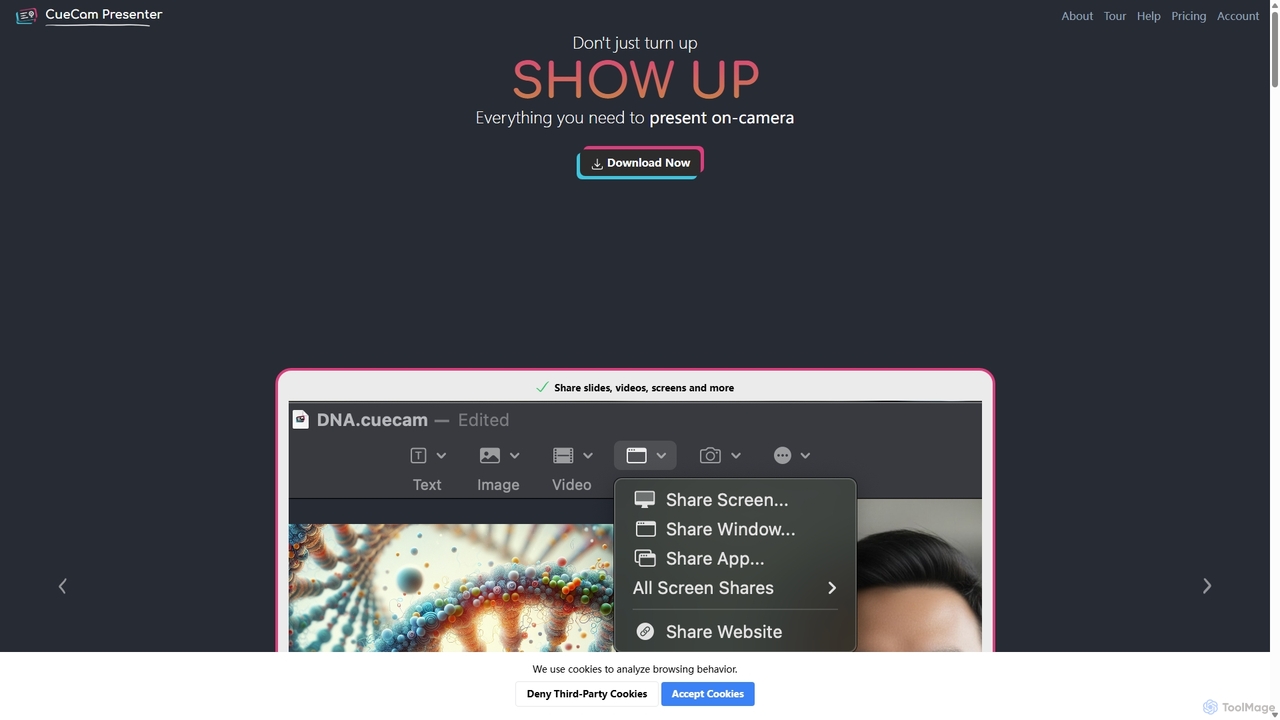
A powerful Mac application that transforms your webcam into a professional presentation studio. It integrates a teleprompter, smart cue cards, screen sharing, and live annotation via iPad. Ideal for remote calls, video recording, and live streaming, it simplifies complex production workflows into a single "next" button.

Live Streaming
Visits 5.8KFavorites 116Likes 102
LiveArena

LiveArena

LiveArena is an AI-powered video production platform that democratizes professional broadcasting. Its AI Producer technology automates tasks like camera switching and graphics insertion, enabling organizations to easily create high-quality live streams and recordings for hybrid meetings, webinars, and events without a large production crew.

Virtual Classroom
Visits 5.7KFavorites 117Likes 129

About Live Streaming

AI Live Streaming tools are applications that use artificial intelligence to enhance and automate the process of broadcasting real-time video content. These tools leverage technologies like machine learning and natural language processing to offer features such as real-time translation, automated camera direction, and intelligent chat moderation. They enable creators and businesses to produce more professional, engaging, and accessible live broadcasts with fewer manual resources, making them a key component of modern digital marketing and communication strategies. Unlike traditional streaming software, AI-powered solutions focus on automating complex production tasks and providing real-time data insights.

Core Features

  • AI Director: Automatically switches between camera angles, speakers, or screen shares to create a dynamic viewing experience.
  • Real-time Translation & Subtitles: Generates multilingual subtitles instantly, making streams accessible to a global audience.
  • Automated Highlight Generation: Identifies and clips key moments from a long stream to create shareable short-form content.
  • Intelligent Audio Enhancement: Uses AI to remove background noise, balance audio levels, and improve vocal clarity.
  • Chat Sentiment Analysis: Monitors audience comments in real-time to gauge mood, identify key questions, and moderate discussions.

Use Cases

These tools are valuable for corporate marketers hosting global webinars, e-commerce businesses conducting live selling events, and online educators aiming to create more interactive classes. Solo content creators and gamers also use them to elevate their production quality without needing a technical team, automating tasks that would otherwise require significant manual effort.

How to Choose

When selecting an AI Live Streaming tool, first evaluate its core AI features and ensure they align with your goals, such as translation or highlight creation. Check its integration capabilities with your target streaming platforms like YouTube, Twitch, or LinkedIn Live. Also, consider whether the tool is cloud-based or runs locally, as this affects performance requirements and latency. Finally, assess the user interface and the level of customization offered.

Featured tool rankings

Live Streaming use cases

1

Host Multilingual Corporate Webinars

A global marketing manager needs to host a product launch webinar for an international audience speaking various languages. Instead of hiring multiple interpreters and managing complex audio feeds, they use an AI Live Streaming tool. The tool's real-time translation feature automatically generates and displays accurate subtitles in languages like Spanish, French, and Japanese. This allows all attendees to understand the content simultaneously, leading to a significant increase in global audience engagement and a more inclusive event experience without the logistical overhead.

2

Automate Highlight Reels for Gamers

A professional gamer streams for several hours daily and needs to create short, engaging clips for social media platforms like TikTok and YouTube Shorts to grow their audience. Manually reviewing hours of footage is time-consuming. By using an AI Live Streaming tool, the software automatically detects and clips exciting moments—such as high-action gameplay, funny reactions, or key victories—based on in-game events and audience chat spikes. This provides a daily set of ready-to-post highlight clips, saving the creator over 80% of their editing time and ensuring a consistent flow of content.

3

Create Professional Solo-Presenter Broadcasts

An online course instructor wants to create a dynamic, multi-camera style presentation by themselves. Without a production crew, managing different angles (e.g., a wide shot, a close-up on a whiteboard, and a screen share) is nearly impossible. They use an AI Director feature within their streaming tool. The AI analyzes their speech and movement, automatically switching between pre-set camera scenes. When they mention a diagram, it switches to the whiteboard; when they reference a slide, it transitions to the screen share. This results in a polished, professional-looking broadcast that keeps students engaged, all produced by a single person.

4

Enhance Audio Quality in Noisy Environments

A journalist is conducting a live interview from a busy city street, where traffic and crowd noise are significant distractions. Using traditional equipment would result in poor audio quality. With an AI-powered streaming tool, its intelligent noise cancellation feature isolates the speakers' voices and suppresses all background noise in real-time. The AI model, trained on thousands of hours of audio, distinguishes human speech from ambient sounds. The result is crystal-clear audio for the audience, making the interview professional and easy to follow despite the challenging recording environment.

5

Moderate Live Chat for E-commerce Streams

An e-commerce brand is hosting a live selling event with thousands of viewers. The chat is flooded with questions, spam, and promotional links from other users, making it difficult for the host to engage with genuine customers. They enable an AI chat moderation feature. The AI automatically filters out spam, hides inappropriate comments, and uses sentiment analysis to highlight urgent customer service issues or highly positive feedback for the host to address. This cleans up the chat, improves the shopping experience, and allows the host to focus on selling and interacting with real potential buyers.

6

Use AI Avatars for 24/7 Broadcasts

A news outlet wants to run a 24/7 live stream channel featuring continuous updates, but hiring human anchors around the clock is prohibitively expensive. They utilize an AI Live Streaming tool that can generate a realistic AI avatar. By feeding text-based news scripts into the system, the AI avatar can read the news aloud with natural-sounding speech and expressions. This allows the outlet to maintain a constant, professional broadcast presence, delivering breaking news and updates at any time of day or night without requiring a human presenter to be physically present, drastically reducing operational costs.

Live Streaming FAQ

What are AI Live Streaming tools?

AI Live Streaming tools are software applications that use artificial intelligence to automate and enhance live video broadcasts. Unlike traditional software that requires manual control, these tools can automatically perform complex tasks such as switching camera angles, generating real-time multilingual subtitles, creating instant highlight clips, and removing background noise. They are designed to help creators and businesses produce higher-quality, more engaging streams with less effort and technical expertise.

How to choose the right AI Live Streaming tool?

To choose the right tool, consider these factors:

  • Core AI Features: Identify your primary need. Do you require real-time translation for a global audience, automated highlight clips for social media, or an AI director for solo presentations?
  • Platform Compatibility: Ensure the tool integrates smoothly with your preferred streaming destinations, such as YouTube, Twitch, Facebook Live, or LinkedIn Live.
  • Performance: Check if the tool is cloud-based or runs locally on your computer. Local processing may require a powerful CPU/GPU, while cloud-based options are more flexible but might introduce latency.
  • Ease of Use: Evaluate the user interface. Some tools are designed for beginners with maximum automation, while others offer more manual control for advanced users.
What's the difference between AI Live Streaming tools and traditional software like OBS?

The key difference is automation versus manual control. Traditional software like OBS (Open Broadcaster Software) provides a powerful framework for you to manually control every aspect of your stream, such as switching scenes, managing audio sources, and adding overlays. AI Live Streaming tools, on the other hand, add a layer of intelligence to automate these tasks. An AI tool might decide *when* to switch scenes based on who is talking, while in OBS, you have to press a button to do it yourself. Essentially, OBS gives you the tools, while AI tools act as your automated production assistant.

Who can benefit from using AI Live Streaming tools?

A wide range of users can benefit from these tools. This includes:

  • Businesses and Marketers: For creating professional webinars and product demos with features like real-time translation and automated branding.
  • Solo Content Creators: To achieve a high-production value look without a crew, using features like an AI director and automated highlights.
  • Educators and Trainers: To make online classes more accessible and engaging with automatic subtitles and real-time transcription.
  • E-commerce Sellers: To manage busy live shopping events with AI chat moderation and automated product showcases.
Do AI Live Streaming tools require a powerful computer?

It depends on the specific tool's architecture. Some AI streaming tools are cloud-based, meaning the heavy AI processing (like translation or video analysis) happens on the company's powerful servers. These tools can often run on standard computers with a good internet connection. Other tools perform all processing locally on your machine, which would require a more powerful computer with a strong CPU and a dedicated GPU to handle real-time video processing without causing lag or performance issues. Always check the system requirements of any tool before committing to it.