ToolMage
Sign in

Best 1 Devsecops AI tools for Security

Popular Devsecops AI tools in Security include GenieEngage, helping you work more efficiently.

GenieEngage
Paid

GenieEngage

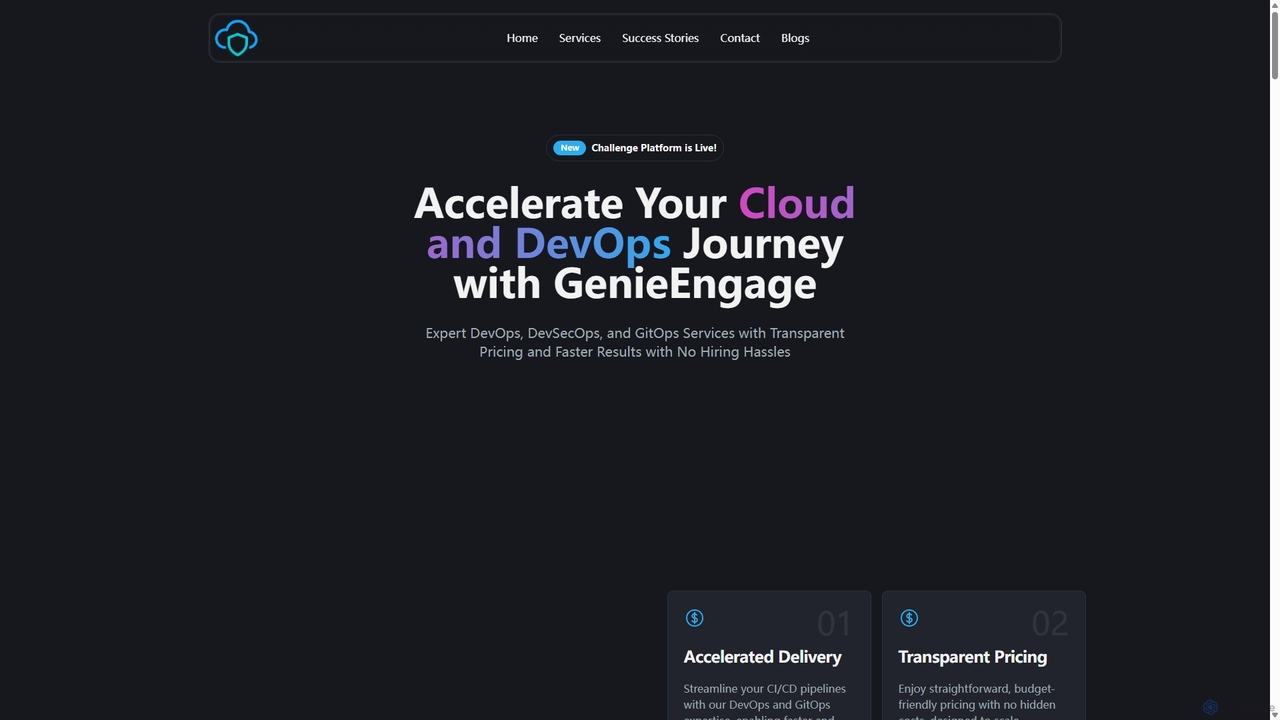
GenieEngage is a DevOps-as-a-Service partner providing expert solutions in DevOps, DevSecOps, and GitOps. It helps businesses accelerate software delivery, enhance security, and scale infrastructure on clouds like AWS, Azure, and GCP, offering a full team of experts as a cost-effective alternative to in-house hiring.

Infrastructure Management
Visits 4KFavorites 129Likes 130

About Devsecops

DevSecOps tools are a class of solutions designed to integrate automated security practices directly into the software development lifecycle (SDLC). These tools leverage AI to automate code analysis, vulnerability detection, and compliance monitoring from the earliest stages of development. By embedding security into the CI/CD pipeline, they enable teams to build and deploy more secure applications at the speed of DevOps. Unlike traditional security tools that operate post-deployment, DevSecOps solutions focus on proactively identifying and fixing flaws before they reach production.

Core Features

  • Automated Code Scanning: Utilizes Static (SAST) and Dynamic (DAST) Application Security Testing to find vulnerabilities in code and running applications.
  • CI/CD Pipeline Integration: Seamlessly embeds security checks and policy enforcement as automated gates within development pipelines like Jenkins or GitLab CI.
  • Infrastructure as Code (IaC) Security: Scans configuration files (e.g., Terraform, Kubernetes YAML) for misconfigurations and security risks before deployment.
  • Software Composition Analysis (SCA): Identifies and manages vulnerabilities within open-source dependencies and third-party libraries.
  • Secret Detection: Automatically finds hardcoded secrets, such as API keys and passwords, within source code to prevent leaks.

Use Cases

DevSecOps tools are essential for technology companies, financial institutions, and healthcare organizations that require rapid and secure software delivery. They are used by DevOps engineers to automate security gates, by developers to receive real-time feedback in their IDEs, and by security teams to enforce policies and gain visibility across the entire development process, especially in cloud-native and microservices architectures.

How to Choose

When selecting a DevSecOps tool, consider its integration capabilities with your existing toolchain (CI/CD, repositories, IDEs). Evaluate the breadth and accuracy of its scanners (SAST, DAST, SCA, IaC) and its ability to minimize false positives. Also, assess its reporting features for compliance needs (e.g., PCI DSS, SOC 2) and the quality of its remediation guidance for developers.

Featured tool rankings

Devsecops use cases

1

Automate Security in CI/CD Pipelines

A DevOps engineer is responsible for maintaining a fast and reliable software delivery pipeline. To prevent security vulnerabilities from reaching production, they integrate a DevSecOps tool directly into their Jenkins pipeline. Now, every time a developer commits new code, the tool automatically triggers a series of security scans, including SAST for static code analysis and SCA for checking open-source dependencies. If a critical vulnerability is found, the pipeline build fails, and an alert is sent to the developer with specific details for remediation. This automated security gate ensures that security is a consistent, non-negotiable part of the development process, not an afterthought.

2

Secure Infrastructure as Code (IaC) Before Deployment

A cloud engineer manages a complex AWS environment using Terraform. A simple misconfiguration, like an overly permissive IAM policy or a publicly exposed S3 bucket, could lead to a major security breach. To prevent this, the engineer uses a DevSecOps tool that scans Terraform files. The tool is integrated into their version control system. Before any `terraform apply` command is run, the tool analyzes the proposed infrastructure changes for security best practice violations. It flags potential issues directly in the pull request, allowing the team to review and fix them before the insecure infrastructure is ever provisioned, effectively hardening their cloud posture from the source.

3

Provide Real-Time Security Feedback to Developers

A software developer is working on a new feature within their VS Code IDE. Instead of waiting for a CI pipeline build to discover a security flaw, they use a DevSecOps tool's IDE plugin. As they write code, the plugin provides real-time, inline feedback. For example, if they write a database query susceptible to SQL injection, the plugin immediately highlights the vulnerable code, explains the risk, and suggests a secure alternative, such as using parameterized queries. This immediate feedback loop helps the developer fix issues instantly and learn secure coding habits, significantly reducing the number of vulnerabilities introduced into the codebase.

4

Manage Vulnerabilities in Open-Source Dependencies

A security analyst is tasked with managing the risks associated with hundreds of open-source libraries used in their company's main application. A new critical vulnerability, like Log4Shell, is discovered and could affect them. Using the Software Composition Analysis (SCA) feature of their DevSecOps tool, the analyst can instantly see a complete inventory of all dependencies across all projects. The tool automatically flags the projects using the vulnerable library version. It not only alerts the team but also provides actionable intelligence, such as recommending the specific version to upgrade to, allowing for rapid, targeted remediation and mitigating supply chain attack risks.

5

Automate Compliance and Audit Reporting

A compliance officer at a financial services company needs to prepare for an upcoming PCI DSS audit. Manually gathering evidence of security controls across the development lifecycle is time-consuming and prone to error. They use a DevSecOps tool configured with PCI DSS policies. The tool continuously monitors the environment, from code commits to production deployments, checking for policy violations. For the audit, the officer generates a comprehensive report from the tool's dashboard with a single click. The report provides auditors with clear, time-stamped evidence of security scans, policy enforcement, and remediation activities, streamlining the audit process and demonstrating continuous compliance.

6

Secure Container Images and Kubernetes Deployments

A platform engineering team is responsible for a large Kubernetes cluster running hundreds of microservices. To secure this environment, they use a DevSecOps tool focused on container security. First, it integrates into their container registry (like Docker Hub or ECR). Before any new image can be used, it is automatically scanned for known vulnerabilities in the OS packages and application libraries. Second, the tool continuously monitors the running Kubernetes cluster. It checks for insecure configurations, such as containers running with root privileges or excessive permissions, and provides alerts and remediation advice. This dual approach secures both the artifacts (images) and the runtime environment (cluster).

Devsecops FAQ

What are DevSecOps tools?

DevSecOps tools are solutions that automate and embed security practices into every phase of the software development lifecycle (SDLC). Their primary goal is to 'shift security left,' meaning security is addressed from the very beginning of development, not as a final step. These tools integrate with developer workflows and CI/CD pipelines to perform automated tasks like static code analysis (SAST), open-source dependency scanning (SCA), and infrastructure as code (IaC) analysis. This allows teams to find and fix vulnerabilities early, accelerating secure software delivery.

How do DevSecOps tools differ from traditional security tools?

The main difference lies in timing and integration. Traditional security tools, like firewalls or web application firewalls (WAFs), typically operate at the perimeter, protecting applications that are already running in production. They are reactive. In contrast, DevSecOps tools are proactive and integrated directly into the development process. They find and fix vulnerabilities in the code, dependencies, and infrastructure configurations *before* the application is deployed. They are designed for developers and DevOps teams, providing fast feedback within the tools they already use, whereas traditional tools are usually managed by a separate security team.

How to choose the right DevSecOps tool?

Choosing the right DevSecOps tool depends on your specific needs. Consider the following factors:

  • Integration: Does the tool seamlessly integrate with your existing CI/CD pipeline (e.g., Jenkins, GitLab), source code repositories (e.g., GitHub), and developer IDEs (e.g., VS Code)?
  • Coverage: Does it provide the types of scanning you need? This could include SAST (static code), DAST (running apps), SCA (dependencies), IaC (infrastructure code), and container scanning.
  • Accuracy: A good tool should have a low rate of false positives to maintain developer trust and avoid alert fatigue.
  • Remediation Guidance: Does it provide clear, actionable advice for developers on how to fix the identified vulnerabilities?
Who typically uses DevSecOps tools?

DevSecOps is a collaborative practice, and the tools are used by multiple roles. Developers use them within their IDEs for real-time code feedback. DevOps/Platform Engineers integrate them into CI/CD pipelines to automate security gates and scan infrastructure code. Security Professionals use them to set security policies, monitor overall risk posture, and manage vulnerabilities across the organization. The goal is to make security a shared responsibility, rather than the sole domain of a separate security team.

How does AI enhance DevSecOps?

AI and machine learning significantly enhance DevSecOps tools by improving accuracy and efficiency. AI algorithms can analyze vast amounts of code to identify complex vulnerability patterns that rule-based scanners might miss. They help reduce false positives by understanding the context of the code, which saves developer time. Furthermore, AI can prioritize alerts by assessing the actual risk and exploitability of a vulnerability, allowing teams to focus on the most critical issues first. Some advanced tools even use AI to suggest automated code fixes for identified problems.