ToolMage
Sign in

Best 1 Malware Detection AI tools for Security

Popular Malware Detection AI tools in Security include wpsafe.ai, helping you work more efficiently.

wpsafe.ai
Paid

wpsafe.ai

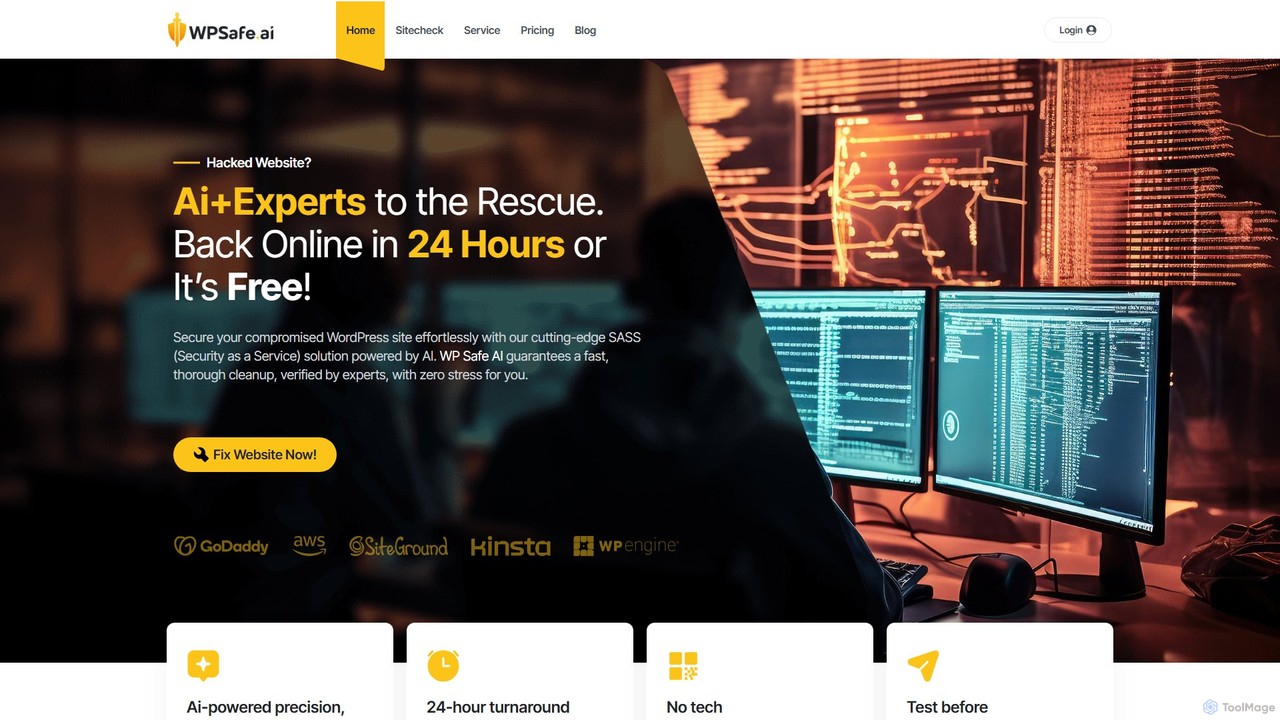
wpsafe.ai is an AI-powered Security as a Service (SaaS) solution designed for stress-free WordPress cleanup. It combines smart algorithms with human expertise to detect and remove malware, pharma hacks, and redirects from compromised websites. The service guarantees a 24-hour turnaround or it's free, requiring no technical skills from the user.

Website Builders
Visits 3.4KFavorites 108Likes 96

About Malware Detection

Malware Detection tools are specialized security solutions that use artificial intelligence and behavioral analysis to identify, block, and analyze malicious software. Unlike traditional antivirus that relies heavily on known signatures, these AI-powered tools predict and detect new, unknown (zero-day) threats by recognizing suspicious patterns and activities. Their primary value lies in providing proactive protection for endpoints, servers, and networks against evolving cyber threats like ransomware, spyware, and trojans. This advanced approach significantly reduces the window of vulnerability and enhances an organization's overall security posture.

Core Features

  • Behavioral Analysis: Monitors system processes and file activities in real-time to detect anomalous behavior indicative of malware.
  • Machine Learning Models: Utilizes trained algorithms to classify files and network traffic as benign or malicious, even without prior signatures.
  • Sandbox Environment: Safely executes suspicious files in an isolated virtual environment to observe their behavior without risking the host system.
  • Threat Intelligence Integration: Connects to global threat databases to stay updated on the latest attack vectors and indicators of compromise (IOCs).
  • Automated Remediation: Automatically quarantines threats, terminates malicious processes, and rolls back system changes upon detection.

Use Cases

These tools are critical for corporate IT and security teams in any industry, especially finance, healthcare, and technology, where data protection is paramount. They are used to secure employee endpoints (laptops, desktops), protect cloud workloads and servers, and analyze potential threats within a Security Operations Center (SOC). Managed Security Service Providers (MSSPs) also leverage them to offer advanced threat protection to their clients.

How to Choose

When selecting a tool, evaluate its detection rate for zero-day threats and its false positive rate. Consider the performance impact on endpoints, as resource-intensive solutions can slow down user productivity. Check for broad platform support (Windows, macOS, Linux, cloud) and seamless integration with existing security infrastructure like SIEM or SOAR platforms. Finally, assess the clarity of the management console and the quality of its reporting features.

Featured tool rankings

Malware Detection use cases

1

Preventing Zero-Day Ransomware Attacks

A security analyst in a financial institution is responsible for protecting thousands of employee endpoints. A user unknowingly clicks a phishing link, downloading a new ransomware variant not yet in any signature database. The AI malware detection tool, running on the endpoint, analyzes the file's behavior in real-time. It detects suspicious actions like rapid file encryption and attempts to delete shadow copies. The tool immediately terminates the process, quarantines the malicious file, and alerts the security team, preventing a widespread network encryption and saving the company from significant financial loss and downtime.

2

Securing Cloud-Native Applications

A DevOps team deploys new application containers daily in a public cloud environment. To prevent compromised containers, they integrate an AI malware detection tool into their CI/CD pipeline. Before deployment, every container image is automatically scanned for known vulnerabilities and embedded malware. During runtime, the tool continuously monitors container behavior for anomalies, such as unexpected network connections or process execution. If a threat is detected, the compromised container is automatically isolated and terminated, ensuring the integrity of the application and protecting customer data without slowing down development cycles.

3

Automating Threat Analysis in a SOC

A Security Operations Center (SOC) analyst receives hundreds of alerts daily about suspicious files found on the network. Manually analyzing each one is impossible. They use an AI malware detection tool with sandboxing capabilities. The analyst submits a suspicious file to the tool, which executes it in a secure, isolated environment. The tool generates a detailed report in minutes, outlining the file's behavior, network communications, registry changes, and a final verdict on its maliciousness. This automates the initial triage process, allowing analysts to focus their efforts on confirmed, high-priority threats.

4

Protecting Against Malicious File Uploads

An e-commerce platform allows users to upload profile pictures and vendors to upload product images. A malicious actor attempts to upload a file disguised as an image but containing a web shell to take over the server. The AI malware detection tool, integrated with the web server, scans every uploaded file before it's saved. Its machine learning model analyzes the file's structure and content, identifying it as a malicious script despite its `.jpg` extension. The upload is blocked, and the attempt is logged, protecting the web application and its user data from being compromised.

5

Investigating Security Incidents with Threat Intelligence

Following a security alert, an incident response team needs to understand the scope of a potential breach. They use an AI malware detection tool that integrates with global threat intelligence feeds. After the tool identifies a malicious file on a server, it automatically cross-references its hash, associated IP addresses, and command-and-control domains with the intelligence database. This provides the team with immediate context about the attacker's identity (threat actor group), their typical tactics, techniques, and procedures (TTPs), and other indicators of compromise (IOCs) to hunt for across the network, accelerating the investigation and containment process.

6

Securing Remote Workforce Endpoints

A company has a large remote workforce using personal and corporate devices to access company resources. The IT security team deploys a cloud-managed AI malware detection agent on all endpoints. This provides consistent protection regardless of the user's location or network. When an employee connects from an unsecured public Wi-Fi and encounters a threat, the agent on their device detects and neutralizes it locally. The event is reported back to the central management console, giving the security team full visibility and control over the security posture of its distributed workforce without requiring a VPN connection.

Malware Detection FAQ

What is AI Malware Detection?

AI Malware Detection is an advanced cybersecurity approach that uses artificial intelligence, primarily machine learning, to identify and neutralize malicious software. Unlike traditional antivirus which mainly relies on a database of known malware signatures, AI-driven tools analyze a file's characteristics and behavior to predict if it's a threat. This allows them to detect new, previously unseen 'zero-day' malware, providing proactive protection against evolving cyber threats like ransomware and spyware.

How does AI Malware Detection differ from traditional antivirus?

The key difference lies in the detection method. Traditional antivirus is reactive, using signature-based detection to match files against a list of known threats. It's effective for known malware but struggles with new variants. AI Malware Detection is proactive. It uses behavioral analysis and machine learning to identify suspicious patterns, such as a program trying to encrypt files or contact a known malicious server. This allows it to stop threats it has never seen before, offering superior protection against zero-day attacks.

What are the key features to look for in a malware detection tool?

When evaluating a malware detection tool, look for several key features. A strong solution should offer:

  • Behavioral Analysis: Real-time monitoring of system activity to catch malicious actions.
  • Machine Learning Core: A proven AI model for detecting unknown threats with a low false-positive rate.
  • Sandboxing: The ability to safely execute suspicious files in an isolated environment for deep analysis.
  • Cross-Platform Support: Protection for all your operating systems, including Windows, macOS, Linux, and cloud environments.
  • Centralized Management: A single console for deploying policies, viewing alerts, and managing all protected devices.
Who needs an AI-powered malware detection solution?

While everyone can benefit from advanced protection, AI-powered malware detection is particularly crucial for businesses and organizations. This includes enterprises handling sensitive customer data (e.g., finance, healthcare), companies with valuable intellectual property, and any organization that is a target for ransomware attacks. It is also essential for companies with a remote workforce or complex IT environments (including cloud and hybrid setups), as it provides a more robust and adaptable defense than traditional security tools.

Can AI malware detection replace my existing antivirus?

In many cases, yes. Modern AI-powered malware detection solutions are often referred to as Next-Generation Antivirus (NGAV) or Endpoint Detection and Response (EDR) platforms. They are designed to be a complete replacement for traditional antivirus software, offering superior detection capabilities that cover both known and unknown threats. However, some organizations choose to layer them with existing security tools as part of a defense-in-depth strategy. It's important to check for compatibility to avoid performance conflicts if running multiple agents.