ToolMage
Sign in

Best 1 Password & Hash Tools for Security

Popular Password & Hash Tools in Security include FreeToolz, helping you work more efficiently.

FreeToolz
Free

FreeToolz

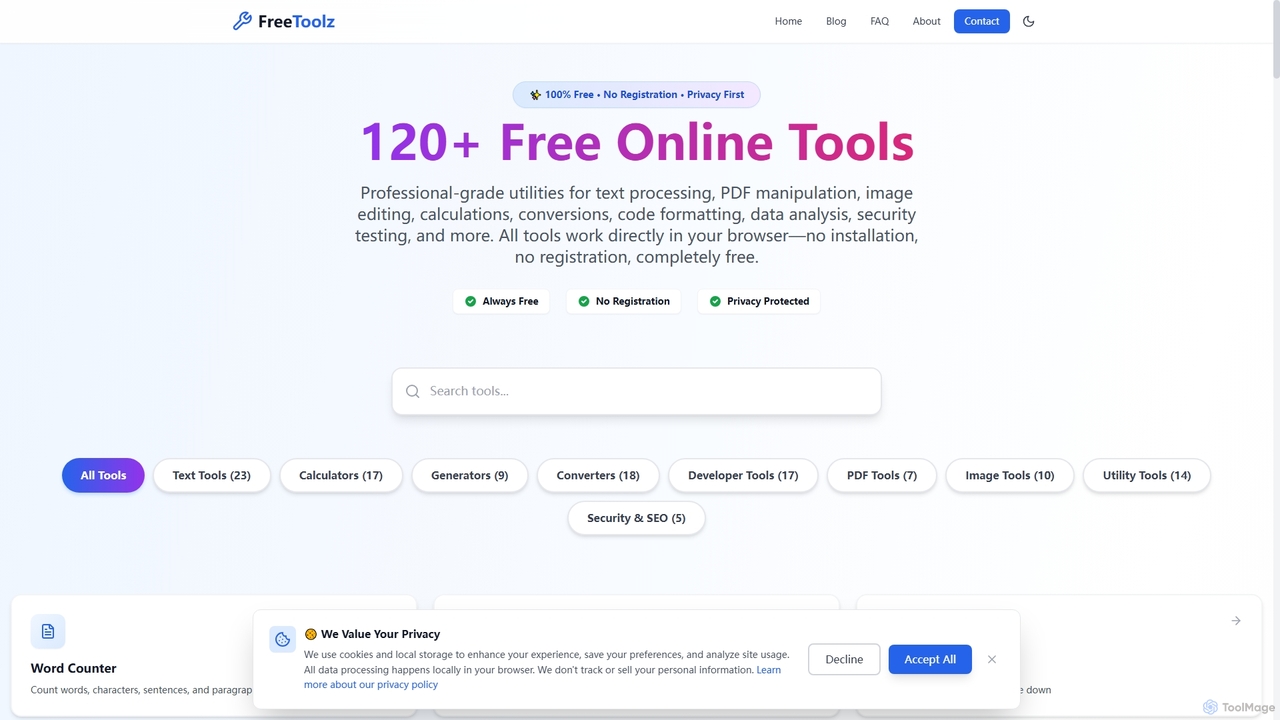
FreeToolz offers a comprehensive suite of over 120 professional-grade online tools for various tasks, including text processing, PDF manipulation, image editing, calculations, conversions, and web development utilities. It's 100% free, requires no registration, and prioritizes user privacy by processing all data locally in your browser. Access a wide array of tools instantly without any installation.

Text Processing
Visits 4.6KFavorites 121Likes 118

About Password & Hash Tools

Password & Hash Tools are AI-powered utilities designed to enhance digital security by generating, managing, and analyzing passwords and cryptographic hashes. These tools leverage advanced algorithms, including machine learning, to create strong, unique passwords, verify data integrity through hashing, and assist in secure data storage. They are crucial for individuals and organizations aiming to protect sensitive information, comply with security protocols, and prevent unauthorized access. By automating complex cryptographic operations, they significantly reduce human error and bolster overall cybersecurity posture.

Core Features

  • Strong Password Generation: Creates complex, unique passwords using AI-driven entropy and randomness.
  • Hash Calculation & Verification: Generates various cryptographic hashes (e.g., SHA-256, MD5) for data integrity checks.
  • Password Strength Analysis: Evaluates existing passwords against common vulnerabilities and provides improvement suggestions.
  • Secure Password Storage Integration: Often integrates with secure vaults or managers to store generated credentials safely.
  • Hash Collision Detection: Identifies potential weaknesses or collisions in hashing algorithms for enhanced security.

Use Cases

Cybersecurity professionals utilize them for penetration testing and auditing system vulnerabilities. Developers integrate these tools into applications for secure user authentication and data integrity checks. Everyday users benefit from generating robust passwords for online accounts, significantly reducing the risk of breaches.

How to Choose

When selecting Password & Hash Tools, consider the range of supported hashing algorithms and password generation complexities. Evaluate integration capabilities with existing security infrastructure, such as password managers or identity management systems. Prioritize tools offering robust security audits and compliance features, ensuring they meet industry standards. Finally, assess the user interface for ease of use, especially for non-technical team members, and check for regular security updates.

Featured tool rankings

Password & Hash Tools use cases

1

Automated Strong Password Generation for Enterprises

IT administrators in large organizations use AI-powered password generators to create unique, complex passwords for hundreds of employee accounts during onboarding or password reset cycles. This ensures compliance with corporate security policies, eliminates weak passwords, and significantly reduces the administrative burden of manual password management, enhancing overall network security.

2

Data Integrity Verification for Software Releases

Software developers and quality assurance teams employ hash tools to generate and verify cryptographic hashes (e.g., SHA-256) for software builds and updates. Before deployment, users can compare the downloaded file's hash with the published hash to confirm that the software has not been tampered with during transit, preventing the distribution of malicious or corrupted code.

3

Auditing Password Security for Compliance

Security auditors and compliance officers leverage password strength analysis tools to periodically assess the robustness of user passwords across an organization's systems. These tools identify weak, reused, or easily guessable passwords, providing actionable insights to enforce stronger password policies and mitigate risks associated with credential-based attacks, ensuring regulatory compliance.

4

Secure API Key and Token Generation

Developers building secure applications or microservices use these tools to generate highly random and cryptographically secure API keys, access tokens, or encryption keys. This ensures that sensitive communication and data access are protected by strong, unpredictable credentials, minimizing the risk of unauthorized access or brute-force attacks on critical system interfaces.

5

Forensic Analysis of Digital Evidence

Digital forensic investigators utilize hash tools to create immutable fingerprints of digital evidence (e.g., hard drives, files) at the beginning of an investigation. Any subsequent changes to the evidence can be immediately detected by re-calculating and comparing the hash, ensuring the integrity and admissibility of evidence in legal proceedings.

6

Personal Secure Password Management

Individual users employ AI password generators to create unique, strong passwords for every online account, from banking to social media. These tools often integrate with personal password managers, allowing users to maintain a diverse set of complex credentials without needing to remember them, thereby protecting against credential stuffing and phishing attacks across various platforms.

Password & Hash Tools FAQ

What are Password & Hash Tools?

Password & Hash Tools are specialized software utilities that leverage AI and cryptographic algorithms to manage and secure digital credentials and data integrity. They primarily focus on generating strong, unique passwords, calculating and verifying cryptographic hashes (like SHA-256 or MD5), and analyzing password strength. These tools are essential for enhancing cybersecurity by protecting sensitive information from unauthorized access and ensuring data authenticity.

How do AI-powered Password Generators work?

AI-powered password generators utilize advanced algorithms, often incorporating machine learning, to create highly random and complex passwords. Unlike simple random generators, AI can analyze patterns of common password weaknesses and generate strings that are specifically designed to resist dictionary attacks, brute-force attempts, and other cracking methods. They ensure high entropy, combining various character types (uppercase, lowercase, numbers, symbols) in unpredictable sequences.

What is the difference between a password and a hash?

A password is a secret string of characters used for authentication to verify a user's identity. A hash, on the other hand, is a fixed-size string of characters generated from an input (like a password or file) using a cryptographic hash function. Hashing is a one-way process; you cannot reverse a hash to get the original input. Hashes are used to store passwords securely (storing the hash, not the password itself) and to verify data integrity, ensuring a file hasn't been altered.

Why are cryptographic hash functions important for security?

Cryptographic hash functions are vital for security because they provide a unique digital fingerprint for any given data. This fingerprint, or hash, is used to verify data integrity and authenticity. If even a single bit of the original data changes, the resulting hash will be completely different. This makes them indispensable for detecting tampering in files, verifying software downloads, and securely storing passwords by comparing hashes instead of plain text.

Who should use Password & Hash Tools?

Password & Hash Tools are beneficial for a wide range of users. Individuals can use them to create strong, unique passwords for all their online accounts, significantly improving personal cybersecurity. Businesses, IT professionals, and cybersecurity experts rely on them for enforcing robust password policies, auditing system security, verifying data integrity in software development, and ensuring compliance with security regulations. Developers also use them for secure authentication mechanisms in applications.