
Jamit
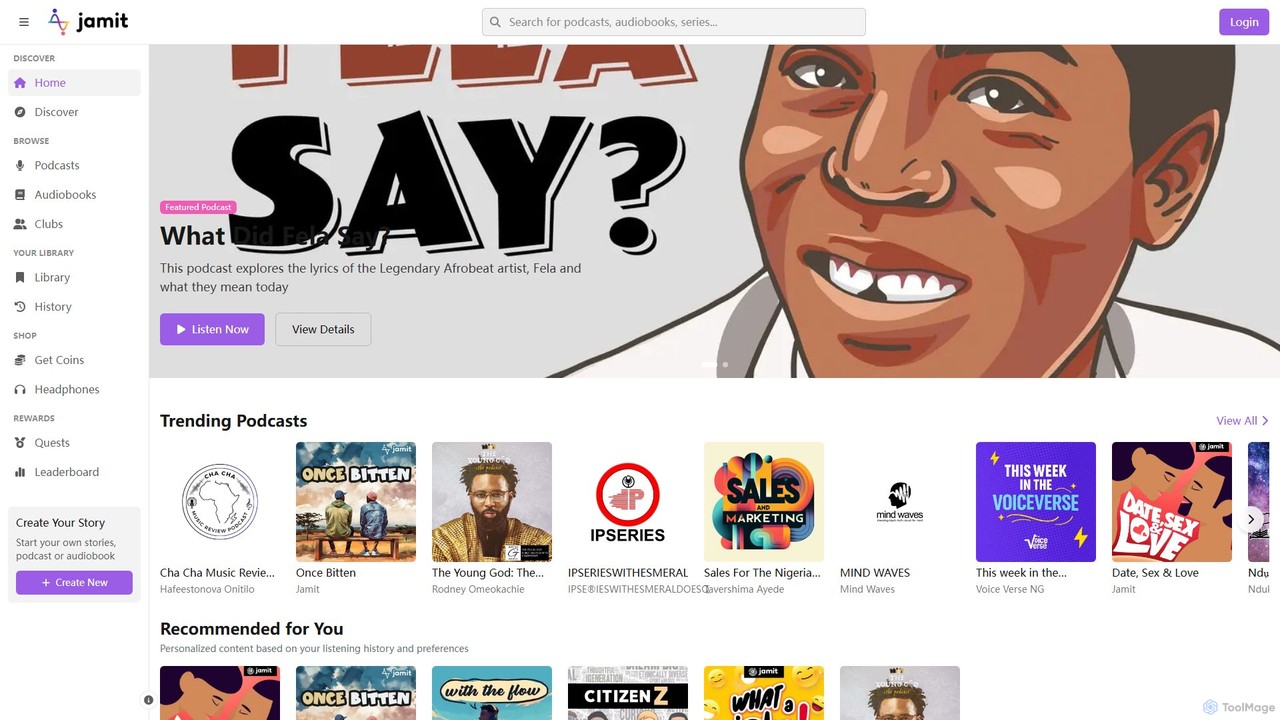
Jamit is an AI-powered audio platform where users can discover, create, and share podcasts and audiobooks. It focuses …
Jamit is an AI-powered audio platform where users can discover, create, and share podcasts and audiobooks. It focuses on empowering creators with the slogan "Own Your Voice, Own Your Story," offering integrated creation tools, AI-driven personalized recommendations, and a gamified community experience to foster engagement and highlight diverse voices, particularly from African creators.
About Broadcasting
AI Broadcasting tools are a class of software that leverage artificial intelligence to automate and enhance the creation, management, and distribution of live or recorded media. These tools utilize technologies like natural language processing (NLP) and computer vision to handle complex production tasks in real-time. They empower creators and organizations to produce professional-quality streams, podcasts, and virtual events with greater efficiency, broader accessibility, and deeper audience engagement. By automating repetitive tasks, these platforms free up broadcasters to focus on delivering compelling content.
Core Features
- Real-time Transcription & Translation: Automatically generate live captions and translate audio into multiple languages to reach a global audience.
- Automated Production Assistance: AI acts as a virtual director, switching camera scenes, displaying graphics, and managing on-screen elements.
- Audience Engagement Analysis: Analyze live chat sentiment, identify key questions, and surface important topics to improve interaction.
- Content Repurposing: Automatically generate highlight clips, summaries, and social media posts from long-form broadcasts.
Use Cases
These tools are widely used by live streamers on platforms like Twitch and YouTube, corporate teams for hosting webinars and virtual conferences, and educators for delivering online courses. Podcasters also use them for audio enhancement and automated show note generation, making them a key part of the modern social and community toolkit.
How to Choose
When selecting an AI Broadcasting tool, consider its integration capabilities with your primary streaming platforms. Evaluate the real-time performance and latency of key features like translation. Also, assess whether the feature set aligns with your needs—be it production automation or audience analytics—and review the pricing model, such as subscription versus pay-per-use.
BroadcastingUse Cases
Enhancing Live Streams for Global Audiences
A content creator streaming on YouTube wants to expand their audience beyond their native language. Using an AI Broadcasting tool, they enable real-time transcription and translation. As they speak, the AI generates accurate captions in their language and simultaneously translates them into multiple other languages, such as Spanish, Japanese, and German. This allows international viewers to understand and engage with the content live, significantly increasing the creator's global reach and fostering a more inclusive community.
Automating Corporate Webinar Production
A marketing team is hosting a weekly webinar with multiple speakers and presentations. Instead of hiring a dedicated production crew, they use an AI Broadcasting tool. The AI acts as a virtual director, automatically switching between the active speaker's camera, their presentation slides, and audience Q&A overlays. It also analyzes the chat to highlight the most relevant questions for the host. This automation reduces production costs and complexity, allowing the team to focus on delivering a high-quality presentation and engaging with their audience.
Repurposing Podcast Content for Social Media
A podcaster records a one-hour interview episode. After the recording, they upload the audio file to an AI Broadcasting tool. The AI automatically transcribes the entire conversation, identifies the most engaging and shareable moments, and generates several short video clips formatted for platforms like TikTok, Instagram Reels, and YouTube Shorts. It even adds animated captions to the clips. This process saves the podcaster hours of manual editing and allows them to efficiently promote their new episode across multiple social channels with compelling, bite-sized content.
Improving Accessibility in Online Education
An online educator conducts live lectures for students with diverse learning needs. By integrating an AI Broadcasting tool into their virtual classroom, they provide real-time captions for students who are deaf or hard of hearing. The AI also generates a full, searchable transcript of the lecture immediately after the session, which benefits all students for revision purposes. This application of AI not only ensures compliance with accessibility standards but also creates a more effective and inclusive learning environment for everyone.
Analyzing Audience Feedback in Live Product Demos
A tech company is demonstrating a new software feature via a live stream. They use an AI Broadcasting tool to monitor the audience chat in real-time. The AI performs sentiment analysis, identifying positive feedback, points of confusion, and feature requests. It summarizes this data into a dashboard for the product team, allowing them to instantly gauge audience reaction and address critical questions live. This immediate feedback loop is invaluable for product development and improves customer communication during launch events.
Creating Instant Highlights for Gaming Streams
A professional gamer streams for several hours on Twitch. Manually finding and clipping the best moments for social media is time-consuming. Their AI Broadcasting tool analyzes the game stream in real-time, detecting exciting events like multi-kills, victories, or funny moments based on game data and audience reactions (e.g., spikes in chat activity). Immediately after the stream ends, the AI presents a collection of auto-generated highlight clips, ready to be shared. This allows the gamer to quickly engage their community on other platforms without spending hours reviewing footage.