Cara
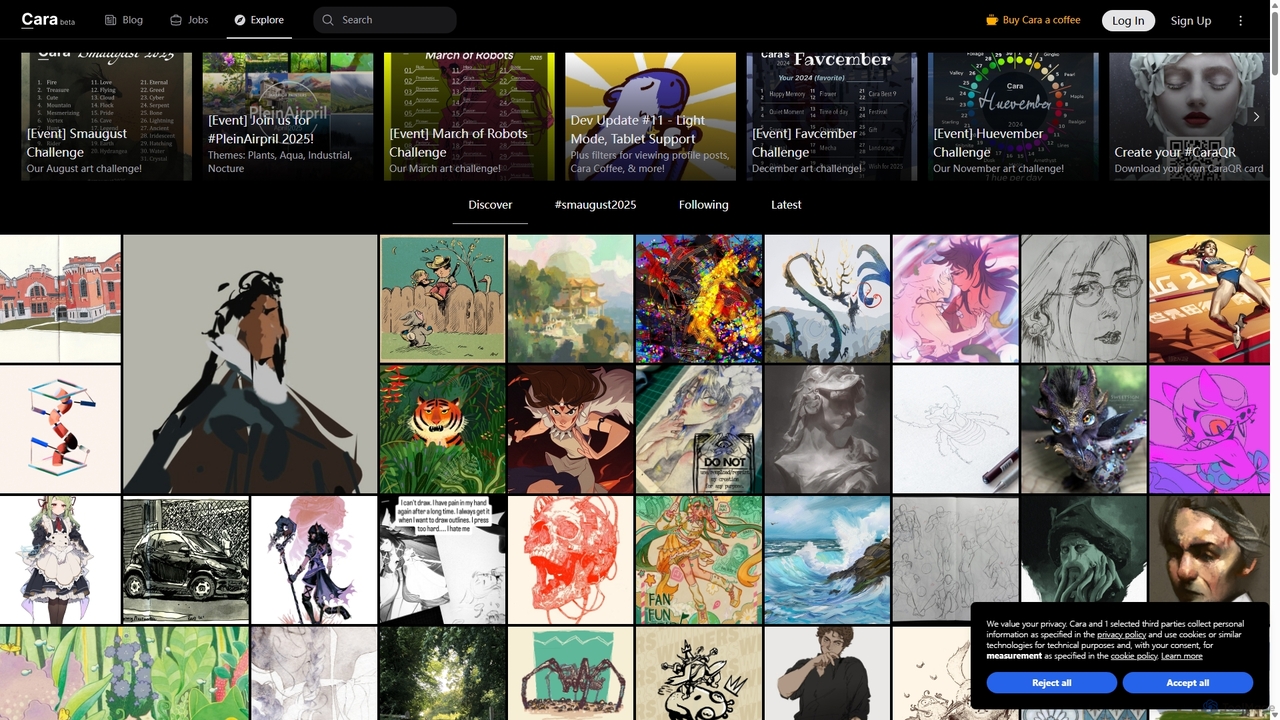
Cara is a social and portfolio platform for artists and art enthusiasts, designed as a response to the …
Cara is a social and portfolio platform for artists and art enthusiasts, designed as a response to the rise of generative AI. It prioritizes human-made art by actively filtering out AI-generated images. It offers a customizable social feed, professional portfolio tools, a jobs board, and features like Cara Glaze integration to protect artists' work. It's a community-focused space for creatives to connect, share their work, and find opportunities in a supportive, AI-free environment.
About Art & Design
AI Art & Design tools are platforms that use artificial intelligence to foster creative communities and collaborative design processes. These tools leverage generative models and machine learning to enable shared creation, automated feedback, and discovery within a social context. They are designed not just for individual creation, but to enhance interaction, co-creation, and the development of a collective aesthetic among users. This focus on community makes them a distinct subset of social and community platforms.
Core Features
- Collaborative Workspaces: Enables multiple users to co-create or edit designs in real-time with AI-powered suggestions and assistance.
- AI-Powered Curation: Algorithms that analyze and showcase community artwork, helping members discover new artists and trending styles.
- Community Style Models: AI that learns a group's unique aesthetic to generate new assets or variations that align with the community's visual identity.
- Automated Design Feedback: Provides instant, objective critiques on aspects like composition, color harmony, and accessibility for submitted designs.
Applicable Scenarios
These tools are ideal for brand design teams working on a unified visual identity, online art communities hosting collaborative projects or challenges, and game development guilds creating consistent in-game assets. They also serve educational environments for facilitating peer review and group design exercises.
Selection Criteria
When choosing a tool, evaluate the robustness of its real-time collaboration features, the quality and controllability of its AI models, and its community management capabilities, such as content moderation and member roles. Also, consider its integration possibilities with other design software or social platforms.
Art & DesignUse Cases
Collaborative Brand Identity Development
A startup's marketing team uses an AI design platform to develop their visual identity. Team members in different locations can simultaneously work on logo concepts, color palettes, and social media templates. The AI suggests design variations based on initial inputs, ensures consistency across all assets, and generates mockups to visualize the brand in real-world scenarios. This collaborative process accelerates decision-making and helps build a cohesive brand image from the ground up within a shared, interactive environment.
Hosting a Community Art Challenge
An online art community moderator uses an AI platform to organize a weekly art challenge. The AI generates a unique creative prompt each week, such as 'cyberpunk forest shrine.' Members submit their interpretations, created with the platform's collaborative tools. The platform then creates a dynamic gallery, and its AI curation feature highlights diverse and high-quality submissions. This fosters engagement, encourages participation, and helps build a vibrant, creative community around a shared activity.
Developing Game Assets with a Guild
An indie game development guild uses a collaborative AI design tool to create a consistent art style for their project. Artists, designers, and writers work in a shared space to generate character concepts, environmental textures, and UI elements. The platform's AI is trained on the guild's initial mood board and style guide, ensuring all generated assets adhere to the established aesthetic. This streamlines the asset creation pipeline and ensures visual cohesion across the entire game, even with a distributed team.
AI-Assisted Art Education and Peer Feedback
An online art course instructor uses a platform where students submit their design assignments. An AI first provides automated feedback on technical aspects like rule of thirds, color balance, and contrast ratios. This initial analysis gives students immediate, objective data. Following this, the platform facilitates a peer review session where students, guided by the AI's initial points, provide more nuanced, creative feedback to each other, fostering a collaborative and constructive learning community.
Curating a Virtual Community Exhibition
A digital art community manager plans a virtual exhibition. Members submit their artwork to a central platform. An AI tool assists the curator by analyzing all submissions and automatically grouping them based on style, color palette, or theme. It can also generate different virtual gallery layouts to help visualize the exhibition flow. This allows the curator to focus on the narrative aspect of the exhibition while the AI handles the logistical task of sorting and initial arrangement, making large-scale community events more manageable.
Generating Personalized Avatars for a Social Platform
A social gaming platform integrates an AI Art & Design tool to allow users to create unique avatars. The tool is pre-trained on the game's art style. Users can input text prompts or combine existing community-made assets to generate personalized characters. The platform highlights popular community-created styles, encouraging users to remix and build upon each other's creations. This not only enhances user personalization but also strengthens community identity through a shared and evolving visual language.