ToolMage
Sign in

Best 1 Analysis AI tools for Video & Image

Popular Analysis AI tools in Video & Image include Posturise, helping you work more efficiently.

Posturise
Freemium

Posturise

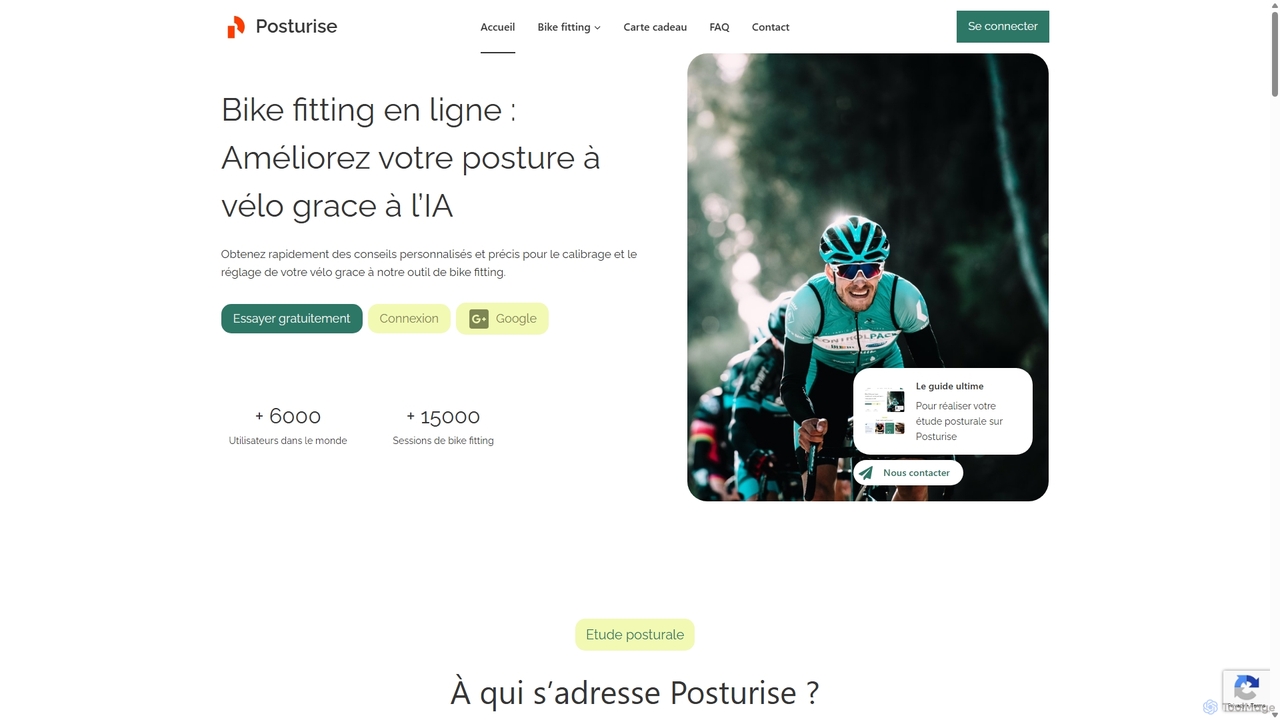
Posturise is an AI-powered online bike fitting tool that analyzes your cycling posture through video. It provides personalized, data-driven recommendations to optimize your bike setup for improved comfort, enhanced performance, and injury prevention. Ideal for all cyclists, from beginners to professionals.

Sports
Visits 6.1KFavorites 125Likes 114

About Analysis

Analysis tools are AI-powered solutions specifically designed to extract meaningful insights and structured data from video and image content. Leveraging advanced computer vision and machine learning algorithms, these tools can automatically identify objects, faces, activities, and patterns within visual media. They transform raw visual data into actionable intelligence, enabling automated monitoring, content understanding, and data-driven decision-making across various industries.

Core Features

  • Object & Scene Recognition: Automatically identifies and categorizes specific objects, people, or entire scenes within images and video frames.
  • Behavioral & Activity Analysis: Detects and interprets human or object movements, actions, and interactions to understand patterns or anomalies.
  • Facial & Emotion Recognition: Identifies individuals and analyzes facial expressions to infer emotions or demographic information.
  • Content Moderation: Scans visual content for inappropriate, harmful, or policy-violating elements, ensuring compliance and safety.
  • Metadata Extraction: Automatically generates descriptive tags, timestamps, and other contextual information from visual assets for better organization and searchability.

Applicable Scenarios

These tools are crucial for sectors like security, retail, media, and manufacturing. Security teams use them for real-time anomaly detection in surveillance footage, while retailers gain insights into customer behavior. Media companies automate content tagging, and manufacturers employ them for quality control and defect detection on production lines.

How to Choose

When selecting an AI analysis tool, consider its accuracy in object/activity detection, the breadth of its recognition capabilities, and its integration with existing systems. Evaluate its scalability for processing large volumes of data, the level of customization offered for specific analysis tasks, and its compliance with privacy regulations, especially for facial recognition features.

Featured tool rankings

Analysis use cases

1

Real-time Anomaly Detection in Surveillance

Security personnel in public spaces or industrial facilities utilize AI analysis tools to monitor live camera feeds. The tools automatically detect unusual activities, unauthorized access, or suspicious objects, triggering alerts for immediate human review. This significantly enhances security response times and reduces the need for constant manual monitoring, improving overall safety and operational efficiency.

2

Customer Behavior Analysis in Retail Stores

Retail managers deploy AI video analysis to understand customer movement patterns, dwell times in specific aisles, and product interaction. By analyzing anonymous video data, they can optimize store layouts, product placements, and staffing levels. This leads to improved customer experience, increased sales conversions, and more efficient store operations without compromising individual privacy.

3

Automated Content Tagging for Media Archives

Media companies and content creators use AI analysis tools to automatically tag and categorize vast libraries of video and image assets. These tools can identify key subjects, locations, emotions, and actions within the content, generating rich metadata. This significantly streamlines content management, making assets easily searchable and retrievable for editing, licensing, or distribution, saving countless hours of manual labor.

4

Automated Quality Control in Manufacturing

Manufacturers integrate AI image analysis into their production lines to perform automated quality inspections. Cameras capture images of products, and AI tools instantly detect defects, anomalies, or deviations from specifications that might be missed by the human eye or traditional methods. This ensures consistent product quality, reduces waste, and significantly speeds up the inspection process, leading to higher production efficiency and cost savings.

5

Sports Performance and Strategy Analysis

Sports analysts and coaches leverage AI video analysis to gain deep insights into player performance, team strategies, and opponent tactics. Tools can track player movements, analyze shot accuracy, identify defensive formations, and even assess fatigue levels from video footage. This data-driven approach helps teams refine training programs, optimize game strategies, and make informed decisions to enhance competitive advantage.

6

Environmental Monitoring and Wildlife Tracking

Researchers and conservationists employ AI image and video analysis for environmental monitoring, such as tracking deforestation from satellite imagery or identifying wildlife in camera trap footage. These tools can automatically count animal populations, detect illegal logging activities, or monitor changes in ecosystems over time. This provides critical data for conservation efforts, policy-making, and understanding ecological impacts with greater efficiency and accuracy.

Analysis FAQ

What are AI Analysis tools for video and image?

AI Analysis tools for video and image are software solutions that use artificial intelligence, primarily computer vision, to automatically interpret and extract information from visual content. They go beyond simple viewing to identify objects, people, actions, and patterns within images and videos. These tools are crucial for transforming unstructured visual data into structured, actionable insights for various applications like security, retail, and content management.

How do AI Analysis tools differ from traditional image processing software?

Traditional image processing software typically relies on predefined rules and manual input for tasks like editing, filtering, or basic measurement. AI Analysis tools, however, use machine learning models trained on vast datasets to understand context, recognize complex patterns, and make intelligent inferences autonomously. This allows them to perform advanced tasks like object detection, behavioral analysis, and content moderation with high accuracy and minimal human intervention, offering deeper insights than traditional methods.

What types of data can AI analysis tools extract from video and images?

AI analysis tools can extract a wide range of data from visual content. This includes identifying and counting specific objects (e.g., vehicles, products), recognizing faces and their attributes (e.g., age, gender, emotion), detecting activities and behaviors (e.g., walking, running, loitering), classifying scenes (e.g., indoor, outdoor, specific locations), and even extracting text from images (OCR). They can also provide metadata like timestamps, location, and camera information, enriching the visual data with contextual insights.

Who benefits most from using AI video and image analysis?

A wide range of users and industries benefit significantly. Security and surveillance professionals gain enhanced monitoring capabilities. Retailers and marketers acquire deep insights into customer behavior and product engagement. Media and entertainment companies streamline content management and metadata generation. Manufacturers improve quality control and defect detection. Researchers and environmentalists can automate data collection for studies. Essentially, anyone dealing with large volumes of visual data seeking to automate interpretation and extract actionable intelligence will find these tools invaluable.

What are the key considerations when choosing an AI Analysis tool?

When selecting an AI Analysis tool, prioritize accuracy in its core functions like object or facial recognition, as false positives can be costly. Consider its scalability to handle your data volume and its integration capabilities with your existing infrastructure. Evaluate the level of customization for specific tasks, privacy compliance (especially for sensitive data), and the clarity of its reporting and analytics features. Finally, assess the vendor's support, pricing model, and the tool's ease of use for your team.