
ToolMage
Sign in

Best 1 Video Effects AI tools for Video

Popular Video Effects AI tools in Video include Webcam Effects, helping you work more efficiently.

Webcam Effects
Freemium

Webcam Effects

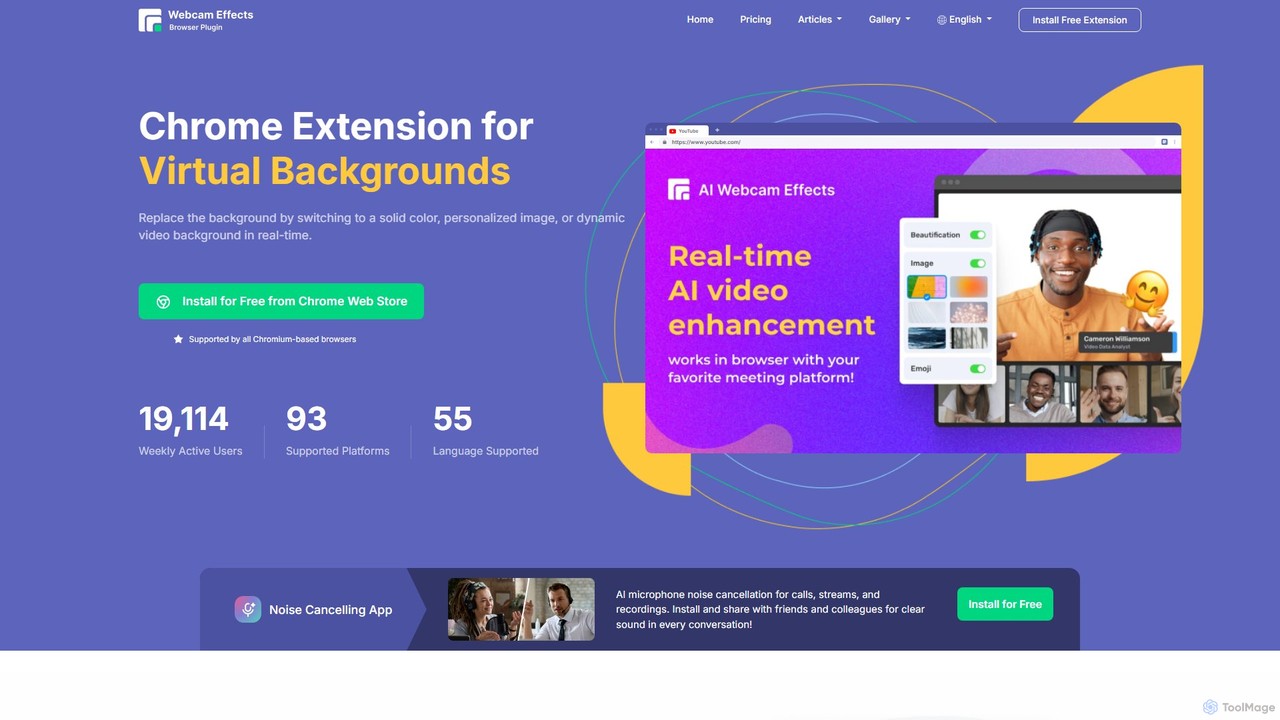
Webcam Effects is an AI-powered Chrome extension that enhances your video calls directly in your browser. It offers features like virtual backgrounds, background blur, auto-framing, beautification, and real-time emoji reactions. Compatible with major platforms like Google Meet, Zoom, and Teams, it helps you maintain a professional look, protect your privacy, and make your video conversations more engaging.

Chrome Extensions
Visits 39KFavorites 119Likes 131

About Video Effects

AI Video Effects tools are a specialized class of software that uses artificial intelligence to automatically apply complex visual styles, enhancements, and artistic transformations to video footage. These tools leverage deep learning models like GANs and neural networks to analyze video content and perform tasks that traditionally require extensive manual work, such as rotoscoping or style transfer. They empower creators to achieve high-quality, cinematic visuals quickly, dramatically reducing production time and technical barriers. This makes professional-grade effects accessible beyond large studios.

Core Features

  • AI Style Transfer: Applies the artistic style of a famous painting or a custom image to video footage, frame by frame.
  • Automated Rotoscoping: Intelligently isolates and cuts out subjects from their background without manual masking.
  • Intelligent Color Grading: Analyzes video content and automatically applies cinematic color schemes or matches colors between different shots.
  • Object Removal & Replacement: Seamlessly removes unwanted objects or people from a scene and realistically fills in the background.
  • AI Frame Interpolation: Generates new frames to create ultra-smooth slow-motion effects from standard-speed footage.

Use Cases

These tools are widely used by social media content creators, independent filmmakers, and marketing teams. For instance, a marketer can quickly apply a consistent visual effect across a campaign's video ads. An indie filmmaker can use automated rotoscoping for visual effects shots that would otherwise be too time-consuming or expensive to produce.

How to Choose

When selecting an AI Video Effects tool, consider the specificity and quality of the effects library. Evaluate its processing speed and whether it operates locally or in the cloud, which impacts hardware requirements. Check for integration capabilities with professional editing software like Adobe Premiere Pro or Final Cut Pro. Finally, assess the level of user control over the effect parameters and the pricing model (subscription vs. one-time purchase).

Video Effects use cases

1

Creating Stylized Social Media Clips

A social media manager needs to produce a series of eye-catching short videos for an Instagram campaign. Instead of using standard filters, they use an AI Video Effects tool to apply a consistent 'anime' or 'comic book' style across all clips. The AI analyzes each video and transforms it into the desired artistic style in minutes. This creates a unique and memorable brand aesthetic that stands out in a crowded feed, without requiring the budget for a motion graphics artist.

2

Automating Rotoscoping for VFX Shots

An independent filmmaker is working on a sci-fi short film and needs to place an actor in a futuristic cityscape. Manually rotoscoping the actor frame-by-frame would take days. By using an AI Video Effects tool, they upload the footage and the AI automatically generates a precise matte separating the actor from the background. This process takes less than an hour, freeing up the filmmaker to focus on creative aspects like composition and color grading, achieving a professional VFX shot on a limited budget.

3

Enhancing Real Estate Video Tours

A real estate agent filmed a property tour on an overcast day, making the footage look dull. Using an AI Video Effects tool, they apply a 'sky replacement' effect. The AI detects the gray sky and seamlessly replaces it with a bright, sunny sky with realistic clouds. Additionally, they use an 'auto-enhance' feature that intelligently boosts colors and contrast, making the property's interior and exterior look more vibrant and appealing to potential buyers, all achieved in a few clicks without complex editing skills.

4

Creating Smooth Slow-Motion from Standard Footage

A sports vlogger captures a game-winning shot with their phone, but it was filmed at a standard 30 frames per second. To emphasize the moment, they want a dramatic slow-motion replay. They use an AI Video Effects tool with frame interpolation. The AI analyzes the motion between existing frames and generates new, intermediate frames to create a high-quality, smooth slow-motion clip at 120 or 240 fps. This produces a professional-looking result without the need for a specialized high-speed camera.

5

Removing Distractions from Interview Footage

A corporate video producer has an excellent interview take, but a coffee cup was accidentally left on the table in the shot, creating a distraction. Instead of reshooting, they use an AI Video Effects tool's object removal feature. They simply draw a rough mask around the cup in one frame, and the AI tracks and removes it throughout the entire clip, intelligently reconstructing the background behind it. The final video is clean and professional, saving significant time and cost associated with a reshoot.

6

Applying Consistent Cinematic Color Grades

A travel vlogger has footage from multiple days with different lighting conditions, making the final video look inconsistent. They use an AI Video Effects tool for intelligent color grading. They can either select a cinematic preset like 'Teal & Orange' which the AI intelligently applies to all clips, or they can use a reference image from a movie. The AI analyzes the reference and automatically matches the color and tone of all their video clips to it. This creates a cohesive, professional look for the entire vlog with minimal manual color correction.

Video Effects FAQ

What are AI Video Effects tools?

AI Video Effects tools are specialized software that use artificial intelligence to automate complex and creative visual alterations in video. Unlike traditional editors that require manual adjustments, these tools can perform tasks like applying artistic styles (style transfer), automatically cutting out subjects (rotoscoping), or seamlessly removing unwanted objects. They are designed to achieve high-end visual effects quickly and with less technical expertise, making them accessible to a broader range of creators.

How do AI Video Effects differ from standard video editors?

Standard video editors (like Adobe Premiere Pro or Final Cut Pro) focus on the structure of a video: cutting, arranging clips, adding text, and manual color correction. AI Video Effects tools are specialized for automating complex visual transformations within those clips. Key differences include:

  • Focus: Editors are for assembly and timeline management; AI tools are for applying specific, advanced visual effects.
  • Process: Editors rely on manual keyframing and adjustments; AI tools use algorithms to analyze content and apply effects automatically.
  • Use Case: You use an editor to build your video story, then use an AI effects tool (often as a plugin) to enhance specific shots with effects that would be difficult or time-consuming to create manually.
How to choose the right AI Video Effects tool?

Choosing the right tool depends on your specific needs. Consider these factors:

  • Effect Quality and Variety: Does the tool offer the specific effects you need (e.g., style transfer, sky replacement), and is the output quality high and free of artifacts?
  • Workflow Integration: Does it work as a standalone application, or does it integrate as a plugin with your primary video editor (e.g., Premiere Pro, DaVinci Resolve)? A plugin is often more efficient.
  • Performance: Is the tool cloud-based or does it run locally? Local processing requires a powerful computer (especially a good GPU), while cloud processing depends on internet speed and may have privacy implications.
  • Control and Customization: How much control do you have over the effects? Can you adjust parameters, or is it a one-click solution? More control is better for professional work.
Who should use AI Video Effects tools?

AI Video Effects tools are valuable for a wide range of users. This includes:

  • Content Creators & YouTubers: To quickly add unique visual flair to their videos, create engaging intros, or produce effects that would normally be out of reach.
  • Social Media Managers: To create stylized and attention-grabbing video ads and posts that stand out on platforms like Instagram and TikTok.
  • Independent Filmmakers: To achieve complex VFX shots like rotoscoping or object removal on a limited budget and timeline.
  • Marketing Professionals: To enhance corporate videos, product demos, and promotional materials with polished, professional effects without hiring a dedicated VFX artist.
Does using AI for video effects require a powerful computer?

It depends on the tool's architecture. There are two main types:

  • Cloud-based tools: These tools process your video on powerful remote servers. You only need a stable internet connection and a standard computer to upload your footage and download the results. This is a great option if you don't have high-end hardware.
  • Desktop applications: These tools run locally on your machine. They often require significant computing power, especially a modern, powerful graphics card (GPU) with ample VRAM, to process effects in a reasonable amount of time. Always check the system requirements before purchasing or subscribing to a desktop-based tool.