Waveroom
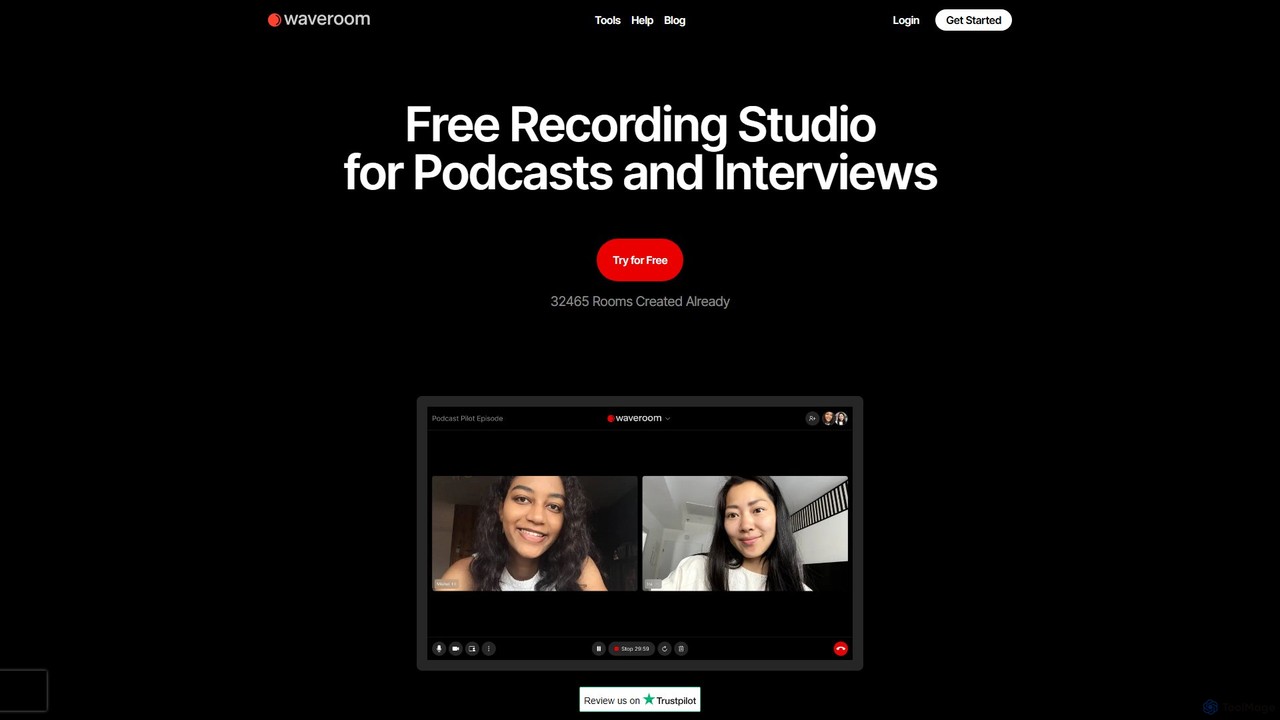
Waveroom is a free, browser-based online recording studio designed for high-quality remote podcasts and video interviews. It uses …
Waveroom is a free, browser-based online recording studio designed for high-quality remote podcasts and video interviews. It uses local recording technology to capture crystal-clear, multi-track audio and video from each participant, ensuring top-notch quality regardless of internet connection stability. Key features include AI noise removal, transcription, and support for up to 2K video and uncompressed WAV audio.
About Video Recording
Video Recording tools are AI-powered applications designed to capture digital video content from various sources, such as screens, webcams, and external devices. These tools leverage AI to enhance recording quality, automate post-production tasks, and provide intelligent features like noise cancellation and virtual backgrounds. They offer significant value for content creators, educators, and businesses by streamlining the creation of tutorials, presentations, and online meeting archives, making the process more efficient and professional.
Core Features
- Multi-Source Capture: Simultaneously record screen, webcam, and audio from different inputs.
- AI Noise Reduction: Automatically eliminate background noise from audio recordings for clearer sound.
- Virtual Backgrounds: Replace real backgrounds with custom images or videos during webcam recording.
- Automated Transcription: Generate text transcripts from spoken audio, improving accessibility and searchability.
- Smart Annotation & Editing: Add real-time annotations and perform basic AI-assisted edits post-recording.
Use Cases
These tools are widely adopted across various sectors. Educators use them to create engaging online lectures and tutorials, while marketing teams capture product demos and webinars for promotional content. IT support staff record troubleshooting steps, and gamers share their gameplay highlights.
How to Choose
When selecting a video recording tool, consider its capture capabilities (screen, webcam, audio), AI features (noise reduction, virtual backgrounds, transcription), output formats and sharing options, and integration with other platforms. Evaluate ease of use, system resource impact, and pricing models to find the best fit for your specific recording needs.

Video RecordingUse Cases
Create Engaging Online Tutorials
Educators and trainers utilize AI video recording tools to produce high-quality online courses and software tutorials. They can simultaneously record their screen demonstrating software, their webcam explaining concepts, and their voice, while AI features like noise reduction ensure clear audio. This streamlines the creation of professional educational content, making learning more interactive and accessible for students globally.
Document Software Bugs and IT Support Steps
IT professionals and software testers use these tools to precisely document bugs, reproduce issues, and create step-by-step troubleshooting guides. By recording their screen interactions and adding voiceovers, they can clearly illustrate problems for developers or provide visual instructions to end-users. AI-powered annotation features further enhance clarity, reducing communication gaps and accelerating problem resolution.
Record Virtual Meetings and Webinars for Archiving
Businesses and remote teams employ AI video recording solutions to capture important virtual meetings, client presentations, and webinars. These recordings serve as valuable archives for attendees who missed the live session or for future reference. Features like automated transcription allow for quick content search, while cloud storage options facilitate easy sharing and secure access across teams, improving knowledge management.
Produce Professional Product Demos and Marketing Videos
Marketing and sales teams leverage video recording tools to create compelling product demonstrations and promotional videos. They can record software interfaces, highlight key features, and add professional voiceovers. AI enhancements, such as virtual backgrounds and automatic scene detection, help produce polished, engaging content that effectively showcases products and services to potential customers, boosting conversion rates.
Capture Gameplay Highlights and Live Stream Segments
Gamers and content creators use specialized video recording tools to capture their gaming sessions, create highlight reels, and save segments from live streams. These tools often offer high-performance recording with minimal impact on game performance, along with features for easy clipping and sharing. This enables creators to produce engaging content for platforms like YouTube and Twitch, growing their audience and community.
Develop Personalized Video Messages for Sales & Customer Service
Sales representatives and customer service agents utilize webcam recording features to create personalized video messages for prospects or to address specific customer inquiries. Instead of generic emails, a short, tailored video can build rapport and clarify complex information more effectively. AI features like virtual backgrounds maintain professionalism, making communication more personal and impactful.