ToolMage
Sign in

Best 1 Podcast Recording AI tools for Audio

Popular Podcast Recording AI tools in Audio include Waveroom, helping you work more efficiently.

Waveroom
Freemium

Waveroom

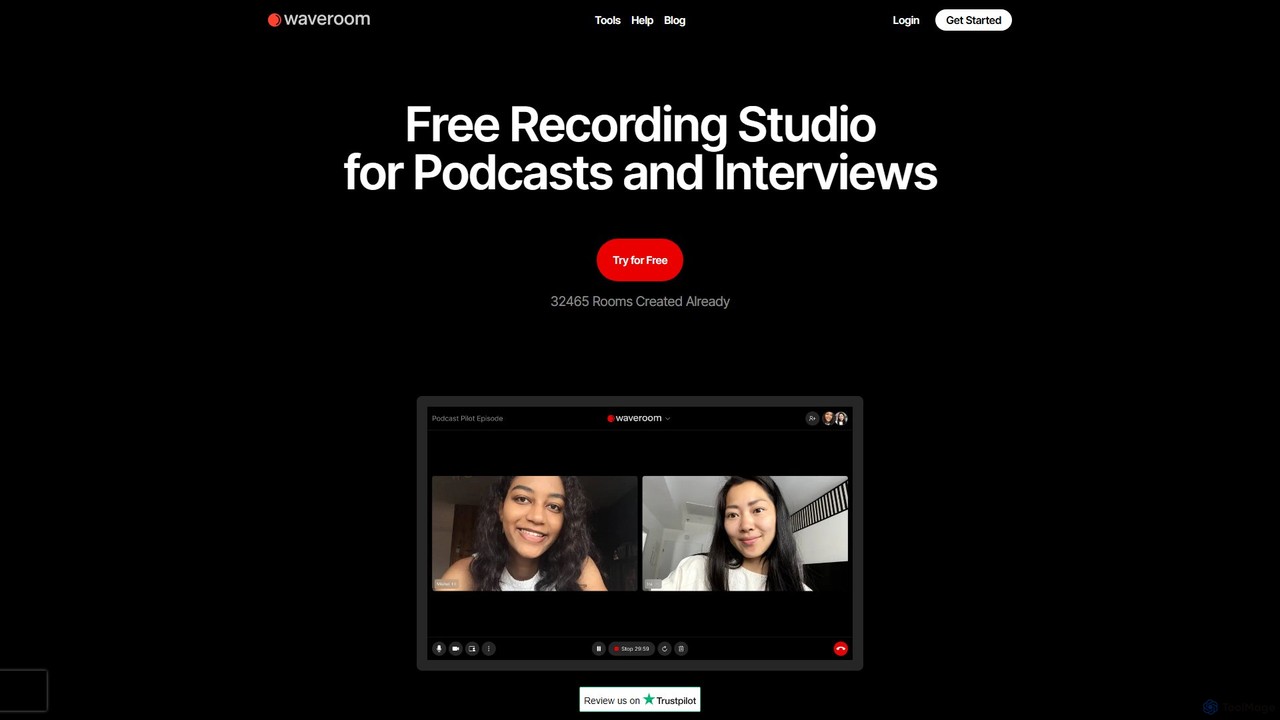
Waveroom is a free, browser-based online recording studio designed for high-quality remote podcasts and video interviews. It uses local recording technology to capture crystal-clear, multi-track audio and video from each participant, ensuring top-notch quality regardless of internet connection stability. Key features include AI noise removal, transcription, and support for up to 2K video and uncompressed WAV audio.

Podcast Recording
Visits 90.7KFavorites 116Likes 106

About Podcast Recording

Podcast Recording tools are AI-powered platforms designed to streamline and enhance the creation of audio content specifically for podcasts. These tools leverage advanced audio processing and AI algorithms to capture high-quality sound, manage multiple speakers, and often include features like noise reduction and automatic transcription. They enable podcasters, content creators, and businesses to produce professional-grade episodes with greater efficiency and consistency. Many also offer remote recording capabilities, making collaborative production seamless regardless of location.

Core Features

  • Multi-track Recording: Capture separate audio tracks for each speaker or sound source, allowing for independent editing.
  • AI Noise Reduction: Automatically eliminate background noise, hums, and echoes for clear, professional audio.
  • Automatic Transcription: Convert spoken words into text, aiding in editing, content repurposing, and generating show notes.
  • Remote Collaboration: Facilitate high-quality recording with guests or co-hosts located in different geographical areas.
  • Sound Enhancement: Apply AI-driven equalization, compression, and mastering for optimized, broadcast-ready sound quality.

Use Cases

These tools are essential for independent podcasters, media companies, and businesses aiming to produce high-quality audio content. They are used for recording solo episodes, conducting remote interviews with guests worldwide, and capturing multi-speaker panel discussions. Furthermore, they support the creation of internal communications, marketing podcasts, and educational audio modules, ensuring professional sound and efficient workflows.

How to Choose

When selecting an AI podcast recording tool, prioritize recording quality, ensuring it offers high-fidelity audio and multi-track capabilities. Evaluate its AI-driven features like noise reduction and transcription accuracy. Consider collaboration tools for remote guests and ease of integration with your existing editing software. Finally, assess the user interface for intuitiveness and the pricing model to match your budget and production needs.

Podcast Recording use cases

1

Remote Interview Recording for Podcasts

For podcasters needing to interview guests located anywhere in the world, AI podcast recording tools provide high-quality, separate audio tracks for each participant. This ensures crystal-clear sound for both host and guest, even with varying internet connections, and simplifies post-production by allowing individual track adjustments. It eliminates the need for complex local setups, making global collaborations accessible and professional.

2

Producing Solo Podcasts with Enhanced Audio

Independent creators producing solo podcasts can leverage these tools to achieve studio-quality audio from home. AI features like automatic noise reduction and sound enhancement clean up recordings, removing echoes and background distractions. This allows podcasters to focus on content delivery, knowing the tool will optimize their voice for a professional, engaging listening experience without extensive manual editing.

3

Recording Panel Discussions or Group Podcasts

Teams or organizations hosting multi-speaker panel discussions or group podcasts benefit from tools that record each speaker on a separate track. This capability is crucial for balancing audio levels, removing individual coughs or stutters, and ensuring every voice is heard clearly. It streamlines the editing process for complex conversations, making the final product polished and easy to follow for listeners.

4

Creating Audio Content for Business Marketing

Businesses utilize AI podcast recording tools to produce high-quality audio content for marketing, internal communications, or training. Whether it's recording interviews with industry experts, company updates, or educational modules, these tools ensure consistent brand voice and professional sound. The integrated transcription features also aid in generating show notes, blog posts, or social media snippets from the audio.

5

Live Stream Audio Capture and Enhancement

For creators who live stream their podcasts or interviews, these tools can capture the live audio with enhanced quality. Some platforms offer real-time noise suppression and audio leveling, ensuring that the live broadcast sounds professional. This also provides a clean recording for later repurposing as a podcast episode, saving time on post-production for both live and on-demand content.

6

Podcast Episode Editing and Transcription Workflow

AI podcast recording tools often integrate features that streamline the entire post-production workflow. Beyond recording, they can automatically transcribe the audio, allowing editors to quickly identify key moments, make cuts based on text, and generate accurate show notes. This significantly reduces the time spent on manual editing and transcription, accelerating the release of new episodes.

Podcast Recording FAQ

What are AI Podcast Recording tools?

AI Podcast Recording tools are specialized software platforms that use artificial intelligence to facilitate and enhance the process of capturing audio for podcasts. They go beyond basic recording by offering features like automatic noise reduction, multi-track recording for multiple speakers, remote collaboration capabilities, and often AI-driven transcription and sound enhancement. Their primary goal is to help podcasters achieve professional audio quality with greater efficiency and less manual effort.

How do AI features improve podcast recording?

AI features significantly improve podcast recording by automating complex audio engineering tasks. For instance, AI noise reduction can automatically remove background hums, echoes, and unwanted sounds, ensuring clearer speech. AI-powered sound enhancement can optimize vocal levels and tone for a polished sound. Additionally, automatic transcription saves hours of manual work, making editing and content repurposing much faster. These features allow creators to focus more on content and less on technical audio challenges.

What's the difference between AI Podcast Recording tools and traditional audio editors?

AI Podcast Recording tools are primarily focused on the capture and initial enhancement of audio specifically for podcasts, often including remote collaboration and multi-track recording. Traditional audio editors, like Audacity or Adobe Audition, are general-purpose software designed for post-production editing, mixing, and mastering of any audio. While some AI recording tools have basic editing, their core strength lies in simplifying the recording process with AI-driven quality improvements, whereas traditional editors offer granular control over every aspect of audio manipulation after recording.

Who should use AI Podcast Recording tools?

AI Podcast Recording tools are ideal for a wide range of users, from independent podcasters and content creators to businesses and educational institutions. They are particularly beneficial for those who frequently record interviews with remote guests, produce multi-speaker shows, or need to achieve professional audio quality without extensive audio engineering knowledge. Anyone looking to streamline their podcast production workflow, reduce post-production time, and ensure consistent high-quality sound will find these tools invaluable.

What features should I look for in an AI Podcast Recording tool?

When choosing an AI Podcast Recording tool, prioritize features such as multi-track recording for individual control over each speaker's audio, AI noise reduction and echo cancellation for clean sound, and remote recording capabilities for seamless guest interviews. Also consider automatic transcription for efficient editing and show notes, sound enhancement/mastering for professional polish, and easy integration with your existing editing software or platforms. User-friendliness and a clear pricing model are also important.