ToolMage
Sign in

Best 1 Audio To Content AI tools for Audio

Popular Audio To Content AI tools in Audio include Speech Illustrator, helping you work more efficiently.

Speech Illustrator
Freemium

Speech Illustrator

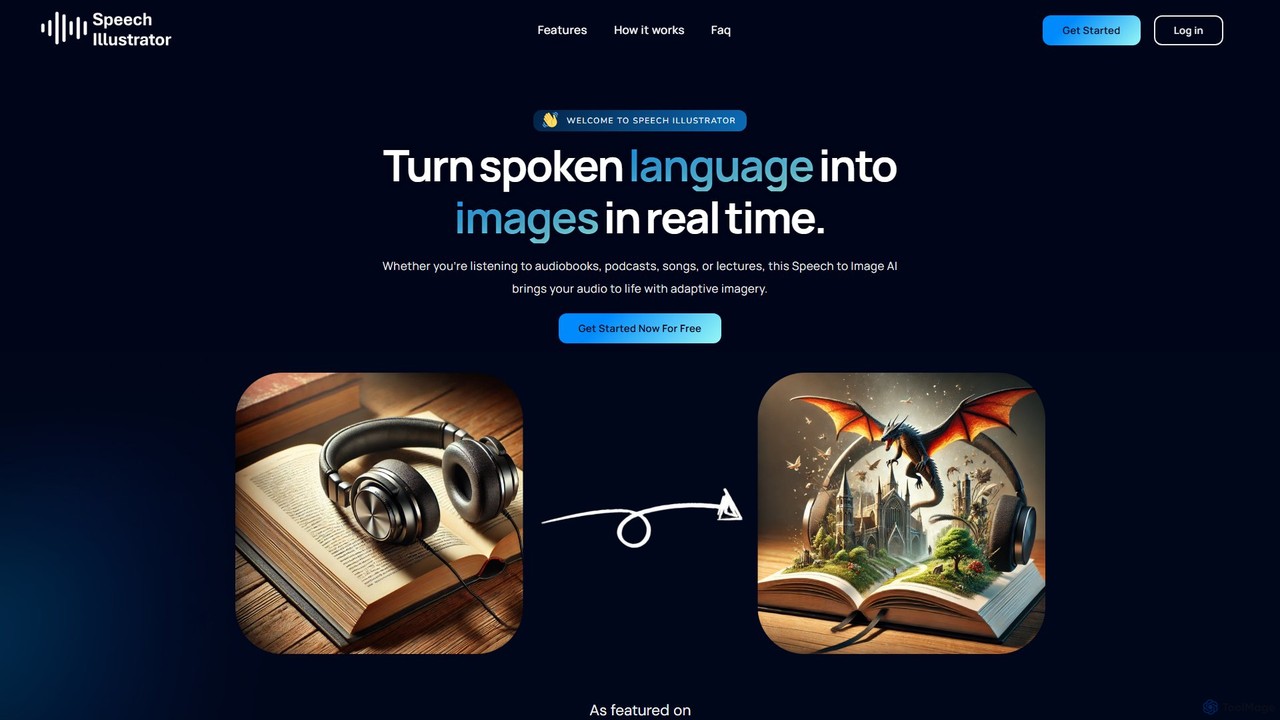
Speech Illustrator is a real-time AI tool that transforms spoken words from any audio source—like podcasts, audiobooks, or lectures—into visually compelling images. It supports over 90 languages and customizable art styles, enhancing comprehension and engagement by adding a dynamic visual layer to your listening experience. Users can capture audio from their microphone or system and download the generated images.

Audio To Content
Visits 6.6KFavorites 139Likes 113

About Audio To Content

Audio To Content tools are a specialized category of AI applications that transform raw audio recordings into various structured written formats. Leveraging advanced speech-to-text, natural language processing (NLP), and generative AI, these tools go beyond simple transcription to analyze, summarize, and repurpose spoken information. Their primary value lies in automating the conversion of unstructured audio data, such as interviews, podcasts, or meetings, into ready-to-publish content, drastically reducing manual effort and accelerating content workflows.

Core Features

  • Automated Transcription & Speaker Diarization: Provides a highly accurate text version of the audio, clearly identifying and labeling different speakers.
  • AI-Powered Summarization: Generates concise summaries, abstracts, or bulleted key takeaways from long-form audio content.
  • Content Repurposing Engine: Creates multiple content formats from a single audio source, such as blog posts, social media captions, email newsletters, and articles.
  • Topic & Chapter Detection: Automatically identifies main themes and segments the audio into logical chapters with timestamps and titles.
  • Keyword & Entity Extraction: Pinpoints and extracts important keywords, names, brands, and topics for SEO and content analysis.

Use Cases

These tools are widely used by content creators, marketers, journalists, and business professionals. For instance, a podcaster can instantly generate show notes and a full blog post from an episode. A marketing team can repurpose a one-hour webinar into a dozen social media clips and a summary article. Corporate teams use them to create searchable meeting minutes and extract action items automatically.

How to Choose

When selecting an Audio To Content tool, consider the accuracy of its transcription and speaker identification. Evaluate the variety and quality of the content formats it can generate (e.g., summaries vs. full articles). Check for integration capabilities with your existing platforms like CMS or social media schedulers. Finally, assess the pricing model—whether it's based on audio duration, subscription tiers, or feature sets—to ensure it aligns with your usage volume and budget.

Audio To Content use cases

1

Generate Podcast Show Notes and Articles

For podcasters and content creators, manually transcribing and summarizing an hour-long episode can take several hours. By using an Audio To Content tool, they can upload their episode's audio file and automatically receive a full, accurate transcript with speaker labels. More importantly, the AI can generate concise show notes with timestamps, a list of key takeaways, and even draft a complete blog post based on the episode's content. This process reduces content production time by over 80%, allowing creators to publish supplementary materials consistently and improve their content's SEO visibility.

2

Automate Meeting Summaries and Action Items

Business professionals and project managers often spend significant time after meetings compiling notes and identifying action items. An Audio To Content tool streamlines this by recording the meeting audio and instantly generating a structured summary. The AI can identify key decisions, unresolved questions, and assignable tasks mentioned during the conversation. It can then format these into clear meeting minutes and a list of action items, often with the responsible person tagged. This not only saves time but also improves accountability and ensures that important follow-ups are not missed.

3

Repurpose Webinars for Multi-Channel Marketing

Content marketers host webinars to generate leads and educate their audience, but the value of a webinar often remains locked in the video recording. An Audio To Content tool can extract the audio and transform it into a wealth of marketing assets. From the audio, it can generate a summary blog post for the company website, pull out impactful quotes for social media graphics, create a series of short text snippets for a Twitter thread, and draft a follow-up email newsletter for attendees. This strategy maximizes the ROI of a single event by creating a dozen pieces of content for different channels with minimal extra effort.

4

Create Study Materials from Lectures

For students and educators, recorded lectures are a valuable resource. An Audio To Content tool can make them even more effective. A student can upload a lecture recording to get a searchable transcript, making it easy to find specific topics discussed. The AI can also generate a concise summary of the entire lecture, create flashcards based on key terms and definitions mentioned, and even formulate potential quiz questions. This transforms a passive listening experience into an active study session, improving comprehension and retention of the material.

5

Analyze User Interviews for Product Insights

UX researchers and product managers conduct numerous user interviews to gather feedback. Listening back to hours of recordings is time-consuming. By processing these interviews through an Audio To Content tool, they can get transcripts and, more importantly, AI-generated summaries that highlight key themes, user pain points, and feature requests. Some advanced tools can even perform sentiment analysis or categorize feedback automatically. This allows product teams to quickly synthesize insights from qualitative data, identify patterns across multiple interviews, and make more informed decisions for product development.

6

Draft Articles from Journalistic Interviews

Journalists rely on interviews as the primary source for their stories. An Audio To Content tool can significantly speed up the writing process. After conducting an interview, a journalist can upload the audio to get an instant transcript for accurate quotes. The AI can then go a step further by identifying the main narrative points, summarizing the interviewee's key arguments, and even generating a first draft of an article. While this draft requires human editing and contextualization, it provides a solid foundation, saving the journalist hours of foundational writing and allowing them to focus on crafting a compelling narrative and fact-checking.

Audio To Content FAQ

What are Audio To Content tools?

Audio To Content tools are AI-powered platforms that convert spoken audio into various forms of written content, going far beyond simple transcription. They use natural language processing (NLP) and generative AI to not only transcribe words but also to understand context, summarize key points, and repurpose the information into formats like blog posts, show notes, meeting minutes, and social media updates. The primary goal is to unlock the value within audio recordings and automate the content creation process.

How do Audio To Content tools differ from standard transcription services?

The key difference lies in the output and intelligence. A standard transcription service provides a verbatim text file of what was said. An Audio To Content tool does that as a first step, but then applies further AI analysis to create new, structured content. Key differentiators include:

  • Summarization: They create concise summaries, which transcription services don't.
  • Content Generation: They draft new content like articles or social posts, not just a transcript.
  • Structural Analysis: They can identify chapters, topics, and action items within the audio.
  • Repurposing: Their core function is to create multiple content assets from one source, while transcription's goal is a single, accurate text document.
In short, transcription is about documentation, while Audio To Content is about creation and activation.

How do I choose the best Audio To Content tool for my needs?

To choose the right tool, evaluate these factors based on your primary use case:

  • Transcription Quality: Check the accuracy, especially for technical jargon or multiple accents relevant to your field.
  • Output Formats: Does the tool generate the specific content types you need (e.g., show notes, summaries, blog drafts, social media captions)?
  • Speaker Identification: How well does it distinguish between speakers in a multi-person conversation? This is crucial for interviews and meetings.
  • Integrations: Can it connect to your workflow tools like Google Drive, Notion, WordPress, or social media schedulers to streamline publishing?
  • Cost vs. Volume: Analyze the pricing structure. Is it a flat monthly fee or based on the number of audio hours you process? Choose one that matches your expected usage.

What kind of content formats can be generated from audio?

Audio To Content tools are versatile and can produce a wide range of formats from a single audio file. Common outputs include:

  • Full Transcripts: A word-for-word text version with speaker labels and timestamps.
  • Summaries: Can range from a short paragraph to a detailed, multi-point summary.
  • Show Notes: Specifically for podcasts, including key topics, guest bios, and resource links.
  • Blog Posts & Articles: A structured, narrative-form article based on the conversation.
  • Social Media Content: Short, engaging snippets, quotes, or questions formatted for platforms like Twitter, LinkedIn, or Instagram.
  • Action Items & Meeting Minutes: A structured list of tasks and decisions from a business meeting.

Who are the primary users of Audio To Content tools?

These tools serve a diverse range of professionals who work with spoken-word content. The primary users include:

  • Content Creators & Podcasters: To create show notes, blog posts, and social media content from their episodes.
  • Marketers: To repurpose webinars, virtual events, and video interviews into various marketing assets.
  • Journalists & Writers: To quickly transcribe interviews and generate drafts for articles.
  • Business Professionals & Teams: To document meetings, track action items, and share key decisions.
  • Researchers & Academics: To analyze qualitative data from interviews, focus groups, and lectures.
  • Students: To create study guides, summaries, and searchable notes from class recordings.