ToolMage
Sign in

Best 1 Audio To Video AI tools for Audio

Popular Audio To Video AI tools in Audio include music2tube, helping you work more efficiently.

music2tube
Paid

music2tube

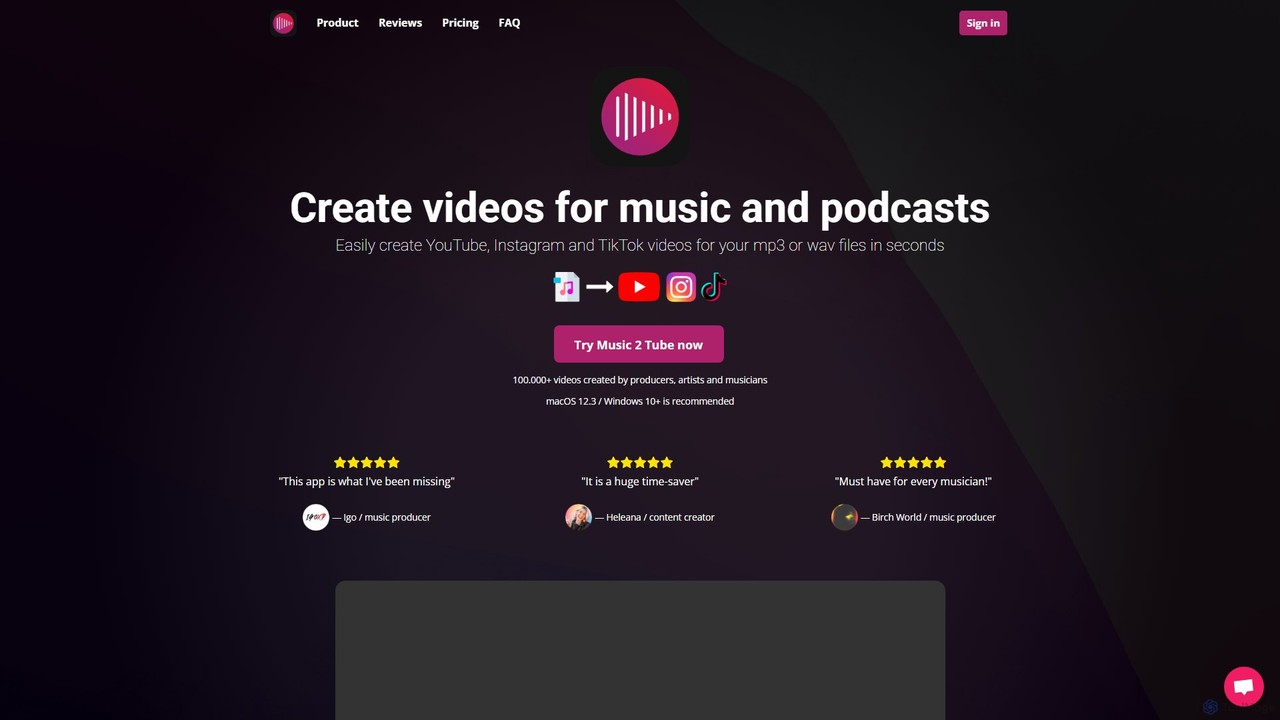
An efficient tool for musicians, producers, and podcasters to automatically convert audio files into engaging videos. Easily create and upload videos in bulk for YouTube, Instagram, and TikTok, complete with custom branding, effects, and direct platform integration, saving significant time and effort.

Audio To Video
Visits 10.8KFavorites 151Likes 166

About Audio To Video

Audio To Video AI tools are a category of artificial intelligence applications designed to automatically generate or synchronize visual content from audio inputs. These tools leverage advanced AI algorithms, including natural language processing and computer vision, to analyze speech, music, and sound effects, transforming them into dynamic and engaging video formats. They enable creators to add visual appeal to podcasts, audiobooks, voiceovers, and music tracks, significantly streamlining the video production process without requiring extensive manual editing skills.

Core Features

  • AI Lip-Syncing & Avatar Animation: Automatically animates virtual characters or existing images to accurately lip-sync with spoken audio, creating realistic talking head videos.
  • Dynamic Audio Visualization: Generates various visual representations of sound, such as waveforms, spectrums, or reactive graphics, that move and change in real-time with the audio.
  • Speech-to-Scene Generation: Interprets spoken content and emotional cues to suggest or generate relevant video clips, transitions, or background imagery, enhancing narrative flow.
  • Automated Background Music Integration: Synchronizes visual elements and transitions with the rhythm and mood of background music, creating cohesive and engaging musical videos.

Use Cases

These tools are invaluable for content creators, marketers, and educators looking to repurpose audio content or create new video assets efficiently. They are used to transform audio podcasts into YouTube-ready video episodes, generate engaging social media clips from voiceovers, or create dynamic music videos without complex animation software.

How to Choose

When selecting an Audio To Video AI tool, consider the primary output type you need (e.g., lip-sync avatars, abstract visualizations, scene generation). Evaluate the quality and realism of the AI-generated visuals, the range of customization options available, and the ease of integration with your existing workflow. Pricing models, supported audio input formats, and export capabilities are also crucial factors to ensure the tool meets your specific production requirements.

Audio To Video use cases

1

Transforming Podcasts into Video Episodes

Podcasters can use Audio To Video AI tools to convert their audio-only episodes into visually engaging video formats suitable for platforms like YouTube or social media. The AI can automatically add static backgrounds, dynamic waveforms, or even animate a virtual host, making the content more accessible and appealing to a wider audience without manual video editing.

2

Generating Virtual Presenter Videos from Voiceovers

Content creators, educators, and corporate trainers can leverage these tools to create professional-looking explainer videos or online course modules. By simply providing a voiceover script, the AI can generate a video featuring an animated avatar or a lip-synced human presenter, significantly reducing the time and cost associated with traditional video production and talent hiring.

3

Creating Dynamic Music Visualizers

Musicians, DJs, and artists can utilize Audio To Video AI to produce captivating visualizers for their tracks. The tools analyze the rhythm, tempo, and frequency of the music to generate abstract graphics, pulsating patterns, or thematic animations that synchronize perfectly with the audio, offering a unique visual experience for listeners on streaming platforms.

4

Automating Marketing & Promotional Video Production

Marketers can quickly generate short, impactful promotional videos from audio testimonials, product descriptions, or ad scripts. The AI can combine audio with relevant stock footage, text overlays, and dynamic transitions, enabling rapid content iteration for social media campaigns, product launches, or event promotions, saving significant time and resources.

5

Visualizing Audiobooks and Spoken Word Content

Publishers and authors can enhance audiobooks or spoken word performances by converting them into video. The AI can generate subtle background animations, illustrative scene changes, or text visualizations that follow the narrative, providing a richer, multi-sensory experience for the audience and expanding distribution channels beyond audio-only platforms.

6

Producing Interactive Explainer Videos for Online Learning

E-learning platforms and educators can create more engaging and interactive learning materials. By inputting audio lectures or explanations, the AI can generate videos with synchronized visuals, animated diagrams, or even interactive elements that respond to the audio cues, making complex topics easier to understand and improving student retention.

Audio To Video FAQ

What are AI Audio To Video tools?

AI Audio To Video tools are artificial intelligence applications that automatically generate visual content or synchronize existing visuals with audio inputs. They analyze elements like speech, music, and sound effects to produce videos, often featuring lip-synced avatars, dynamic visualizations, or AI-generated scenes, transforming audio-only content into engaging visual experiences.

What are the main features of AI Audio To Video tools?

Key features typically include AI lip-syncing for animating characters to match speech, dynamic audio visualization to represent sound visually (e.g., waveforms, spectrums), speech-to-scene generation that creates relevant video clips based on spoken content, and emotion/tone mapping to adapt visuals to the audio's mood. Some tools also offer automated captioning and background music integration.

How do AI Audio To Video tools work?

These tools work by employing advanced AI models, primarily deep learning. They first process the audio input using natural language processing (for speech) or digital signal processing (for music/sound) to extract features like phonemes, rhythm, pitch, and emotion. Then, computer vision and generative AI models use these features to either animate a visual asset (like an avatar's mouth) or generate new visual elements (like scenes or visualizations) that correspond to the audio, creating a synchronized video output.

How do I choose the right AI Audio To Video tool for my needs?

To choose the right tool, consider your primary use case: do you need lip-syncing, abstract visualizations, or scene generation? Evaluate the quality and realism of the AI output, the range of customization options (e.g., avatar styles, visualization templates), and the supported input/output formats. Also, assess the user-friendliness of the interface, pricing structure, and any integration capabilities with other platforms or software you use.

How do AI Audio To Video tools differ from traditional video production?

AI Audio To Video tools primarily differ by automating significant portions of the video creation process, especially the synchronization of audio with visuals. Traditional video production often requires manual editing, animation, and talent coordination, which is time-consuming and costly. AI tools streamline this by generating visuals directly from audio, making video creation faster, more accessible, and scalable, particularly for repurposing audio content or creating simple, engaging visual assets.